
การแนะนำ
This manual provides detailed instructions for the safe and efficient use of your Perco Pro 1 Line Date Label Gun Kit. Please read this manual thoroughly before operating the device to ensure proper setup, operation, and maintenance. Retain this manual for future reference.
สินค้าเกินview
The Perco Pro 1 Line 8 Digits Date Coding Gun Kit is designed for quick and accurate labeling of products with dates and times. This manual labeler can hold up to 1000 labels per roll, significantly increasing efficiency compared to manual labeling. The kit includes the label gun, 10,000 plain white labels, and a preloaded ink roller. Its design ensures clear and legible prints, which is crucial for applications like food safety and inventory management, while also helping to reduce labor costs.

Image: The Perco Pro 1 Line Date Label Gun Kit, showing the label gun, rolls of blank labels, and an ink roller.
การตั้งค่า
1. การโหลดฉลาก
- Open the label gun's cover by pressing the release latch, usually located near the handle.
- Insert a roll of labels onto the label spindle, ensuring the labels feed from the bottom of the roll.
- Thread the first few labels through the feed mechanism, making sure the adhesive side faces down.
- Close the cover until it clicks securely into place.

Image: A user demonstrating how to load a roll of labels into the Perco Pro 1 Line Date Label Gun.
2. Checking the Ink Roller
The kit comes with a preloaded ink roller. Ensure it is properly seated in its compartment. If the print quality is poor, the ink roller may need replacement (refer to the Maintenance section).
คำแนะนำการใช้งาน
1. Setting Characters (Date/Time)
- Locate the adjustment knobs or dials on the side of the label gun.
- Rotate the knobs to select the desired characters for each of the 8 digits. The Perco Pro 1 Line label gun supports various date and time formats.
- Verify the selected characters are correctly aligned in the display window before printing.
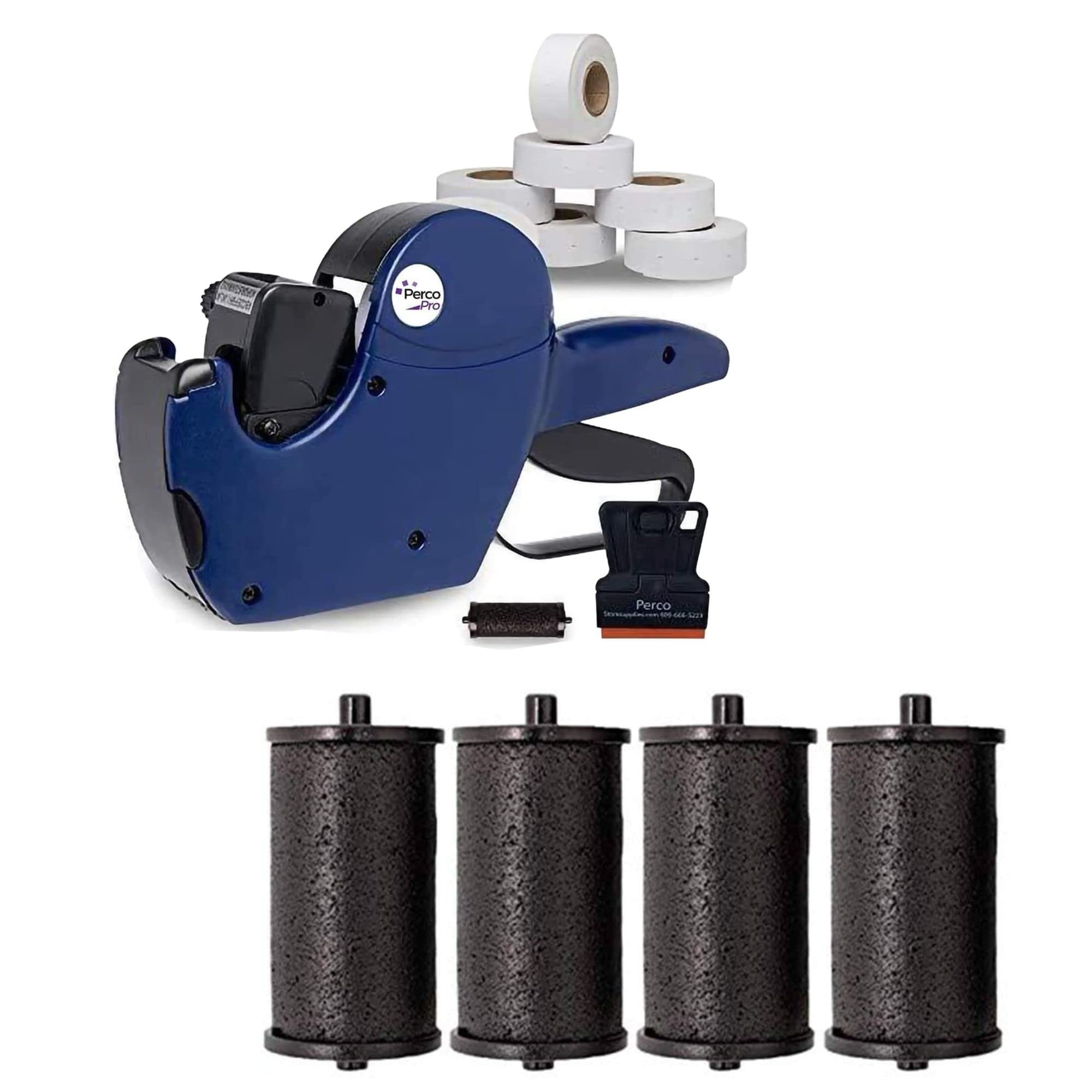
Image: The Perco Pro 1 Line Date Label Gun, illustrating its 8 bands of options for customizing date and time labels.
2. Applying Labels
- Position the label gun firmly against the surface where the label is to be applied.
- Squeeze the trigger handle completely to print and dispense a label.
- Release the trigger. The label will be applied, and the next label will advance into position.
- Ensure a smooth, consistent squeeze and release for optimal label application.
การซ่อมบำรุง
1. Replacing the Ink Roller
When prints become faint or illegible, it's time to replace the ink roller. Perco Pro ink rolls are designed for easy replacement.
- Open the label gun's cover.
- Carefully remove the old ink roller from its housing. Avoid touching the ink directly.
- Unpack a new Perco Pro ink roller (pack of 4 included in the kit).
- Insert the new ink roller into the housing, ensuring it snaps securely into place.
- Close the label gun's cover.

Image: A pack of four Perco Pro ink rolls, compatible with Perco Pro 1 Line and 2 Line labelers.

Image: The Perco Pro 1 Line Date Label Gun shown alongside a pack of replacement ink rolls, highlighting their compatibility.
2. การทำความสะอาด
Periodically clean the label gun to prevent label jams and ensure consistent performance. Use a soft, dry cloth to wipe away any dust or label residue. Do not use harsh chemicals or abrasive materials.
การแก้ไขปัญหา
- ป้ายกำกับไม่แสดงผล:
Ensure the label roll is correctly loaded and threaded. Check for any jammed labels in the feed mechanism. Make sure the cover is securely closed.
- Faint or Illegible Print:
The ink roller may be dry or improperly seated. Replace the ink roller as described in the Maintenance section. Ensure you are using genuine Perco Pro ink rollers.
- Characters Not Changing:
Check if the adjustment knobs are stuck or if there is debris preventing them from rotating freely. Gently clean around the knobs if necessary.
- ฉลากไม่ติด:
Ensure the surface is clean, dry, and suitable for adhesive labels. Check if the labels are old or have lost their adhesive quality.
ข้อมูลจำเพาะ
| คุณสมบัติ | รายละเอียด |
|---|---|
| ยี่ห้อ | Perco |
| แบบอย่าง | Perco Pro 1 Line |
| จำนวนหลัก | 8 |
| Label Capacity | Up to 1000 labels per roll |
| ประเภทวัสดุ | พลาสติก |
| ขนาดแกน | 1.5 นิ้ว |
| โหมดการทำงาน | คู่มือ |
| แหล่งพลังงาน | คู่มือ |
ข้อมูลการรับประกัน
Specific warranty details for the Perco Pro 1 Line Date Label Gun Kit are not provided in the product information. Please refer to the retailer's return policy or contact Perco directly for warranty inquiries.
สนับสนุน
For further assistance or technical support, please visit the official Perco website or contact their customer service. Contact information may also be available on the product packaging or through your retailer.
You can visit the Perco Store on Amazon: Perco Store