
PTHTECHUS S80K
PTHTECHUS Smart Watch for Kids User Manual
Model: S80K | Brand: PTHTECHUS
1. บทนำ
This manual provides detailed instructions for the setup, operation, and maintenance of your PTHTECHUS Smart Watch for Kids. This smartwatch is designed to offer a range of features including communication, fitness tracking, and health monitoring, making it a versatile companion for daily activities.

Image: The PTHTECHUS Smart Watch, showcasing its main display with various health and activity metrics.
2. อะไรอยู่ในกล่อง
โปรดตรวจสอบว่าสินค้าทั้งหมดมีอยู่ในแพ็คเกจ:
- 1 x PTHTECHUS Smart Watch
- 1 x สายชาร์จ
- 1 x คู่มือผู้ใช้
3. คู่มือการติดตั้ง
3.1 การชาร์จอุปกรณ์
Before first use, fully charge your smartwatch. Connect the magnetic charging cable to the charging points on the back of the watch and plug the USB end into a compatible power adapter (not included) or a computer's USB port.

Image: The smartwatch's charging interface and the magnetic charging cable.
3.2 การติดตั้งและการจับคู่แอป
To unlock the full functionality of your smartwatch, download and install the 'CO-FIT' app on your smartphone. The app is compatible with Android 4.4 and above, and iOS 8.0 and above. Once installed, open the app and follow the on-screen instructions to pair your smartwatch via Bluetooth. Ensure Bluetooth is enabled on your phone.
3.3 การปรับแต่งหน้าปัดนาฬิกา
Your smartwatch offers over 120 pre-designed watch face styles. You can also personalize your watch by uploading your own photos of family, friends, or pets through the CO-FIT app to create custom dials.
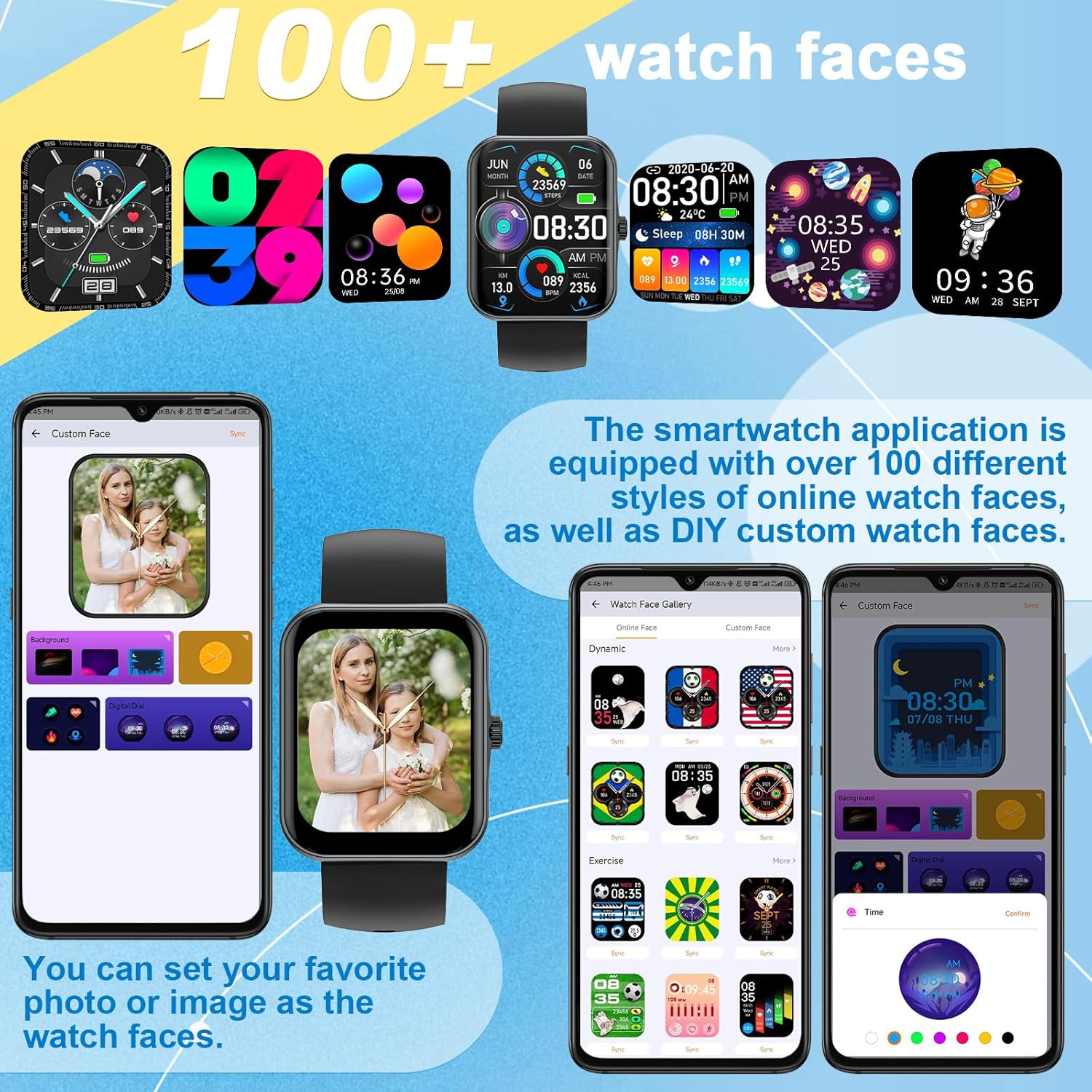
ภาพ: อดีตamples of the diverse watch faces and custom dial options.
4. คู่มือการใช้งาน
4.1 Phone Calls and Notifications
Once connected to your phone via Bluetooth, you can make and answer calls directly from your smartwatch. The built-in microphone and speaker allow for hands-free communication. You can also view call history and synchronize contacts. The watch receives SMS and APP notifications (e.g., WhatsApp, Facebook, Instagram), but replying to messages is not supported.

Image: Demonstrating the smartwatch's call answering feature.
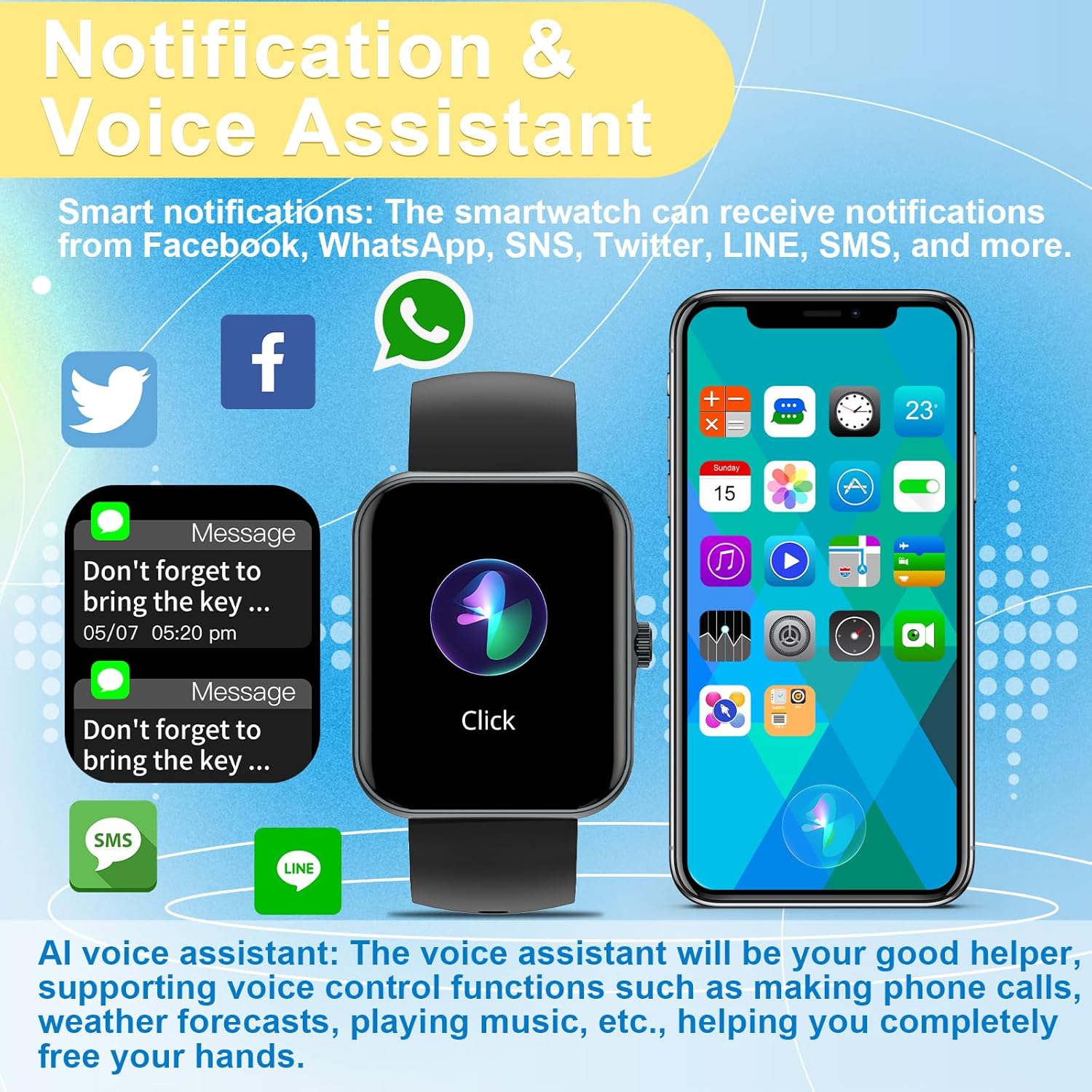
Image: Smart notifications and AI voice assistant interface on the watch.
4.2 ผู้ช่วยเสียง (Siri)
The integrated AI voice assistant allows for voice control functions such as making calls, checking weather forecasts, and playing music, providing a hands-free experience.
4.3 การควบคุมเพลงและกล้อง
Control your phone's music playback directly from your smartwatch. You can also use the watch as a remote control for your phone's camera, making it easier to capture photos.

Image: Music control functionality on the smartwatch.
4.4 โหมดกีฬาและการติดตามกิจกรรม
The watch supports 37 different sports modes, including mountaineering, running, cycling, and yoga. It accurately records daily activities such as steps, distance, and calorie consumption, helping you track your fitness progress.

ภาพ: เหนือview of the 37 available sport modes.
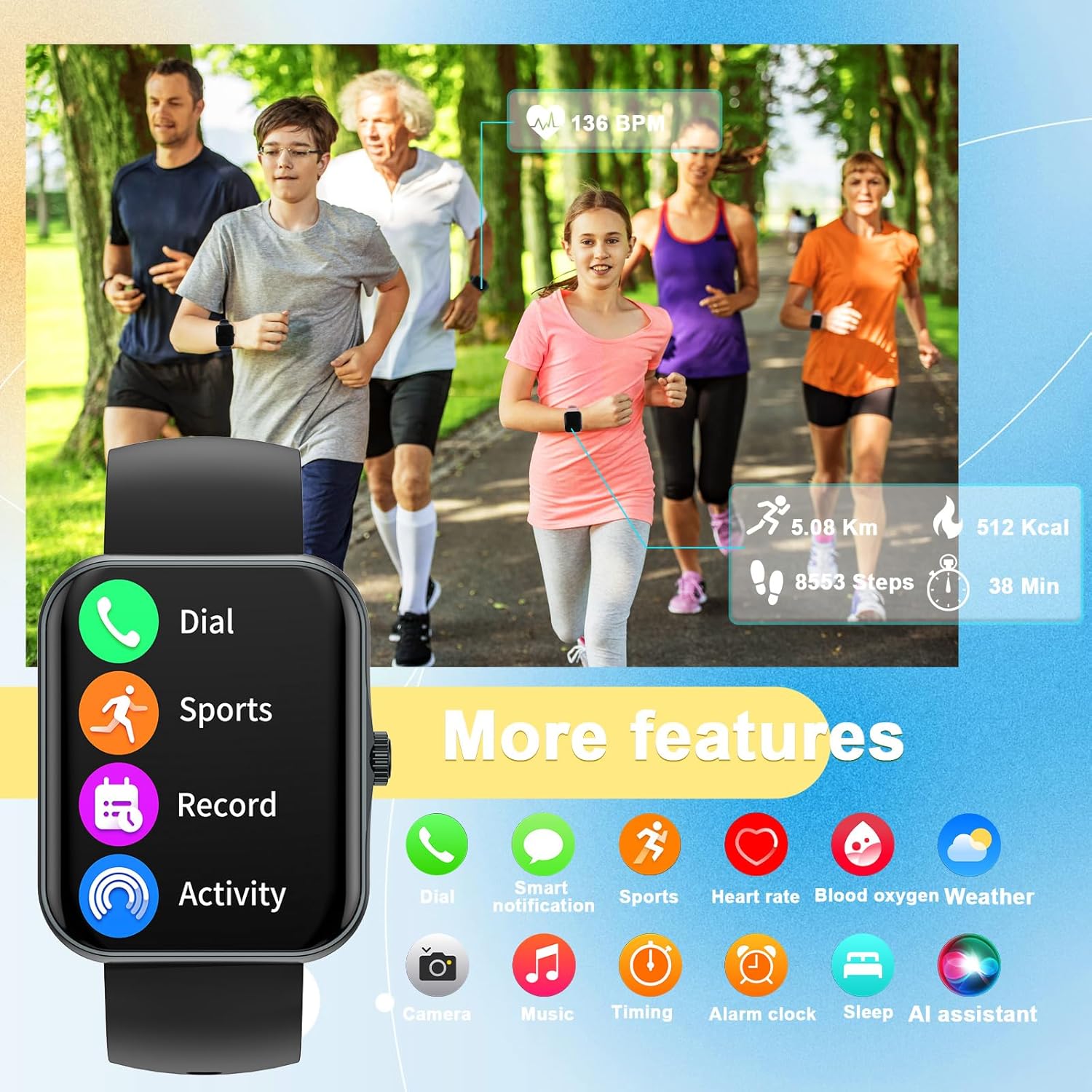
Image: The smartwatch's interface showing various features including dial, sports, record, activity, heart rate, blood oxygen, weather, camera, music, timing, alarm, sleep, and AI assistant.
4.5 การตรวจติดตามสุขภาพ
The smartwatch provides 24-hour health monitoring, including heart rate, blood oxygen saturation (SpO2), and sleep tracking. It offers comprehensive sleep quality analysis to help develop healthier sleep habits. Note: This data is for reference only and cannot be used for medical diagnosis or treatment.
4.6 Weather Display
View real-time weather information directly on your smartwatch when connected to your phone.
5. การบำรุงรักษา
5.1 การทำความสะอาด
ทำความสะอาดสมาร์ทวอทช์และสายนาฬิกาเป็นประจำด้วยผ้าแห้งนุ่มๆ หากจำเป็น ให้ใช้ผ้าที่ชื้นเล็กน้อยเช็ดทำความสะอาดamp แล้วเช็ดให้แห้งสนิท หลีกเลี่ยงสารเคมีรุนแรงหรือวัสดุที่มีฤทธิ์กัดกร่อน
5.2 การดูแลแบตเตอรี่
เพื่อยืดอายุการใช้งานแบตเตอรี่ ควรหลีกเลี่ยงการปล่อยประจุแบตเตอรี่จนหมดบ่อยๆ ควรชาร์จนาฬิกาเมื่อแบตเตอรี่ใกล้หมด เก็บนาฬิกาไว้ในที่แห้งและเย็นเมื่อไม่ได้ใช้งานเป็นเวลานาน
5.3 ความต้านทานต่อน้ำ
Important: This smartwatch is NOT waterproof. Avoid exposing it to water, including showering, swimming, or heavy rain, as this can cause irreparable damage.
6 การแก้ไขปัญหา
- นาฬิกาไม่เปิด: ตรวจสอบให้แน่ใจว่านาฬิกาชาร์จเต็มแล้ว เสียบนาฬิกาเข้ากับเครื่องชาร์จและรอสักครู่ก่อนลองเปิดเครื่อง
- ไม่สามารถจับคู่กับโทรศัพท์ได้:
- ตรวจสอบให้แน่ใจว่าเปิดใช้งาน Bluetooth บนโทรศัพท์ของคุณแล้ว
- ตรวจสอบให้แน่ใจว่านาฬิกาอยู่ในระยะบลูทูธของโทรศัพท์ของคุณ
- รีสตาร์ททั้งนาฬิกาและโทรศัพท์ของคุณ
- Check the CO-FIT app for pairing instructions and ensure the app has necessary permissions.
- ข้อมูลสุขภาพที่ไม่ถูกต้อง: Ensure the watch is worn snugly on your wrist, not too tight or too loose. Clean the sensor on the back of the watch. Remember that health data is for reference and not medical use.
- ไม่ได้รับการแจ้งเตือน:
- ตรวจสอบให้แน่ใจว่านาฬิกาเชื่อมต่อกับโทรศัพท์ของคุณผ่านบลูทูธแล้ว
- Check notification settings within the CO-FIT app and your phone's system settings to ensure app notifications are enabled for the smartwatch.
- อายุการใช้งานแบตเตอรี่สั้น: Reduce screen brightness, limit frequent screen wake-ups, and disable unnecessary features if not in use.
7. ข้อมูลจำเพาะ
| คุณสมบัติ | รายละเอียด |
|---|---|
| ชื่อรุ่น | S80K |
| ยี่ห้อ | พีทีเอชเทคทัส |
| ขนาดหน้าจอ | 1.83 นิ้ว |
| ขนาดสินค้า | 8.66 x 1.57 x 0.79 นิ้ว |
| น้ำหนักสินค้า | 1.76 ออนซ์ (50 กรัม) |
| ระบบปฏิบัติการ | แอสโตรโดรมิโนโอเอส |
| เทคโนโลยีการเชื่อมต่อ | บลูทูธ |
| แบตเตอรี่ | ลิเธียมโพลีเมอร์ 1 อัน (รวมอยู่ด้วย) |
| คุณสมบัติพิเศษ | Activity Tracker, Phone Call, Oxymeter (SpO2), Notifications, Heart Rate Monitor |
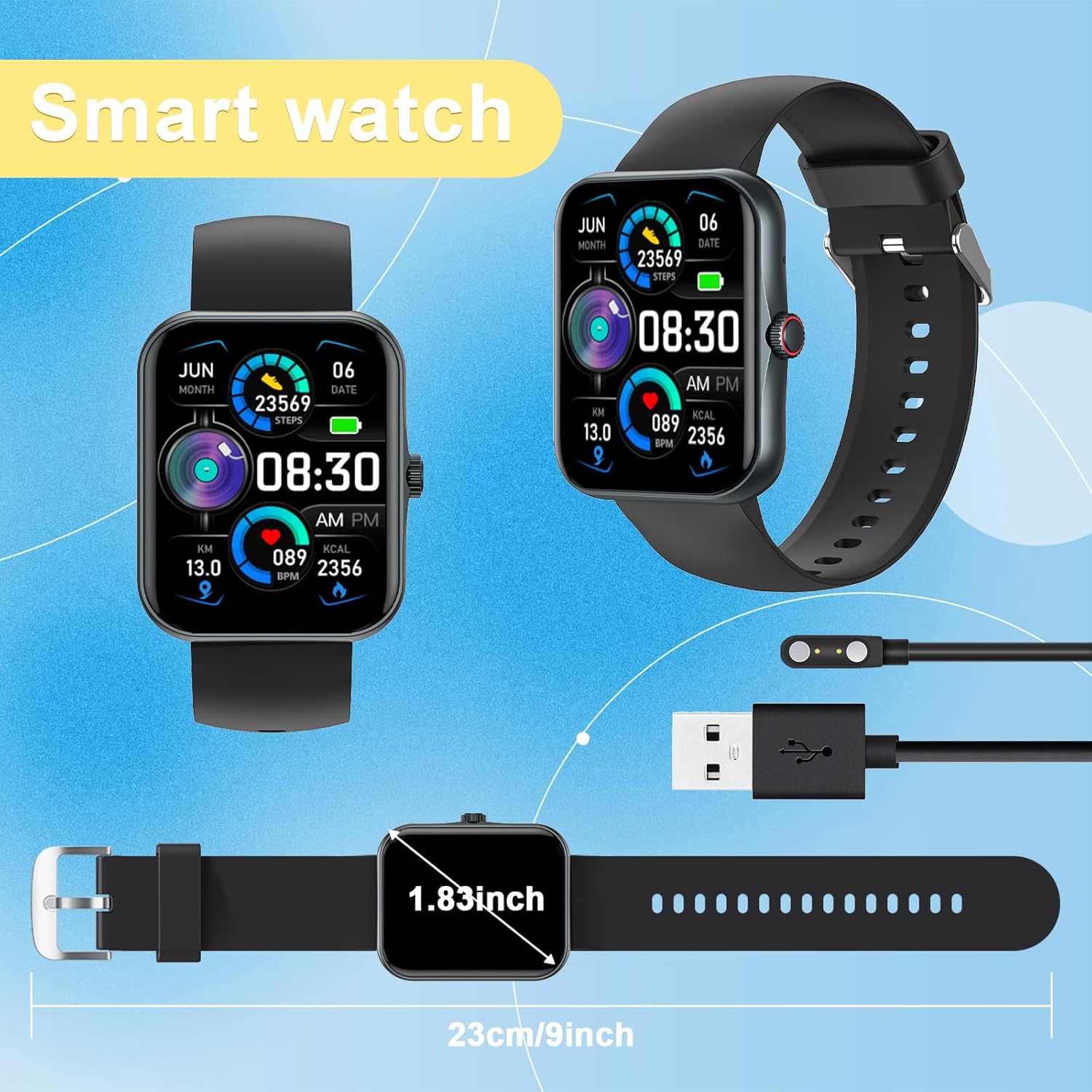
Image: Physical dimensions of the smartwatch.
8. การรับประกันและการสนับสนุน
Your PTHTECHUS Smart Watch is covered by a manufacturer's warranty. For detailed warranty information, technical support, or service inquiries, please refer to the contact information provided in your product packaging or visit the official PTHTECHUS webไซต์ โปรดเก็บหลักฐานการซื้อไว้เพื่อใช้ในการเรียกร้องการรับประกัน