
การแนะนำ
Thank you for choosing the SOAR NCAA Sport True Wireless Earbuds V.5. This manual provides detailed instructions for the proper setup, operation, and maintenance of your earbuds. Please read this manual thoroughly before use to ensure optimal performance and longevity of your device.
เนื้อหาแพ็คเกจ
- SOAR NCAA Sport True Wireless Earbuds V.5 (Left and Right)
- เคสชาร์จแบบพกพา
- สายชาร์จแบบ USB Type-C
- Extra Ear Gels (various sizes)
- คู่มือการใช้งาน (เอกสารนี้)
สินค้าเกินview
Familiarize yourself with the components of your SOAR True Wireless Earbuds.

Image: The SOAR NCAA Sport True Wireless Earbuds V.5, featuring the TCU Horned Frogs logo, are shown both inside their open charging case and as a single earbud outside the case. The closed charging case lid is also displayed, highlighting the team logo.

Image: A diagram highlighting the functional aspects of the earbuds, including sweat resistance, secure fit ear hooks, the portable charging case, clear call quality, and intuitive one-touch controls.
- หูฟัง: Left and Right earbuds with integrated controls and ear hooks for a secure fit.
- เคสชาร์จ: ใช้สำหรับจัดเก็บและชาร์จหูฟังไร้สาย
- ไฟ LED แสดงสถานะ: Provide status updates for charging and pairing.
- Multi-function Button/Touch Control: สำหรับจัดการการเล่นเพลง การโทร และผู้ช่วยเสียง
- ไมโครโฟน: สร้างขึ้นเพื่อการโทรแบบแฮนด์ฟรี
การตั้งค่า
1. การชาร์จหูฟังและเคส
- ก่อนใช้งานครั้งแรก ควรชาร์จหูฟังและเคสชาร์จให้เต็ม
- ใส่หูฟังลงในกล่องชาร์จ ตรวจสอบให้แน่ใจว่าใส่หูฟังเข้าที่อย่างถูกต้อง
- เสียบสาย USB Type-C เข้ากับพอร์ตชาร์จบนเคส และเสียบปลายอีกด้านหนึ่งเข้ากับแหล่งจ่ายไฟ USB (เช่น คอมพิวเตอร์ อะแดปเตอร์ติดผนัง)
- The LED indicators on the case and/or earbuds will show charging status. Refer to the LED indicator section for details.
- Once fully charged, disconnect the charging cable. A full charge provides over 10 hours of music and talk time.
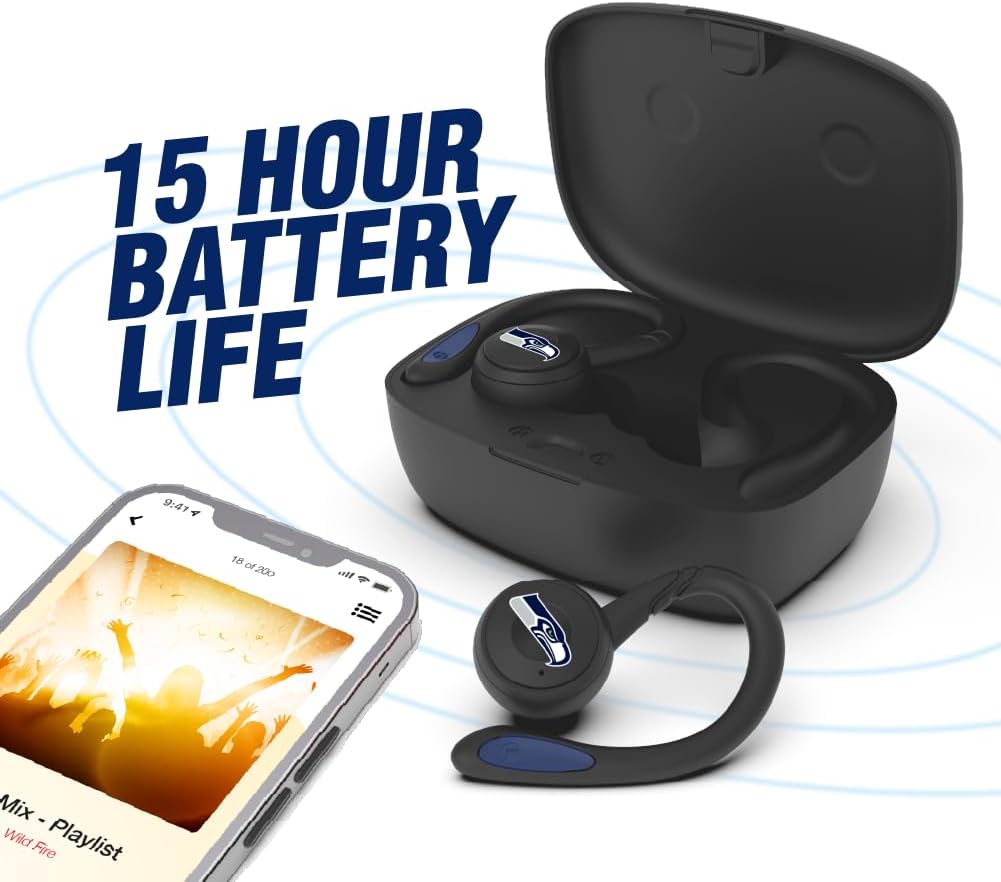
Image: The earbuds are shown within their charging case, positioned beside a smartphone playing music, emphasizing the extended battery life for continuous audio enjoyment.
2. การจับคู่กับอุปกรณ์บลูทูธ
- ตรวจสอบให้แน่ใจว่าได้ชาร์จเอียร์บัดแล้ว
- Open the charging case. The earbuds will automatically enter pairing mode, and their LED indicators will flash (e.g., blue and red alternately).
- เปิดใช้งาน Bluetooth บนอุปกรณ์ของคุณ (สมาร์ทโฟน แท็บเล็ต ฯลฯ)
- ค้นหา available Bluetooth devices. You should see "SOAR Earbuds V.5" or a similar name appear in the list.
- Select the earbuds from the list to connect. Once connected, the LED indicators on the earbuds will stop flashing or show a solid blue light, and you will hear an audible confirmation.
- หากการจับคู่ล้มเหลว ให้ปิดหูฟัง ปิดใช้งานบลูทูธบนอุปกรณ์ของคุณ และทำตามขั้นตอนซ้ำอีกครั้ง
คำแนะนำการใช้งาน
เปิด/ปิดเครื่อง
- เปิดเครื่อง: Open the charging case, or press and hold the multi-function button on each earbud for approximately 3 seconds.
- หมดแรง: Place the earbuds back into the charging case and close the lid, or press and hold the multi-function button on each earbud for approximately 5 seconds.
การเล่นเพลง
- เล่น/หยุดชั่วคราว: แตะปุ่มมัลติฟังก์ชั่นบนหูฟังข้างใดข้างหนึ่งเพียงครั้งเดียว
- เพลงถัดไป: แตะสองครั้งที่ปุ่มมัลติฟังก์ชั่นบนหูฟังข้างขวา
- แทร็กก่อนหน้า: แตะสองครั้งที่ปุ่มมัลติฟังก์ชั่นบนหูฟังข้างซ้าย
- ปรับระดับเสียงขึ้น: Triple tap the multi-function button on the right earbud.
- ลดเสียงลง: Triple tap the multi-function button on the left earbud.
การจัดการการโทร
- รับ/วางสาย: แตะปุ่มมัลติฟังก์ชั่นบนหูฟังข้างใดข้างหนึ่งเพียงครั้งเดียว
- ปฏิเสธสาย: กดปุ่มมัลติฟังก์ชันบนหูฟังข้างใดข้างหนึ่งค้างไว้ 2 วินาที
ผู้ช่วยเสียง
- เปิดใช้งาน Voice Assistant: กดปุ่มมัลติฟังก์ชั่นบนหูฟังข้างใดข้างหนึ่งค้างไว้ 2 วินาที (เมื่อไม่ได้อยู่ในระหว่างการสนทนา)
การซ่อมบำรุง
- การทำความสะอาด: ใช้ผ้านุ่ม แห้ง และไม่เป็นขุยทำความสะอาดหูฟังและกล่องชาร์จ ห้ามใช้สารเคมีรุนแรงหรือวัสดุที่มีฤทธิ์กัดกร่อน
- เจลสำหรับใส่หู: Regularly remove and clean the ear gels with a damp ผ้า ให้แน่ใจว่าแห้งสนิทก่อนติดกลับเข้าที่
- พื้นที่จัดเก็บ: เมื่อไม่ใช้งาน ให้เก็บหูฟังไว้ในกล่องชาร์จเพื่อปกป้องหูฟังและรักษาระดับพลังงาน เก็บในที่แห้งและเย็น หลีกเลี่ยงแสงแดดโดยตรงและอุณหภูมิที่สูงหรือต่ำเกินไป
- ความต้านทานน้ำ: The earbuds are sweat resistant, but not waterproof. Avoid submerging them in water or exposing them to heavy rain.
การแก้ไขปัญหา
| ปัญหา | สารละลาย |
|---|---|
| หูฟังไม่เปิดเครื่อง | Ensure the earbuds are charged. Place them in the charging case and connect the case to power. |
| หูฟังไม่จับคู่กับอุปกรณ์ |
|
| หูฟังเอียร์บัดเดียวเท่านั้นที่ใช้งานได้ |
|
| คุณภาพเสียงไม่ดีหรือขาดการเชื่อมต่อ |
|
ข้อมูลจำเพาะ
| คุณสมบัติ | รายละเอียด |
|---|---|
| หมายเลขรุ่น | NCAA-TWS5-TXC |
| การเชื่อมต่อ | บลูทูธ 5.0 |
| ช่วงสาย | สูงถึง 30 ฟุต (9 เมตร) |
| อายุการใช้งานแบตเตอรี่ | Over 10 hours (music & talk time per charge) |
| พอร์ตชาร์จ | ยูเอสบี ไทป์ ซี |
| ประเภทการควบคุม | Touch Control / Multi-function Button |
| ไมโครโฟน | บิวท์อิน |
| วัสดุ | พลาสติก |
| น้ำหนัก | Approximately 140 g (total item weight) |
การรับประกันและการสนับสนุน
For warranty information and customer support, please refer to the official SOAR product webหรือติดต่อผู้ค้าปลีกของคุณ โปรดเก็บหลักฐานการซื้อไว้เพื่อใช้ในกรณีที่ต้องการเคลมประกัน
หากต้องการความช่วยเหลือเพิ่มเติม โปรดไปที่: www.soar.com (Note: This is a placeholder link. Please refer to the actual product packaging or manufacturer's website for accurate support information.)