
1. บทนำ
The Eyesound Jellyfish Lamp Bluetooth Speaker (Model Y15) is designed to provide a calming and immersive experience with its lifelike jellyfish movement, customizable lighting, integrated Bluetooth speaker, and soothing white noise functions. This manual provides essential information for the proper setup, operation, and maintenance of your device.
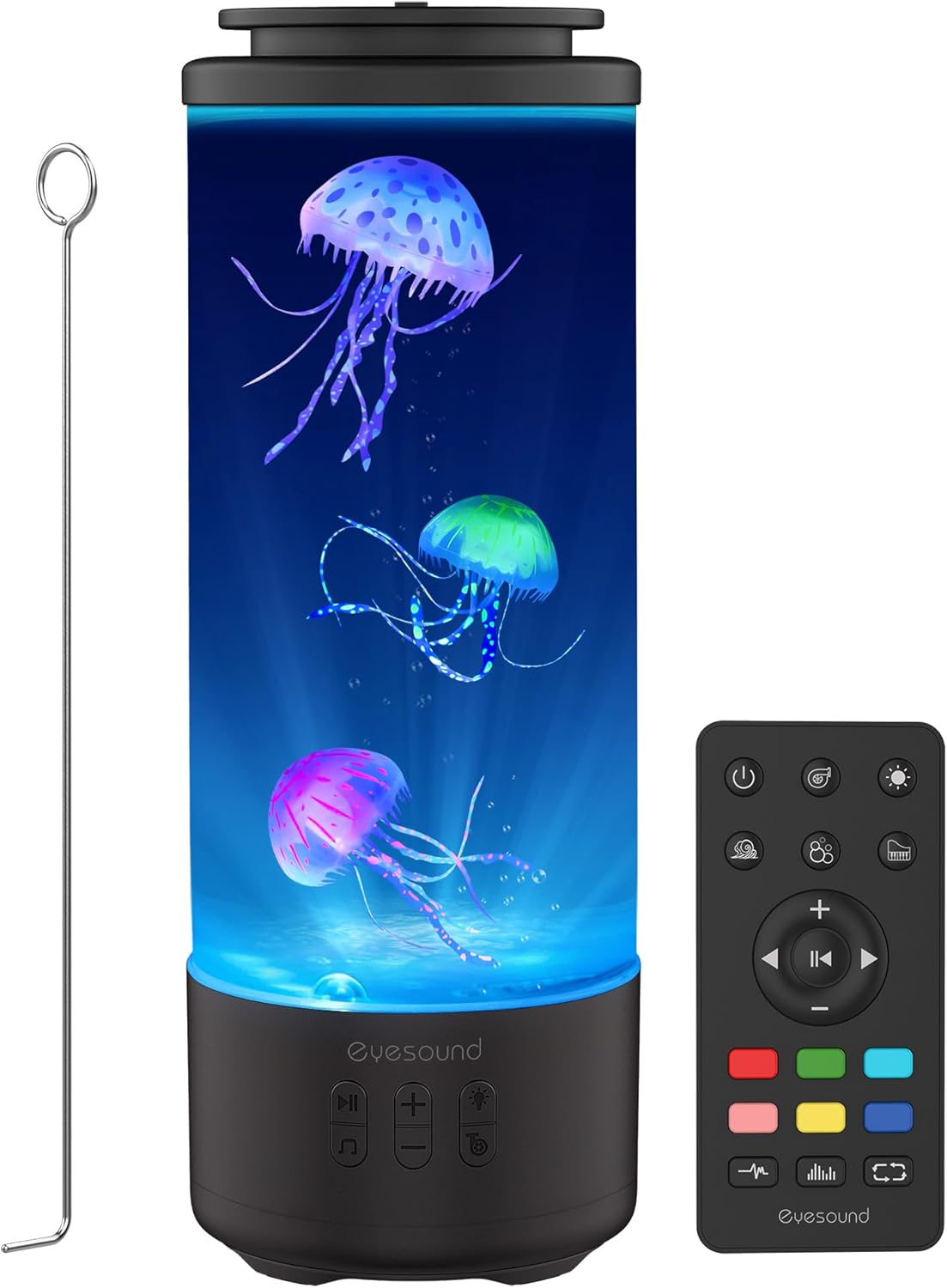
Image: The Eyesound Jellyfish Lamp Bluetooth Speaker, showcasing its cylindrical design, three artificial jellyfish, and accompanying remote control and cleaning tool.
2. สิ่งที่รวมอยู่
ตรวจสอบว่ามีส่วนประกอบทั้งหมดอยู่ในแพ็คเกจ:
- 1 x Jellyfish Tank Lamp ร่างกาย
- 3 x Transmittance Jellyfishes
- 1 x รีโมทคอนโทรล
- 1 x Power Cable (USB-C)
- 1 x Stainless Rod (for jellyfish preparation)
- 1 x คู่มือผู้ใช้ (เอกสารนี้)

Image: All components included in the Eyesound Jellyfish Lamp package, neatly laid out.
3. คำแนะนำในการตั้งค่า
- Prepare the Jellyfish: Before placing them in the tank, soak the artificial jellyfish in a cup of water with a few drops of dish soap overnight. This helps remove air bubbles and allows them to swim more freely.
- เติมถัง: Open the sealing silicone lid at the top of the lamp. Fill the tank with distilled water up to the indicated fill line.
- Insert Jellyfish: Gently place the prepared jellyfish into the tank, ensuring they are fully submerged and any remaining air bubbles are removed. Use the provided stainless rod to gently stir the water and dislodge bubbles from the jellyfish or the tank walls.
- ยึดฝาให้แน่น: Close the silicone lid firmly to prevent leaks.
- ชาร์จอุปกรณ์: Connect the provided USB-C power cable to the lamp and a suitable power adapter (not included). Allow 3-4 hours for a full charge. The lamp สามารถใช้งานได้ในขณะชาร์จ

Image: Visual instructions for preparing the jellyfish and filling the tank to ensure optimal swimming.
4. คู่มือการใช้งาน
4.1 เปิด/ปิดเครื่อง
กดปุ่มเปิด/ปิดบน lamp's base or the remote control to turn the device on or off.
โหมดแสงสว่าง 4.2 โหมด
ลamp features 7 colors and 4 lighting modes:
- สถิตย์: แสดงผลสีเดียวคงที่
- การไล่ระดับ: การเปลี่ยนสีเป็นไปอย่างราบรื่น
- การซิงค์เพลง: Changes colors in rhythm with playing music.
- วงจรสี: Automatically cycles through all 7 colors.
Use the dedicated buttons on the lamp or remote to cycle through colors and modes.
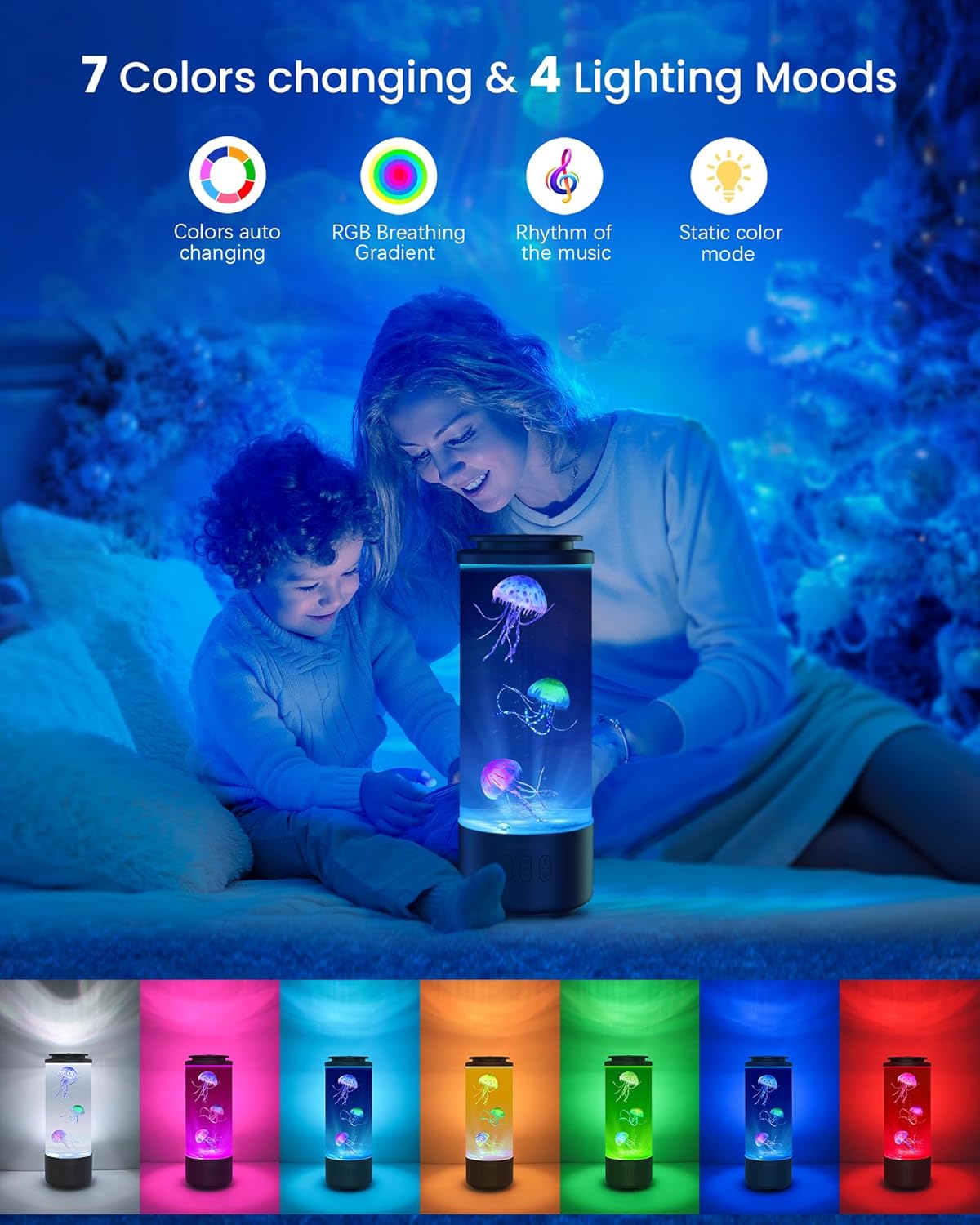
Image: The jellyfish lamp demonstrating its 7 color options and 4 lighting modes.
4.3 ลำโพงบลูทู ธ
ลamp includes a built-in Bluetooth 5.1 speaker with Hi-Fi stereo sound.
- การจับคู่: เปิดลamp. The device will automatically enter Bluetooth pairing mode. On your smartphone or other Bluetooth-enabled device, search for "Eyesound" and connect.
- การเล่นซ้ำ: Once paired, you can stream audio from your device. Use the play/pause, volume up/down buttons on the lamp or remote to control playback.
Video: An official product video demonstrating the Eyesound Jellyfish Lamp with Bluetooth Speaker and White Noise features, including music synchronization.
4.4 ฟังก์ชันเสียงรบกวนสีขาว
Select from 3 pre-programmed white noise tracks to aid relaxation or sleep:
- คลื่นทะเล
- น้ำไหล
- เปียโนนุ่ม
Use the dedicated white noise button on the lamp or remote to cycle through these sounds.
4.5 Water Speed Adjustment
Adjust the movement speed of the jellyfish to your preference:
- ปกติ: Standard jellyfish movement.
- ช้า: Reduced movement for a more tranquil effect.
- นิ่ง: Minimal movement.
Control the water flow speed using the remote control.

Image: The remote control with options for adjusting jellyfish movement speed.
4.6 ฟังก์ชั่นการควบคุมระยะไกล
The included remote control allows for convenient operation of all lamp คุณสมบัติ:
- เปิด/ปิดเครื่อง
- การเลือกสีอ่อน
- การเลือกโหมดแสงสว่าง
- เล่น/หยุดชั่วคราวด้วยบลูทูธ
- เพิ่ม/ลดระดับเสียง
- White Noise Selection
- Jellyfish Movement Speed Adjustment
5. คุณสมบัติมากกว่าview
- 7 Colors & 4 Lighting Modes: Offers a variety of visual experiences from static colors to dynamic music-synced light shows.
- Bluetooth Speaker & White Noise: Integrated Bluetooth 5.1 for audio streaming and 3 calming white noise tracks.
- Rechargeable & Cordless Design: Built-in 4000mAh battery provides 8-10 hours of cordless use after a 3-4 hour charge.
- มอเตอร์ไร้แปรงถ่านแบบเงียบ: Operates at less than 25dB, ensuring a peaceful environment.
- 360° เต็ม-View & Leakproof Design: A 2.2L tank allows for clear viewing from all angles, with a silicone-sealed lid to prevent spills.

ภาพ: ลamp's cordless design and rechargeable battery for portable use.
Video: An official product video demonstrating the anti-leak seal design of the jellyfish lamp, showing it can be tilted without spilling.
6. การบำรุงรักษา
- การทำความสะอาด: เช็ดทำความสะอาดด้านนอกของ l เป็นระยะamp ด้วยความนุ่มนวลamp ผ้า ห้ามใช้น้ำยาทำความสะอาดที่มีฤทธิ์กัดกร่อน
- การเปลี่ยนแปลงของน้ำ: While the sealed design minimizes maintenance, if the water becomes cloudy or algae appears, drain the tank, clean it thoroughly, and refill with fresh distilled water and a few drops of dish soap.
- การดูแลแมงกะพรุน: If jellyfish do not swim properly, ensure there are no air bubbles trapped on their surface or within the tank. Repeat the initial preparation steps if necessary.
7 การแก้ไขปัญหา
| ปัญหา | สาเหตุที่เป็นไปได้ | สารละลาย |
|---|---|---|
| Jellyfish not swimming or floating at the top. | Air bubbles trapped on jellyfish or tank walls. | Gently stir the water with the stainless rod to dislodge bubbles. Ensure jellyfish were properly soaked with dish soap during initial setup. |
| บลูทูธไม่เชื่อมต่อ | Device not in pairing mode or already connected to another device. | ให้แน่ใจว่าลamp is on and in pairing mode. Disconnect from other devices. Restart both the lamp และอุปกรณ์บลูทู ธ ของคุณ |
| Lamp ไม่เปิด | แบตเตอรี่เหลือน้อยหรือมีปัญหาเรื่องไฟเลี้ยง | ชาร์จ lamp fully. Ensure the power cable is securely connected. |
| น้ำปรากฏมีลักษณะขุ่น | Mineral buildup or algae. | Drain, clean, and refill the tank with distilled water and a few drops of dish soap. |
8. ข้อมูลจำเพาะ
| คุณสมบัติ | รายละเอียด |
|---|---|
| หมายเลขรุ่น | Y15 |
| ยี่ห้อ | อายซาวด์ |
| ขนาดสินค้า | ลึก 4.6 นิ้ว x กว้าง 4.6 นิ้ว x สูง 12.8 นิ้ว |
| น้ำหนักสินค้า | 3.3 ปอนด์ (1.5 กิโลกรัม) |
| วัสดุ | PVC Upgraded Base + ABS Body + Silicone Lid |
| ประเภทแหล่งกำเนิดแสง | นำ |
| จำนวนแหล่งกำเนิดแสง | 6 |
| สีอ่อน | 7 สี |
| ความสว่าง | 500 ลูเมน |
| แหล่งพลังงาน | Battery Powered (4000mAh built-in) |
| เล่มที่tage | 5 โวลต์ |
| วัดtage | 5 วัตต์ |
| วิธีการควบคุม | ระยะไกล |
| เวอร์ชันบลูทูธ | 5.1 |
| ระดับความต้านทานต่อน้ำ | ทนน้ำ (ไม่กันน้ำ) |
| ยูพีซี | 673658939178 |
9. การรับประกันและการสนับสนุน
Eyesound is committed to customer satisfaction. This product comes with:
- 36-Months Hassle-Free Guarantee: For any manufacturing defects or performance issues.
- ฝ่ายบริการลูกค้าโดยเฉพาะ: One-on-one customer service staff available.
- 24/7 Professional Support: Assistance available around the clock for any inquiries or issues.
For support, please refer to the contact information provided on the product packaging or the official Eyesound webเว็บไซต์.