1. บทนำ
This manual provides instructions for the Generic Phone Case, Model CSKB-LAN, designed specifically for the CAT S42 H+ smartphone. This case offers protection and enhanced functionality through its integrated ring holder and magnetic car mount compatibility.

ภาพที่ 1.1: จบแล้วview of the Generic Phone Case for CAT S42 H+.
2. คุณสมบัติของผลิตภัณฑ์
- การป้องกันสองชั้น: Features a soft silicone frame combined with a hard PC backplane for enhanced shock absorption.
- Enhanced Corner Protection: Thickened four corners and a silicone buffer layer provide additional protection against drops.
- Screen and Camera Protection: The case design is higher than the screen and camera to prevent direct contact with surfaces.
- ที่วางแหวนหมุนได้ 360°: Integrated metal ring for secure grip and hands-free viewการไอเอ็นจี
- ความเข้ากันได้กับที่ยึดแม่เหล็กติดรถยนต์: Designed to attach directly to magnetic car mounts (mount not included).
- การตัดที่แม่นยำ: Ensures full access to all ports, buttons, and speakers.

Image 2.1: Illustration of the shockproof design with reinforced corners and raised edges for screen and camera protection.
3. การตั้งค่าและการติดตั้ง
Follow these steps to properly install the phone case on your CAT S42 H+ smartphone:
- Clean Your Phone: Ensure your CAT S42 H+ phone is clean and free of dust or debris before installation.
- ใส่เบอร์โทรศัพท์: Gently align your phone with the case, starting with one side.
- กดอย่างแน่นหนา: Apply gentle, even pressure around the edges of the phone until it is fully seated within the silicone frame. Ensure all corners are securely covered.
- ตรวจสอบความพอดี: Verify that all buttons and ports are accessible and that the case fits snugly without any gaps.
4. คู่มือการใช้งาน
4.1 การใช้งานที่วางแหวนแบบหมุนได้ 360°
The integrated ring holder provides a secure grip and acts as a kickstand for hands-free viewการไอเอ็นจี
- For Grip: สอดนิ้วของคุณเข้าไปในห่วงเพื่อยึดโทรศัพท์ให้แน่นขึ้น ลดความเสี่ยงจากการตกหล่นโดยไม่ตั้งใจ
- For Stand Function: Rotate the ring to your desired angle and prop your phone up on a flat surface for comfortable viewใช้สำหรับรับชมวิดีโอหรือการสนทนาทางวิดีโอ แหวนสามารถหมุนได้ 360 องศา เพื่อการจัดวางตำแหน่งที่หลากหลาย

Image 4.1: Demonstrating one-hand operation and extended reach using the ring holder.
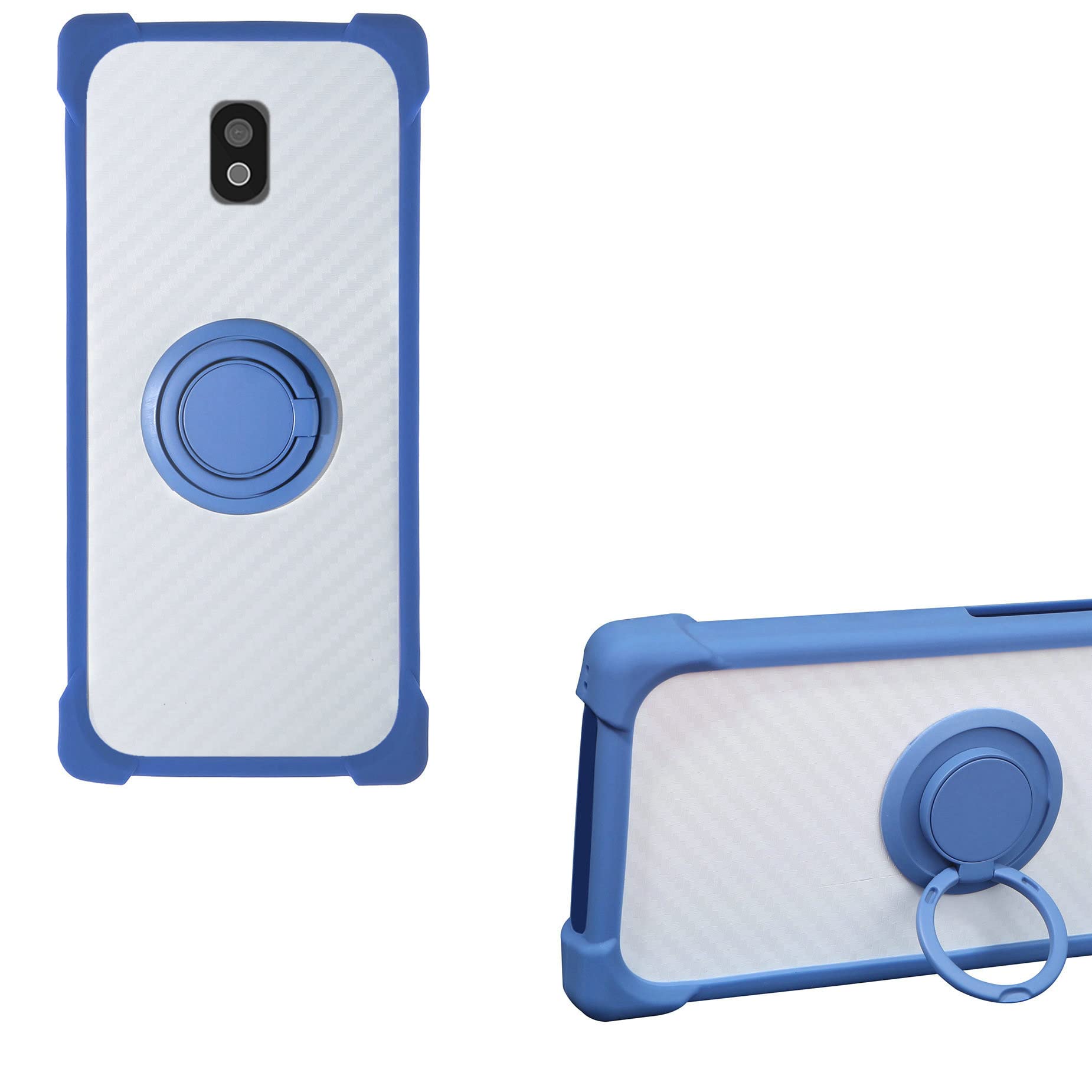
ภาพที่ 4.2: รายละเอียด view of the 360-degree rotatable ring holder mechanism.
4.2 Magnetic Car Mount Function
The case is designed with a metal plate integrated into the ring holder mechanism, allowing it to attach directly to magnetic car mounts.
- สิ่งที่แนบมา: Simply place the back of your phone case onto a compatible magnetic car mount. The integrated metal component will adhere to the magnet.
- การวางตำแหน่ง: Adjust the angle of your phone on the mount for optimal viewการไอเอ็นจี
- บันทึก: A magnetic car mount is ไม่ included with this product and must be purchased separately. This case does ไม่ support wireless charging due to the metal ring component.

Image 4.3: The phone case securely attached to a magnetic car mount.
5. การบำรุงรักษาและการดูแล
To ensure the longevity and appearance of your phone case, follow these care instructions:
- การทำความสะอาด: เช็ดเคสเป็นประจำด้วยผ้านุ่มๆamp เช็ดด้วยผ้า สำหรับคราบฝังแน่น สามารถใช้สบู่เหลวเจือจางเช็ดได้ หลีกเลี่ยงสารเคมีรุนแรงหรือน้ำยาทำความสะอาดที่มีฤทธิ์กัดกร่อน
- หลีกเลี่ยงอุณหภูมิที่สูงหรือต่ำเกินไป: อย่าให้เคสโดนความร้อนหรือความเย็นจัด เพราะอาจส่งผลต่อความแข็งแรงของวัสดุได้
- ตรวจสอบเป็นประจำ: Periodically check the case for any signs of wear or damage, especially around the corners and the ring holder mechanism.
6 การแก้ไขปัญหา
- เคสไม่พอดี: Ensure you have the correct model (CAT S42 H+). Double-check that the phone is aligned correctly and pressed firmly into the case.
- Ring holder is stiff: The ring holder may be stiff initially. Gently rotate it a few times to loosen the mechanism. If it remains excessively stiff or loose, contact customer support.
- Magnetic car mount not holding: Ensure your magnetic car mount is strong enough and that there is no obstruction between the case and the mount.
- การชาร์จแบบไร้สายไม่ทำงาน: This case is not compatible with wireless charging due to the integrated metal ring. Please remove the case for wireless charging or use a wired charger.
7. ข้อมูลจำเพาะ
| คุณสมบัติ | รายละเอียด |
|---|---|
| รุ่นโทรศัพท์ที่รองรับ | แคท เอส42 เอช+ |
| วัสดุ | TPU (Silicone Soft Frame) and PC (Backplane) |
| Color / Model | CSKB-LAN |
| คุณสมบัติพิเศษ | 360° Rotatable Ring Holder, Magnetic Car Mount Compatibility, Shockproof Design |
| ขนาดสินค้า | 0.39 x 0.39 x 0.39 นิ้ว (ยาว x กว้าง x สูง) |
| น้ำหนักสินค้า | 2.46 ออนซ์ |
| การชาร์จแบบไร้สาย | ไม่รองรับ |


