
iJoy DHP2431
iJoy Disney Nightmare Before Christmas Sally Dress Bluetooth Headphones User Manual
Model: DHP2431 | Brand: iJoy
การแนะนำ

ภาพ: The iJoy Disney Nightmare Before Christmas Sally Dress Bluetooth Headphones, showcasinด้วยดีไซน์ที่เป็นเอกลักษณ์
Thank you for choosing the iJoy Disney Nightmare Before Christmas Sally Dress Bluetooth Headphones. These wireless over-ear headphones are designed to provide a rich audio experience with a unique Sally Dress design. They feature a built-in microphone for hands-free calling, a foldable design for portability, and versatile connectivity options. This manual will guide you through the setup, operation, and maintenance of your new headphones.
การตั้งค่า
1. การชาร์จหูฟัง
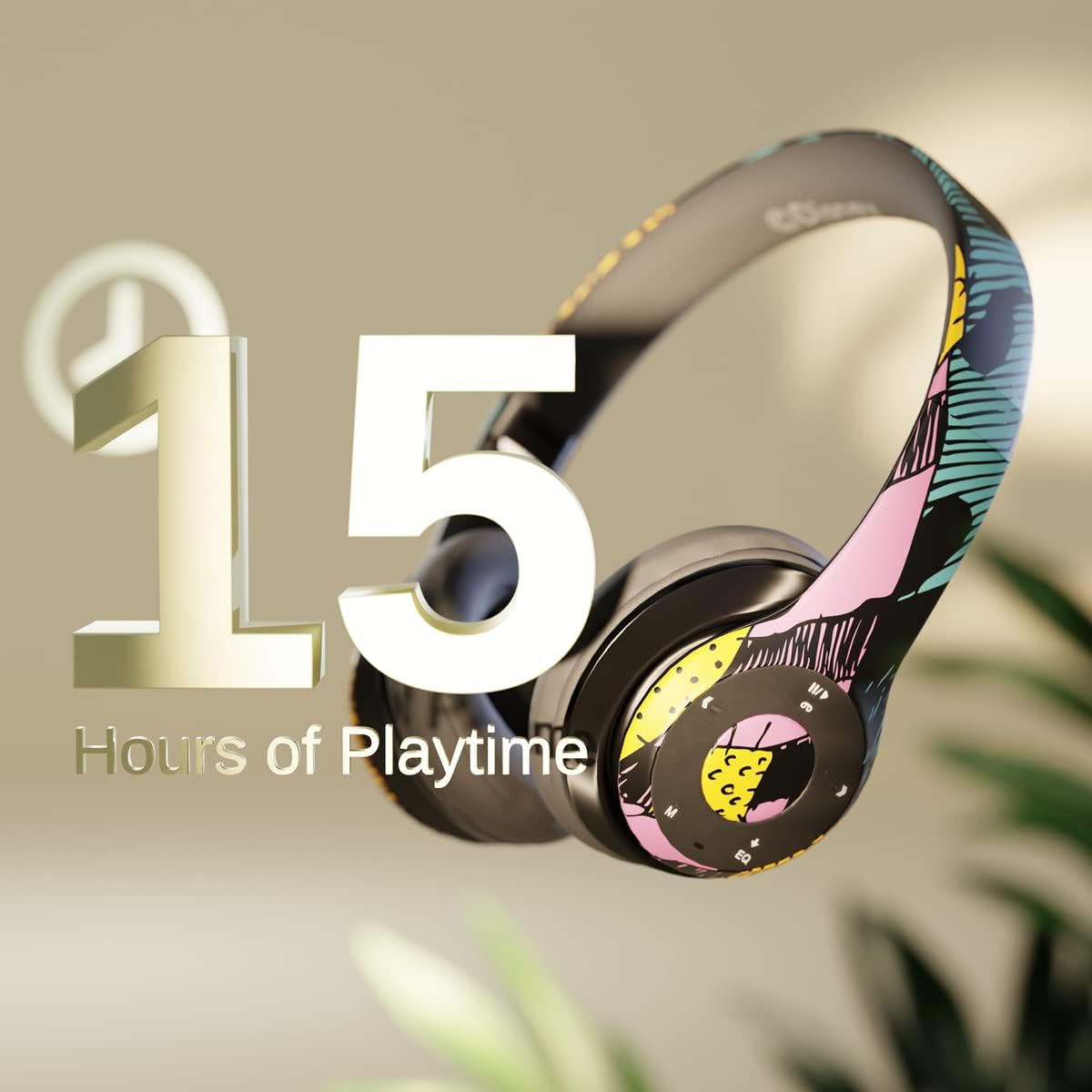
ภาพ: Graphic indicating 15 hours of playtime for the headphones, highlighting battery endurance.
Before first use, fully charge your headphones. Connect the provided charging cable to the charging port on the headphones and a USB power source. The LED indicator will show charging status and turn off when fully charged. A full charge provides approximately 15 hours of battery life.
2. การจับคู่บลูทู ธ

ภาพ: The headphones with a graphic illustrating universal compatibility with both Apple and Android devices.
- ตรวจสอบให้แน่ใจว่าหูฟังปิดอยู่
- กดปุ่มเปิด/ปิดค้างไว้จนกระทั่งไฟ LED แสดงสถานะกะพริบเป็นสีน้ำเงินและสีแดง แสดงถึงโหมดจับคู่
- บนอุปกรณ์ที่รองรับบลูทูธ (สมาร์ทโฟน แท็บเล็ต คอมพิวเตอร์) ให้ไปที่การตั้งค่าบลูทูธ แล้วค้นหาอุปกรณ์ที่ใช้งานได้
- Select "iJoy DHP2431" (or similar name) from the list.
- เมื่อเชื่อมต่อแล้ว ไฟ LED จะกะพริบเป็นสีน้ำเงินช้าๆ
3. Using the Auxiliary Cable
For a wired connection, plug one end of the 3.5mm auxiliary cable into the headphone's audio jack and the other end into your audio device. This allows for continued listening even if the battery is depleted.
4. การเล่นการ์ด Micro SD
Insert a Micro SD card with your favorite music into the designated slot on the headphones. The headphones will automatically switch to Micro SD card playback mode. Use the control buttons to manage your music.
คำแนะนำการใช้งาน
เปิด/ปิดเครื่อง
- การเปิดเครื่อง: กดปุ่มเปิด/ปิดค้างไว้จนกว่าไฟแสดงสถานะ LED จะสว่างขึ้น
- วิธีปิดเครื่อง: กดปุ่มเปิด/ปิดค้างไว้จนกว่าไฟ LED จะดับ
5-Button Control System
The headphones feature a convenient 5-button control system located on the ear cup for easy management of audio and calls.

ภาพ: รายละเอียด view of the 5-button control panel on the headphone ear cup, indicating functions for volume, track navigation, equalizer, and call management.
- Play/Pause/Answer/Hang-up: Press the center button to play or pause music, or to answer/end a phone call.
- เพิ่มระดับเสียง / แทร็กถัดไป: กดปุ่ม '+' เพื่อเพิ่มระดับเสียง กดปุ่ม '+' ค้างไว้เพื่อข้ามไปยังเพลงถัดไป
- ลดระดับเสียง/เพลงก่อนหน้า: กดปุ่ม '-' เพื่อลดระดับเสียง กดปุ่ม '-' ค้างไว้เพื่อไปยังแทร็กก่อนหน้า
- Equalizer: Press the 'EQ' button to cycle through different equalizer presets.
- ตัวเลือกโหมด: Press the 'M' button to switch between Bluetooth, Micro SD card, and FM Radio modes.
การโทรแบบแฮนด์ฟรี
With the built-in microphone, you can make and receive calls directly through your headphones when connected via Bluetooth to your smartphone. Use the center button to answer or end calls.
เครื่องรับวิทยุในตัว
Switch to FM Radio mode using the 'M' button. The headphones will automatically scan and tune into available radio stations. Use the track navigation buttons to change stations.
การออกแบบแบบพับได้

ภาพ: The headphones are shown in their folded configuration, highlighting their compact and portable design for easy storage and transport.
The headphones feature a foldable design, allowing for easy storage and portability. Simply fold the ear cups inwards towards the headband to reduce their size for travel or storage in a backpack.
Noise Canceling Design

ภาพ: เกิดการระเบิดขึ้น view of the headphone's ear cup, illustrating the internal speaker components and the connection point for the auxiliary cable, emphasizing the noise-canceling technology.
The over-ear cup design helps to isolate audio, providing a more immersive listening experience by reducing external noise interference.
การซ่อมบำรุง
- การทำความสะอาด: ใช้ผ้านุ่มและแห้งเช็ดทำความสะอาดหูฟัง ห้ามใช้น้ำยาทำความสะอาดหรือสารละลายที่มีฤทธิ์กัดกร่อน
- พื้นที่จัดเก็บ: When not in use, store the headphones in a cool, dry place. Utilize the foldable design for compact storage.
- การดูแลแบตเตอรี่ เพื่อยืดอายุการใช้งานแบตเตอรี่ ควรหลีกเลี่ยงการใช้หูฟังจนหมดบ่อย ชาร์จหูฟังเป็นประจำ แม้จะไม่ได้ใช้งานบ่อยก็ตาม
- ความต้านทานน้ำ: หูฟังเหล่านี้ไม่กันน้ำ โปรดหลีกเลี่ยงการสัมผัสกับของเหลว
การแก้ไขปัญหา
- ไม่มีไฟฟ้า: ตรวจสอบให้แน่ใจว่าหูฟังชาร์จเต็มแล้ว เสียบปลั๊กเข้ากับแหล่งจ่ายไฟและตรวจสอบไฟแสดงสถานะการชาร์จ
- ไม่สามารถจับคู่ผ่านบลูทูธ:
- ตรวจสอบให้แน่ใจว่าหูฟังอยู่ในโหมดจับคู่ (ไฟ LED กระพริบเป็นสีน้ำเงินและสีแดง)
- ตรวจสอบให้แน่ใจว่าได้เปิดใช้งานบลูทูธบนอุปกรณ์ของคุณแล้ว และอยู่ในระยะที่สามารถใช้งานได้ (โดยทั่วไปคือ 10 เมตร)
- ลืมอุปกรณ์จากรายการบลูทูธของโทรศัพท์ของคุณและลองจับคู่ใหม่อีกครั้ง
- รีสตาร์ททั้งหูฟังและอุปกรณ์ของคุณ
- ไม่มีเสียง:
- ตรวจสอบระดับเสียงทั้งบนหูฟังและอุปกรณ์ที่เชื่อมต่อของคุณ
- Ensure the headphones are properly connected via Bluetooth or auxiliary cable.
- If using an SD card, ensure the audio files อยู่ในรูปแบบที่เข้ากันได้
- คุณภาพเสียงไม่ดี:
- ขยับเข้าใกล้อุปกรณ์บลูทูธของคุณเพื่อหลีกเลี่ยงสัญญาณรบกวน
- ตรวจสอบแหล่งเสียงเพื่อดูปัญหาด้านคุณภาพ
- Ensure the ear cups are properly positioned over your ears for optimal sound isolation.
ข้อมูลจำเพาะ
| ชื่อรุ่น | ดีเอชพี2431 |
| เทคโนโลยีการเชื่อมต่อ | ไร้สาย (Bluetooth) |
| เทคโนโลยีการสื่อสารไร้สาย | บลูทูธ |
| ส่วนประกอบที่รวมอยู่ | Headphones, Charging Cable, Auxiliary Cable |
| ช่วงอายุ (คำอธิบาย) | Adult (suitable for kids) |
| วัสดุ | Plastic, Metal, Fabric, Memory Foam |
| การใช้งานที่แนะนำสำหรับผลิตภัณฑ์ | ดนตรี, การโทรศัพท์ |
| อุปกรณ์ที่รองรับ | อุปกรณ์ที่ใช้บลูทูธ |
| ประเภทการควบคุม | Volume Control, Track Navigation, Equalizer, Mode Selector |
| คุณสมบัติสายเคเบิล | Retractable, Without Cable (for wireless use) |
| น้ำหนักสินค้า | 0.26 กิโลกรัม (9.1 ออนซ์) |
| ระดับความต้านทานต่อน้ำ | ไม่ทนน้ำ |
| สไตล์ | Sally Dress |
| วิธีการควบคุม | ปุ่ม |
| จำนวนรายการ | 1 |
| อายุการใช้งานแบตเตอรี่ | 15 ชั่วโมง |
| ประเภทไดร์เวอร์เสียง | ไดร์เวอร์แบบไดนามิก |
| รูปทรงของหูฟัง | ครอบหู |
| ฮาร์ดแวร์อินเตอร์เฟซ | เสียงขนาด 3.5 มม. |
| ยูพีซี | 842700197150 |
| คุณสมบัติพิเศษ | Built-in Radio Receiver, Foldable and Adjustable headband, Micro SD Card Plug-in, Microphone Included |
| ผู้ผลิต | ไอจอย |
| ขนาดแพ็คเกจ | 6.57 x 6.1 x 3.19 นิ้ว |
| แบตเตอรี่ | ต้องใช้แบตเตอรี่ลิเธียมโพลิเมอร์ 1 ก้อน (รวมอยู่ด้วย) |
การรับประกัน
iJoy provides a การรับประกันเปลี่ยนสินค้า 6 เดือน for these headphones. If your headset breaks or is damaged for any reason within this period, iJoy will provide you with a free replacement.
สนับสนุน
For further assistance, troubleshooting, or warranty claims, please contact iJoy customer support. You can often find contact information on the product packaging or by visiting the official iJoy webเว็บไซต์.
วิดีโอสินค้า
iJoy Disney Nightmare Before Christmas Headphones Overview
วีดีโอ: วิดีโอแสดงผลิตภัณฑ์อย่างเป็นทางการasing the iJoy Disney Nightmare Before Christmas Headphones, highlighting their design and features.
Ask a question about this manual
Ask about setup, troubleshooting, compatibility, parts, safety, or missing instructions. Manuals+ will review the question and use this page’s manual context to help answer it.