
1. สูงกว่าview
This manual provides instructions for the Canon PowerShot ELPH 360 HS Digital Camera. It covers initial setup, basic operation, maintenance, and troubleshooting to help you get the most out of your camera.
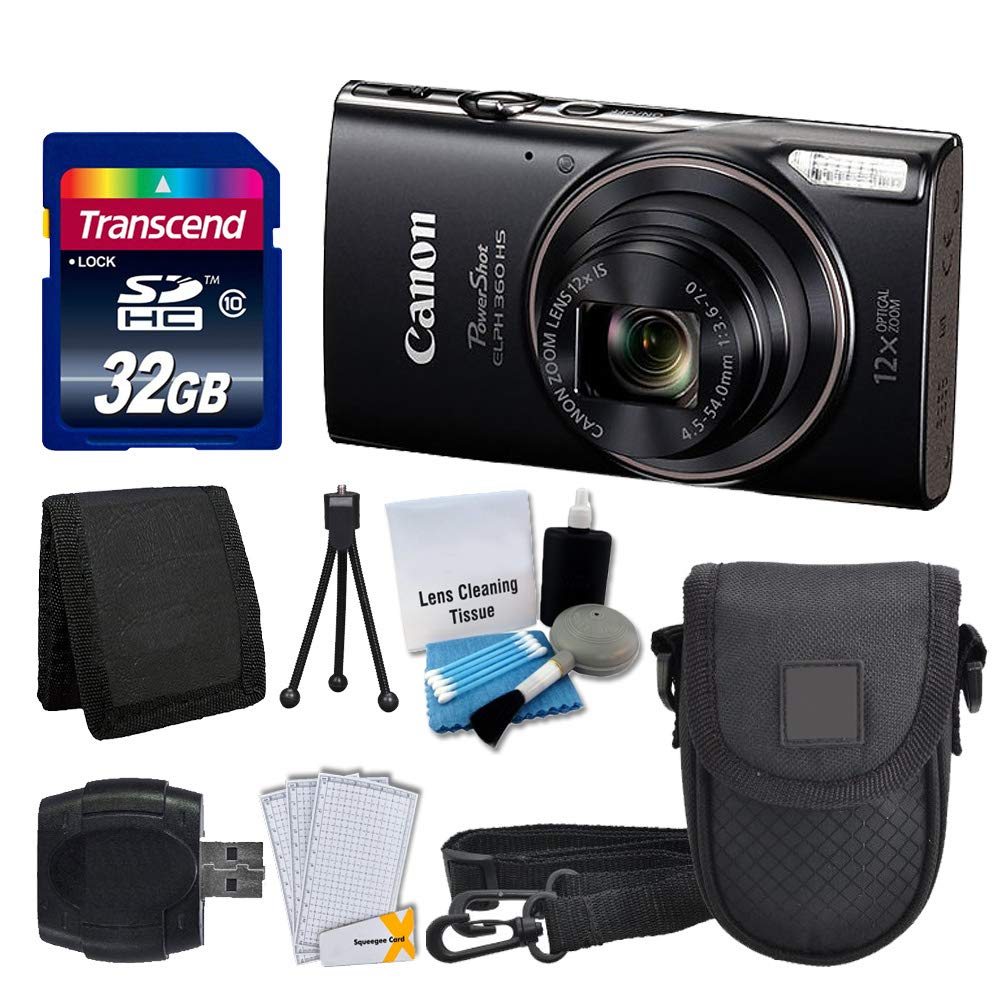
ภาพที่ 1.1: ด้านหน้า view of the Canon PowerShot ELPH 360 HS Digital Camera.
2. อะไรอยู่ในกล่อง
กรุณาตรวจสอบว่ารายการทั้งหมดต่อไปนี้รวมอยู่ในแพ็คเกจของคุณ:
- Canon PowerShot ELPH 360 HS Digital Camera (Black)
- Transcend 32GB Memory Card
- กล่องใส่กล้อง
- เครื่องอ่านการ์ด USB
- LCD Screen Protectors
- กระเป๋าใส่การ์ดหน่วยความจำ
- ชุดแบตเตอรี่และอุปกรณ์ชาร์จ
- สายรัดข้อมือ
- Cleaning Kit (Lens Cleaning Tissue, Blower, Brush, Cotton Swabs)

Image 2.1: The Canon PowerShot ELPH 360 HS camera with its battery, charger, and wrist strap.
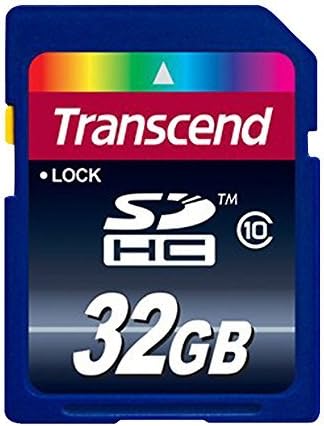
Image 2.2: A Transcend 32GB SDHC Memory Card, included for storage.
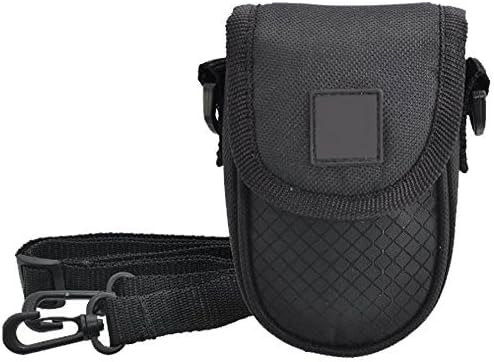
Image 2.3: A black camera case for protection and portability.

Image 2.4: The included cleaning kit for maintaining the camera's lens and body.
3. การตั้งค่า
3.1. การชาร์จแบตเตอรี่
- Insert the battery pack into the battery charger. Ensure the battery is correctly oriented.
- เสียบที่ชาร์จเข้ากับเต้ารับไฟฟ้า ไฟแสดงสถานะการชาร์จจะสว่างขึ้น
- Charging is complete when the indicator light changes color or turns off (refer to charger specific indicators).
3.2. การใส่แบตเตอรี่และการ์ดหน่วยความจำ
- Open the battery/card compartment cover on the camera.
- Insert the charged battery pack into the compartment, ensuring the contacts align. Push until it clicks into place.
- Insert the Transcend 32GB SDHC memory card into the card slot with the label facing the correct direction. Push until it clicks.
- ปิดฝาปิดช่องใส่ให้แน่น
3.3. การติดสายรัดข้อมือ
Thread the wrist strap through the strap mount on the camera body to prevent accidental drops.
4. การใช้งานกล้อง
4.1. เปิด/ปิดเครื่อง
กดปุ่ม [พาวเวอร์] ปุ่มเพื่อเปิดหรือปิดกล้อง
4.2.การถ่ายภาพ
- เปิดกล้อง
- Select your desired shooting mode (e.g., Automatic) using the mode dial or menu.
- จัดกรอบภาพของคุณโดยใช้หน้าจอ LCD
- Press the shutter button halfway down to focus. The focus frame will appear.
- กดปุ่มชัตเตอร์ลงจนสุดเพื่อถ่ายภาพ
4.3. การใช้ซูม
Use the zoom lever around the shutter button to adjust the optical zoom (12x) for closer or wider shots.
4.4. บันทึกวิดีโอ
- In a shooting mode, press the dedicated [ภาพยนตร์] ปุ่มเพื่อเริ่มการบันทึก
- กดปุ่ม [ภาพยนตร์] ปุ่มอีกครั้งเพื่อหยุดการบันทึก
4.5. เรื่องviewการลงภาพและวิดีโอ
กดปุ่ม [PLAYBACK] button to enter playback mode. Use the directional buttons to navigate through your photos and videos.
4.6. การเชื่อมต่อกับคอมพิวเตอร์ (USB)
Connect the camera to a computer using a USB cable to transfer photos and videos. The camera will appear as a removable drive.
4.7. การเชื่อมต่อ Wi-Fi และ NFC
The camera supports Wi-Fi and NFC for wireless transfer of images to compatible devices or for remote control. Refer to the camera's on-screen menu for detailed setup instructions for these features.
5. การบำรุงรักษา
5.1. การทำความสะอาดกล้อง
- เลนส์: Use a lens brush or a soft, clean microfiber cloth with lens cleaning solution (from the included kit) to gently wipe the lens. Avoid touching the lens with your fingers.
- หน้าจอ LCD: Use a soft, dry cloth to clean the LCD screen. For stubborn smudges, use a screen protector cleaning solution.
- ตัวกล้อง: Wipe the camera body with a soft, dry cloth. Do not use organic solvents or strong cleaning agents.
5.2. การดูแลแบตเตอรี่
- เก็บแบตเตอรี่ไว้ในที่เย็นและแห้งเมื่อไม่ได้ใช้งาน
- หลีกเลี่ยงการปล่อยแบตเตอรี่จนหมดบ่อยครั้งเพื่อยืดอายุการใช้งาน
- อย่าให้แบตเตอรี่สัมผัสกับอุณหภูมิที่สูงหรือต่ำเกินไป
5.3. การจัดเก็บ
When storing the camera for extended periods, remove the battery and memory card. Store the camera in a dry, dust-free environment, preferably in its camera case.
6 การแก้ไขปัญหา
| ปัญหา | สาเหตุที่เป็นไปได้ | สารละลาย |
|---|---|---|
| กล้องไม่สามารถเปิดได้ | แบตเตอรี่หมดหรือใส่ไม่ถูกต้อง | ชาร์จแบตเตอรี่ให้เต็มและตรวจสอบให้แน่ใจว่าใส่แบตเตอรี่ถูกต้อง |
| ไม่สามารถถ่ายรูปได้ | การ์ดหน่วยความจำเต็ม ถูกล็อก หรือไม่ได้เสียบการ์ด | Insert a memory card, unlock it, or delete unnecessary files. |
| ภาพมีความเบลอ | กล้องสั่น โฟกัสไม่ชัด หรือเลนส์สกปรก | Hold the camera steady, ensure proper focus, and clean the lens. |
| การเชื่อมต่อ Wi-Fi/NFC ล้มเหลว | Incorrect settings or device incompatibility. | Check camera and device settings. Ensure devices are compatible and within range. |
7. ข้อมูลจำเพาะ
- ชื่อรุ่น : PowerShot ELPH 360 HS
- ยี่ห้อ: แคนนอน
- ความละเอียดเซนเซอร์ภาพ: 20.2 MP
- ซูมออปติคอล: 12 เท่า
- ระบบป้องกันภาพสั่นไหว: ออฟติคอล
- ประเภทเลนส์: Zoom (25-300 mm equivalent)
- ขนาดหน้าจอ: จอ LCD ขนาด 3 นิ้ว
- การเชื่อมต่อ: Wi-Fi, NFC, USB
- รองรับ File รูปแบบ: เจเพ็ก, ดิบ
- ความละเอียดวิดีโอ: 1080p
- ประเภทการ์ดหน่วยความจำ: SD, SDHC (32GB included)
- ประเภทแบตเตอรี่: ลิเธียมไอออน
- สี: สีดำ
8. การรับประกันและการสนับสนุน
8.1. ข้อมูลการรับประกัน
This Canon PowerShot ELPH 360 HS Digital Camera comes with a รับประกันจำกัด 90 วันโปรดเก็บหลักฐานการซื้อไว้เพื่อใช้เรียกร้องการรับประกัน
8.2. การสนับสนุนลูกค้า
For further assistance, technical support, or service inquiries, please refer to the official Canon support webหรือติดต่อฝ่ายบริการลูกค้า โดยทั่วไปข้อมูลการติดต่อจะอยู่ในเว็บไซต์ของผู้ผลิต webเว็บไซต์หรือในบรรจุภัณฑ์เดิมของผลิตภัณฑ์