
1. บทนำ
This manual provides essential information for the safe and efficient operation of your BETOPPER LM0910N LED Spider Moving Head Light. Please read this manual thoroughly before installation, operation, or maintenance. Keep this manual for future reference.
2. ข้อมูลด้านความปลอดภัย
- Ensure the product is connected to a power supply within the specified voltage range (AC 100–240V; 50–60Hz).
- Always disconnect the power supply before cleaning, maintenance, or when the unit is not in use.
- This product is designed for indoor use only. Avoid exposure to rain, moisture, or extreme temperatures.
- ตรวจสอบให้แน่ใจว่ามีการระบายอากาศรอบ ๆ เครื่องอย่างเพียงพอเพื่อป้องกันความร้อนสูงเกินไป อย่าปิดกั้นช่องระบายอากาศ
- หลีกเลี่ยงการสัมผัสกับแหล่งกำเนิดแสงโดยตรง
- Installation should be performed by qualified personnel, ensuring secure mounting and proper electrical connections.
- อย่าพยายามซ่อมแซมเครื่องด้วยตนเอง แนะนำให้ส่งช่างผู้ชำนาญเข้ารับบริการทุกครั้ง
3. เนื้อหาบรรจุภัณฑ์
เมื่อแกะกล่อง โปรดตรวจสอบให้แน่ใจว่าสิ่งของทั้งหมดที่ระบุไว้ด้านล่างครบถ้วนและอยู่ในสภาพดี:
- 1 x LED Spider Moving Head Light (LM0910N)
- สายไฟ 1 เส้น
- 1 x วงเล็บยึด
- สกรู 2 ตัว
- 1 x คู่มือผู้ใช้ (ภาษาอังกฤษ)
4. สินค้าหมดview
The BETOPPER LM0910N is a compact and lightweight LED Spider Moving Head Light designed for various entertainment venues. It features a unique triangular design with 9 individual 4-in-1 RGBW LEDs, offering a wide range of color mixing and dynamic beam effects. The unit supports infinite rotation on the X-axis and 90° movement on the Y-axis, allowing for versatile lighting patterns.

รูปที่ 4.1 : ต่างๆ views of the BETOPPER LM0910N LED Spider Moving Head Light, illustrating its compact design and dimensions.
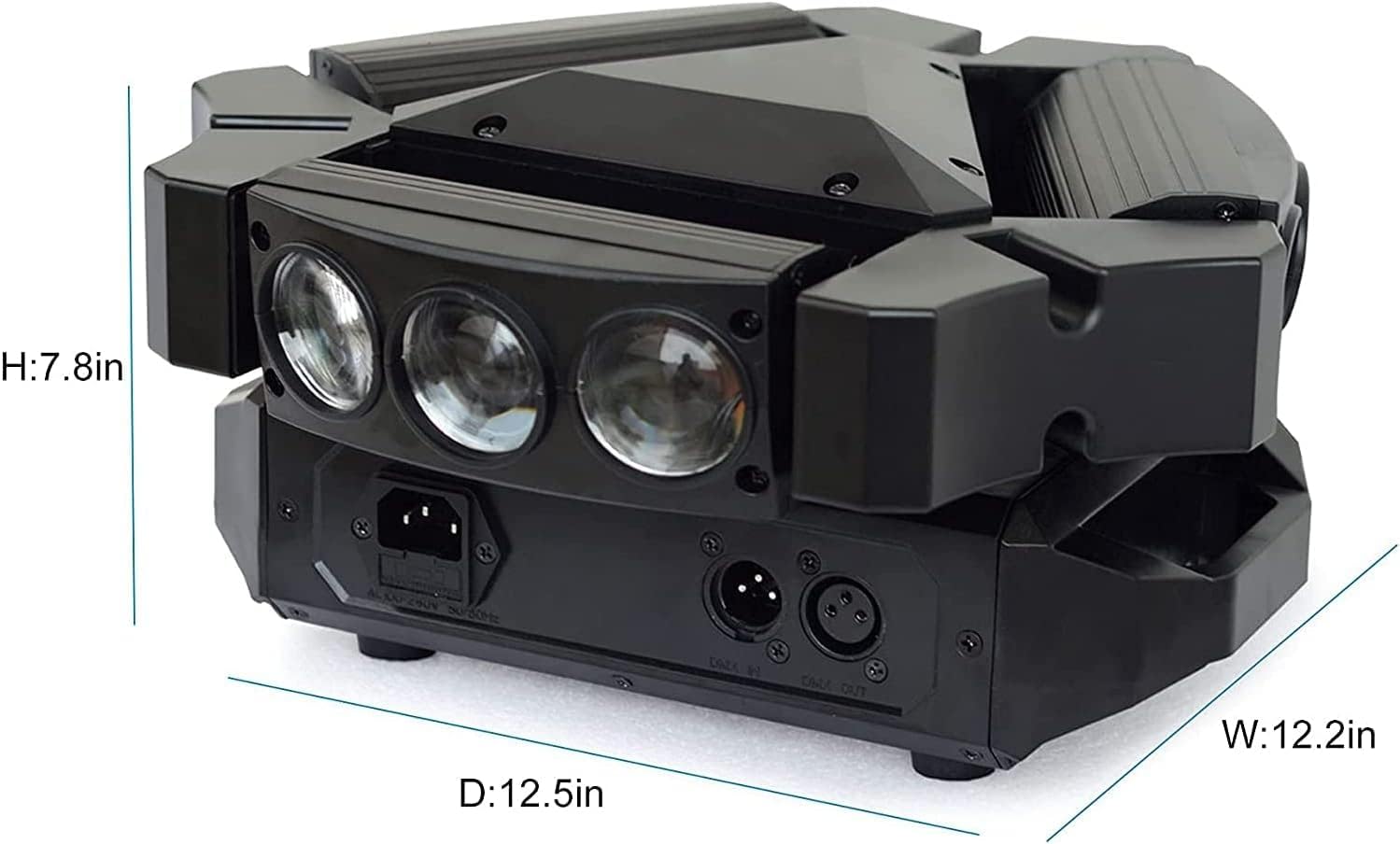
Figure 4.2: Detailed dimensions of the BETOPPER LM0910N LED Spider Moving Head Light.
5. การตั้งค่า
The LM0910N can be installed in various positions:
- แขวน: Use the provided mounting bracket to securely attach the light to a truss or ceiling. Ensure all clamps and safety cables are properly secured.
- การติดตั้งบนผนัง: The bracket can also be used to mount the light on a wall. Ensure the wall material can support the weight of the fixture.
- ตำแหน่งการวางพื้น: The unit can be placed directly on a flat, stable surface. Ensure it is not easily knocked over.
After mounting, connect the power cable to a suitable power outlet. For DMX control, connect DMX cables from your DMX controller to the DMX IN port, and from DMX OUT to the next fixture in the chain (if applicable).
6. โหมดการทำงาน
The LM0910N offers four primary control modes:
- โหมดอัตโนมัติ: The light operates through integrated pre-programmed sequences, changing effects automatically.
- โหมดเปิดใช้งานเสียง: The light reacts to sound frequencies from music, creating dynamic effects synchronized with the audio.
- โหมด DMX512: Allows professional control over all functions of the light using a DMX console. This mode offers precise control over color, movement, strobe, and dimming.
- โหมดมาสเตอร์-สเลฟ: Connect multiple LM0910N units. Designate one unit as the master, and the others will follow its programming, moving and changing effects synchronously.

Figure 6.1: The light projecting green beams, demonstrating its dynamic capabilities.
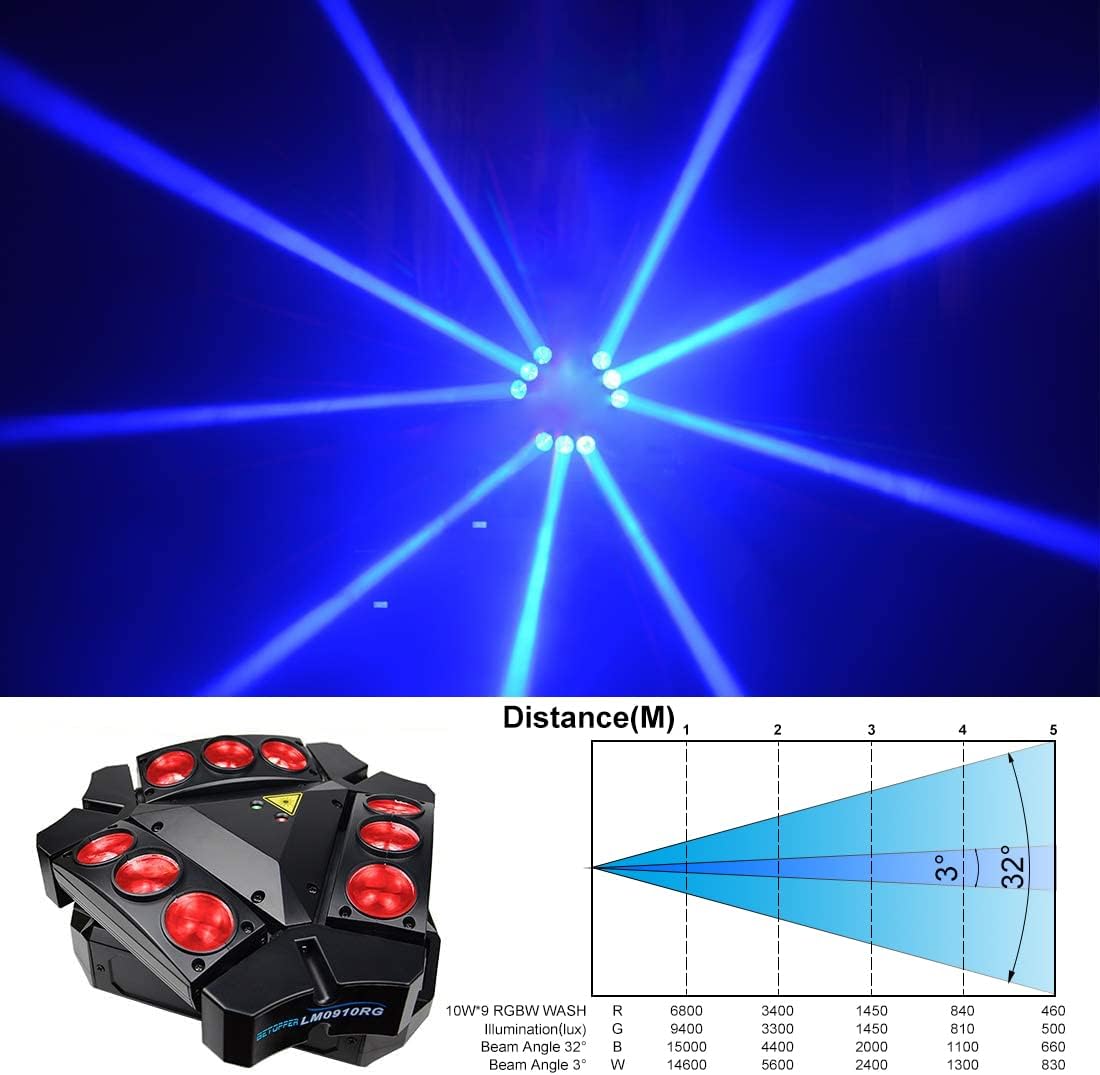
Figure 6.2: The light projecting blue beams, showcasinตัวเลือกสี g

Figure 6.3: The light projecting various colored beams simultaneously.
7. DMX Channel Modes
The LM0910N supports two DMX channel modes for varying levels of control:
- โหมด 9 แชนเนล: Provides basic control over essential functions.
- โหมด 11 แชนเนล: Offers extended control, allowing for more intricate programming and effects.
Refer to the DMX chart in the separate DMX protocol document (if provided) for detailed channel assignments and values.
8. ข้อมูลจำเพาะทางเทคนิค
| คุณสมบัติ | ข้อมูลจำเพาะ |
|---|---|
| แหล่งกำเนิดแสง | ไฟ LED RGBW 9 x 10W |
| กำลังไฟที่กำหนด | 35วัตต์ |
| อินพุต Voltage | AC 100–240V; 50–60Hz |
| โหมดช่อง DMX | 9/11 ช่อง |
| โหมดการควบคุม | อัตโนมัติ, ควบคุมด้วยเสียง, DMX512, โหมดมาสเตอร์-สเลฟ |
| X-Axis Scan Angle | การหมุนแบบอนันต์ |
| Y-Axis Scan Angle | 90° |
| การหรี่แสง | ลดแสงเชิงเส้น 0-100% |
| อายุการใช้งาน | 5000 ~ 10000 ชั่วโมง |
| ขนาดสินค้า | 17.5 x 14.6 x 28.6 ซม. (6.9 x 5.7 x 11.3 นิ้ว) |
| น้ำหนักผลิตภัณฑ์ | 3.5 กก. (7.7 ปอนด์) |
| สภาพแวดล้อมการทำงาน | Indoor 10–40 °C (50–105 °F) |
| วัสดุ | พลาสติก |
| การรับรอง | CE, RoHS, FCC |
9. การบำรุงรักษา
Regular maintenance ensures optimal performance and extends the lifespan of your light:
- การทำความสะอาด: ควรทำความสะอาดเลนส์และตัวเรือนภายนอกเป็นระยะด้วยผ้าเนื้อนุ่มที่ไม่เป็นขุย ห้ามใช้สารทำความสะอาดที่มีฤทธิ์กัดกร่อนหรือตัวทำละลาย
- การตรวจสอบ: Regularly check power cables, DMX cables, and mounting hardware for any signs of wear, damage, or loose connections.
- การระบายอากาศ : ตรวจสอบให้แน่ใจว่าช่องระบายอากาศไม่มีฝุ่นและเศษขยะเพื่อป้องกันความร้อนสูงเกินไป
10 การแก้ไขปัญหา
หากคุณพบปัญหา โปรดดูปัญหาทั่วไปและวิธีแก้ไขต่อไปนี้:
- ไม่มีไฟฟ้า:
- ตรวจสอบว่าสายไฟเชื่อมต่อกับตัวเครื่องและเต้ารับไฟฟ้าอย่างแน่นหนาแล้วหรือไม่
- ตรวจสอบว่าเต้ารับไฟฟ้าใช้งานได้
- Check the fuse (if accessible and replaceable).
- ไม่มีเอาท์พุตแสง:
- Ensure the unit is receiving power.
- In DMX mode, check DMX signal and channel settings. Ensure the dimmer channel is not set to 0.
- In Auto or Sound mode, ensure the mode is correctly selected.
- ไม่มีการเคลื่อนไหว/การเคลื่อนไหวไม่ถูกต้อง:
- In DMX mode, verify DMX signal and pan/tilt channel settings.
- Ensure the unit is not physically obstructed.
- Recalibrate the unit by power cycling it.
- ปัญหาเกี่ยวกับการควบคุม DMX:
- Check DMX cable connections and ensure they are 3-pin XLR (or 5-pin if applicable).
- Verify the DMX address of the fixture matches the address set on your controller.
- ตรวจสอบให้แน่ใจว่าตัวควบคุม DMX ส่งสัญญาณที่ถูกต้อง
- Try a different DMX cable.
หากปัญหายังคงอยู่หลังจากลองแก้ไขปัญหาตามวิธีเหล่านี้แล้ว โปรดติดต่อฝ่ายบริการลูกค้า
11. การรับประกันและการสนับสนุน
BETOPPER products are manufactured to high-quality standards. For warranty information, please refer to the warranty card included with your purchase or contact BETOPPER customer support directly. For technical assistance or service inquiries, please visit the official BETOPPER webเว็บไซต์หรือติดต่อฝ่ายบริการลูกค้าของพวกเขา


