
1. บทนำ
Thank you for choosing the Retevis RB639P Mini Two-Way Radio. This manual provides essential information for the safe and efficient use of your device. Please read it thoroughly before operating the radio and keep it for future reference.
2. ข้อมูลด้านความปลอดภัย
ปฏิบัติตามข้อควรระวังด้านความปลอดภัยพื้นฐานต่อไปนี้เสมอเพื่อลดความเสี่ยงจากการเกิดไฟไหม้ ไฟฟ้าช็อต และการบาดเจ็บ:
- ห้ามใช้งานวิทยุในบรรยากาศที่อาจเกิดการระเบิดได้ (เช่น ก๊าซไวไฟ อนุภาคฝุ่น ผงโลหะ)
- อย่าเปิดวิทยุasing. Repairs should only be performed by qualified technicians.
- ใช้เฉพาะแบตเตอรี่และเครื่องชาร์จที่ได้รับการรับรองเท่านั้น
- เก็บวิทยุให้ห่างจากน้ำและความชื้น
- หลีกเลี่ยงการสัมผัสแสงแดดโดยตรงหรืออุณหภูมิสูงเป็นเวลานาน
- อย่าใช้วิทยุหากเสาอากาศชำรุด
3. เนื้อหาบรรจุภัณฑ์
The Retevis RB639P package includes:
- 4 x Retevis RB639P Radio
- หูฟังไร้สาย 4 ชุด
- คลิปหนีบเข็มขัด 4 ชิ้น
- 2 x Type-C One-to-Two Charging Cable
- 1 x คู่มือผู้ใช้
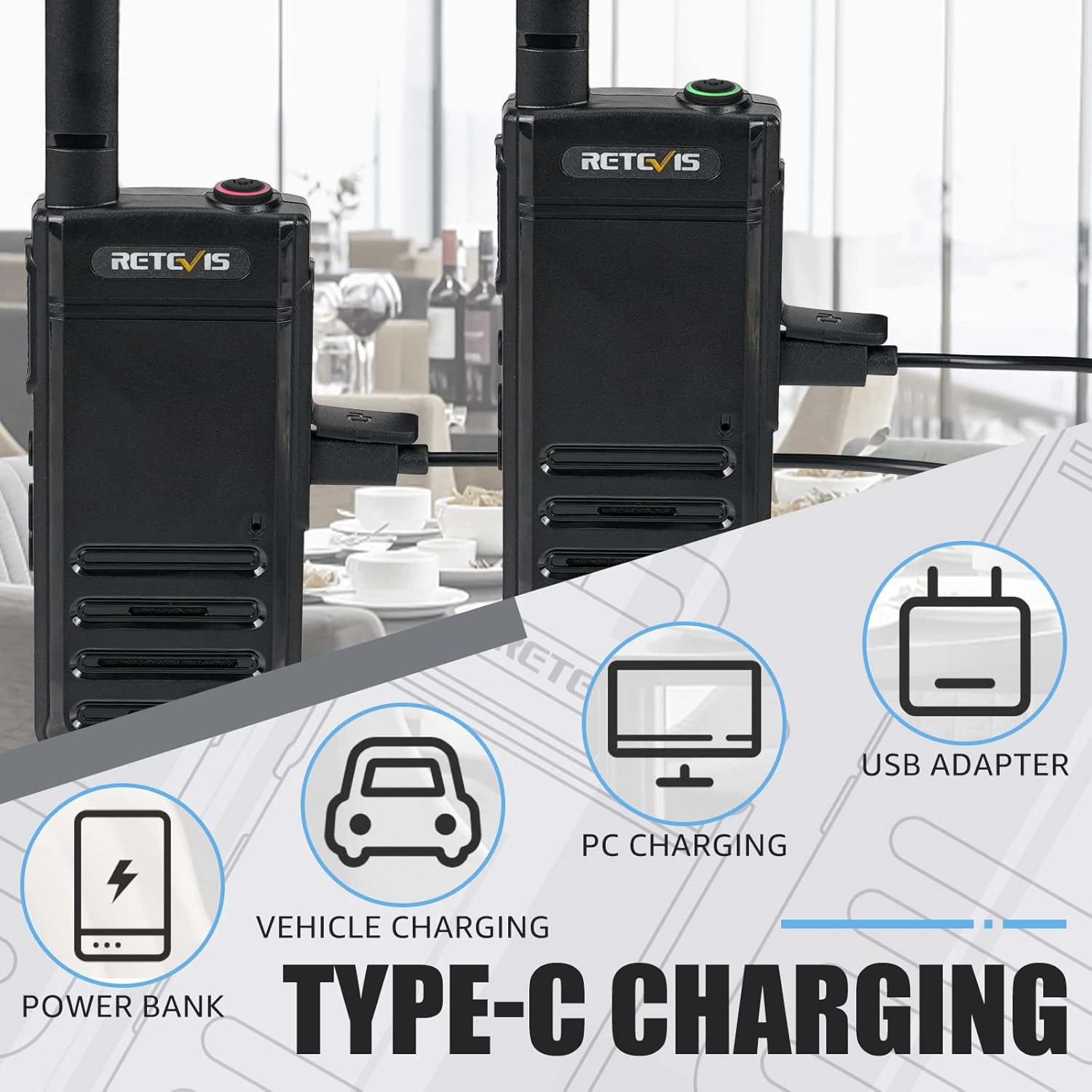
Figure 3.1: Included components of the Retevis RB639P package.
4. สินค้าหมดview
The Retevis RB639P is a compact and portable mini two-way radio designed for convenient communication. It features a slim design, VOX function, and USB-C charging.
4.1. ส่วนประกอบวิทยุ

Figure 4.1: The ultra-slim design of the RB639P, measuring 18mm in thickness.

Figure 4.2: Multi-functional menu button with VOX, Bluetooth, Call Tone, and Roger Beep indicators.
5. การตั้งค่า
5.1. การชาร์จแบตเตอรี่
The RB639P radio is equipped with a 1000 mAh rechargeable Li-ion battery. Before first use, fully charge the battery.
- เชื่อมต่อสายชาร์จ Type-C เข้ากับพอร์ต USB-C ของวิทยุ
- Connect the other end of the cable to a USB power source (e.g., USB adapter, PC, power bank, vehicle charger).
- The charging indicator will show the charging status. A full charge typically takes about 3 hours.

Figure 5.1: Various Type-C charging methods for the RB639P.

Figure 5.2: Battery specifications and features.
5.2. การติดคลิปหนีบเข็มขัด
Align the belt clip with the designated slots on the back of the radio and slide it down until it clicks into place.
5.3. Connecting the Wireless Headset
The RB639P supports wireless headset connection for hands-free operation.
- Ensure both the radio and the wireless headset are powered on.
- Follow the headset's instructions to enter pairing mode.
- On the radio, activate Bluetooth pairing via the multi-functional menu button (refer to Figure 4.2).
- Once paired, the headset will connect automatically when both devices are on and within range.

Figure 5.3: Wireless headset connection for hands-free use.
6. การดำเนินการ
6.1. เปิด/ปิดเครื่อง
ในการเปิดวิทยุ ให้หมุนปุ่มปรับระดับเสียงตามเข็มนาฬิกา ในการปิดเครื่อง ให้หมุนทวนเข็มนาฬิกาจนกว่าจะมีเสียงคลิก
6.2. การเลือกช่อง
The RB639P has 16 channels. Rotate the channel selector knob to choose your desired channel. Ensure all radios in your group are on the same channel for communication.
6.3. ปรับระดับเสียง
หมุนปุ่มเปิด/ปิดและปรับระดับเสียงเพื่อปรับระดับเสียงในการฟัง
6.4. การส่งและการรับ
To transmit, press and hold the PTT (Push-to-Talk) button on the side of the radio. Speak clearly into the microphone. Release the PTT button to receive.
6.5. ฟังก์ชัน VOX (ระบบโทรศัพท์อัตโนมัติ)
The VOX function allows for hands-free transmission without pressing the PTT button. To activate/deactivate VOX:
- Press the multi-functional menu button (refer to Figure 4.2).
- Use the + button to navigate to the VOX setting.
- Press the menu button again to confirm activation or deactivation.

Figure 6.1: Hands-free operation using the VOX function and wireless headset.
6.6. ฟังก์ชันสัญญาณเตือนภัยฉุกเฉิน
The RB639P includes an emergency alarm feature for critical situations.
- To activate the emergency alarm, press and hold the designated emergency button (often a side button, refer to your specific radio's button layout).
- The radio will emit a loud alarm sound.
- To deactivate, press the PTT button.

Figure 6.2: Emergency alarm feature for enhanced safety.
7. การบำรุงรักษา
7.1. การดูแลแบตเตอรี่
- หลีกเลี่ยงการชาร์จแบตเตอรี่มากเกินไปหรือทำให้แบตเตอรี่หมดจนหมด
- เก็บแบตเตอรี่ไว้ในที่เย็นและแห้งเมื่อไม่ได้ใช้งาน
- หากจะไม่ใช้วิทยุเป็นเวลานาน ให้ถอดแบตเตอรี่ออก
7.2. การทำความสะอาดวิทยุ
- เช็ดวิทยุด้วยผ้านุ่มdamp ผ้า.
- อย่าใช้สารเคมีรุนแรงหรือน้ำยาทำความสะอาดที่มีฤทธิ์กัดกร่อน
- Ensure the USB-C port cover is securely closed to maintain water resistance.
8 การแก้ไขปัญหา
| ปัญหา | สาเหตุที่เป็นไปได้ | สารละลาย |
|---|---|---|
| วิทยุไม่เปิด | แบตเตอรี่อ่อน; ติดตั้งแบตเตอรี่ไม่ถูกต้อง | Charge the battery; Reinstall the battery |
| ไม่สามารถส่งหรือรับได้ | Incorrect channel; Out of range; Low battery | Verify channel settings; Move closer to other radios; Charge the battery |
| คุณภาพเสียงไม่ดี | Low battery; Obstructions; Volume too low/high | Charge the battery; Move to an open area; Adjust volume |
| Wireless headset not connecting | Not paired; Out of range; Headset battery low | Re-pair headset; Move closer; Charge headset battery |
9. ข้อมูลจำเพาะ
| คุณสมบัติ | รายละเอียด |
|---|---|
| หมายเลขรุ่น | RB639P |
| ยี่ห้อ | เรเทวิส |
| สี | สีดำ |
| จำนวนช่องสัญญาณ | 16 |
| ช่วงความถี่ | 446.00625-446.19375 เมกะเฮิร์ตซ์ (PMR446) |
| ระยะการสนทนาสูงสุด | 3 กิโลเมตร |
| ประเภทแบตเตอรี่ | ลิเธียมไอออน (1000 mAh) |
| อายุการใช้งานแบตเตอรี่ | 11 ชั่วโมง |
| เวลาในการชาร์จ | ประมาณ 3 ชั่วโมง |
| วิธีการชาร์จ | ยูเอสบี-ซี |
| เล่มที่tage | 3.7 โวลต์ |
| ระดับความต้านทานต่อน้ำ | กันน้ำ (IP67) |
| ขนาดสินค้า (ลึก x กว้าง x สูง) | 1.8 x 5.5 x 16.8 ซม. |
| น้ำหนัก | 200 กรัม |
| คุณสมบัติพิเศษ | Light and thin, VOX, Bluetooth |
| อุปกรณ์ที่รองรับ | หูฟัง |
| ช่วงอุณหภูมิ | -20~+55°เซลเซียส |
10. การรับประกันและการสนับสนุน
Retevis offers a 2-year warranty on the radio body and a 1-year warranty on accessories. Additionally, there is a 30-day no-reason return policy. After the warranty period, maintenance services are still available, with buyers responsible for associated costs.
For any inquiries or support, please contact us via Amazon. We aim to respond within 12 hours.
11. วิดีโอผลิตภัณฑ์
There are no official product videos specifically for the Retevis RB639P model available in the provided data.