
1. บทนำ
This manual provides detailed instructions for the setup, operation, maintenance, and troubleshooting of your Cosmic Byte ARES Wired Controller for PC. Designed for an enhanced gaming experience, this controller features Hall Effect joysticks and triggers, dual vibration, and customizable Turbo functions.
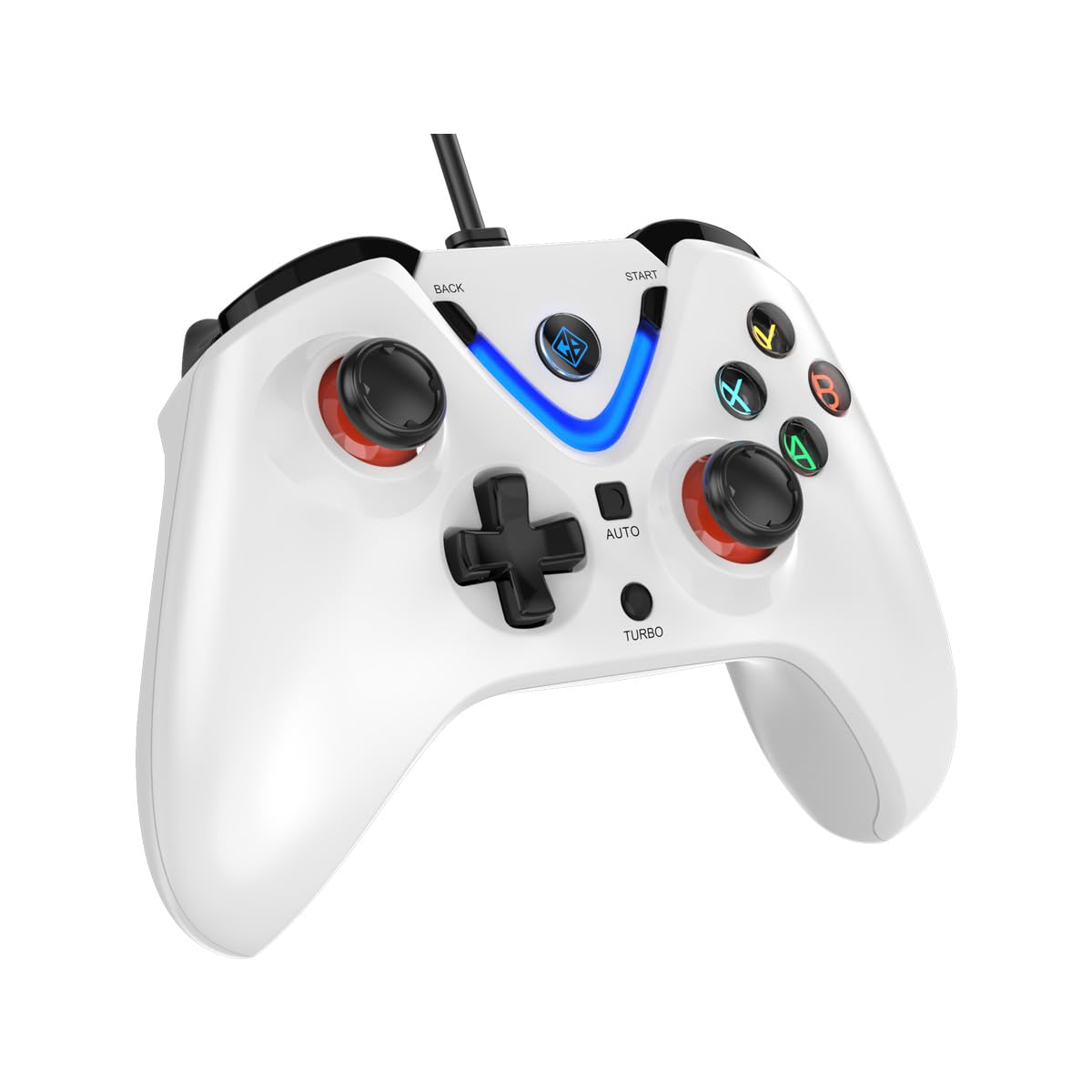
Image 1: The Cosmic Byte ARES Wired Controller in white, showcasinก. การออกแบบตามหลักสรีรศาสตร์
2. คำแนะนำในการตั้งค่า
2.1 การเชื่อมต่อกับพีซี
- ตรวจสอบให้แน่ใจว่าพีซีของคุณเปิดอยู่
- ค้นหาพอร์ต USB ที่มีอยู่ในคอมพิวเตอร์ของคุณ
- Plug the USB connector of the Cosmic Byte ARES Wired Controller into the USB port.
- ระบบปฏิบัติการจะตรวจจับและติดตั้งไดรเวอร์ที่จำเป็นโดยอัตโนมัติ ขั้นตอนนี้อาจใช้เวลาสักครู่
- เมื่อการติดตั้งเสร็จสมบูรณ์ ตัวควบคุมก็พร้อมใช้งานได้ทันที

Image 2: The controller connected via its wired USB connection, ensuring fast response.
3. คู่มือการใช้งาน
3.1 การควบคุมขั้นพื้นฐาน
The Cosmic Byte ARES controller features standard gamepad layouts, including:
- Left and Right Analog Joysticks: เพื่อการเคลื่อนไหวที่แม่นยำและการควบคุมกล้อง
- ดี-แพด: สำหรับการป้อนข้อมูลทิศทาง ซึ่งมักใช้ในเมนูหรือสำหรับการกระทำเฉพาะในเกม
- ปุ่มการกระทำ (A, B, X, Y): For primary game interactions.
- ปุ่มไหล่ (L1, R1) และปุ่มไกปืน (L2, R2): For various in-game functions like shooting, aiming, or accelerating.
- Start and Back Buttons: For pausing games, accessing menus, or specific in-game commands.
- ปุ่มเทอร์โบ: สำหรับเปิดใช้งานฟังก์ชั่นยิงรัว
- ปุ่มอัตโนมัติ: For activating automatic rapid-fire functions.
3.2 จอยสติ๊กและไกปืนแบบ Hall Effect
The controller is equipped with Hall Effect joysticks and triggers, which use magnetic sensors instead of physical contacts. This technology provides:
- เพิ่มความแม่นยำ: More accurate and responsive input.
- ความทนทานที่เพิ่มขึ้น: Reduces wear and tear, preventing stick drift over time.
- การทำงานราบรื่น: Consistent and linear response for triggers, allowing for nuanced control in games.

ภาพที่ 3: ระเบิด view illustrating the Hall Effect joystick mechanism and the Hall Effect triggers.
3.3 การตอบรับการสั่นสะเทือนแบบคู่
The controller features dual vibration motors that provide tactile feedback during gameplay, enhancing immersion by simulating in-game events such as impacts, explosions, or engine rumbling.
3.4 Backlit LED Buttons
The action buttons (A, B, X, Y) and the central V-shaped indicator feature LED backlighting, providing visibility in low-light conditions and adding to the controller's aesthetic.

Image 4: The controller with its LED buttons illuminated and visual representation of vibration effects.
3.5 Turbo and Auto Turbo Functions
The Turbo and Auto Turbo functions allow for rapid, repeated input of a button press without continuously pressing the button.
- การเปิดใช้งานเทอร์โบ: Press and hold the desired action button (e.g., A) and then press the เทอร์โบ button. The button will now rapidly repeat its input as long as you hold it down.
- Activating Auto Turbo: Press and hold the desired action button (e.g., A) and then press the ออโต้ button. The button will now rapidly repeat its input automatically without needing to be held down.
- Deactivating Turbo/Auto Turbo: To deactivate, repeat the activation steps for the specific button, or press the ชัดเจน button (if available) or disconnect and reconnect the controller.

Image 5: Close-up of the controller showing the Turbo and Auto function buttons.
4. การบำรุงรักษา
- การทำความสะอาด: ใช้ผ้านุ่มและแห้งเช็ดทำความสะอาดคอนโทรลเลอร์ สำหรับสิ่งสกปรกฝังแน่น ให้เช็ดเบาๆamp cloth can be used, ensuring no liquid enters the controller. Avoid harsh chemicals or abrasive cleaners.
- พื้นที่จัดเก็บ: Store the controller in a cool, dry place away from direct sunlight and extreme temperatures. Avoid placing heavy objects on the controller.
- การดูแลสายเคเบิล: Do not sharply bend or pull the USB cable. Always grasp the plug when disconnecting from the PC.
5 การแก้ไขปัญหา
- ไม่พบตัวควบคุม:
- Ensure the USB cable is securely connected to both the controller and the PC.
- ลองเสียบตัวควบคุมเข้ากับพอร์ต USB อื่นดู
- รีสตาร์ทเครื่องคอมพิวเตอร์ของคุณ
- Check Device Manager on Windows to see if the controller is listed and if there are any driver issues.
- ปุ่ม/จอยสติ๊กไม่ตอบสนอง:
- Verify the controller is recognized by your PC (see above).
- Test the controller in a different game or a controller testing utility to rule out game-specific issues.
- ตรวจสอบให้แน่ใจว่าไม่มีอุปกรณ์อินพุตอื่นรบกวน
- การสั่นสะเทือนไม่ทำงาน:
- ตรวจสอบการตั้งค่าในเกมเพื่อให้แน่ใจว่าได้เปิดใช้งานการสั่นตอบสนองแล้ว
- เกมบางเกมอาจไม่รองรับระบบสั่น หรืออาจมีเอฟเฟกต์การสั่นที่จำกัด
6. ข้อมูลจำเพาะ
| คุณสมบัติ | รายละเอียด |
|---|---|
| ยี่ห้อ | คอสมิคไบต์ |
| ชื่อรุ่น | อาเรส |
| อุปกรณ์ที่รองรับ | PC |
| ประเภทตัวควบคุม | แป้นเกม |
| เทคโนโลยีการเชื่อมต่อ | ยูเอสบี |
| คุณสมบัติผลิตภัณฑ์ | การยศาสตร์ |
| จำนวนปุ่ม | 16 |
| แพลตฟอร์มฮาร์ดแวร์ | PC |
| ประเภทแหล่งพลังงาน | สายไฟ, สาย USB |
| น้ำหนักสินค้า | 220 กรัม |
| ขนาดรายการ | 6 x 10 x 4 เซนติเมตร |
| สี | สีขาว |
| ประเทศต้นกำเนิด | จีน |

Image 6: A comparison table highlighting features of different ARES controller models.
7. การรับประกันและการสนับสนุน
7.1 ข้อมูลการรับประกัน
The Cosmic Byte ARES Wired Controller comes with a รับประกัน 1 ปีต่อข้อบกพร่องในการผลิต นับจากวันที่ซื้อ โปรดเก็บหลักฐานการซื้อไว้เพื่อใช้ในการเคลมประกัน
7.2 ข้อมูลการติดต่อผู้ผลิต
For support, service, or warranty inquiries, please contact:
คอสมิคไบต์Prakash Warehousing, S. No.163, Hissa No 1-2-3-4-5A-5B/2/1,
Phursungi, Pune 412308, Maharashtra, India
For further assistance, please visit the official Cosmic Byte webเว็บไซต์หรือติดต่อฝ่ายบริการลูกค้าของพวกเขา