
1. บทนำ
The Dangbei Neo Smart Projector is a compact, portable device designed to deliver a high-quality home theater experience. Featuring official Netflix licensing, 1080P Full HD resolution, HDR10 support, and intelligent adjustment technologies, this projector offers versatile entertainment options with ease of use. This manual provides essential information for setting up, operating, and maintaining your projector.

Figure 1: Dangbei Neo Smart Projector.
2. อะไรอยู่ในกล่อง
Upon unboxing your Dangbei Neo Smart Projector, verify that all the following items are included:
- โปรเจคเตอร์อัจฉริยะ Dangbei Neo
- รีโมทคอนโทรล
- อะแดปเตอร์แปลงไฟ
- สายไฟ
- คู่มือการใช้งาน
- ผ้าเช็ดทำความสะอาด

รูปที่ 2: เครื่องฉายโปรเจคเตอร์และอุปกรณ์เสริมที่มาพร้อมกัน
3. การตั้งค่า
3.1 การเปิดเครื่องครั้งแรก
- Connect the power cable to the power adapter, then plug the adapter into the projector's DC input port.
- เสียบสายไฟเข้ากับเต้ารับไฟฟ้าที่เหมาะสม
- กดปุ่มเปิด/ปิดบนโปรเจ็กเตอร์หรือรีโมทคอนโทรลเพื่อเปิดอุปกรณ์
3.2 การเชื่อมต่อเครือข่าย
The projector supports 5GHz Wi-Fi and Bluetooth 5.0 for seamless connectivity.
- ไปที่เมนู 'การตั้งค่า' บนหน้าจอหลักของโปรเจ็กเตอร์
- Select 'Network' and choose your desired Wi-Fi network. Enter the password if prompted.
- For Bluetooth devices, select 'Bluetooth' in the 'Settings' menu and pair your device.
3.3 Intelligent Adjustment Technologies
The Dangbei Neo features 4-in-1 smart adjustment for an optimal viewประสบการณ์การ:
- โฟกัสอัตโนมัติ: The projector automatically adjusts for a clear and sharp image.
- แก้ไขภาพบิดเบี้ยวอัตโนมัติ: The image is automatically adjusted to a rectangular shape, correcting for angled projections.
- ความพอดีของหน้าจออัจฉริยะ: The projector automatically aligns the image with the screen boundaries.
- การหลีกเลี่ยงอุปสรรค: The projection automatically adjusts to avoid obstacles in its path.
These features typically activate automatically upon startup or movement of the projector. Manual adjustments are also available in the settings menu.
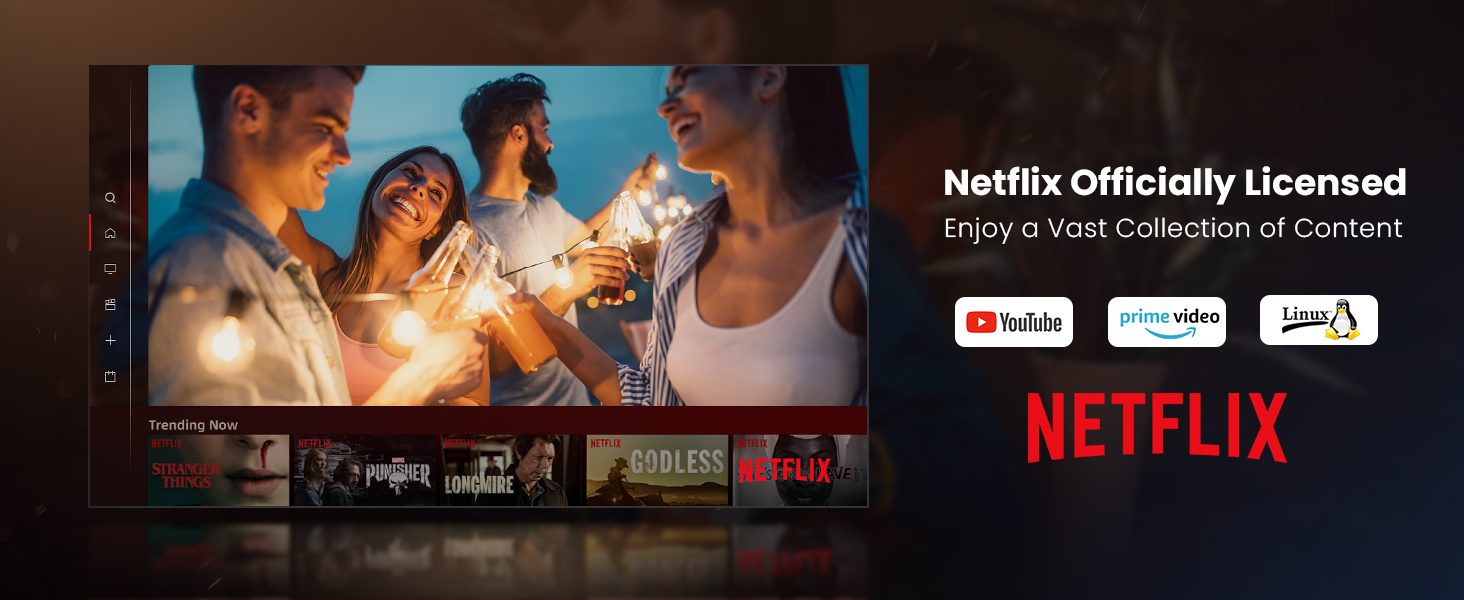
Figure 3: Visual representation of auto-focus and auto-keystone correction.
3.4 การเชื่อมต่ออุปกรณ์ภายนอก
โปรเจ็กเตอร์นี้มีตัวเลือกการเชื่อมต่อหลากหลายรูปแบบ:
- ช่องต่อ HDMI: Connect gaming consoles, laptops, or other HDMI-enabled devices. One HDMI port supports ARC for enhanced audio return.
- ยูเอสบี: Use the USB ports for multimedia playback from external storage devices.
- สปดิฟ: สำหรับการส่งสัญญาณเสียงดิจิทัลไปยังระบบเสียงที่รองรับ
- LAN: สำหรับการเชื่อมต่ออินเตอร์เน็ตแบบใช้สาย
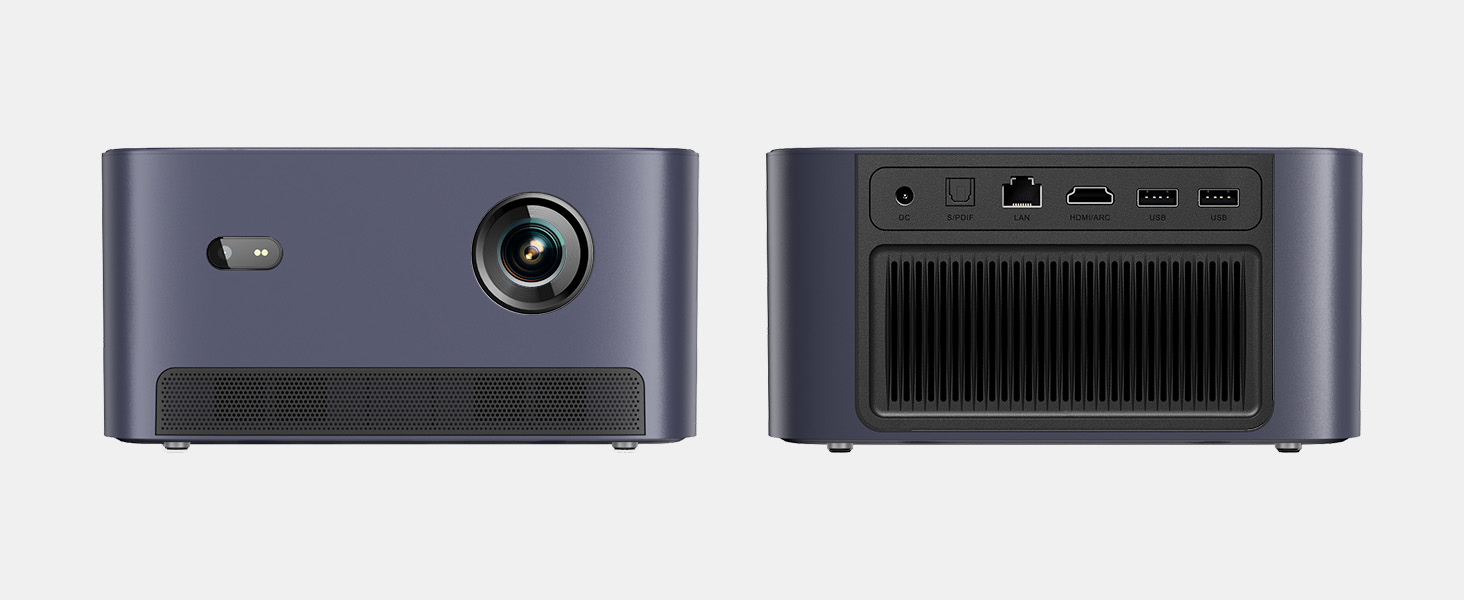
รูปที่ 4: ด้านหลัง view of the projector showing various input/output ports.
5. คู่มือการใช้งาน
5.1 การนำทางอินเทอร์เฟซ
The projector runs on a Linux-based operating system with a user-friendly interface. Use the remote control's directional pad and 'OK' button to navigate through menus and select options.
5.2 แอปพลิเคชันที่ติดตั้งไว้ล่วงหน้า
Enjoy a variety of streaming content with pre-installed and officially licensed applications:
- เน็ตฟลิกซ์ : Access your Netflix subscription directly.
- ยูทูป : Stream videos from YouTube.
- วิดีโอไพรม์: Watch content from Amazon Prime Video.
- Additional apps are available through the integrated app store.

Figure 5: Projector displaying the Netflix interface.
5.3 การตั้งค่าภาพและเสียง
เพิ่มประสิทธิภาพของคุณ viewประสบการณ์การทำงานด้วยคุณลักษณะต่อไปนี้:
- ปณิธาน: Native 1080P Full HD with support for HDR10/HLG for sharp, crisp images.
- ขนาดการฉายภาพ: Up to 120 inches for an immersive cinematic experience.
- เสียง: Integrated 2x6W speakers with Dolby Audio support provide 360° surround sound.
- การปรับความสว่างด้วย AI: Automatically optimizes brightness based on ambient light.

Figure 6: Large projected image from the Dangbei Neo.

Figure 7: Illustration of 360° surround sound from the projector.
6. การบำรุงรักษา
- การทำความสะอาด: Use the provided cleaning cloth to gently wipe the lens and exterior surfaces. Avoid abrasive materials or harsh chemicals.
- การระบายอากาศ : ตรวจสอบให้แน่ใจว่าช่องระบายอากาศของโปรเจ็กเตอร์โล่งและไม่มีสิ่งกีดขวางเพื่อป้องกันความร้อนสูงเกินไป
- Lamp ชีวิต: The laser light source has a lifespan of up to 30,000 hours, providing long-term use without frequent lamp การทดแทน
7 การแก้ไขปัญหา
| ปัญหา | สาเหตุที่เป็นไปได้ | สารละลาย |
|---|---|---|
| No image/blurry image | Power issue, focus/keystone incorrect, lens obstructed | Check power connection. Use auto-focus/keystone or adjust manually. Clean the lens. |
| ไม่มีเสียง | Volume too low, audio output settings, external device issue | Increase volume. Check audio settings. Ensure external device audio is working. |
| ปัญหาการเชื่อมต่อ Wi-Fi/Bluetooth | Incorrect password, device out of range, interference | Verify password. Move closer to router/device. Reduce interference. |
| โปรเจ็กเตอร์ร้อนเกินไป | Blocked ventilation, prolonged use | ตรวจสอบให้แน่ใจว่าช่องระบายอากาศสะอาด รอให้โปรเจ็กเตอร์เย็นลง |
8. ข้อมูลจำเพาะ
| คุณสมบัติ | รายละเอียด |
|---|---|
| ยี่ห้อ | ดังเป่ย |
| แบบอย่าง | นีโอ |
| ความละเอียดการแสดงผล | 1920 x 1080 (1080P FHD) |
| รองรับ HDR | HDR10/เอชแอลจี |
| แหล่งกำเนิดแสง | Laser (ALPD) |
| Lamp ชีวิต | นานถึง 30,000 ชั่วโมง |
| ความสว่าง | 2100 ลูเมน ISO |
| อัตราส่วนคอนทราสต์ | 12,000:1 (ไดนามิก) |
| ระบบปฏิบัติการ | ลินุกซ์ระบบปฏิบัติการ |
| แอปที่ติดตั้งไว้ล่วงหน้า | เน็ตฟลิกซ์ ยูทูป ไพรม์วิดีโอ |
| การเชื่อมต่อ | 5GHz Wi-Fi, Bluetooth 5.0, HDMI (ARC), USB, SPDIF, LAN |
| เสียง | 2x6W Dolby Audio Speakers, 360° Surround Sound |
| คุณสมบัติอัจฉริยะ | Auto Focus, Auto Keystone Correction, Intelligent Screen Fit, Obstacle Avoidance, AI Brightness Adjustment |
| ขนาด | 7.87 x 6.18 x 3.94 นิ้ว |
| น้ำหนัก | 0.141 ออนซ์ |
9. การรับประกันและการสนับสนุน
The Dangbei Neo Smart Projector comes with a standard manufacturer's warranty. For detailed warranty information, product support, or service inquiries, please refer to the warranty card included in your package or visit the official Dangbei webเว็บไซต์.
การสนับสนุนทางออนไลน์: www.dangbei.com
10. วิดีโอผลิตภัณฑ์อย่างเป็นทางการ
ชมวิดีโอผลิตภัณฑ์อย่างเป็นทางการเพื่อดูภาพรวมview of the Dangbei Neo Smart Projector's features and capabilities.
Video: Dangbei Neo Netflix Officially-Licensed Smart Projector. This video highlights key features and usage scenarios.