
1. บทนำ
Thank you for choosing the BYINTEK U70 Pro Portable 4K 3D DLP Projector. This manual provides essential information for the safe and efficient operation of your device. Please read it thoroughly before use and retain it for future reference.

Image 1.1: The BYINTEK U70 Pro Portable Projector and its remote control.
2. ข้อมูลด้านความปลอดภัย
- อย่ามองตรงเข้าไปในเลนส์โปรเจ็กเตอร์เมื่อลamp อยู่บนแล้ว
- ต้องแน่ใจว่ามีการระบายอากาศที่เหมาะสมเพื่อป้องกันความร้อนสูงเกินไป อย่าปิดกั้นช่องระบายอากาศ
- ใช้เฉพาะอะแดปเตอร์ที่ให้มาเท่านั้น
- เก็บอุปกรณ์ให้ห่างจากน้ำ ความชื้น และอุณหภูมิที่สูงเกินไป
- อย่าพยายามถอดประกอบหรือซ่อมโปรเจคเตอร์ด้วยตนเอง โปรดติดต่อช่างผู้ชำนาญการ
- เก็บให้พ้นจากมือเด็ก
3. เนื้อหาบรรจุภัณฑ์
ตรวจสอบว่ามีรายการทั้งหมดอยู่ในแพ็คเกจของคุณ:
- 1 x BYINTEK U70 Pro Projector
- 1 x รีโมทคอนโทรล
- สาย 1 x HD
- 1 x คู่มือผู้ใช้ (เอกสารนี้)
- 1 x DC 19V 3.42A อะแดปเตอร์ไฟฟ้า
4. สินค้าหมดview
ทำความคุ้นเคยกับส่วนประกอบและอินเทอร์เฟซของโปรเจ็กเตอร์ให้ดี
ภาพที่ 4.1: ด้านหน้าและด้านหลัง views of the BYINTEK U70 Pro Projector, highlighting its various ports and controls.
ส่วนประกอบหลัก:
- เลนส์: Projection output.
- ปุ่มกด: Manual control buttons on top.
- ตัวรับสัญญาณ IR: สำหรับสัญญาณควบคุมระยะไกล
- DC 12V-in: พอร์ตอินพุตไฟ
- USB 3.0 / USB 2.0: For connecting USB storage devices, mouse, or keyboard.
- สวิตช์ไฟ: วิธีเปิด/ปิดโปรเจ็กเตอร์
- Audio-out (3.5mm Jack): For external speakers or headphones.
- HD-in (HDMI): สำหรับเชื่อมต่อแหล่งวิดีโอภายนอก
- 5W Speakers: ลำโพงสเตอริโอในตัว
- Detachable Dust Filter: เพื่อการทำความสะอาดและบำรุงรักษาที่ง่ายดาย
- Universal Bracket Hole (d=1/4inch, 6mm): For mounting on tripods or ceiling mounts.
5. การตั้งค่า
5.1 การเปิด/ปิดเครื่อง
- Connect the DC 19V 3.42A Power Adapter to the projector's DC 12V-in port.
- Press the Power Switch to turn the projector on. The indicator light will illuminate.
- To power off, press the Power Switch again.
5.2 การจัดวางและการฉายภาพ
The BYINTEK U70 Pro supports a projection size of 30-300 inches with a projection distance of 1-8 meters. The optimal aspect ratio is 16:9, but 16:10 and 4:3 are also supported.
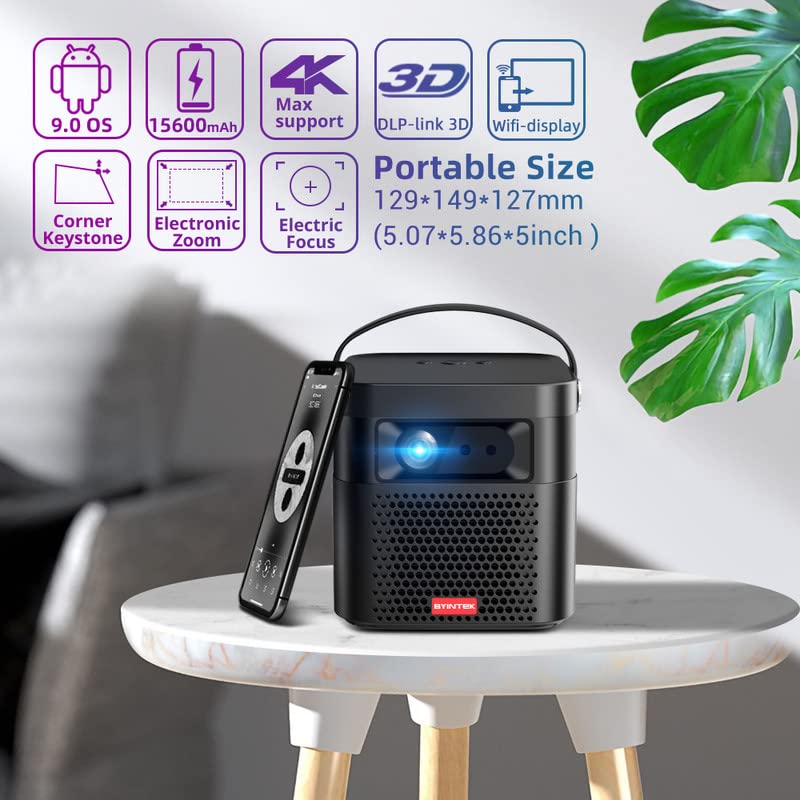
Image 5.1: The BYINTEK U70 Pro Projector highlighting its portable size and advanced features.
5.3 การแก้ไขโฟกัสและคีย์สโตน
- คุณสมบัติของโปรเจ็กเตอร์ โฟกัสอัตโนมัติ for quick image clarity.
- For fine-tuning, use the โฟกัสไฟฟ้า function via the remote control or on-device keypad.
- Auto Manual Vertical Keystone Correction is available to adjust image distortion when the projector is not perfectly perpendicular to the screen.
- Corner Keystone correction allows for individual corner adjustments.
5.4 การเชื่อมต่อ
The projector offers various connection options:
- ช่องต่อ HDMI: Connect external devices like TV sticks, X-BOX, PS4, PCs, or laptops using the provided HD Cable.
- ยูเอสบี: Insert USB sticks or SSD hard drives for media playback. Supports USB 2.0 and USB 3.0.
- ไวไฟ : Connect to your wireless network for online content and wireless projection.
- บลูทูธ: For connecting external Bluetooth speakers or headphones (if supported by the Android OS).
6. คู่มือการใช้งาน
6.1 Android 9.0 Smart OS
The BYINTEK U70 Pro runs on Android 9.0, providing a smart interface with 32GB internal storage. Navigate the interface using the remote control or by connecting a USB mouse/keyboard.

Image 6.1: The Android 9.0 operating system interface, allowing access to various applications.
6.2 การฉายภาพแบบไร้สาย
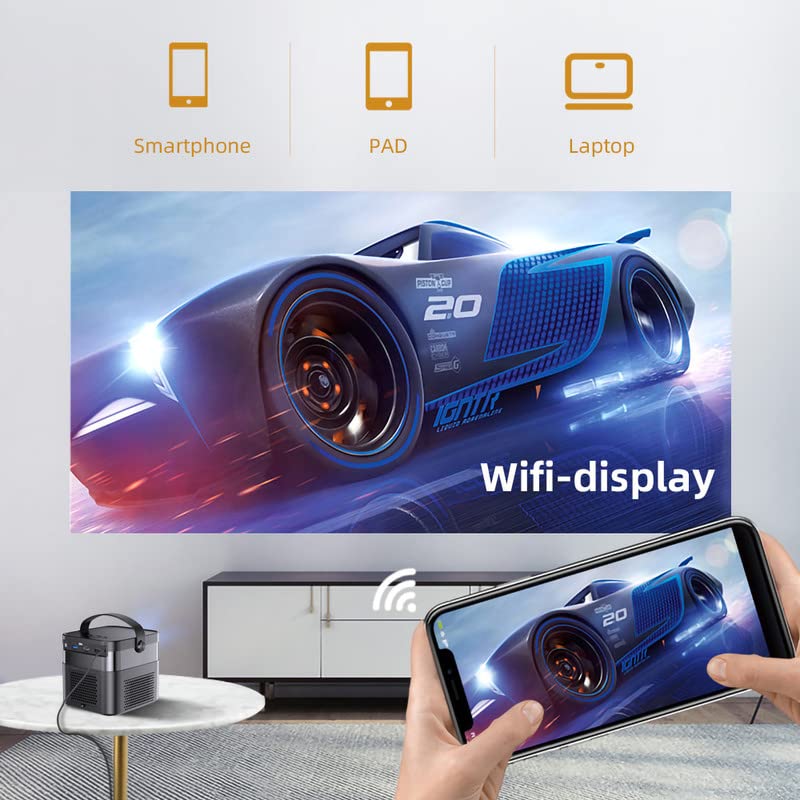
Wirelessly connect your Android or iOS devices for screen mirroring.

Image 6.2: Wireless display functionality, enabling screen mirroring from smartphones, tablets, and laptops.
- Ensure both the projector and your mobile device are connected to the same Wi-Fi network.
- Select the appropriate wireless projection app (e.g., Airplay, Miracast, DLNA, Eshare) on the projector's home screen.
- Follow the on-screen instructions to connect your smartphone, tablet, or laptop.
6.3 ฟังก์ชันการทำงานแบบ 3 มิติ
โปรเจ็กเตอร์รองรับ Real 3D content for an immersive viewการสร้างประสบการณ์
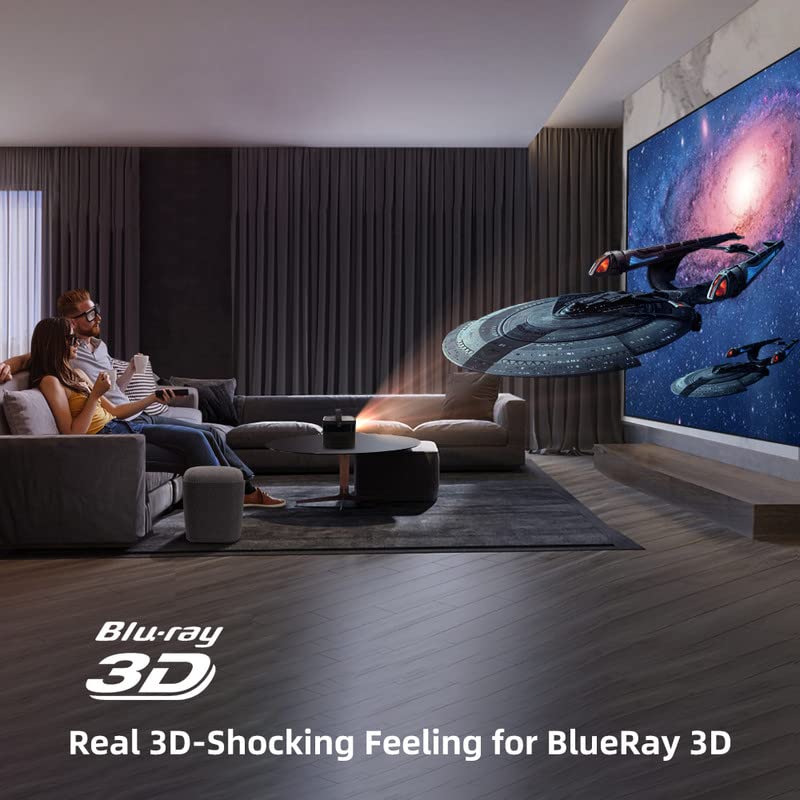
Image 6.3: The projector displaying 3D content for an immersive home theater experience.
- To enjoy 3D content, you will need compatible 3D glasses (sold separately).
- Play 3D-enabled media (e.g., Blu-ray 3D) through a connected device.
- Activate the 3D mode on the projector via the settings menu.
6.4 เอาต์พุตเสียง
The projector has built-in 2 x 5W speakers. For enhanced audio, connect external speakers or headphones via the 3.5mm Audio Jack or Bluetooth.
7. การบำรุงรักษา
7.1 การทำความสะอาดเลนส์
ใช้ผ้าเนื้อนุ่ม ปราศจากขน ที่ออกแบบมาสำหรับทำความสะอาดเลนส์โดยเฉพาะ ห้ามใช้น้ำยาทำความสะอาดที่มีฤทธิ์กัดกร่อน หรือออกแรงมากเกินไป
7.2 การทำความสะอาดตัวกรองฝุ่น
The projector features a detachable dust filter. Regularly remove and clean it to maintain optimal performance and prevent overheating. Refer to Image 4.1 for the location of the detachable dust filter.
7.3 การดูแลแบตเตอรี่
The projector includes a rechargeable battery. To prolong battery life:
- หลีกเลี่ยงการปล่อยแบตเตอรี่จนหมดบ่อยครั้ง
- Store the projector in a cool, dry place if not used for extended periods.
- Charge the battery periodically if stored for a long time.
8 การแก้ไขปัญหา
หากคุณพบปัญหา โปรดดูปัญหาทั่วไปและวิธีแก้ไขต่อไปนี้:
| ปัญหา | สาเหตุที่เป็นไปได้ | สารละลาย |
|---|---|---|
| ไม่มีภาพแสดง | Power cable loose, input source incorrect, lens cap on | Check power connection, select correct input source, remove lens cap |
| ภาพเบลอ | Focus not adjusted, keystone incorrect | Adjust focus using remote/keypad, correct keystone settings |
| ไม่มีเสียง | Volume too low, external audio device not connected, source audio issue | Increase volume, check external audio connections, verify source audio output |
| รีโมตคอนโทรลไม่ทำงาน | Batteries dead, IR receiver blocked | Replace batteries, ensure clear line of sight to IR receiver |
| คำเตือนเรื่องความร้อนสูงเกินไป | Blocked ventilation, dusty filter | Ensure clear ventilation, clean dust filter |
9. ข้อมูลจำเพาะ
Detailed technical specifications for the BYINTEK U70 Pro Projector:
| คุณสมบัติ | ข้อมูลจำเพาะ |
|---|---|
| ยี่ห้อ | บยินเท็ก |
| แบบอย่าง | BYINTEK-UFO-U70-PRO |
| เทคโนโลยีการแสดงผล | DLP (LED) |
| ความสว่างของภาพ | 500 ANSI Lumens |
| ความละเอียดดั้งเดิม | 1280 x 800 (supports 1080p Full HD Pixels, Max supports 4K signal input) |
| อัตราส่วนความคมชัดของภาพ | 15000:1 น. |
| อัตราส่วนภาพ | 16:9 (also 16:10, 4:3) |
| ขนาดการฉายภาพ | 30-300 นิ้ว |
| ระยะฉายภาพ | 1-8 เมตร |
| ระบบปฏิบัติการ | แอนดรอยด์ 9.0 |
| การจัดเก็บข้อมูลภายใน | 32GB |
| คุณสมบัติพิเศษ | Built-In 3D, Auto Focus, Short Throw, Built-in Speakers, Rechargeable Battery, Wireless Projection |
| ฮาร์ดแวร์อินเตอร์เฟซ | HDMI, USB 2.0, USB 3.0 |
| เทคโนโลยีการเชื่อมต่อ | ไวไฟ |
| เอาท์พุตเสียง | 3.5mm Audio Jack, Built-in 2 x 5W Speakers |
| แหล่งพลังงาน | DC 19V 3.42A, Rechargeable Battery |
| วัดtage | 65 วัตต์ |
| ขนาดสินค้า | 12.9 x 14.9 x 12.7 ซม. |
| น้ำหนักสินค้า | 1.36 กก. |
| รุ่นปี | 2023 |
10. การรับประกันและการสนับสนุน
10.1 ข้อมูลการรับประกัน
The BYINTEK U70 Pro Projector comes with a รับประกัน 1 ปี นับจากวันที่ซื้อ โปรดเก็บหลักฐานการซื้อไว้เพื่อขอรับสิทธิ์การรับประกัน การรับประกันครอบคลุมข้อบกพร่องจากการผลิตภายใต้สภาพการใช้งานปกติ
10.2 การสนับสนุนลูกค้า
For technical assistance, warranty claims, or any other inquiries, please contact BYINTEK customer support:
- เบอร์โทรศัพท์ : +91 8885241706
- อีเมล: care@justshop24x7.com