
สินค้าเกินview
The PSIER Wireless Earbuds are designed for an immersive audio experience with enhanced call clarity and extended playtime. Featuring Bluetooth 5.3 technology, these earbuds offer stable connectivity and superior sound quality. The ergonomic design with earhooks ensures a secure fit, making them ideal for sports and active use. The included charging case provides multiple recharges, extending your listening time significantly.

Image showing the PSIER wireless earbuds with various sizes of replaceable soft eartips and earwings (XS, S, M, L) for a customizable and secure fit. The image also displays a person wearing the earbuds, demonstrating their ergonomic design.
เนื้อหาแพ็คเกจ
- PSIER Wireless Earbuds (Left and Right)
- เคสชาร์จไฟ
- สายชาร์จ USB-C
- Multiple Sizes of Eartips (XS, S, M, L)
- คู่มือการใช้งาน
การตั้งค่า
การชาร์จเบื้องต้น
ก่อนใช้งานครั้งแรก ควรชาร์จหูฟังและเคสชาร์จให้เต็ม
- เชื่อมต่อสาย USB-C ที่ให้มาเข้ากับพอร์ตชาร์จบนเคสและแหล่งจ่ายไฟ
- Alternatively, place the charging case on a compatible wireless charging pad (not included).
- The LED digital display on the case will show the charging progress. A full charge is indicated by 100% on the display.
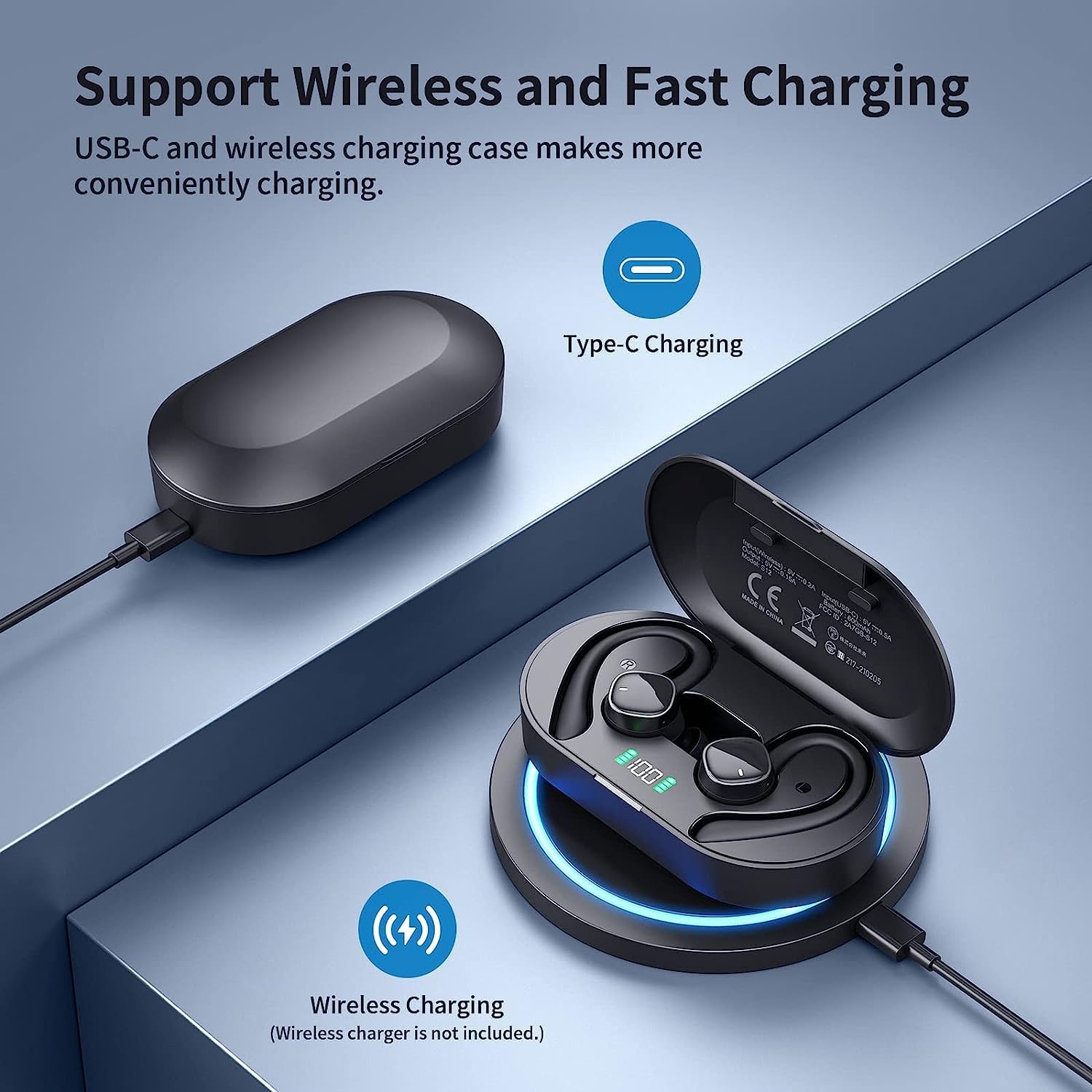
Image illustrating the two charging methods for the PSIER wireless earbuds: USB-C cable charging and wireless charging on a compatible pad. The charging case with LED display is shown.
การเปิด/ปิดเครื่อง
- เปิดเครื่อง: เปิดกล่องชาร์จ หูฟังจะเปิดใช้งานโดยอัตโนมัติและพยายามเชื่อมต่อกับอุปกรณ์ที่จับคู่ล่าสุด
- หมดแรง: ใส่หูฟังกลับเข้าไปในกล่องชาร์จและปิดฝา หูฟังจะตัดการเชื่อมต่อและปิดเครื่องโดยอัตโนมัติ
จับคู่บลูทู ธ
The earbuds feature one-step pairing for convenience.
- ตรวจสอบให้แน่ใจว่าหูฟังได้รับการชาร์จและใส่ไว้ในกล่องชาร์จ
- เปิดกล่องชาร์จ หูฟังจะเข้าสู่โหมดจับคู่โดยอัตโนมัติ
- บนอุปกรณ์ของคุณ (สมาร์ทโฟน แท็บเล็ต ฯลฯ) เปิดใช้งานบลูทูธและค้นหาอุปกรณ์ที่มีอยู่
- Select "S12" from the list of devices to connect.
- Once connected, you will hear an audio prompt, and the device will show "Connected."

Image demonstrating the one-step pairing process for the PSIER wireless earbuds. The charging case is open, showing the earbuds, and a smartphone screen displays 'S12 Connected' in its Bluetooth settings.
การสวมหูฟัง
For optimal sound quality and comfort, choose the correct eartip size and ensure the earhooks are securely positioned.
- Select the eartips (XS, S, M, L) that provide a snug fit in your ear canal.
- ค่อยๆ สอดหูฟังเข้าไปในหูของคุณ
- Adjust the earhook over your ear to secure the earbud in place.
คำแนะนำการใช้งาน
การควบคุมสื่อ
The earbuds feature multi-function buttons for easy control of audio playback and calls.
| การทำงาน | การกระทำ |
|---|---|
| เล่น/หยุดชั่วคราว | Single press on either earbud |
| เพลงถัดไป | Double press on the Right earbud |
| เพลงก่อนหน้า | Double press on the Left earbud |
| เพิ่มระดับเสียง | Triple press on the Right earbud |
| ลดระดับเสียง | Triple press on the Left earbud |
| รับสาย/วางสาย | Single press on either earbud |
| ปฏิเสธการรับสาย | กดหูฟังเอียร์บัดข้างใดข้างหนึ่งค้างไว้ |
| เปิดใช้งานผู้ช่วยเสียง | กดปุ่มหูฟังข้างใดข้างหนึ่งค้างไว้ (เมื่อไม่ได้อยู่ในระหว่างการสนทนา) |
การจัดการการโทร
Each earbud is equipped with two microphones, totaling four microphones, to ensure clear call quality by accurately picking up your voice and isolating environmental noise through advanced algorithms.

Image depicting a person using PSIER wireless earbuds in a noisy environment, with graphics illustrating how 4 microphones isolate voice from background noise for clearer calls.
จอแสดงผล LED แบบดิจิตอล
The charging case features an LED digital display that shows the remaining power in percentage (1%-100%). This allows you to easily monitor the battery level of the case and plan your charging accordingly. Individual indicators for left (L) and right (R) earbuds may also be present.

แสดงรูปภาพasing the digital LED display on the PSIER earbud charging case, indicating 100% charge. It also highlights the 60 hours total playtime, with 10 hours on a single earbud charge and 50 hours from the charging case.
คุณภาพเสียง
The PSIER Wireless Earbuds are equipped with a 6mm large size speaker driver, engineered to deliver powerful deep bass and dynamic treble. This design aims to provide a 3D spatial sound experience, enhancing your music listening across a wide sound range.

Close-up image of the PSIER earbud's internal components, highlighting the 6mm large size speaker driver and Bluetooth 5.3 chip, emphasizing powerful stereo sound with dynamic treble and deep bass.
การบำรุงรักษาและการดูแล
การทำความสะอาด
- Regularly clean the earbuds, eartips, and charging contacts with a soft, dry, lint-free cloth.
- หลีกเลี่ยงการใช้สารกัดกร่อน ตัวทำละลาย หรือสารเคมีทำความสะอาด
ความต้านทานต่อน้ำ (IPX7)
The earbuds are rated IPX7 waterproof, meaning they can withstand splashes, sweat from workouts, and rain. They are not designed for swimming or prolonged submersion in water. Ensure the earbuds are dry before placing them back in the charging case to prevent damage.
พื้นที่จัดเก็บ
- เก็บหูฟังเอียร์บัดไว้ในกล่องชาร์จเมื่อไม่ได้ใช้งานเพื่อปกป้องและชาร์จอยู่เสมอ
- หลีกเลี่ยงการเก็บในที่ที่มีอุณหภูมิที่สูงหรือที่มีความชื้นสูง
การแก้ไขปัญหา
- หูฟังไม่จับคู่: ตรวจสอบให้แน่ใจว่าหูฟังทั้งสองข้างชาร์จไฟเต็มแล้วและนำออกจากเคสแล้ว ปิดและเปิดบลูทูธบนอุปกรณ์ของคุณ หากปัญหายังคงอยู่ ให้ลองรีเซ็ตหูฟัง (โปรดดูคำแนะนำของผู้ผลิต) webไซต์สำหรับคำแนะนำการรีเซ็ตโดยเฉพาะ)
- ไม่มีเสียง: ตรวจสอบระดับเสียงทั้งบนอุปกรณ์ของคุณและหูฟัง ตรวจสอบให้แน่ใจว่าหูฟังเชื่อมต่อกับอุปกรณ์ของคุณอย่างถูกต้อง
- ปัญหาการชาร์จ: Verify the USB-C cable is securely connected or the wireless charging pad is functioning correctly. Clean the charging contacts on both the earbuds and the case.
- คุณภาพการโทรไม่ดี: Ensure the microphones are not obstructed. Try moving to an area with less background noise.
ข้อมูลจำเพาะ
| คุณสมบัติ | รายละเอียด |
|---|---|
| หมายเลขรุ่น | B0BY911HRZ |
| ยี่ห้อ | พี.เอส.ไอ |
| เทคโนโลยีการเชื่อมต่อ | บลูทูธ 5.3 ไร้สาย |
| การวางตำแหน่งหู | Open Ear (with earhooks) |
| ฟอร์มแฟกเตอร์ | ในหู |
| สี | สีดำ |
| ประเภทการควบคุม | การควบคุมสื่อ |
| ไมโครโฟน | 4 (2 ชิ้นต่อหูฟังข้างละ 1 อัน) |
| เวลาเล่น | Up to 10 hours (single charge), 60 hours total with charging case |
| การชาร์จไฟ | USB-C, การชาร์จแบบไร้สาย |
| ความต้านทานต่อน้ำ | IPX7 |
| น้ำหนักสินค้า | 5.3 ออนซ์ |
| ขนาดแพ็คเกจ | 5.24 x 3.86 x 1.46 นิ้ว |
การรับประกันและการสนับสนุน
For warranty information, technical support, or further assistance, please refer to the documentation included with your product or visit the official PSIER webไซต์นี้ โปรดเก็บใบเสร็จรับเงินที่ซื้อไว้เพื่อใช้เรียกร้องการรับประกัน