
1. บทนำ
The eppfun SK001 MAX is a versatile Bluetooth speakerphone designed for home office, remote work, and conference calls. It features 360° voice coverage with two omnidirectional microphones, intelligent noise cancellation, and echo elimination for clear audio. This device supports both USB and Bluetooth connectivity, offering broad compatibility with various operating systems and popular online meeting applications such as Zoom, Skype, Microsoft Teams, Google Meet, Webex, and Facetime.
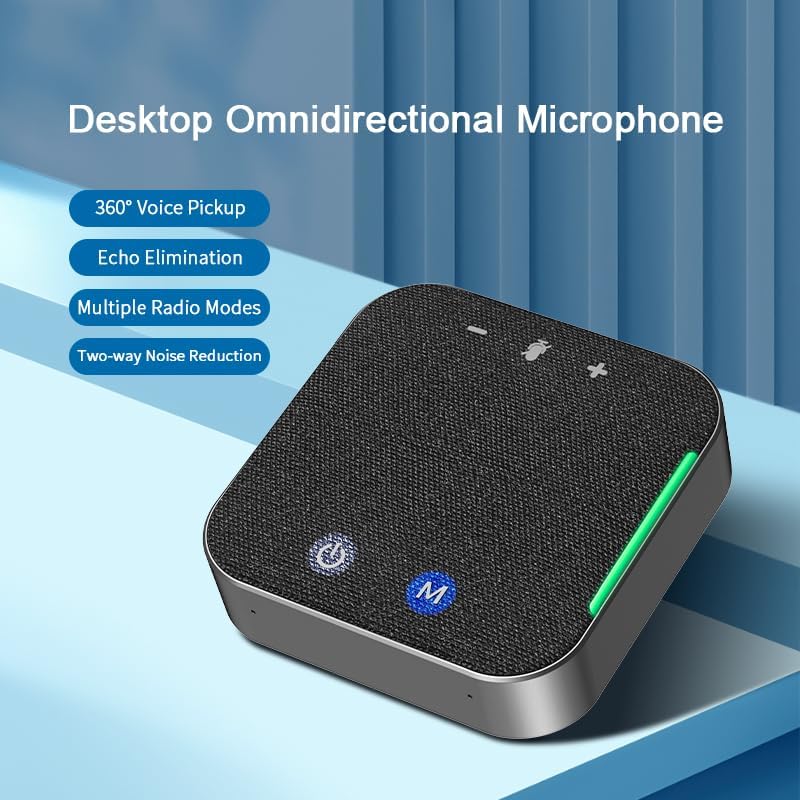
รูปที่ 1: eppfun SK001 MAX Desktop Omnidirectional Microphone. This image shows the compact, square-shaped speakerphone with its fabric top and control buttons, highlighting its 360° voice pickup, echo elimination, multiple radio modes, and two-way noise reduction capabilities.
2. เนื้อหาบรรจุภัณฑ์
ตรวจสอบว่ามีรายการทั้งหมดอยู่ในแพ็คเกจ:
- eppfun SK001 MAX Speakerphone
- สาย USB-A ถึง USB-C
- คู่มือการใช้งาน
- บัตรรับประกัน
3. สินค้าหมดview
The SK001 MAX features an intuitive design with easily accessible controls and ports.
3.1 การควบคุมและตัวชี้วัด
- ปุ่มเปิด/ปิด: กดค้างไว้เพื่อเปิดหรือปิดอุปกรณ์
- M Button (Mode/Mute): Used for switching modes or muting the microphone.
- ปุ่มปรับระดับเสียงขึ้น / ลง: ปรับระดับเสียงลำโพง
- ไฟ LED แสดงสถานะ: Provide status information for power, Bluetooth connection, and microphone mute.
3.2 พอร์ต
- พอร์ต USB-C: สำหรับเชื่อมต่อกับคอมพิวเตอร์แบบใช้สายและชาร์จไฟ
- พอร์ต AUX 3.5 มม.: For auxiliary audio input/output.

รูปที่ 2: USB-C Port for connection. This image shows a close-up of the speakerphone's side, highlighting the USB-C port and a USB-C cable being inserted, emphasizing its plug-and-play, drive-free design for easy PC connection.
4. การตั้งค่า
4.1 การชาร์จอุปกรณ์
Before initial use, fully charge the SK001 MAX. Connect the provided USB-C cable to the speakerphone's USB-C port and the other end to a USB power adapter (not included) or a computer's USB port. The LED indicator will show charging status and turn off when fully charged. A full charge provides up to 12 hours of continuous use.
4.2 การเชื่อมต่อแบบใช้สาย (USB)
- Connect the provided USB-C cable to the SK001 MAX.
- Connect the USB-A or USB-C end of the cable to an available port on your computer (PC or Mac).
- The device is plug-and-play and does not require driver installation. It will be automatically recognized by your operating system.
- Select "eppfun SK001 MAX" as your audio input and output device in your computer's sound settings and conferencing application.
4.3 การเชื่อมต่อไร้สาย (บลูทูธ)
- Press and hold the Power button on the SK001 MAX to turn it on.
- ไฟแสดงสถานะบลูทูธจะกะพริบ แสดงว่าอยู่ในโหมดจับคู่
- บนอุปกรณ์ของคุณ (สมาร์ทโฟน แท็บเล็ต แล็ปท็อป) ไปที่การตั้งค่าบลูทูธ และเปิดใช้งานบลูทูธ
- ค้นหา available devices and select "eppfun SK001 MAX" from the list.
- เมื่อเชื่อมต่อแล้ว ไฟแสดงสถานะบลูทูธจะติดสว่าง
- Select "eppfun SK001 MAX" as your audio input and output device in your device's sound settings and conferencing application.

รูปที่ 3: Wireless and Wired Connection Options. This image illustrates the flexibility of the speakerphone, showing it connected wirelessly via Bluetooth to a smartphone displaying a live broadcast, and implying wired connectivity for stable transmission.
5. การใช้งานลำโพง
5.1 การโทรออก/รับสาย
Once connected via USB or Bluetooth, the SK001 MAX will function as your primary audio device for calls and meetings. Use your connected device or conferencing application to initiate or answer calls.
5.2 การปรับระดับเสียง
ใช้ปุ่มเพิ่มเสียง (+) และลดเสียง (-) บนลำโพงเพื่อปรับระดับเสียงในการเล่น คุณยังสามารถควบคุมระดับเสียงจากอุปกรณ์ที่เชื่อมต่ออยู่ได้อีกด้วย
5.3 การปิดเสียงไมโครโฟน
Press the 'M' button to mute or unmute the microphone. The LED indicator will change to show the microphone's status (e.g., red for muted).
5.4 การลดเสียงรบกวนและการตัดเสียงสะท้อน
The SK001 MAX features an integrated DSP processor for intelligent noise canceling and echo elimination. This technology works automatically to reduce background noise and prevent echoes, ensuring clear communication. The device supports single or two-way noise reduction, which can be freely switched to optimize voice clarity for all participants.
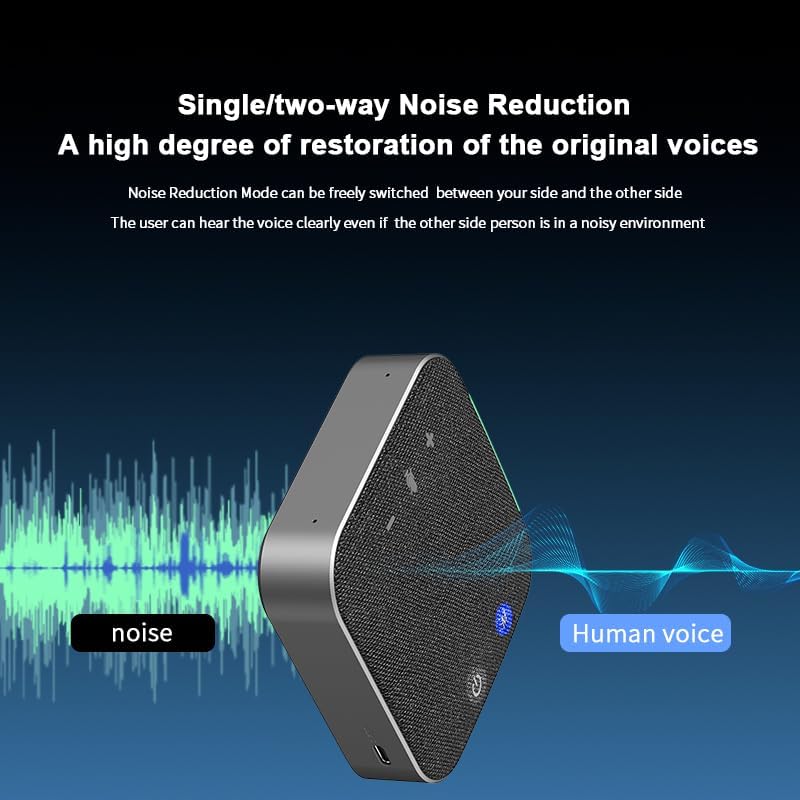
รูปที่ 4: Single/Two-way Noise Reduction. This image visually represents the speakerphone's noise reduction capability, showing how it filters out ambient noise to deliver clear human voice, ensuring participants can hear clearly even in noisy environments.
5.5 360° Voice Pickup
Equipped with two omnidirectional microphones, the SK001 MAX captures sound from all directions within a 4-meter radius. This ensures that all participants in a meeting, even in a multi-person setting, are heard clearly.

รูปที่ 5: Multi-person Meeting Scenario. This image depicts the speakerphone in use during a conference, illustrating its 4-meter voice pickup radius coverage, making it suitable for small and medium-sized meeting rooms.
6. การบำรุงรักษา
- การทำความสะอาด: Use a soft, dry cloth to clean the speakerphone. Do not use liquid cleaners or aerosols.
- พื้นที่จัดเก็บ: เก็บอุปกรณ์ไว้ในที่แห้งและเย็น หลีกเลี่ยงแสงแดดโดยตรงและอุณหภูมิที่สูงหรือต่ำเกินไป
- การดูแลแบตเตอรี่ เพื่อยืดอายุการใช้งานแบตเตอรี่ ควรหลีกเลี่ยงการคายประจุแบตเตอรี่จนหมดบ่อยๆ ควรชาร์จอุปกรณ์เป็นประจำ แม้ว่าจะไม่ได้ใช้งานเป็นเวลานานก็ตาม
- ความต้านทานน้ำ: The SK001 MAX is NOT waterproof. Avoid exposure to liquids.
7 การแก้ไขปัญหา
| ปัญหา | วิธีแก้ปัญหาที่เป็นไปได้ |
|---|---|
| อุปกรณ์ไม่เปิดเครื่อง | ตรวจสอบให้แน่ใจว่าอุปกรณ์ชาร์จไฟเต็มแล้ว เชื่อมต่ออุปกรณ์เข้ากับแหล่งจ่ายไฟโดยใช้สาย USB-C |
| ไม่มีเสียงหรือคุณภาพเสียงไม่ดี |
|
| ไมโครโฟนไม่ทำงาน |
|
| ปัญหาการเชื่อมต่อบลูทูธ |
|
8. ข้อมูลจำเพาะ
| คุณสมบัติ | รายละเอียด |
|---|---|
| ยี่ห้อ | เอ็ปฟัน |
| หมายเลขรุ่น | สก001 |
| เทคโนโลยีการเชื่อมต่อ | อุปกรณ์เสริม, บลูทูธ, USB |
| เทคโนโลยีไร้สาย | บลูทูธ |
| ช่วงบลูทูธ | 10 เมตร |
| จำนวนไมโครโฟน | 2 (Omnidirectional) |
| กำลังขับสูงสุดของลำโพง | 5 วัตต์ |
| โหมดเอาต์พุตเสียง | โมโน |
| ขนาดลำโพง | 40 มิลลิเมตร |
| อายุการใช้งานแบตเตอรี่โดยเฉลี่ย | 12 ชั่วโมง |
| แหล่งพลังงาน | ใช้พลังงานจากแบตเตอรี่ (รวมแบตเตอรี่ลิเธียมไอออน 1 ก้อน) |
| วิธีการควบคุม | ปุ่มกด |
| สี | สีดำ |
| น้ำหนักสินค้า | 0.5 ปอนด์ |
| กันน้ำ | เลขที่ |
| อุปกรณ์ที่รองรับ | คอมพิวเตอร์ตั้งโต๊ะ, แล็ปท็อป, สมาร์ทโฟน, แท็บเล็ต, โทรทัศน์ |
| การใช้งานเฉพาะ | Conference calls, web meetings, remote work, home office |
9. การรับประกันและการสนับสนุน
9.1 ข้อมูลการรับประกัน
The eppfun SK001 MAX comes with a limited warranty of up to 12 months. Please refer to the included Warranty Card for detailed terms and conditions. Keep your proof of purchase for warranty claims.
9.2 การสนับสนุนลูกค้า
For further assistance, technical support, or warranty inquiries, please visit the official eppfun store or contact their customer service. You can find more information and contact details on the eppfun Amazon Store.