
TOMLOV DM9 Pro
คู่มือการใช้งานกล้องจุลทรรศน์ดิจิทัล TOMLOV DM9 Pro
Model: DM9 Pro
Brand: TOMLOV
การแนะนำ
The TOMLOV DM9 Pro Digital Microscope is an advanced observation tool featuring a 7-inch HD IPS screen, 10X-1200X magnification, and versatile connectivity options. Designed for detailed inspection, it is ideal for applications such as circuit board soldering, watch repair, plant observation, jewelry appraisal, and coin identification. This manual provides detailed instructions to help you set up, operate, and maintain your microscope for optimal performance.
มีอะไรอยู่ในกล่อง
- 7-Inch HDMI Digital Microscope x1
- Adjustable Aluminum Alloy Stand x1
- ไมโคร SD การ์ด 32GB x1
- รีโมตคอนโทรล x1
- Light Barrier x1
- สาย USB x2
- สาย HDMI x1
สินค้าเกินview
Familiarize yourself with the main components and features of your TOMLOV DM9 Pro Digital Microscope.

Image: The complete TOMLOV DM9 Pro Digital Microscope setup, including the main unit with 7-inch screen, adjustable aluminum alloy stand, remote control, and a 32GB Micro SD card.

Image: Close-up of the 7-inch HD IPS screen, highlighting its 1080P resolution and vivid image quality compared to other displays.

Image: Illustration of the 8 adjustable LED lights surrounding the microscope lens and the 2 additional gooseneck side lights, providing comprehensive illumination.
การตั้งค่า
- ประกอบขาตั้ง: Connect the adjustable aluminum alloy bracket to the base. Ensure it is securely fastened using the provided knob.
- ติดตั้งชุดกล้องจุลทรรศน์: Carefully place the microscope unit (with the screen) onto the stand. Tighten the two knobs to secure it in position.
- การเชื่อมต่อไฟฟ้า: Connect the microscope to a power source using one of the provided USB cables. Note that a power adapter is not included.
- ใส่การ์ด SD: Insert the 32GB Micro SD card into the designated slot on the microscope unit. This is required for saving photos and videos.

Image: Step-by-step visual guide for the easy installation of the microscope, from connecting the bracket to securing the screen.
คำแนะนำการใช้งาน
เปิด/ปิดเครื่อง
Press and hold the power button on the microscope unit to turn it on or off. The unit will typically boot into video mode.
การปรับการขยายและโฟกัส
Magnification (10X-1200X) is adjusted by changing the distance between the lens and the object. Use the focus knob on the side of the microscope unit to achieve a clear image.
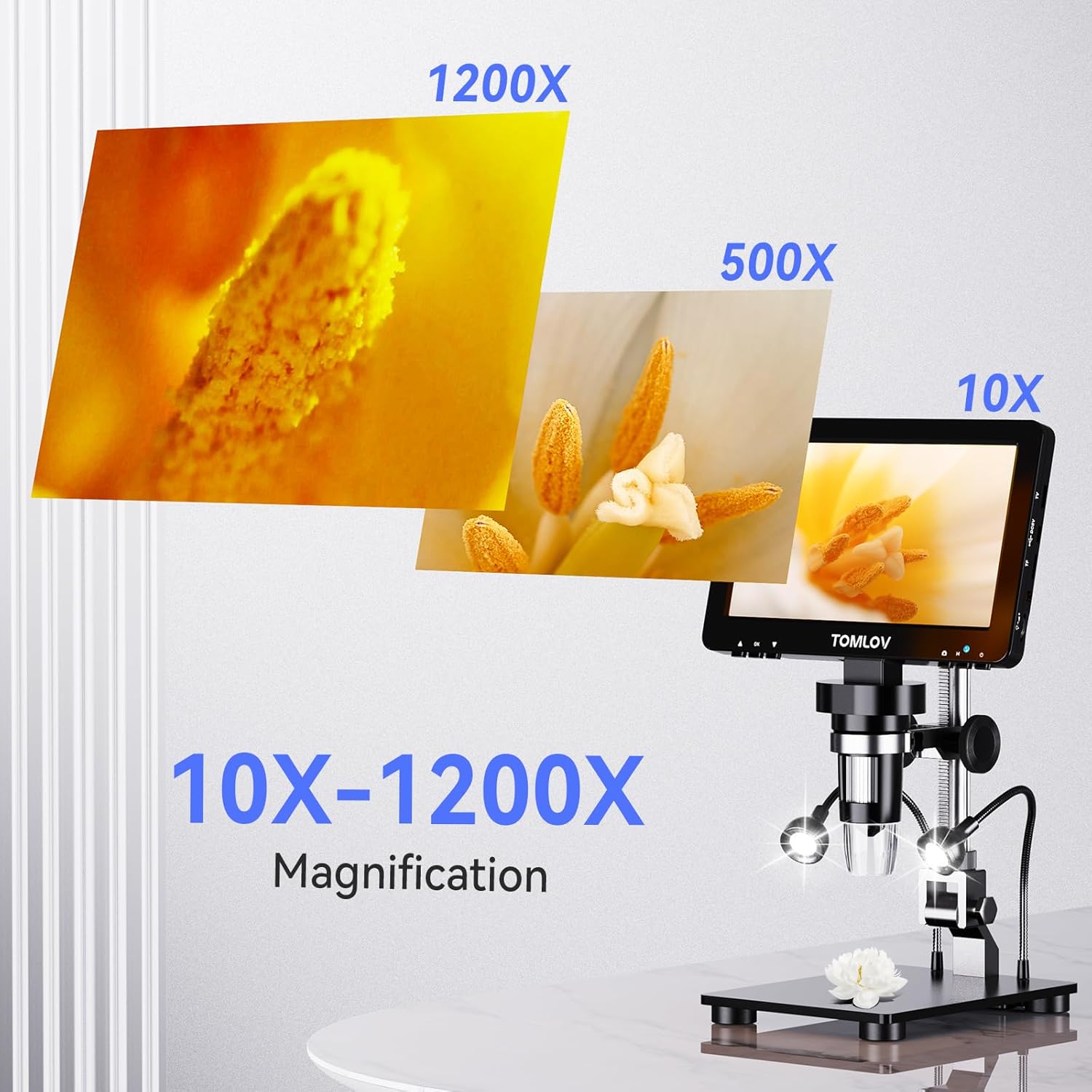
Image: Visual representation of the microscope's magnification capabilities, showing details at 10X, 500X, and 1200X.
การปรับแสง
The microscope features 8 adjustable LED lights around the lens and 2 additional gooseneck side lights. Both light sources can be dimmed and adjusted independently using the brightness adjustment knob to ensure optimal clarity in various lighting conditions.

Image: A hand adjusting the brightness knob on the microscope, demonstrating how to ensure tiny details are bright and clear.
HDMI & USB Output
The DM9 Pro can connect to external displays for a larger view:
- เอาท์พุต HDMI: Connect to TVs or projectors via HDMI for 1080P HD real-time viewการไอเอ็นจี
- เอาท์พุต USB: Connect to Windows and macOS computers via USB for a larger, smooth, and clear HD view.

Image: The microscope connected to both a large television via HDMI and a laptop via USB, illustrating its versatile output options for larger viewการไอเอ็นจี
การควบคุมการทำงานด้วยรีโมทคอนโทรล
Use the included remote control to operate the microscope without touching the screen, preventing screen shake. It allows for easy photo capture, video recording, and setting adjustments.
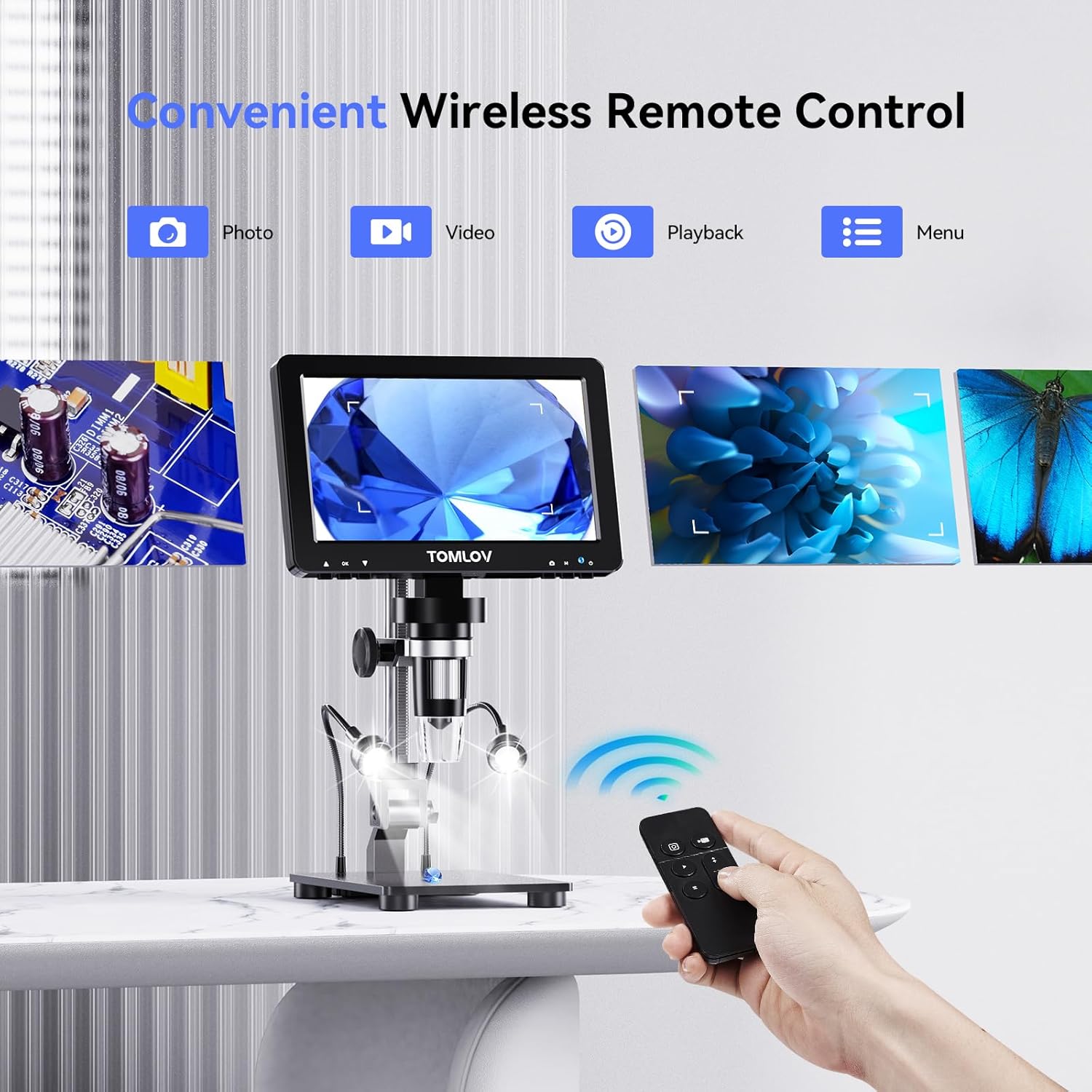
Image: A hand holding the wireless remote control, demonstrating its convenience for capturing photos and videos without disturbing the microscope.
ถ่ายภาพและวิดีโอ
The microscope supports 16MP photo resolution and 1080P video recording. Use the dedicated buttons on the unit or the remote control to capture images and videos, which are saved to the inserted Micro SD card.
Video: An official product video demonstrating the features of the TOMLOV DM9 Pro HDMI Digital Microscope, including its IPS screen, magnification, and various applications. This video is provided by the seller, TOMLOV Store.
การซ่อมบำรุง
- การทำความสะอาด: Use a soft, dry cloth to clean the screen and exterior of the microscope. For the lens, use a specialized lens cleaning cloth and solution. Avoid abrasive materials or harsh chemicals.
- พื้นที่จัดเก็บ: เก็บกล้องจุลทรรศน์ไว้ในที่สะอาดและแห้ง หลีกเลี่ยงแสงแดดโดยตรงและอุณหภูมิที่สูงหรือต่ำเกินไป
- การดูแลแบตเตอรี่ The unit includes a Lithium Ion battery. For optimal battery life, avoid fully discharging the battery frequently and store it with a partial charge if not used for extended periods.
การแก้ไขปัญหา
| ปัญหา | สาเหตุที่เป็นไปได้ | สารละลาย |
|---|---|---|
| ไม่มีไฟฟ้า | แบตเตอรี่หมด; สายไฟไม่ได้เชื่อมต่ออย่างถูกต้อง | Charge the battery; Ensure USB cable is securely connected to a power source. |
| ภาพเบลอ | Incorrect focus; Object too far/close; Insufficient lighting. | Adjust the focus knob; Adjust the distance between the lens and object; Increase LED light brightness. |
| No image on external display (HDMI/USB) | Cable not connected; Incorrect input selected on display; Driver issue (USB). | Check cable connections; Select correct HDMI/USB input on TV/monitor; For USB, ensure drivers are installed (usually plug-and-play). |
| Cannot save photos/videos | SD card full or not inserted; SD card corrupted. | Ensure SD card is inserted correctly and has free space; Format SD card (backup data first). |
ข้อมูลจำเพาะ
| คุณสมบัติ | รายละเอียด |
|---|---|
| ชื่อรุ่น | DM9 โปร |
| ขนาดหน้าจอ | 7-inch HD IPS Glossy Screen |
| ปณิธาน | 1920x1080P |
| ช่วงการขยาย | 10X ถึง 1200X |
| ความละเอียดของภาพ | 16MP |
| เอาท์พุตวิดีโอ | 1080P HD (HDMI, USB) |
| แสงสว่าง | 8 adjustable LED lights + 2 gooseneck side lights |
| วัสดุ | อลูมิเนียม |
| น้ำหนักสินค้า | 2.65 ปอนด์ (ประมาณ 1200 กรัม) |
| แหล่งพลังงาน | 5 Volts (USB powered, includes 1 Lithium Ion battery) |
| รวมพื้นที่จัดเก็บ | การ์ด Micro SD 32GB |
การรับประกันและการสนับสนุน
For warranty information and technical support, please refer to the official TOMLOV webหรือติดต่อฝ่ายบริการลูกค้าโดยตรง เก็บใบเสร็จรับเงินไว้เพื่อใช้ในการเคลมประกัน
คุณสามารถเยี่ยมชม ร้าน TOMLOV บน Amazon สำหรับข้อมูลเพิ่มเติมและการอัพเดตผลิตภัณฑ์
Ask a question about this manual
Ask about setup, troubleshooting, compatibility, parts, safety, or missing instructions. Manuals+ will review the question and use this page’s manual context to help answer it.