
1. บทนำและเรื่องอื่นๆview
This manual provides essential information for the safe and effective use of your Venture Heat Men's Heated Jacket. Designed for warmth and comfort, this jacket integrates advanced heating technology with durable, water-resistant softshell fabric. It features both manual button control and Bluetooth app compatibility for precise temperature management, ensuring you stay warm in various conditions.
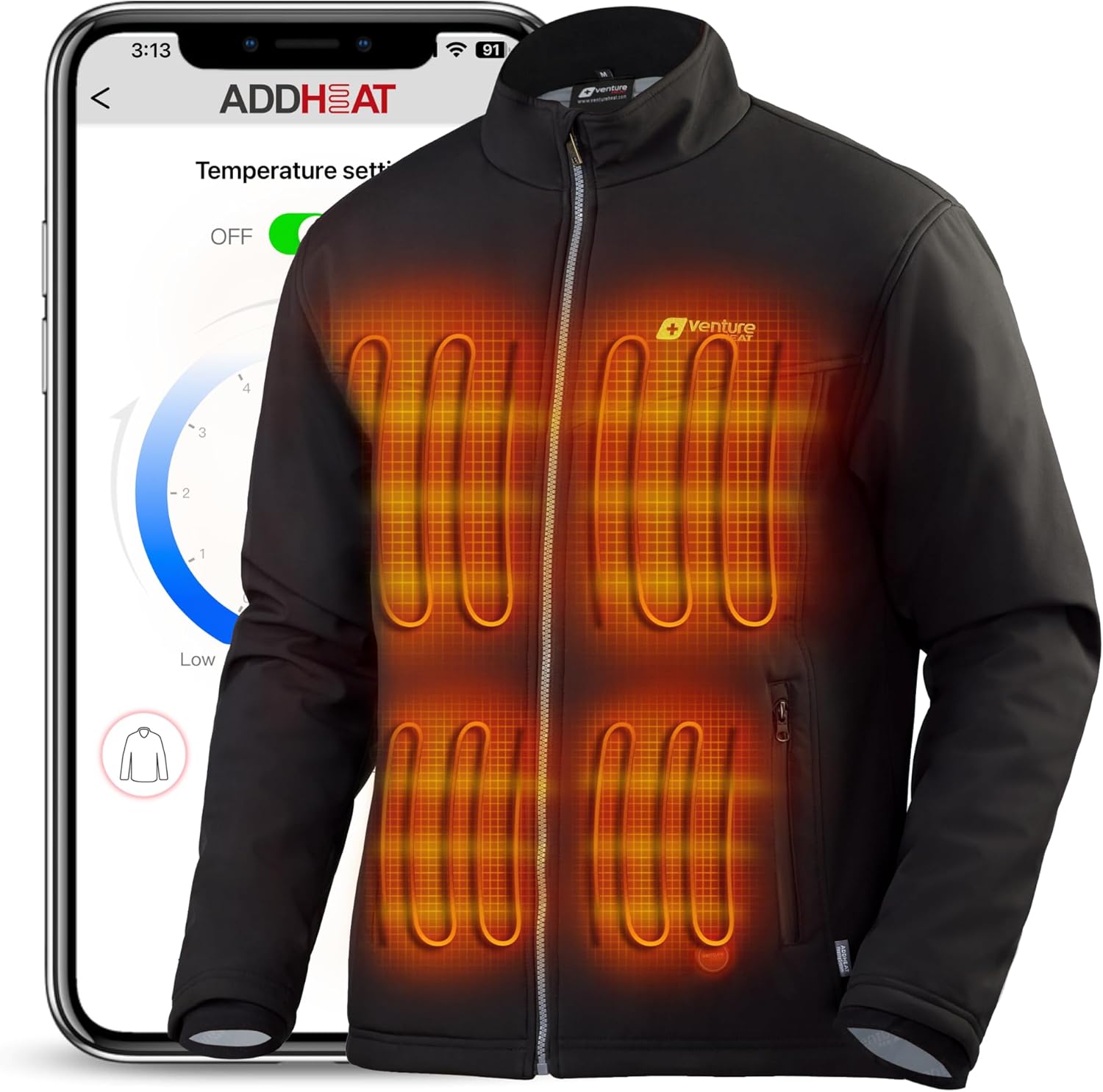
ภาพที่ 1: ด้านหน้า view of the Venture Heat Men's Heated Jacket.
2. การตั้งค่า
2.1 การชาร์จแบตเตอรี่
The jacket is powered by a UL-certified compact battery (Model: Power Bank 729B). Before first use, fully charge the battery using the provided charger. The battery is typically stored in an internal pocket within the jacket. Ensure the battery is completely charged for optimal performance and runtime.
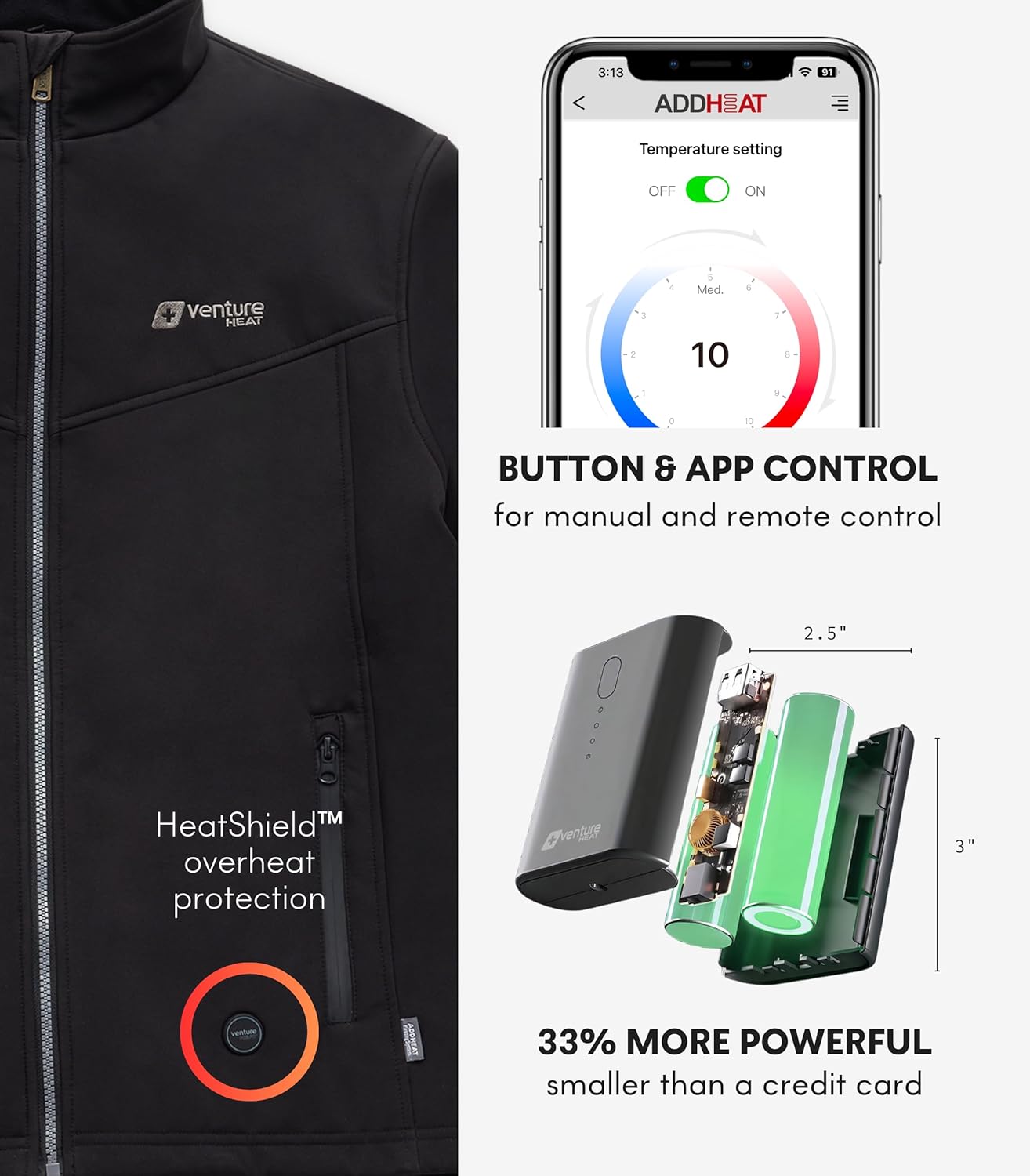
Image 2: Illustration of the jacket's compact battery and safety certifications.
2.2 Battery Insertion and Connection
- Locate the internal battery pocket, usually found on the lower left side of the jacket.
- Insert the fully charged battery into the pocket.
- Connect the jacket's power cable to the battery's output port. Secure the battery within the pocket.
2.3 Bluetooth App Setup
To utilize the Bluetooth app control, download the 'ADDHEAT' app from your device's app store. Follow the in-app instructions to pair your jacket with your smartphone for precise 10-level temperature adjustments. The app provides a visual interface for managing heat settings.

Image 3: The jacket's button control and a smartphone displaying the 'ADDHEAT' app interface.
3. คู่มือการใช้งาน
3.1 Manual Heat Control
The jacket features an on-board button for manual heat control. To activate the heating system, press and hold the power button located on the jacket. Cycle through heat settings by pressing the button:
- ความร้อนสูง: Indicated by a ไฟ LED สีแดง, approximately 130°F.
- ความร้อนปานกลาง: Indicated by a ไฟ LED สีขาว, approximately 105°F.
- ความร้อนต่ำ: Indicated by a ไฟ LED สีฟ้า, approximately 95°F.
To turn off the heating system, press and hold the button again until the LED light extinguishes.
Video 1: Demonstration of the jacket's manual heat control and heating zones.
3.2 Heating Zones
The jacket incorporates multiple heating zones to provide comprehensive warmth. These zones are strategically placed across the chest and back areas, utilizing high-powered nano-carbon fiber heating panels for efficient and targeted heat distribution.


ภาพที่ 4: ด้านหน้า view highlighting the chest heating zones. Image 5: Back view highlighting the back heating zone.
4. การบำรุงรักษา
4.1 คำแนะนำในการทำความสะอาด
- Before cleaning, ensure the battery is disconnected and removed from the jacket's pocket.
- Close all zippers and fasteners.
- The jacket is machine wash safe. Use a gentle cycle with cold water.
- ปั่นแห้งด้วยไฟอ่อนหรือแขวนให้แห้ง
- Do not iron, bleach, or dry clean the jacket.
5 การแก้ไขปัญหา
5.1 No Heat or Intermittent Heating
- ตรวจสอบแบตเตอรี่: Ensure the battery is fully charged and properly connected to the jacket's power cable.
- ปุ่มเปิด/ปิด: Confirm the power button on the jacket is pressed and held to activate, and the LED indicator is lit.
- การเชื่อมต่อสายเคเบิล: Verify that all cables are securely plugged in.
5.2 อายุการใช้งานแบตเตอรี่สั้น
Battery duration varies by heat setting:
- ประมาณ 2.2 ชั่วโมง on High heat.
- ประมาณ 4.5 ชั่วโมง on Medium heat.
- ประมาณ 8 ชั่วโมง on Low heat.
Extreme cold conditions can also affect battery performance. Ensure the battery is fully charged before each use, especially for extended periods in cold environments.
5.3 ปัญหาการเชื่อมต่อแอป
- บลูทูธ: ตรวจสอบให้แน่ใจว่าได้เปิดใช้งาน Bluetooth บนสมาร์ทโฟนของคุณแล้ว
- สถานะแบตเตอรี่: Confirm the jacket's battery is charged and connected.
- รีสตาร์ทแอป: Try closing and reopening the 'ADDHEAT' app.
- ซ่อมแซม: If issues persist, unpair and re-pair the jacket through the app's settings.
6. ข้อมูลจำเพาะ
- ประเภทสินค้า : Men's Heated Jacket
- ยี่ห้อ: Venture Heat
- รุ่นแบตเตอรี่: Power Bank 729B
- เทคโนโลยีการทำความร้อน: Nano-Carbon Fiber Heating Panels
- พลังงานความร้อน: 16 วัตต์
- การตั้งค่าความร้อน: 3 (High, Medium, Low) with LED indicators
- ช่วงอุณหภูมิ: High (approx. 130°F), Medium (approx. 105°F), Low (approx. 95°F)
- ควบคุม: Manual button and Bluetooth app (10 levels)
- อายุการใช้งานแบตเตอรี่: Up to 8 hours (on Low setting)
- คุณสมบัติด้านความปลอดภัย: HeatShield Overheat Protection, UL Certified Battery
- ผ้า: Softshell, Water Resistant
- คำแนะนำในการดูแล: Machine Wash (remove battery first)
- ต้นทาง: Designed in California, imported
7. การรับประกันและการสนับสนุน
For detailed warranty information, product registration, or technical assistance, please visit the official Venture Heat website or contact their customer service department. It is recommended to retain your purchase receipt for any warranty claims.