
1. บทนำ
Thank you for choosing the JISULIFE FA42 Mini Portable Bladeless Handheld Fan. This device is designed to provide powerful and safe personal cooling with its innovative bladeless design and multiple speed settings. Please read this manual carefully before use to ensure proper operation and maintenance.
2. คำแนะนำด้านความปลอดภัยที่สำคัญ
- Do not insert fingers or foreign objects into the fan's air inlet or outlet.
- เก็บอุปกรณ์ให้ห่างจากน้ำและความชื้น
- ห้ามถอดประกอบ ซ่อมแซม หรือดัดแปลงพัดลม หากต้องการรับบริการ โปรดติดต่อฝ่ายบริการลูกค้า
- เก็บให้พ้นมือเด็กเล็กที่ไม่มีผู้ใหญ่ดูแล
- ใช้เฉพาะสายชาร์จที่ให้มาหรือสาย USB-C ที่ผ่านการรับรองสำหรับการชาร์จเท่านั้น
- ควรหลีกเลี่ยงการวางพัดลมไว้ในที่ที่มีอุณหภูมิสูงหรือต่ำเกินไป หรือโดนแสงแดดโดยตรงเป็นเวลานาน
3. สินค้าหมดview
The JISULIFE FA42 fan features a compact, bladeless design for enhanced safety and portability. It incorporates a powerful turbo engine and a high-voltage protection chip.
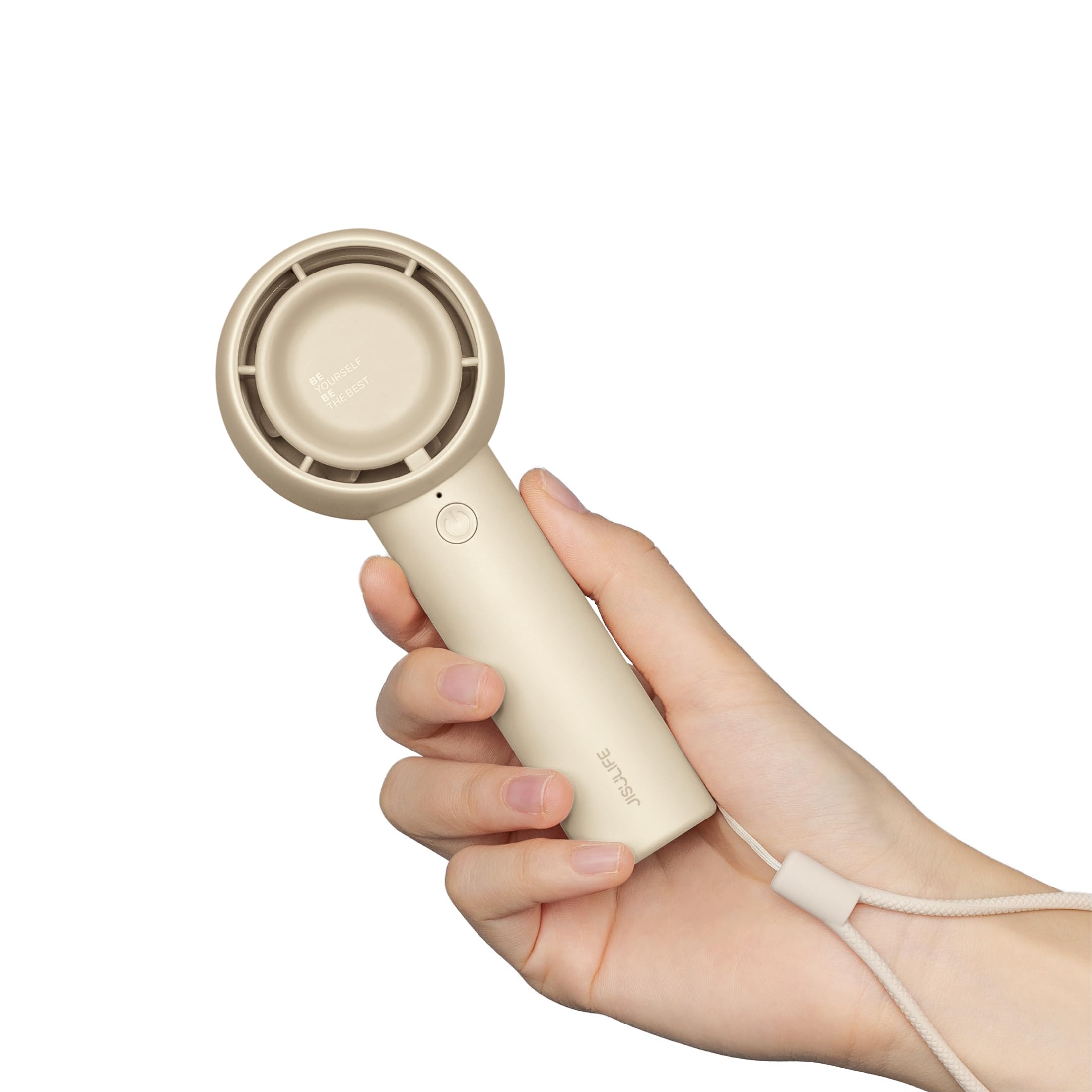
Figure 3.1: JISULIFE FA42 Mini Portable Bladeless Handheld Fan (Brown)

Figure 3.2: Illustration of the fan's gathering air duct technology, demonstrating a larger air outlet area and longer blowing distance.

รูปที่ 3.3: ภายใน view highlighting the high-performance brushless motor and curved turbo fan designed for reduced noise and comfortable airflow.
4. การตั้งค่า
4.1. การแกะกล่องและการชาร์จครั้งแรก
Upon unboxing, ensure all components are present: the fan unit, USB-C charging cable, and lanyard.

Figure 4.1: The JISULIFE FA42 fan, its packaging, USB-C charging cable, and instruction manual.
Before first use, fully charge the fan. Connect the provided USB-C cable to the charging port on the fan and the other end to a USB power adapter (not included) or a computer's USB port. The indicator light will show charging status.

Figure 4.2: The fan's Type-C charging port in use. A full charge takes approximately 4 hours and provides up to 16 hours of cooling time.
4.2. การติดสายคล้องคอ
Thread the lanyard through the designated loop at the base of the fan's handle. This allows for convenient carrying on your wrist or attaching to a bag.
5. คู่มือการใช้งาน
5.1. Power On/Off and Speed Adjustment
The fan features a single power button for all operations:
- การเปิดเครื่อง: กดปุ่มเปิด/ปิดหนึ่งครั้ง พัดลมจะเริ่มทำงานที่ความเร็วระดับ 1
- การปรับความเร็ว: Press the power button repeatedly to cycle through the 5 available speed settings (Speed 1 to Speed 5).
- วิธีปิดเครื่อง: After cycling through Speed 5, pressing the button again will turn the fan off. Alternatively, press and hold the power button for 2 seconds to turn off the fan from any speed setting.

Figure 5.1: The fan offers 5 adjustable speeds, ranging from 5000r/min (Low) to 9000r/min (High).
5.2. Battery Life Indication
The indicator light near the power button also provides battery status. Refer to the product's packaging or official website for detailed light patterns (e.g., solid light for full charge, blinking for low battery).

Figure 5.2: The 4500mAh battery provides up to 16 hours of 'Sleep Wind', 8.5 hours of 'Cold Wind', and 5 hours of 'Strong Wind'.
5.3. สถานการณ์การใช้งาน
The compact and powerful design makes this fan suitable for various activities:
- กิจกรรมกลางแจ้ง: การเดินทาง, camping, commuting, shopping, music festivals.
- การใช้ภายในอาคาร: Office, dorm room, makeup application, quick-drying lashes.

Figure 5.3: The fan is versatile for use while walking, in the office, during makeup application, and while campการไอเอ็นจี
Video 5.1: An official product video from JISULIFE-NA demonstrating the features and use of the Mini Handheld Turbo Fan.
6. การบำรุงรักษา
6.1. การทำความสะอาด
To clean the fan, gently wipe the exterior with a soft, dry cloth. Do not use abrasive cleaners, solvents, or immerse the fan in water. Ensure the fan is turned off before cleaning.
6.2. การจัดเก็บ
When not in use for extended periods, store the fan in a cool, dry place away from direct sunlight and extreme temperatures. It is recommended to charge the fan every 3 months to maintain battery health.
7 การแก้ไขปัญหา
| ปัญหา | สาเหตุที่เป็นไปได้ | สารละลาย |
|---|---|---|
| พัดลมไม่เปิด | แบตเตอรี่อ่อน; กดปุ่มเปิด/ปิดไม่ถูกต้อง | Charge the fan; Press and hold the power button for 2 seconds to ensure it powers on. |
| การไหลเวียนของอากาศที่อ่อนแอ | Low battery; Fan speed set too low | Charge the fan; Increase the fan speed by pressing the power button. |
| พัดลมไม่ชาร์จ | Faulty cable/adapter; Loose connection | Try a different USB-C cable or power adapter; Ensure the cable is securely connected to both the fan and the power source. |
| เสียงผิดปกติ | Obstruction in air duct; Internal issue | Turn off the fan and check for any obstructions in the air inlet/outlet. If the issue persists, contact customer support. |
8. ข้อมูลจำเพาะ
| คุณสมบัติ | รายละเอียด |
|---|---|
| ยี่ห้อ | จีซูไลฟ์ |
| ชื่อรุ่น | FA42 |
| สี | สีน้ำตาล |
| แหล่งพลังงาน | ใช้พลังงานจากแบตเตอรี่ (รวมแบตเตอรี่ลิเธียมไอออน 1 ก้อน) |
| ความจุของแบตเตอรี่ | 4500mAh |
| Max Cooling Time | นานถึง 16 ชั่วโมง |
| เวลาในการชาร์จ | ประมาณ 4 ชั่วโมง |
| ประเภทขั้วต่อสายไฟหลัก | ยูเอสบี-ซี |
| จำนวนระดับพลังงาน | 5 |
| ขนาดสินค้า | ลึก 1.85 นิ้ว x กว้าง 2.44 นิ้ว x สูง 5.98 นิ้ว |
| น้ำหนักสินค้า | 148 กรัม (5.2 ออนซ์) |
| ระดับเสียง | 50 เดซิเบล |
| คุณสมบัติพิเศษ | Bladeless, Compact, Portable |
9. การรับประกันและการสนับสนุน
For warranty information and customer support, please refer to the warranty card included in your product packaging or visit the official JISULIFE website. You can also contact JISULIFE customer service through their ร้านค้าอเมซอน.