
การแนะนำ
The Amkette Pocket Mate is a versatile digital FM radio and Bluetooth speaker designed for portable audio entertainment. It features multiple playback options including FM radio, Bluetooth connectivity, Micro SD card, and USB input. Equipped with a number pad for easy station and song selection, an LED display, and a built-in antenna, this device offers up to 8 hours of playtime on a single charge via its Type-C charging port.
มีอะไรอยู่ในกล่อง
- 1 x Amkette Pocket Mate Digital FM Radio with Bluetooth Speaker
- 1 x คู่มือผู้ใช้
- 1 x สายชาร์จ (Type-C)
สินค้าเกินview
Familiarize yourself with the components of your Amkette Pocket Mate.
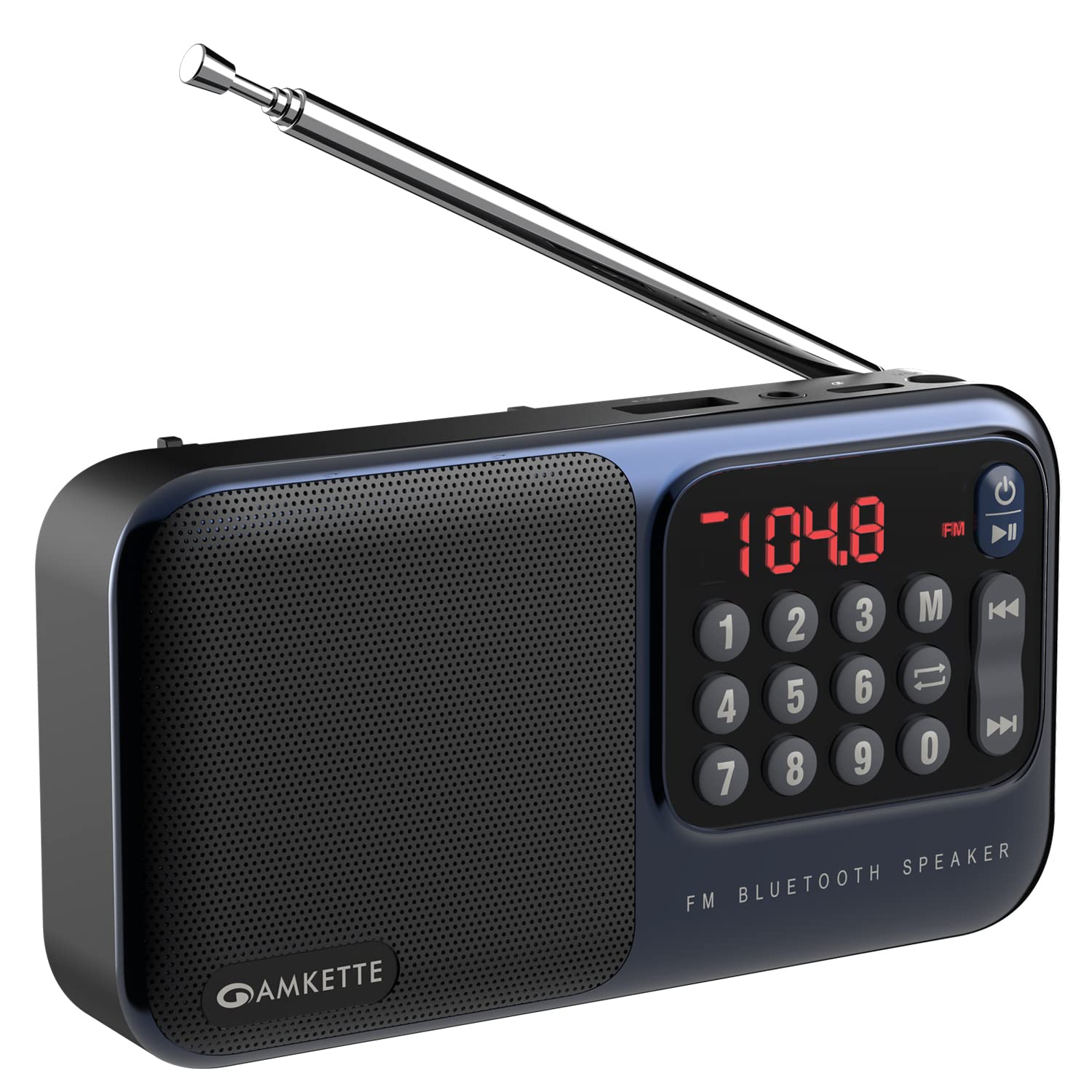
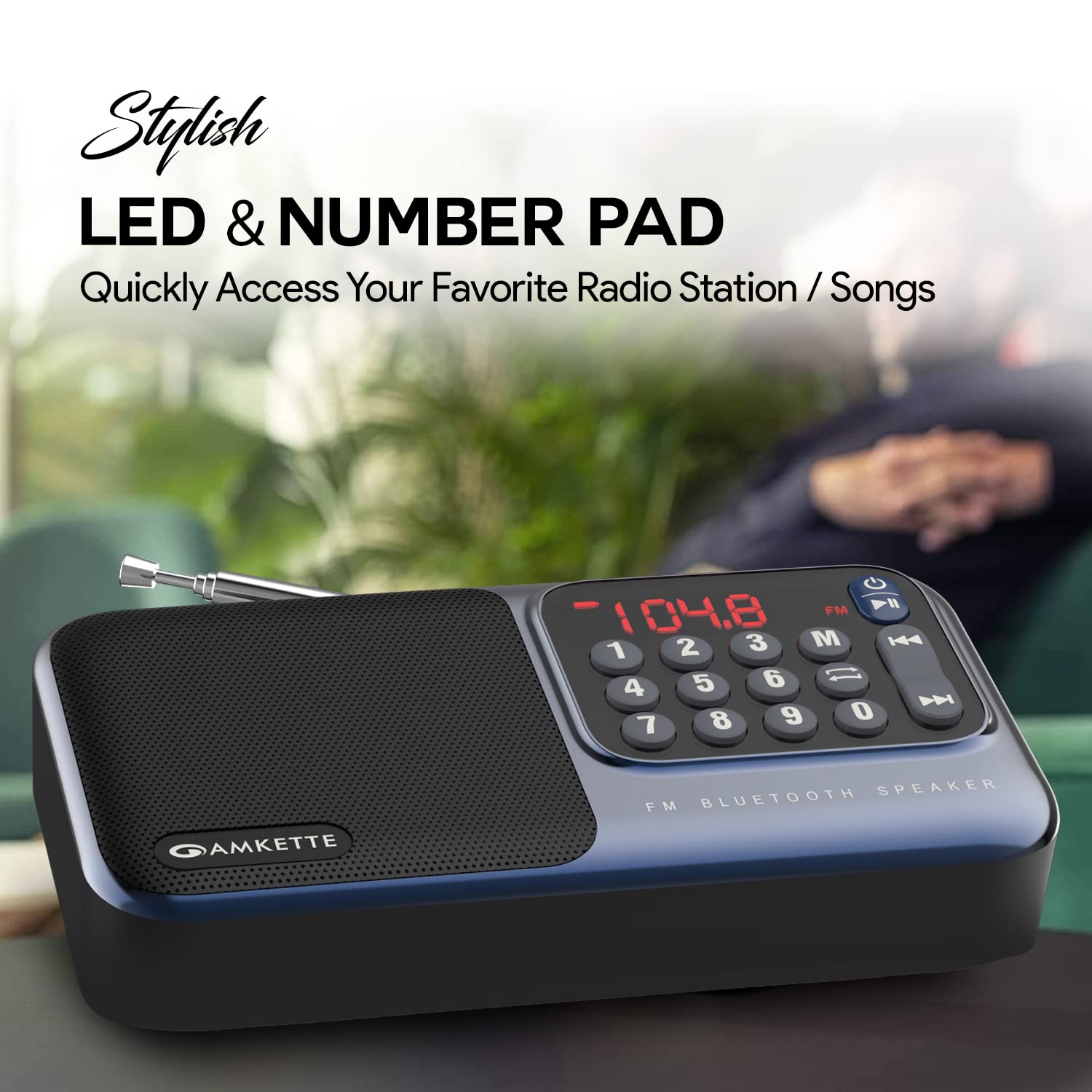


ส่วนประกอบหลัก:
- จอแสดงผล LED: แสดงโหมดปัจจุบัน ความถี่ หรือข้อมูลแทร็ก
- แป้นตัวเลข: สำหรับการป้อนความถี่โดยตรงในโหมด FM หรือการเลือกแทร็ก
- ปุ่มฟังก์ชั่น: Power, Play/Pause, Mode, Previous/Next Track.
- เสาอากาศแบบยืดหดได้: เพื่อเพิ่มประสิทธิภาพในการรับสัญญาณวิทยุ FM
- ผู้บรรยาย: ลำโพงขนาด 5 วัตต์ในตัวสำหรับส่งสัญญาณเสียง
- ช่องเสียบการ์ด Micro SD: สำหรับการเล่นเสียง fileจาก Micro SD การ์ด
- ช่องต่อ USB: สำหรับการเล่นเสียง fileจากไดรฟ์ USB
- แจ็คหูฟัง 3.5 มม.: สำหรับการฟังส่วนตัว
- พอร์ตชาร์จ Type-C: สำหรับชาร์จแบตเตอรี่ภายใน
การตั้งค่า
1. การชาร์จอุปกรณ์
- Connect the provided Type-C charging cable to the charging port on the Amkette Pocket Mate.
- เชื่อมต่อปลายสายอีกด้านหนึ่งเข้ากับอะแดปเตอร์ไฟ USB มาตรฐาน (ไม่รวมอยู่ด้วย) หรือพอร์ต USB ของคอมพิวเตอร์
- The LED display will indicate charging status. A full charge provides up to 8 hours of playback.
2. การเปิด/ปิดเครื่อง
- หากต้องการเปิดเครื่อง ให้กดค้างไว้ ปุ่มเปิดปิด () for a few seconds until the LED display lights up.
- ในการปิดเครื่องให้กดปุ่ม ปุ่มเปิดปิด ทำซ้ำไปเรื่อยๆ จนกว่าหน้าจอจะดับลง
คำแนะนำการใช้งาน
1. การเลือกโหมด
กดปุ่ม ปุ่มโหมด (M) to cycle through available modes: FM Radio, Bluetooth, Micro SD Card, and USB Input.
2. การใช้งานวิทยุ FM
- ยืดเสาอากาศออกให้สุดเพื่อการรับสัญญาณที่ดีที่สุด
- กดปุ่ม ปุ่มโหมด (M) to select FM Radio mode.
- Auto Search and Save: กดปุ่มค้างไว้ ปุ่มเล่น/หยุดชั่วคราว to automatically scan and save all available FM stations.
- การปรับด้วยตนเอง: ใช้ Previous/Next Track buttons เพื่อปรับแต่งความถี่ให้ละเอียดยิ่งขึ้น
- อินพุตความถี่โดยตรง: ใช้ แป้นตัวเลข to directly enter the desired FM frequency (e.g., 104.8).
3. การจับคู่บลูทู ธ
- กดปุ่ม ปุ่มโหมด (M) to select Bluetooth mode. The device will enter pairing mode, indicated by a flashing Bluetooth icon or specific audio prompt.
- บนสมาร์ทโฟน แท็บเล็ต หรือพีซีของคุณ ให้เปิดใช้งานบลูทูธ แล้วค้นหาอุปกรณ์ที่ใช้งานได้
- Select "Amkette Pocket Mate" from the list of devices to pair.
- Once paired, you can stream audio wirelessly to the speaker.
4. Micro SD Card / USB Playback
- Insert a Micro SD card into the designated slot or a USB drive into the USB port.
- The device should automatically switch to the corresponding playback mode. If not, press the ปุ่มโหมด (M) เพื่อเลือกมัน
- ใช้ Previous/Next Track buttons to navigate through songs.
- กดปุ่ม ปุ่มเล่น/หยุดชั่วคราว เพื่อเล่นหรือหยุดเสียงชั่วคราว
5. การควบคุมระดับเสียง
Volume is typically controlled by long-pressing the Previous/Next Track buttons or directly from the connected Bluetooth device.
6. การใช้หูฟัง
Plug any standard 3.5mm headphones into the headphone jack for private listening. The speaker output will automatically mute.
การซ่อมบำรุง
- เก็บอุปกรณ์ให้แห้ง หลีกเลี่ยงการสัมผัสกับน้ำหรือความชื้นมากเกินไป
- ทำความสะอาดอุปกรณ์ด้วยผ้านุ่มและแห้ง ห้ามใช้น้ำยาทำความสะอาดหรือสารละลายที่มีฤทธิ์กัดกร่อน
- เก็บอุปกรณ์ไว้ในที่แห้งและเย็นเมื่อไม่ใช้งาน
- หลีกเลี่ยงการทำอุปกรณ์หล่นหรือกระแทกอย่างรุนแรง
การแก้ไขปัญหา
| ปัญหา | สาเหตุที่เป็นไปได้ | สารละลาย |
|---|---|---|
| อุปกรณ์ไม่เปิดเครื่อง | แบตเตอรี่อ่อนหรือไม่มีการชาร์จ | ชาร์จอุปกรณ์โดยใช้สาย Type-C ที่ให้มา |
| ไม่มีเสียงจากลำโพง | Volume too low; device in headphone mode; incorrect mode selected. | Increase volume; remove headphones; ensure correct mode (FM, BT, SD, USB) is selected. |
| การรับสัญญาณวิทยุ FM ไม่ดี | เสาอากาศไม่ยืดออก พื้นที่สัญญาณอ่อน | Fully extend the antenna; try moving to a location with better signal. |
| อุปกรณ์บลูทูธไม่จับคู่ | อุปกรณ์ไม่อยู่ในโหมดจับคู่; บลูทูธถูกปิดใช้งานบนอุปกรณ์ต้นทาง | Ensure Amkette Pocket Mate is in Bluetooth pairing mode; enable Bluetooth on your source device and search again. |
| ไม่สามารถเล่นไฟล์จาก Micro SD/USB ได้ | ไม่ถูกต้อง file รูปแบบไฟล์; การ์ด/ไดรฟ์ไม่ได้เสียบอย่างถูกต้อง; ไฟล์เสียหาย files. | รับรองเสียง files are in a compatible format; reinsert card/drive; try a different card/drive. |
ข้อมูลจำเพาะ
| ยี่ห้อ | แอมเก็ต |
| ชื่อรุ่น | Pocket Mate FM |
| หมายเลขรุ่น | 584 |
| ขนาดสินค้า | 3.9 x 7.5 x 16.3 ซม.; 320 กรัม |
| แบตเตอรี่ | แบตเตอรี่ลิเธียมไอออน 1 ก้อน (รวมอยู่ด้วย) |
| ฮาร์ดแวร์อินเตอร์เฟซ | ไมโครเอสดี, ยูเอสบี |
| เทคโนโลยีจูนเนอร์ | FM |
| อุปกรณ์ที่รองรับ | All Bluetooth enabled devices, Android, iPhone, PC, Laptop |
| คุณสมบัติพิเศษ | Crisp and Bassy 5 W speaker, High Quality FM Speaker with Antenna, Multiple Playback Options (BT, FM, SD Card, USB), Number Pad for Easy FM and Song Selection and LED Display, Up to 8 Hours of Playback |
| ประเภทจอภาพ | นำ |
| ลำโพงกำลังขับสูงสุด | 5 วัตต์ |
| การเชื่อมต่อลำโพง | Bluetooth and Aux |
| แหล่งพลังงาน | ใช้พลังงานจากแบตเตอรี่ |
| ส่วนประกอบของเซลล์แบตเตอรี่ | ลิเธียมไอออน |
| ประเภทขั้วต่อ | บลูทูธ |
| รองรับคลื่นวิทยุ | FM |
| วัสดุ | พลาสติก |
| ประเทศต้นกำเนิด | จีน |
| น้ำหนักสินค้า | 320 กรัม |
การรับประกันและการสนับสนุน
The Amkette Pocket Mate Digital FM Radio with Bluetooth Speaker comes with a 1-Year Manufacturing Warranty.
For any issues, technical assistance, or warranty claims, please contact Amkette customer support. Contact details can typically be found on the official Amkette webไซต์หรือผ่านร้านค้าปลีกที่ซื้อผลิตภัณฑ์
โปรดเก็บใบเสร็จรับเงินไว้เพื่อใช้ยืนยันการรับประกัน