
Amkette 584
Amkette Pocket Mate Digital FM Radio with Bluetooth Speaker User Manual
รุ่น : 584
1. สินค้าหมดview
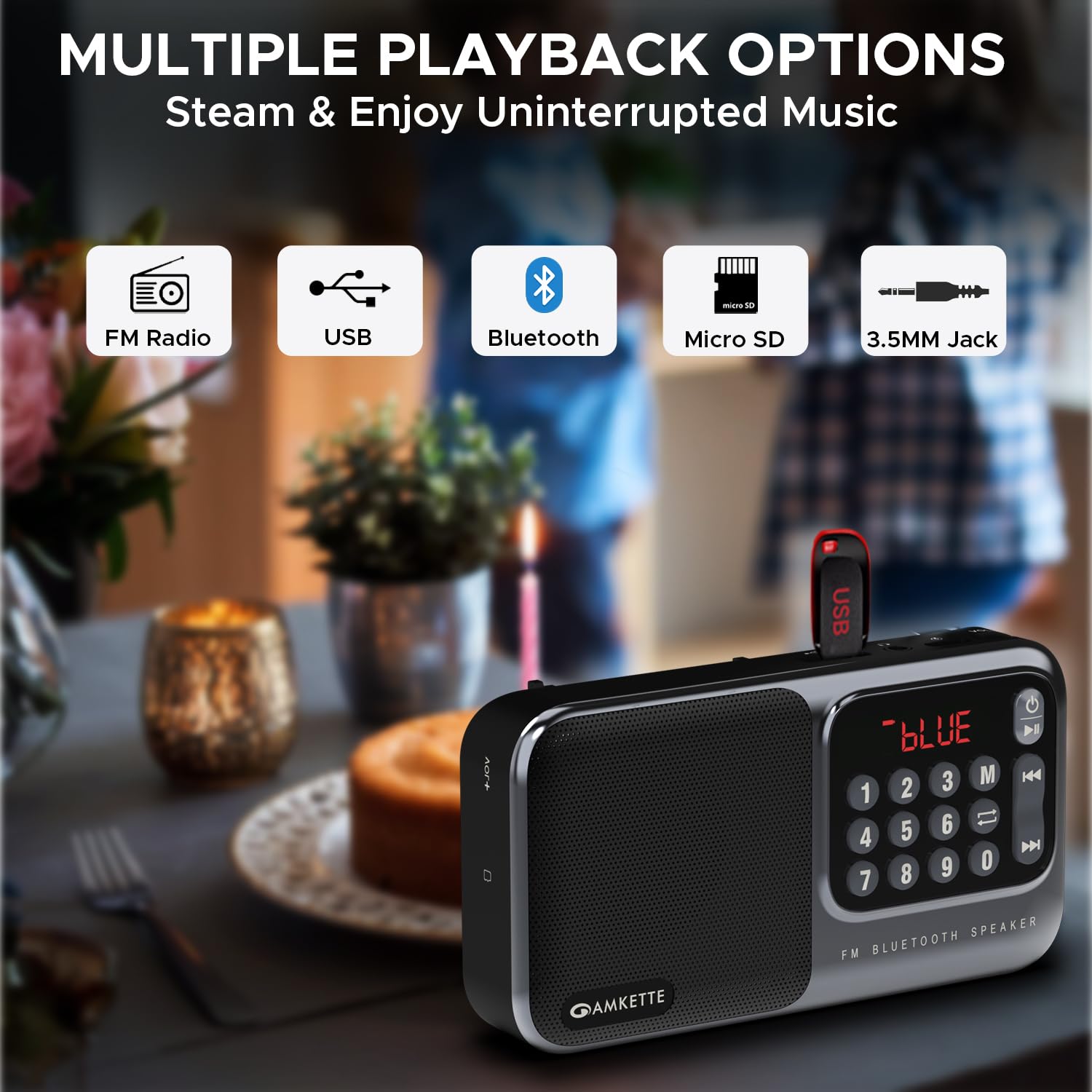
The Amkette Pocket Mate Digital FM Radio with Bluetooth Speaker is a versatile and portable audio device designed for various listening experiences. It features wireless music streaming via Bluetooth, FM radio functionality with an extendable antenna, and multiple playback options including Micro SD card and USB input. Equipped with a 5W speaker, it delivers clear and robust sound. The device also includes a 3.5mm headphone jack for private listening and a number pad for easy station and song selection. Its compact design and long-lasting battery make it ideal for on-the-go entertainment.
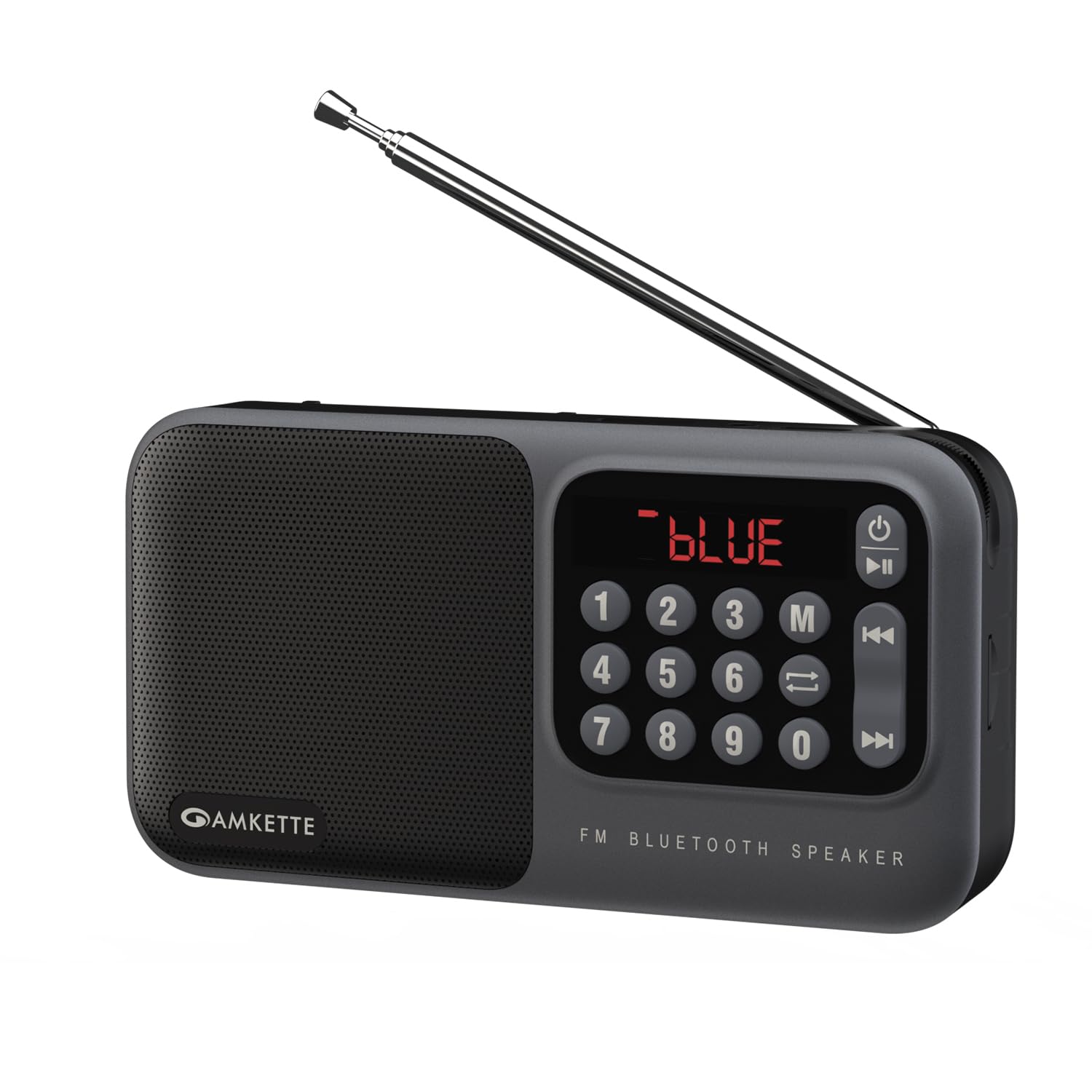
Figure 1: Amkette Pocket Mate Digital FM Radio with Bluetooth Speaker (Grey model).
2. ส่วนประกอบและการควบคุม
Familiarize yourself with the various components and controls of your Amkette Pocket Mate for optimal use.
- ปุ่มเปิด/ปิด: ใช้สำหรับเปิดหรือปิดอุปกรณ์
- ปุ่มโหมด (M): สลับโหมดการใช้งานต่างๆ ได้แก่ วิทยุ FM, บลูทูธ, ไมโคร SD และ USB
- ปุ่มเล่น/หยุดชั่วคราว: Controls playback in various modes.
- ปุ่มแทร็กก่อนหน้า/ถัดไป: Navigates between tracks or radio stations.
- แป้นตัวเลข (0-9): For direct input of FM frequencies or track numbers.
- จอแสดงผล LED: Shows current mode, frequency, track number, and battery status.
- ปุ่มปรับระดับเสียง: ปุ่มหมุนสำหรับปรับระดับเสียง
- เสาอากาศแบบยืดหดได้: For enhanced FM radio signal reception.
- ช่องเสียบการ์ด Micro SD: For inserting a Micro SD card for audio playback.
- ช่องต่อ USB: For connecting a USB drive for audio playback.
- แจ็คหูฟัง 3.5 มม.: สำหรับการเชื่อมต่อหูฟังหรือลำโพงภายนอก
- พอร์ตชาร์จ Type-C: สำหรับการชาร์จอุปกรณ์

รูปที่ 2: ระยะใกล้ view of the LED display and number pad for quick access to functions.
รูปที่ 3: ด้านข้าง view illustrating the various input ports and controls.
3. การตั้งค่า
3.1 การชาร์จเริ่มต้น
Before first use, fully charge your Amkette Pocket Mate. Connect the provided Type-C charging cable to the charging port on the device and the other end to a compatible USB power adapter (not included) or a computer's USB port. The LED display will indicate charging status. A full charge typically takes approximately 1.5 hours and provides up to 8 hours of playtime, depending on usage and volume level.
3.2 การเปิด/ปิดเครื่อง
กดปุ่มเปิดปิดค้างไว้ (⏻) located on the device to turn it on or off. The LED display will light up upon activation.
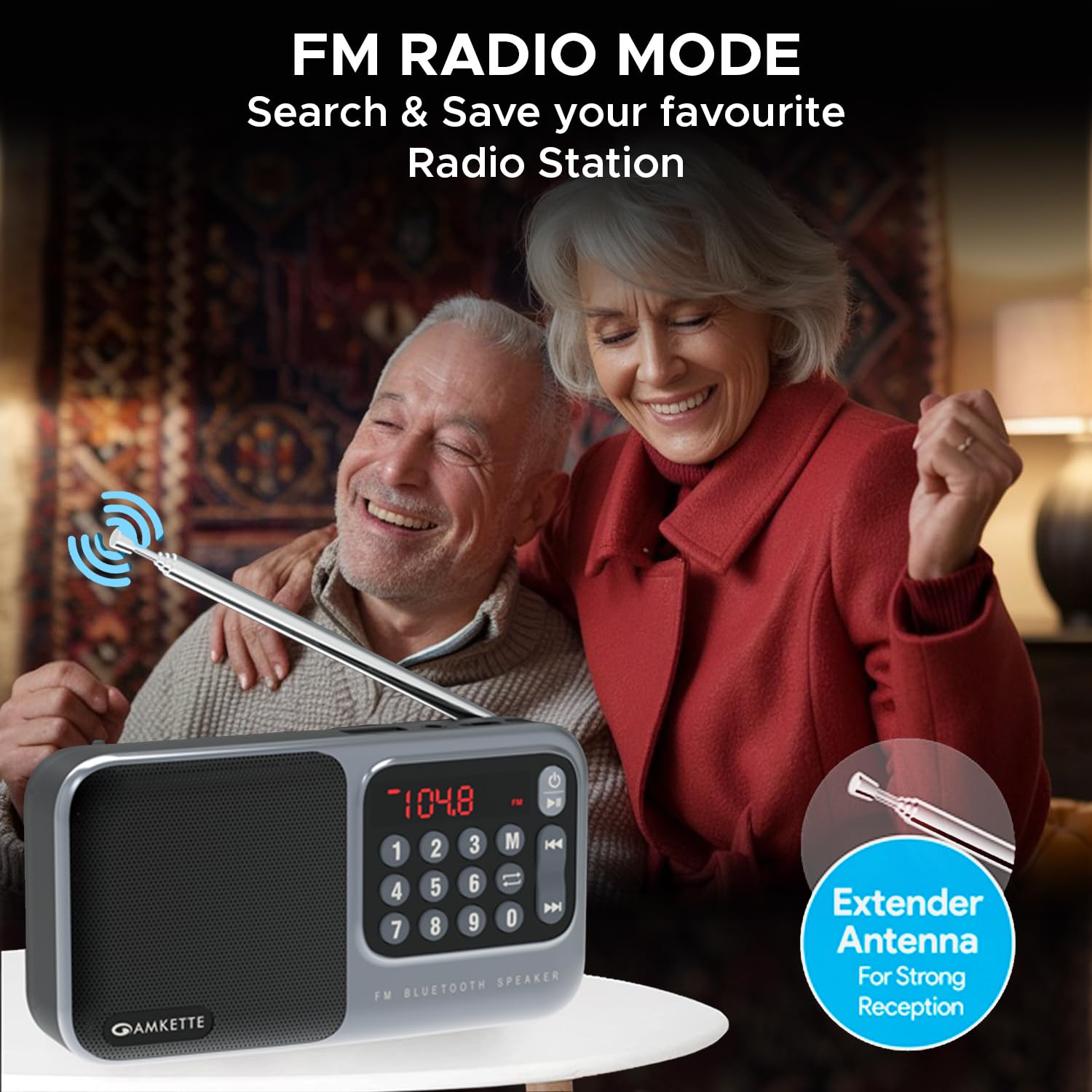
Figure 4: The device is highly portable and offers up to 8 hours of battery life.
4. คู่มือการใช้งาน
การเลือกโหมด 4.1
กดปุ่ม โหมด (M) button repeatedly to cycle through the available playback modes: FM Radio, Bluetooth, Micro SD, and USB. The current mode will be displayed on the LED screen.

Figure 5: The device supports multiple playback options including FM Radio, USB, Bluetooth, Micro SD, and 3.5mm Jack.
โหมดวิทยุ FM 4.2
- เสาอากาศ: Extend the telescopic antenna for optimal FM signal reception.
- สแกนอัตโนมัติ: ในโหมด FM ให้กด . ค้างไว้ เล่น/หยุดชั่วคราว button to initiate an automatic scan for available radio stations. The device will scan and save all found stations.
- การปรับด้วยตนเอง: ใช้ เพลงก่อนหน้า/ถัดไป buttons to navigate through saved stations. Alternatively, use the number pad to directly input a desired FM frequency (e.g., 104.8 for 104.8 MHz) and press the เล่น/หยุดชั่วคราว ปุ่มเพื่อยืนยัน

Figure 6: The extendable antenna ensures strong FM signal reception for clear radio listening.
4.3 โหมดบลูทู ธ
- เปลี่ยนไปใช้โหมดบลูทูธโดยใช้ โหมด (M) button. The LED display will show "BLUE" or a similar indicator.
- On your smartphone or other Bluetooth-enabled device, search for "Amkette Pocket Mate" in the Bluetooth settings.
- เลือกอุปกรณ์ที่ต้องการเชื่อมต่อ เมื่อเชื่อมต่อแล้ว คุณสามารถสตรีมเสียงแบบไร้สายได้
- ใช้ เล่น/หยุดชั่วคราว และ เพลงก่อนหน้า/ถัดไป buttons on the Pocket Mate or your connected device to control playback.
4.4 Micro SD Card / USB Playback
- Insert a Micro SD card or USB drive containing MP3 audio files into the respective slot/port.
- The device will automatically switch to the corresponding mode (or you can select it manually).
- การเล่นจะเริ่มต้นโดยอัตโนมัติ ใช้... เล่น/หยุดชั่วคราว และ เพลงก่อนหน้า/ถัดไป buttons to control your music.
- The number pad can be used to directly select a track number.
4.5 Headphone Jack / AUX Output
Connect your headphones or external speakers to the 3.5mm headphone jack for private listening or to amplify the sound through a larger audio system.
4.6 การควบคุมระดับเสียง
หมุน ปุ่มปรับระดับเสียง clockwise to increase the volume and counter-clockwise to decrease it. The volume level will be displayed on the LED screen.
5. การบำรุงรักษา
5.1 การทำความสะอาด
Wipe the device with a soft, dry cloth. Do not use abrasive cleaners, waxes, or solvents as they may damage the finish. Avoid exposing the device to excessive dust or moisture.
5.2 การดูแลแบตเตอรี่
- เพื่อยืดอายุการใช้งานแบตเตอรี่ ควรหลีกเลี่ยงการปล่อยแบตเตอรี่จนหมดบ่อยครั้ง
- ชาร์จอุปกรณ์เป็นประจำ แม้จะไม่ได้ใช้งาน เพื่อรักษาสุขภาพแบตเตอรี่
- เก็บอุปกรณ์ไว้ในที่แห้งและเย็นเมื่อไม่ได้ใช้งานเป็นเวลานาน
- If the battery is user-replaceable (as indicated by some reviews), ensure to use only genuine Amkette replacement batteries.
6 การแก้ไขปัญหา
| ปัญหา | สาเหตุที่เป็นไปได้ | สารละลาย |
|---|---|---|
| อุปกรณ์ไม่เปิดเครื่อง | แบตเตอรี่อ่อนหรือไม่มีการชาร์จ | ชาร์จอุปกรณ์ให้เต็มโดยใช้สาย Type-C ที่ให้มา |
| ไม่มีเสียงหรือเสียงต่ำ | Volume too low; incorrect mode; faulty audio file/source. | Increase volume using the knob. Ensure correct mode is selected. Check audio source (SD card, USB, Bluetooth device). |
| บลูทูธไม่เชื่อมต่อ | Device not in pairing mode; out of range; previously paired device connected. | Ensure Pocket Mate is in Bluetooth mode. Move devices closer. Disconnect from other devices. Try unpairing and re-pairing. |
| การรับสัญญาณ FM ไม่ดี | เสาอากาศไม่ยืดออก พื้นที่สัญญาณอ่อน | Fully extend the telescopic antenna. Try repositioning the device for better signal. |
| ไม่สามารถเล่นไฟล์จาก Micro SD/USB ได้ | ไม่ได้รับการสนับสนุน file รูปแบบเสียหาย files; เสียบการ์ด/ไดรฟ์ไม่ถูกต้อง | ทำให้มั่นใจ files are in MP3 format. Reinsert the card/drive. Try a different card/drive. |
7. ข้อมูลจำเพาะ
| คุณสมบัติ | รายละเอียด |
|---|---|
| ยี่ห้อ | แอมเก็ต |
| ชื่อรุ่น | Pocket Mate FM |
| หมายเลขรุ่น | 584 |
| ขนาดสินค้า | 3.9 x 7.4 x 16.2 ซม.; 320 กรัม |
| กำลังขับของลำโพง | 5 วัตต์ |
| เทคโนโลยีการเชื่อมต่อ | บลูทูธ |
| ฮาร์ดแวร์อินเตอร์เฟซ | ไมโครเอสดี, ยูเอสบี |
| เทคโนโลยีจูนเนอร์ | FM |
| อุปกรณ์ที่รองรับ | PC, Laptop, All Bluetooth enabled devices, Android, iPhone |
| แหล่งพลังงาน | ใช้พลังงานจากแบตเตอรี่ |
| ประเภทแบตเตอรี่ | ลิเธียมไอออน (รวมอยู่ด้วย) |
| เวลาการเล่น | นานถึง 8 ชั่วโมง |
| ประเภทจอภาพ | นำ |
| พอร์ตชาร์จ | ประเภทซี |
| ประเทศต้นกำเนิด | จีน |
8. การรับประกันและการสนับสนุน
8.1 Manufacturing Warranty
The Amkette Pocket Mate Digital FM Radio with Bluetooth Speaker comes with a รับประกันการผลิต 1 ปี โดยไม่มีเงื่อนไขยุ่งยาก ตั้งแต่วันที่ซื้อ การรับประกันนี้ครอบคลุมถึงข้อบกพร่องในวัสดุและฝีมือการผลิตภายใต้การใช้งานปกติ
การรับประกันไม่ครอบคลุมถึง:
- ความเสียหายที่เกิดจากอุบัติเหตุ การใช้งานในทางที่ผิด น้ำท่วม ไฟไหม้ แผ่นดินไหว หรือสาเหตุภายนอกอื่นๆ
- Damage caused by operating the product outside the permitted or intended uses described by Amkette.
- Damage caused by service (including upgrades and expansions) performed by anyone who is not a representative of Amkette or an Amkette Authorized Service Provider.
- Products or parts that have been modified to alter functionality or capability without the written permission of Amkette.
- ชิ้นส่วนสิ้นเปลือง เช่น แบตเตอรี่ เว้นแต่ความเสียหายเกิดขึ้นเนื่องจากความบกพร่องของวัสดุหรือฝีมือการผลิต
8.2 การสนับสนุนลูกค้า
For any issues, queries, or support requests, please contact Amkette customer support. You can reach us via phone or WhatsApp.
Please refer to the contact information provided with your product packaging or visit the official Amkette webโปรดเยี่ยมชมเว็บไซต์เพื่อดูรายละเอียดการสนับสนุนล่าสุด
Ask a question about this manual
Ask about setup, troubleshooting, compatibility, parts, safety, or missing instructions. Manuals+ will review the question and use this page’s manual context to help answer it.