
บอคASING S8 PRO
บอคASINคู่มือการใช้งานลำโพงบลูทูธไร้สายแบบพกพา G S8 Pro
รุ่น: S8 PRO
แบรนด์: BOGASING
สินค้าเกินview
บ็อกASING S8 Pro is a portable wireless Bluetooth speaker designed to deliver high-fidelity audio with versatile connectivity options. It features a robust metal construction, multiple sound modes, and True Wireless Stereo (TWS) pairing capability for an enhanced listening experience.

รูปที่ 1 : ด้านหน้า view of the BOGASING S8 Pro Portable Wireless Bluetooth Speaker, showcasing its sleek black design and control buttons on top.
คุณสมบัติหลัก
- ระบบลำโพง 2 ทาง: Equipped with two 20W full-range drivers and two 10W tweeters, complemented by a passive radiator for intensified bass.
- Three Sound Effects (EQ Modes): Customize your audio experience with 3D Stereo, Vocal, or Enhanced Bass modes.
- การออกแบบที่แข็งแรงและทนทาน: Constructed with an aviation-grade aluminum alloy metal body for enhanced durability.
- สเตอริโอไร้สายจริง (TWS): Pair two S8 Pro speakers for a truly immersive surround sound experience and double the volume.
- ทนทานและพกพาได้: IPX7 waterproof rating protects against splashes, rain, and spills, making it suitable for outdoor use.
- ความเข้ากันได้ดีเยี่ยม: Features Bluetooth 5.0 for stable connections up to 100 ft, and supports non-Bluetooth devices via TF card slot and 3.5mm AUX input.
- เวลาเล่นนาน: Integrated 6000mAh battery provides up to 15 hours of continuous music playback.
มีอะไรอยู่ในกล่อง
Upon unboxing your BOGASING S8 Pro speaker, please ensure all the following items are present:
- 1 x BOGASING S8 Pro Bluetooth speaker
- สายสัญญาณเสียงขนาด 1 มม. 3.5 เส้น
- สายชาร์จ 1 x USB-C
- 1 x คู่มือผู้ใช้ (เอกสารนี้)
เค้าโครงและการควบคุมผลิตภัณฑ์
Familiarize yourself with the speaker's physical components and control buttons.

Figure 2: Top panel of the BOGASING S8 Pro, showing the power, play/pause, mode, volume down, and volume up buttons.
ปุ่มฟังก์ชั่น:
- ปุ่มเพาเวอร์ (⏻): กดค้างไว้เพื่อเปิด/ปิดเครื่อง กดสั้นๆ เพื่อตรวจสอบสถานะแบตเตอรี่
- ปุ่มเล่น/หยุดชั่วคราว (‖): Short press to play or pause music. Short press to answer/end calls. Long press to reject calls.
- ปุ่มโหมด (M): Short press to switch between Bluetooth, TF Card, and AUX modes. Long press to cycle through EQ modes (3D Stereo, Vocal, Enhanced Bass).
- ปุ่มลดระดับเสียง (-): กดสั้นเพื่อลดระดับเสียง กดยาวเพื่อเล่นเพลงก่อนหน้า
- ปุ่มเพิ่มระดับเสียง (+): กดสั้นเพื่อเพิ่มระดับเสียง กดยาวเพื่อเล่นเพลงถัดไป
ไฟ LED แสดงสถานะ:
- ไฟแสดงสถานะแบตเตอรี่: Located on the top panel, these lights indicate the current battery level and charging status.
- ตัวบ่งชี้บลูทูธ: A blue LED light indicates Bluetooth pairing status.
คู่มือการติดตั้ง
1. การชาร์จครั้งแรก
Before first use, fully charge the speaker. Connect the provided USB-C charging cable to the speaker's charging port and the other end to a USB power adapter (not included) or a computer's USB port. The LED battery indicators will show charging progress and turn off when fully charged.
2. การเปิด/ปิดเครื่อง
หากต้องการเปิดเครื่อง ให้กดค้างไว้ ปุ่มเปิด/ปิด (⏻) กดปุ่มค้างไว้ประมาณ 2-3 วินาที จนกว่าจะได้ยินเสียงแจ้งเตือน หากต้องการปิดเครื่อง ให้กดปุ่มค้างไว้ ปุ่มเปิด/ปิด (⏻) ทำซ้ำอีกครั้งเป็นเวลา 2-3 วินาที
3. การจับคู่บลูทู ธ
- Ensure the speaker is powered on and in Bluetooth mode (indicated by a flashing blue LED). If not, short press the ปุ่มโหมด (M) เพื่อเปลี่ยนเป็นโหมดบลูทูธ
- บนอุปกรณ์ของคุณ (สมาร์ทโฟน แท็บเล็ต คอมพิวเตอร์) เปิดใช้งาน Bluetooth และค้นหาอุปกรณ์ที่มีอยู่
- เลือก "บอคASING S8 Proจากรายการอุปกรณ์ที่พบ
- Once connected, the blue LED indicator will stop flashing and remain solid, and you will hear a confirmation sound.
4. การจับคู่ True Wireless Stereo (TWS)
For an enhanced stereo experience, you can pair two BOGASING S8 Pro speakers together.
- Ensure both S8 Pro speakers are powered on and not connected to any Bluetooth device.
- บนลำโพงตัวใดตัวหนึ่ง (ซึ่งจะเป็นลำโพงหลัก) ให้กดปุ่มค้างไว้ Play/Pause Button (▶‖) for 3-5 seconds until you hear a pairing tone.
- The two speakers will automatically search for and connect to each other. Once connected, you will hear a confirmation sound, and the LED indicators on both speakers will change to a solid blue.
- ทีนี้ ให้เชื่อมต่ออุปกรณ์ของคุณกับลำโพงหลักผ่านบลูทูธตามที่อธิบายไว้ในขั้นตอนที่ 3 ลำโพงทั้งสองตัวจะเล่นเสียงในระบบสเตอริโอ
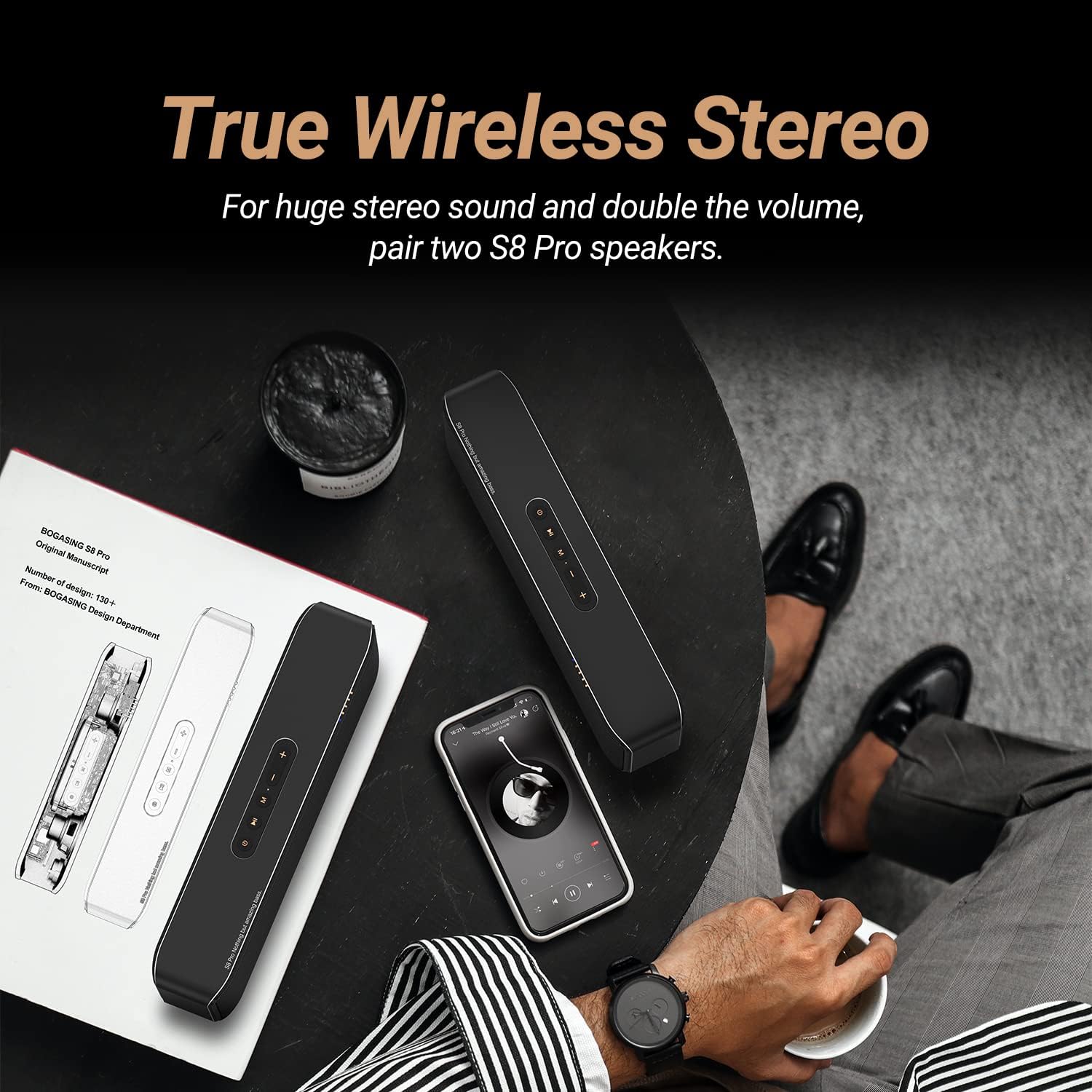
Figure 3: Illustration of two BOGASING S8 Pro speakers connected via True Wireless Stereo (TWS) for a wider soundstage.
5 การเชื่อมต่อผ่านช่องต่อ AUX
Use the included 3.5mm audio cable to connect the speaker to devices without Bluetooth capability.
- ต่อปลายด้านหนึ่งของสายสัญญาณเสียง 3.5 มม. เข้ากับพอร์ต AUX บนลำโพง
- เชื่อมต่อปลายอีกด้านหนึ่งเข้ากับแจ็คเอาต์พุตเสียงของอุปกรณ์ของคุณ
- ลำโพงจะเปลี่ยนเป็นโหมด AUX โดยอัตโนมัติ หากไม่เป็นเช่นนั้น ให้กดปุ่มสั้นๆ ปุ่มโหมด (M) เพื่อเลือกโหมด AUX
6. Playing from TF Card
ใส่การ์ด TF (microSD) ที่มีเพลงของคุณลงไป files into the TF card slot on the speaker. The speaker will automatically switch to TF card mode and begin playing. If not, short press the ปุ่มโหมด (M) เพื่อเลือกโหมดการ์ด TF
คำแนะนำการใช้งาน
Adjusting Volume and Skipping Tracks
- ปรับระดับเสียงขึ้น: กดสั้น ๆ + ปุ่ม.
- ลดเสียงลง: กดสั้น ๆ - ปุ่ม.
- เพลงถัดไป: กดค้างไว้ + ปุ่ม.
- แทร็กก่อนหน้า: กดค้างไว้ - ปุ่ม.
การเปลี่ยนโหมด EQ
The S8 Pro offers three distinct sound equalization (EQ) modes to suit your listening preference. Long press the ปุ่มโหมด (M) เพื่อสลับไปมาระหว่างโหมดต่างๆ ดังต่อไปนี้:
- 3D Stereo: Provides an immersive, spacious sound experience.
- เสียงร้อง : Optimizes for clear and undistorted vocal reproduction.
- เพิ่มพลังเสียงเบส: Boosts low frequencies for a more powerful bass response.

Figure 4: Visual representation of the three distinct audio modes (3D Stereo, Vocal, Enhanced Bass) available on the S8 Pro speaker.
การโทรแบบแฮนด์ฟรี
ด้วยไมโครโฟนในตัว คุณสามารถรับสายได้โดยตรงผ่านลำโพงเมื่อเชื่อมต่อผ่านบลูทูธ
- รับ/วางสาย: กดสั้น ๆ Play/Pause Button (▶‖).
- ปฏิเสธสาย: กดค้างไว้ Play/Pause Button (▶‖).
การซ่อมบำรุง
Proper care and maintenance will ensure the longevity and optimal performance of your BOGASING S8 Pro speaker.
การทำความสะอาด
Wipe the speaker with a soft, dry, lint-free cloth. Do not use abrasive cleaners, alcohol, benzene, or other chemical solvents, as these may damage the surface or internal components.
ความต้านทานต่อน้ำ (IPX7)
The S8 Pro speaker has an IPX7 waterproof rating, meaning it can withstand immersion in water up to 1 meter for up to 30 minutes. While it is water-resistant, it is not designed for continuous underwater use. Ensure the charging port cover is securely closed before exposing the speaker to water to prevent damage.
พื้นที่จัดเก็บ
Store the speaker in a cool, dry place away from direct sunlight, extreme temperatures, and excessive humidity. If storing for an extended period, charge the battery to approximately 50% every few months to maintain battery health.
การแก้ไขปัญหา
If you encounter issues with your BOGASING S8 Pro speaker, refer to the following common problems and solutions:
| ปัญหา | สาเหตุที่เป็นไปได้ | สารละลาย |
|---|---|---|
| ลำโพงไม่เปิดเครื่อง | แบตเตอรี่อ่อน | Charge the speaker fully using the provided USB-C cable. |
| ไม่สามารถจับคู่ผ่านบลูทูธได้ | ลำโพงไม่ได้อยู่ในโหมดจับคู่ อุปกรณ์ Bluetooth ปิดอยู่ ลำโพงเชื่อมต่อกับอุปกรณ์อื่นอยู่แล้ว | Ensure speaker is in Bluetooth pairing mode (flashing blue LED). Turn Bluetooth on/off on your device. Disconnect from other devices. |
| ไม่มีเสียงหรือเสียงเบา | Volume too low on speaker or device; incorrect input mode; cable not fully inserted (AUX). | Increase volume on both speaker and connected device. Press 'M' button to cycle through modes. Ensure AUX cable is fully inserted. |
| เสียงเพี้ยน | Volume too high; low battery; speaker too far from device. | Reduce volume. Charge the speaker. Move speaker closer to the Bluetooth device (within 100 ft). |
| การจับคู่ TWS ล้มเหลว | ลำโพงเชื่อมต่อกับอุปกรณ์อื่นอยู่แล้ว ขั้นตอนการจับคู่ไม่ถูกต้อง | Ensure both speakers are disconnected from all devices before initiating TWS pairing. Follow TWS pairing steps carefully. |
หากปัญหายังคงอยู่หลังจากลองวิธีแก้ปัญหาเหล่านี้แล้ว โปรดดูที่ส่วนการสนับสนุน
ข้อมูลจำเพาะ
Detailed technical specifications for the BOGASING S8 Pro Portable Wireless Bluetooth Speaker:
| ชื่อรุ่น | S8 โปร |
| ยี่ห้อ | บอคASING |
| วัสดุ | Metal (Aviation-grade aluminum alloy) |
| ขนาดสินค้า | ลึก 10.67 นิ้ว x กว้าง 2.87 นิ้ว x สูง 2.09 นิ้ว (27.1 ซม. x 7.3 ซม. x 5.3 ซม.) |
| น้ำหนักสินค้า | 2.18 ปอนด์ (0.99 กก.) |
| ประเภทลำโพง | ลำโพงบลูทูธแบบพกพาสำหรับกลางแจ้ง |
| การกำหนดค่าลำโพง | 2 x 20W Full-range drivers, 2 x 10W Tweeters, Passive Radiator |
| กำลังขับสูงสุด | 40 วัตต์ (รวม) |
| เทคโนโลยีการเชื่อมต่อ | Bluetooth 5.0, 3.5mm AUX, TF Card Slot |
| ช่วงบลูทูธ | สูงถึง 100 ฟุต (30 เมตร) |
| ประเภทแบตเตอรี่ | แบตเตอรี่ลิเธียมไอออน (6000 mAh) |
| เวลาเล่น | สูงสุด 15 ชั่วโมง (แตกต่างกันไปตามปริมาณและเนื้อหา) |
| ระดับการกันน้ำ | IPX7 |
| คุณสมบัติพิเศษ | DSP Technology, EQ Modes (3D Stereo, Vocal, Enhanced Bass), TWS Pairing, Built-in Microphone for Hands-free Calls |
การรับประกันและการสนับสนุน
ข้อมูลการรับประกัน
บ็อกASING S8 Pro speaker comes with a การรับประกันแบบจำกัด. For specific details regarding warranty coverage, duration, and terms, please refer to the warranty card included with your product or visit the official BOGASING webเว็บไซต์.
การสนับสนุนลูกค้า
If you require further assistance, have questions not covered in this manual, or need to report an issue, please contact BOGASING customer support. Contact information can typically be found on the official BOGASING webไซต์หรือบนบรรจุภัณฑ์ผลิตภัณฑ์
คุณสามารถดูรายละเอียดเพิ่มเติมได้จากคู่มือผู้ใช้ฉบับทางการ (PDF): ดาวน์โหลดคู่มือผู้ใช้ (PDF)
Ask a question about this manual
Ask about setup, troubleshooting, compatibility, parts, safety, or missing instructions. Manuals+ will review the question and use this page’s manual context to help answer it.