
1. บทนำ
The LeeKooLuu LK11 OBD2 Scanner is a diagnostic tool designed to read and clear diagnostic trouble codes (DTCs) from your vehicle's engine control unit (ECU). It supports all OBD II compliant vehicles, allowing users to quickly identify the cause of a 'Check Engine' light, view freeze frame data, check I/M readiness status, and access vehicle information. This manual provides detailed instructions for the proper use and maintenance of your LK11 scanner.
2. อะไรอยู่ในกล่อง
- LeeKooLuu LK11 OBD2 Scanner
3. คุณสมบัติหลัก
The LK11 OBD2 Scanner offers several essential diagnostic functions:
- อ่านรหัส: ดึงรหัสทั่วไป (P0, P2, P3 และ U0) และรหัสเฉพาะของผู้ผลิต (P1, P3 และ U1)
- ลบรหัส: Clears Diagnostic Trouble Codes (DTCs) and resets the 'Check Engine' light.
- View ตรึงกรอบ: แสดงภาพรวมของเงื่อนไขการทำงานในขณะที่เกิดข้อผิดพลาดที่เกี่ยวข้องกับการปล่อยมลพิษ
- ความพร้อมของ I/M: Checks the status of emission-related monitors to determine if they have run and completed their diagnostic testing.
- การค้นหา DTC: แสดงคำจำกัดความของรหัสปัญหาการวินิจฉัยโดยตรงบนอุปกรณ์
- ข้อมูลรถ: ดึงข้อมูลหมายเลขประจำตัวรถ (VIN), รหัสการสอบเทียบ (CALID) และหมายเลขยืนยันการสอบเทียบ (CVN)

Image: The LK11 scanner's main menu showing options for Read Codes, Erase Codes, Freeze Frame, and Vehicle Information.
4. การตั้งค่า
- ค้นหาพอร์ต OBD2: The 16-pin OBD2 Data Link Connector (DLC) is typically located under the dashboard on the driver's side. Refer to your vehicle's service manual for the exact location.
- เชื่อมต่อเครื่องสแกนเนอร์: With the vehicle's ignition off, firmly plug the LK11 scanner's cable into the vehicle's OBD2 DLC.
- เปิดสวิตช์กุญแจ: หมุนกุญแจรถไปที่ตำแหน่ง 'เปิด' (อย่าสตาร์ทเครื่องยนต์) เครื่องสแกนจะเปิดใช้งานโดยอัตโนมัติ
5. คู่มือการใช้งาน
5.1. การนำทาง
The LK11 scanner features four buttons for navigation:
- ปุ่มขึ้น/ลง: Used to scroll through menu options and data.
- ปุ่มตกลง: ยืนยันการเลือกหรือเข้าสู่เมนูย่อย
- ปุ่มออก: กลับไปยังเมนูก่อนหน้าหรือออกจากฟังก์ชัน
5.2. อ่านรหัส
- From the main menu, select 'Read Codes' and press 'OK'.
- เครื่องสแกนจะสื่อสารกับรถยนต์และแสดงรหัสข้อผิดพลาด (DTC) ที่บันทึกไว้
- Use the UP/DOWN buttons to scroll through multiple codes if present.
5.3. ลบรหัส
คำเตือน: Clearing DTCs will also clear freeze frame data and reset I/M readiness monitors. Ensure you have recorded any necessary information before proceeding.
- From the main menu, select 'Erase Codes' and press 'OK'.
- Confirm your decision when prompted.
- The 'Check Engine' light should turn off if the fault is no longer present.

Image: Illustration of the 'Check Engine' light being turned off after erasing fault codes with the LK11 scanner.
5.4. View ฟรีซเฟรม
- From the main menu, select 'View Freeze Frame' and press 'OK'.
- The scanner will display various engine parameters recorded at the moment a fault code was set, such as Engine RPM, Vehicle Speed, Engine Load, Fuel Pressure, and Coolant Temperature.
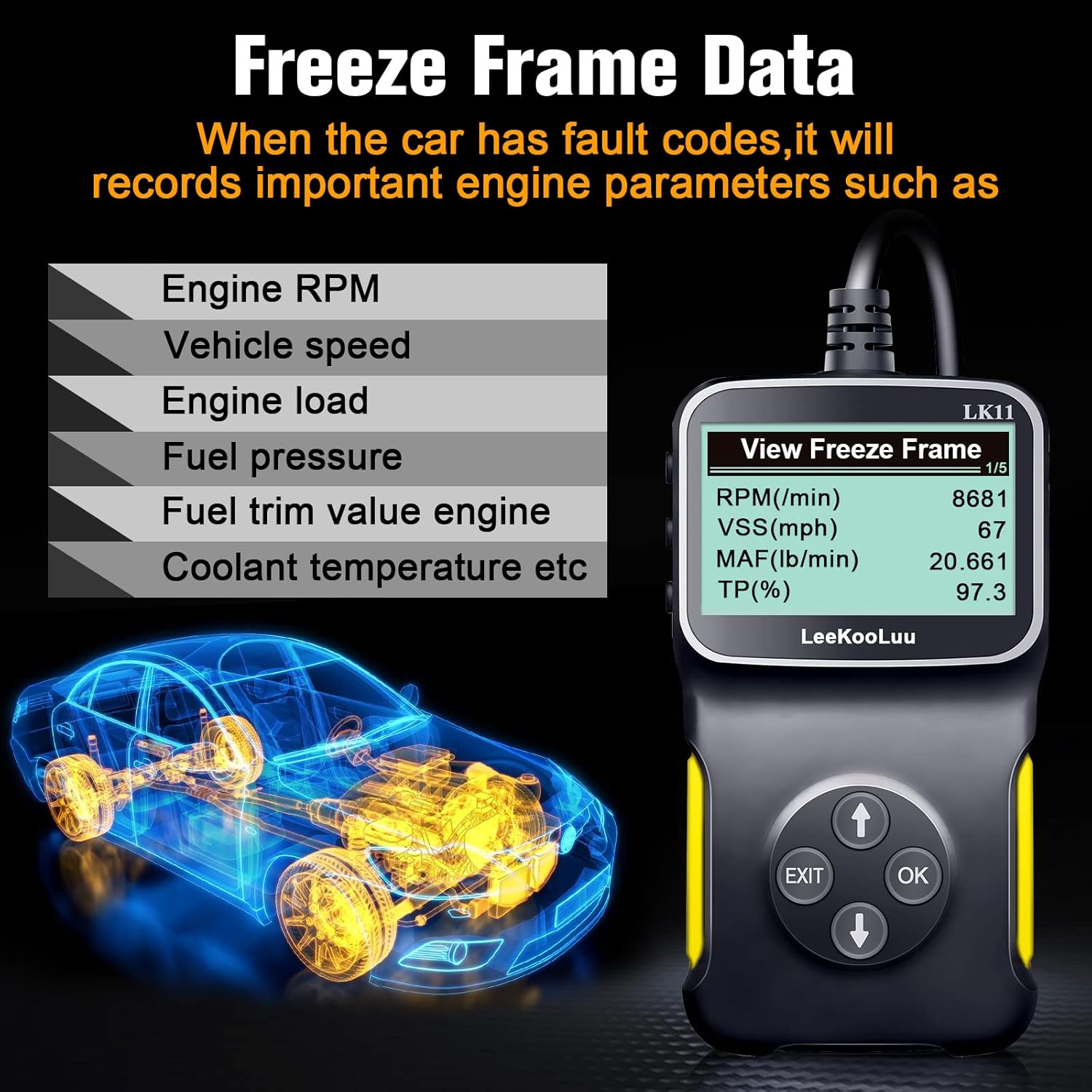
Image: The LK11 scanner displaying various engine parameters as part of Freeze Frame Data.
5.5. ความพร้อมด้าน I/M
- From the main menu, select 'I/M Readiness' and press 'OK'.
- The scanner will display the status of various emission monitors (e.g., O2 Sensor Monitor, Catalyst Monitor). 'OK' indicates the monitor has completed its test, while 'INC' (Incomplete) means it has not.

Image: The I/M Monitor Readiness function helps determine if a vehicle is ready for an emissions test.
5.6. การค้นหา DTC
- From the main menu, select 'DTC Lookup' and press 'OK'.
- Enter the 5-character DTC using the UP/DOWN buttons to select characters and 'OK' to confirm each.
- The scanner will display a brief description of the code.

Image: The DTC Lookup feature on the LK11 scanner, explaining the structure of diagnostic trouble codes.
5.7. ข้อมูลยานพาหนะ
- From the main menu, select 'Vehicle Information' and press 'OK'.
- The scanner will display the VIN, CALID, and CVN of the vehicle.
6. การบำรุงรักษา
- การทำความสะอาด: ใช้แบบนุ่มๆamp ใช้ผ้าเช็ดทำความสะอาดภายนอกเครื่องสแกน ห้ามใช้สารทำความสะอาดที่มีฤทธิ์กัดกร่อนหรือตัวทำละลาย
- พื้นที่จัดเก็บ: เก็บเครื่องสแกนไว้ในที่แห้งและเย็น หลีกเลี่ยงแสงแดดโดยตรงและอุณหภูมิที่สูงหรือต่ำเกินไป
- การดูแลสายเคเบิล: หลีกเลี่ยงการงอหรือบิดสายมากเกินไปเพื่อป้องกันความเสียหาย
7 การแก้ไขปัญหา
- เครื่องสแกนเนอร์ไม่เปิดเครื่อง:
- Ensure the scanner is firmly connected to the vehicle's OBD2 port.
- ตรวจสอบว่ากุญแจรถอยู่ในตำแหน่ง "เปิด"
- ตรวจสอบฟิวส์ของรถยนต์สำหรับพอร์ต OBD2 (โปรดดูคู่มือรถยนต์ของคุณ)
- 'Link Error' or 'No Communication':
- Confirm the vehicle is OBD II compliant (most vehicles manufactured after 1996 in the US).
- Check for a damaged OBD2 cable or connector.
- ตรวจสอบให้แน่ใจว่าแบตเตอรี่รถยนต์มีประจุไฟเพียงพอ
- Try connecting the scanner to a different OBD II compliant vehicle to rule out scanner malfunction.
- Incorrect or no data displayed:
- Ensure the vehicle's ignition is on and the engine is not running (unless specifically instructed for certain tests).
- Verify the scanner's firmware is up to date (if applicable, check manufacturer's webเว็บไซต์).
8. ข้อมูลจำเพาะ
| คุณสมบัติ | รายละเอียด |
|---|---|
| แบบอย่าง | แอลเค11-1 |
| น้ำหนักสินค้า | 7.4 ออนซ์ |
| ขนาดแพ็คเกจ | 7.83 x 5.2 x 1.46 นิ้ว |
| ขนาดหน้าจอ | 2.8 นิ้ว |
| โปรโตคอลที่รองรับ | SAE J1850 PWM, SAE J1850 VPW, ISO9141-2, ISO14230-4 KWP (5 Baud Init), ISO14230-4 KWP (Fast Init), ISO15765-4 CAN (11BIT ID, 500 KBAUD), ISO15765-4 CAN (29BIT ID, 500 KBAUD), ISO15765-4 CAN (11BIT ID, 250 KBAUD), ISO15765-4 CAN (29BIT ID, 250 KBAUD) |

Image: The LK11 scanner highlighting its physical design and a list of supported OBD II communication protocols.
9. ข้อมูลการรับประกัน
The LeeKooLuu LK11 OBD2 Scanner is covered by a standard manufacturer's warranty. For specific details regarding warranty duration, coverage, and claims process, please refer to the warranty card included with your product or visit the official LeeKooLuu webเว็บไซต์.
10. การสนับสนุน
For technical assistance, troubleshooting guidance, or customer service inquiries regarding your LeeKooLuu LK11 OBD2 Scanner, please contact LeeKooLuu directly. Contact information can typically be found on the product packaging, in the included documentation, or on the official LeeKooLuu webเว็บไซต์.