
1. ข้อมูลด้านความปลอดภัย
Please read this manual carefully before using the camera to ensure safe and proper operation. Keep this manual for future reference.
- อย่าให้กล้องโดนน้ำหรือความชื้น
- หลีกเลี่ยงการทำกล้องตกหรือได้รับแรงกระแทกรุนแรง
- ห้ามพยายามถอดประกอบหรือดัดแปลงกล้อง การซ่อมแซมควรดำเนินการโดยช่างผู้ชำนาญเท่านั้น
- ควรเก็บกล้องให้ห่างจากแสงแดดโดยตรงและอุณหภูมิสูง
- ใช้เฉพาะแบตเตอรี่และสายชาร์จที่ระบุไว้เท่านั้น
- กำจัดแบตเตอรี่อย่างถูกต้องตามข้อบังคับท้องถิ่น
- Clean the camera lens and screen with a soft, dry cloth.
2. เนื้อหาบรรจุภัณฑ์
ตรวจสอบว่ารายการทั้งหมดที่ระบุไว้ด้านล่างนี้รวมอยู่ในแพ็คเกจของคุณ:
- Andoer Digital Camera Body
- Lithium Battery (3.7V 550mAh)
- สายชาร์จ USB
- Carry Bag
- คู่มือการใช้งาน (เอกสารนี้)

Image: Contents of the Andoer Digital Camera package, showing the camera, wrist strap, USB charging cable, carry bag, and user manual.
3. สินค้าหมดview
3.1 ด้านหน้า View

ภาพ: ด้านหน้า view of the Andoer Digital Camera, displaying the lens, built-in flash, and indicating 2.7" TFT screen and 18 Megapixels.
3.2 ด้านหลัง View (Display and Controls)
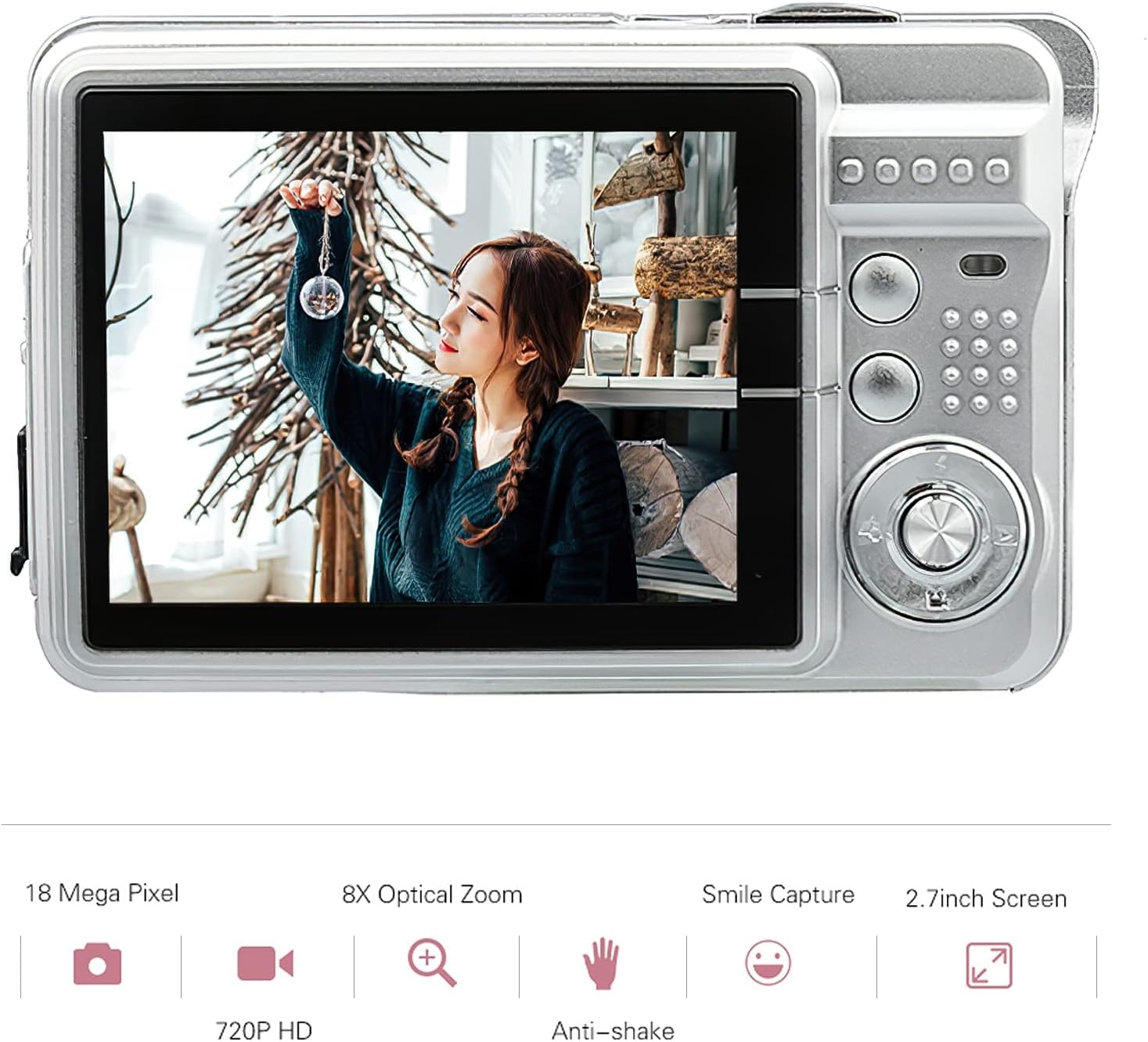
ภาพ: ด้านหลัง view of the Andoer Digital Camera, featuring the 2.7-inch TFT display and various control buttons on the right side.
The camera features a 2.7-inch TFT display for viewing photos and videos, along with intuitive controls for navigation and settings adjustment.
4. การตั้งค่า
4.1 การชาร์จแบตเตอรี่
- เปิดฝาช่องใส่แบตเตอรี่ที่ด้านข้างของกล้อง
- Insert the provided Lithium battery (3.7V 550mAh) into the compartment, ensuring correct polarity.
- ปิดฝาช่องใส่แบตเตอรี่ให้แน่น
- Connect the camera to a USB power source (e.g., computer, USB wall adapter) using the supplied USB charging cable.
- The charging indicator light will illuminate. Charging is complete when the light turns off or changes color (refer to camera display for battery status).
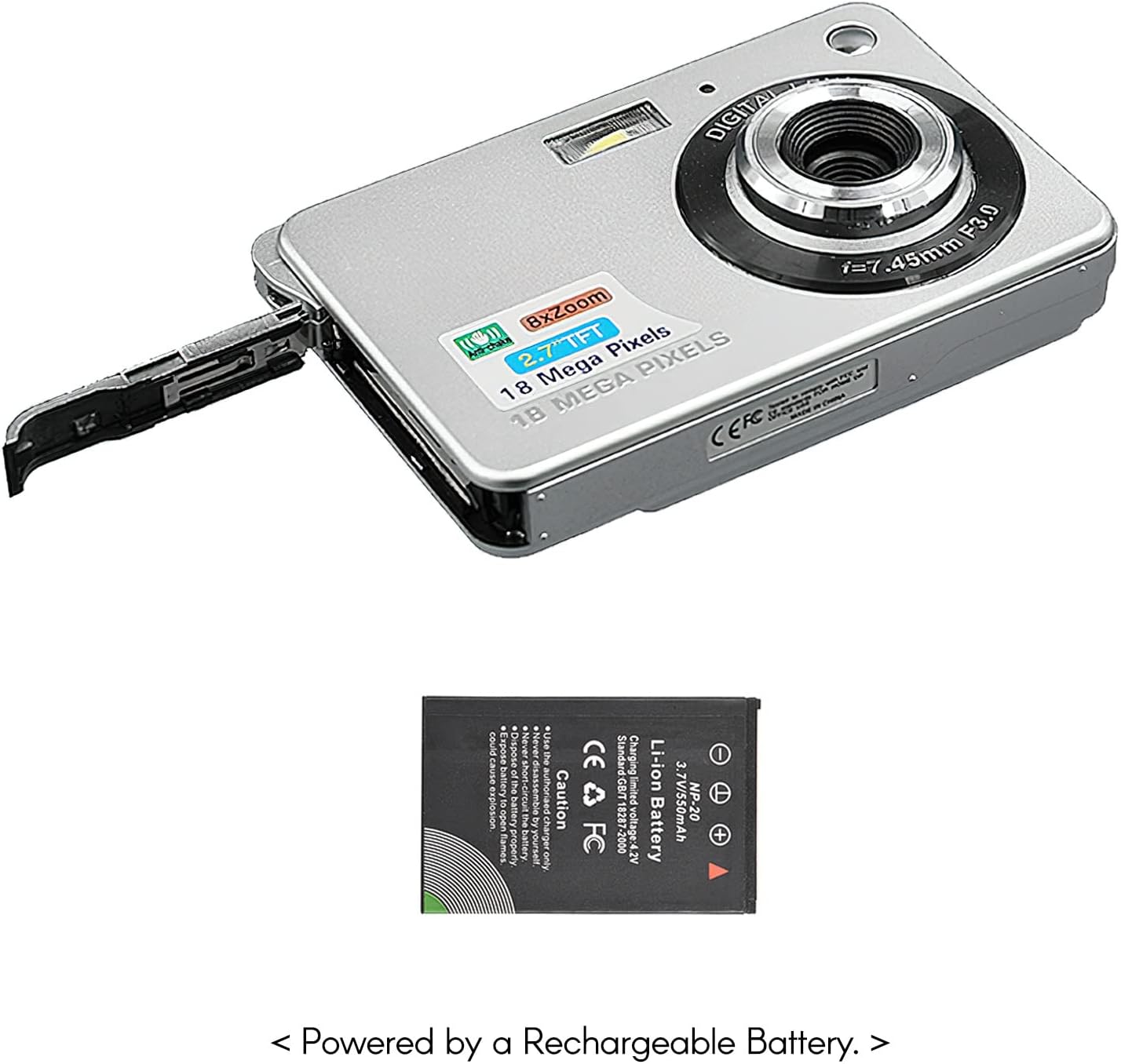
ภาพ: ด้านข้าง view of the camera with the battery compartment open, illustrating how to insert the rechargeable lithium battery.
4.2 Inserting a Memory Card (Not Included)
This camera supports SD memory cards up to 32GB. A memory card is required to save photos and videos.
- ค้นหาช่องเสียบการ์ดหน่วยความจำ ซึ่งโดยปกติจะอยู่ใกล้กับช่องใส่แบตเตอรี่
- ใส่การ์ด SD โดยให้ด้านที่มีหน้าสัมผัสโลหะคว่ำลง (หรือตามที่ระบุโดยแผนภาพใกล้กับช่อง) จนกระทั่งล็อคเข้าที่
- ในการถอด ให้ดันการ์ดเข้าไปเบาๆ จนกระทั่งการ์ดเด้งออกมา
5. คู่มือการใช้งาน
5.1 การเปิด/ปิดเครื่อง
Press and hold the Power button (usually located on the top or side) to turn the camera on or off.
5.2 การถ่ายภาพ
- เปิดกล้อง
- จัดองค์ประกอบภาพของคุณโดยใช้จอแสดงผล TFT ขนาด 2.7 นิ้ว
- Press the Shutter button (typically on top) halfway down to focus, then press fully to capture the image.

Image: The camera's screen showing a captured image, demonstrating the 18 Megapixel photo capability.
5.3 การบันทึกวิดีโอ
- เปิดกล้อง
- Switch to video recording mode (usually via a mode button or menu option).
- Press the Record button (often marked with a red dot) to start recording. Press again to stop.

Image: The camera's screen displaying a video playback, illustrating its 720P high-definition video recording function.
5.4 ซูมดิจิตอล
The camera features 8X digital zoom. Use the zoom buttons (often labeled 'W' for Wide and 'T' for Telephoto) to adjust the zoom level.

Image: A visual representation of the 8x digital zoom capability, showing a scene at 1x magnification and then zoomed in at 8x.
5.5 การนำทางเมนู
Press the 'Menu' button to access camera settings. Use the directional buttons to navigate and the 'OK' or 'Set' button to confirm selections. Available settings include:
- ตั้งเวลาถ่ายเอง: ปิด/ 2 วินาที/ 5 วินาที/ 10 วินาที
- การรับสัมผัสเชื้อ: EV-3 ถึง EV+3
- สมดุลแสงขาว: Auto/ Daylight/ Cloudy/ Incandescent/ Fluorescent
- โหมดฉาก: Auto/ Night Portrait/ Night Scenery/ Portrait/ Scenery/ Sport/ Party/ Beach/ High sensitivity
- คุณสมบัติอื่น ๆ : Anti-Shake, Face Detect, Smile Capture
6. การบำรุงรักษา
6.1 การทำความสะอาดกล้อง
- ใช้ผ้านุ่มที่ไม่เป็นขุยในการทำความสะอาดตัวกล้อง
- สำหรับเลนส์และหน้าจอ ให้ใช้ผ้าเช็ดเลนส์และน้ำยาทำความสะอาดเฉพาะทางหากจำเป็น หลีกเลี่ยงวัสดุที่มีฤทธิ์กัดกร่อน
- Do not use organic solvents to clean the camera.
6.2 การดูแลแบตเตอรี่
- ชาร์จแบตเตอรี่ให้เต็มก่อนใช้งานครั้งแรก
- หากจะไม่ใช้กล้องเป็นเวลานาน ให้ถอดแบตเตอรี่ออก
- เก็บแบตเตอรี่ไว้ในที่แห้งและเย็น
7 การแก้ไขปัญหา
| ปัญหา | สาเหตุที่เป็นไปได้ | สารละลาย |
|---|---|---|
| กล้องไม่สามารถเปิดได้ | แบตเตอรี่หมดหรือใส่ไม่ถูกต้อง | ชาร์จแบตเตอรี่ ตรวจสอบให้แน่ใจว่าใส่แบตเตอรี่ถูกขั้วแล้ว |
| ไม่สามารถถ่ายภาพ/บันทึกวีดีโอได้ | No memory card inserted or card is full/corrupted. | ใส่การ์ด SD ที่ใช้งานร่วมกันได้ ลบข้อมูลที่ไม่จำเป็นออก files or format the card (this will erase all data). |
| ภาพมีความเบลอ | เลนส์สกปรก แสงไม่เพียงพอ หรือกล้องสั่น | Clean the lens. Use the flash in low light. Hold the camera steady or use anti-shake feature. |
| กล้องหยุดนิ่งหรือไม่ตอบสนอง | ซอฟต์แวร์มีปัญหาชั่วคราว | ถอดและใส่แบตเตอรี่กลับเข้าไปใหม่เพื่อรีเซ็ตกล้อง |
8. ข้อมูลจำเพาะ
| คุณสมบัติ | รายละเอียด |
|---|---|
| แบบอย่าง | IAT4319650447530BC |
| เซ็นเซอร์รับภาพ | เซ็นเซอร์ CMOS |
| แสดง | 2.7 นิ้ว TFT LCD |
| ความละเอียดของภาพ | สูงสุด 18 ล้านพิกเซล |
| ความละเอียดวิดีโอ | 1280x720 (720P), 720x480, 640x480 (VGA), 320x240 (QVGA) |
| ซูมดิจิตอล | 8X |
| ระบบป้องกันภาพสั่นไหว | ระบบป้องกันภาพสั่นแบบดิจิตอล |
| การชดเชยแสง | EV-3 ถึง EV+3 |
| สมดุลแสงขาว | Auto/ Daylight/ Cloudy/ Incandescent/ Fluorescent |
| File รูปแบบ | JPEG (Photo), AVI (Video) |
| สื่อบันทึกข้อมูล | การ์ด SD (สูงสุด 32GB ไม่รวมอยู่ในชุด) |
| แหล่งจ่ายไฟ | 1 * แบตเตอรี่ลิเธียม (3.7V 550mAh) |
| ระบบที่รองรับ | Windows XP, VISTA, WIN7, MAC |
| ขนาดสินค้า | 9 * 6 * 2 ซม. / 3.5 * 2.4 * 0.8 นิ้ว |
| น้ำหนักสินค้า | 90กรัม / 3.2ออนซ์ |
9. การรับประกันและการสนับสนุน
Andoer products are designed and manufactured to the highest quality standards. For warranty information and customer support, please refer to the documentation provided at the time of purchase or visit the official Andoer webเว็บไซต์.
If you encounter any issues not covered in this manual, please contact Andoer customer service for assistance.
หมายเหตุ: ข้อมูลจำเพาะอาจมีการเปลี่ยนแปลงได้โดยไม่ต้องแจ้งให้ทราบล่วงหน้า