
1. บทนำ
The Retekess TD166 Smart Pager System is designed for efficient communication in various environments such as restaurants, warehouses, and logistics centers. This system features a long-range signal, text message display, and smart alert options to streamline operations and improve customer or staff notification processes.

Figure 1.1: Retekess TD166 Smart Pager System components.
คุณสมบัติหลัก:
- ระยะขยาย: Up to 3 miles in open, unobstructed environments, capable of penetrating reinforced concrete walls.
- Adjustable Prompt Levels: Pagers can be set to flash, beep, vibrate, or a combination. Three prompt speeds (fast, medium, slow) and adjustable duration (5-99 seconds) are available.
- เวลาสแตนด์บายนาน: Built-in 3.7V 550mAh battery provides up to 18-20 hours of standby operation.
- การแจ้งเตือนนอกระยะ: Triggers a reminder if a pager exceeds signal coverage for a set duration, reducing loss.
- Service Countdown: Configurable countdown timer (1-180 minutes/seconds) with pager alerts to remind users to return the pager.
- ความเข้ากันได้ของซอฟต์แวร์พีซี: Allows for advanced settings and text message display.
การประยุกต์ใช้ผลิตภัณฑ์มากกว่าview:
วิดีโอ 1.1: จบview of suitable applications for the Retekess TD166 system, demonstrating its use in a logistics warehouse setting.
2. เนื้อหาบรรจุภัณฑ์
ตรวจสอบว่าสินค้าทั้งหมดที่ระบุไว้ด้านล่างนี้รวมอยู่ในแพ็คเกจของคุณแล้ว หากมีสินค้าใดสูญหายหรือเสียหาย โปรดติดต่อฝ่ายสนับสนุนลูกค้า
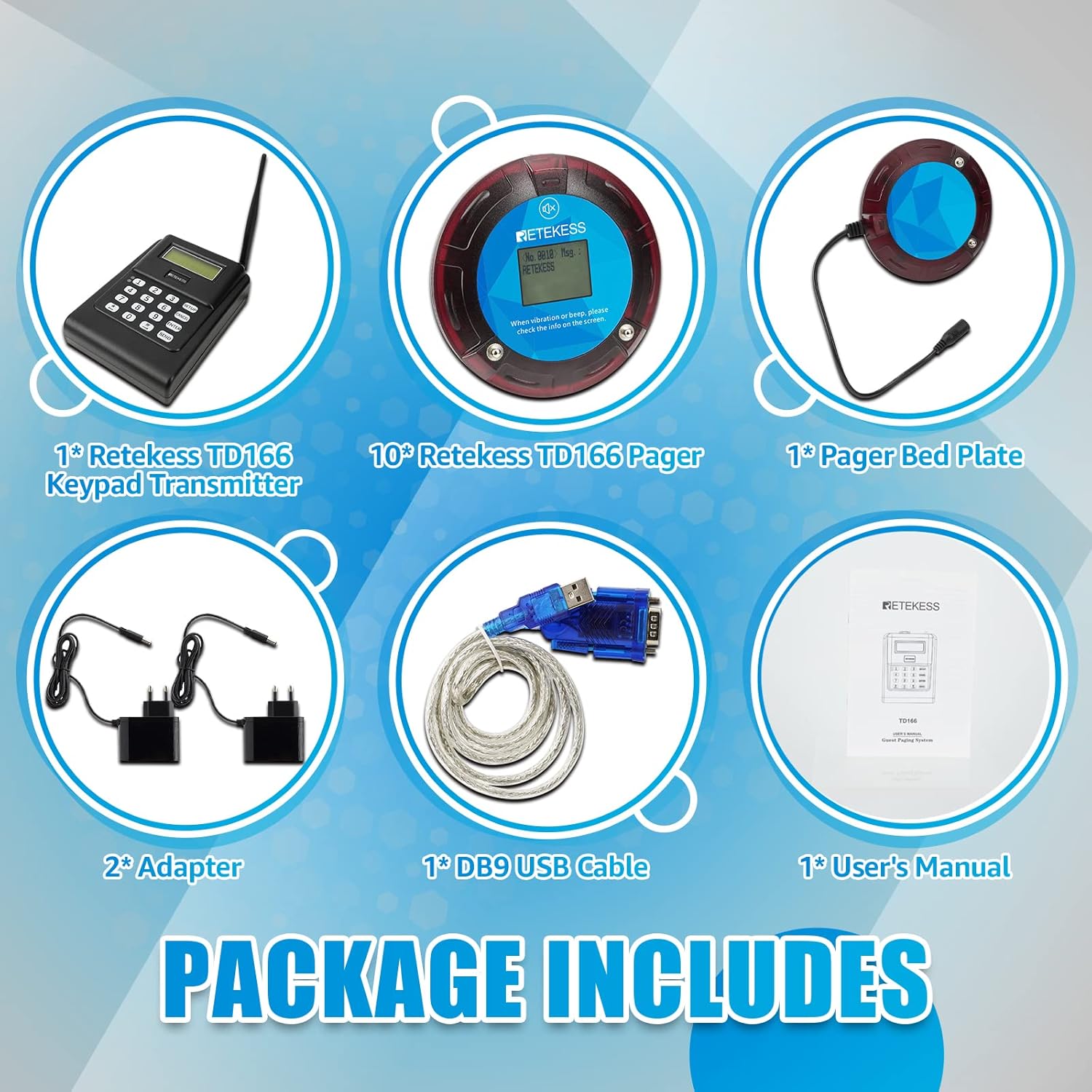
Figure 2.1: Contents of the Retekess TD166 Smart Pager System package.
- 1 x ตัวส่งสัญญาณปุ่มกด Retekess TD166
- 10 x Retekess TD166 Coaster Pagers
- 1 x Pager Bed Plate (Charging Base)
- 2 x อะแดปเตอร์ไฟฟ้า
- 1 x DB9 USB Cable (for PC connection)
- 1 x คู่มือผู้ใช้
3. การตั้งค่า
3.1 การชาร์จเริ่มต้น
Before first use, ensure all pagers are fully charged. Place the pagers on the charging bed plate and connect the power adapter to the charging plate and a power outlet. The pagers will indicate charging status.
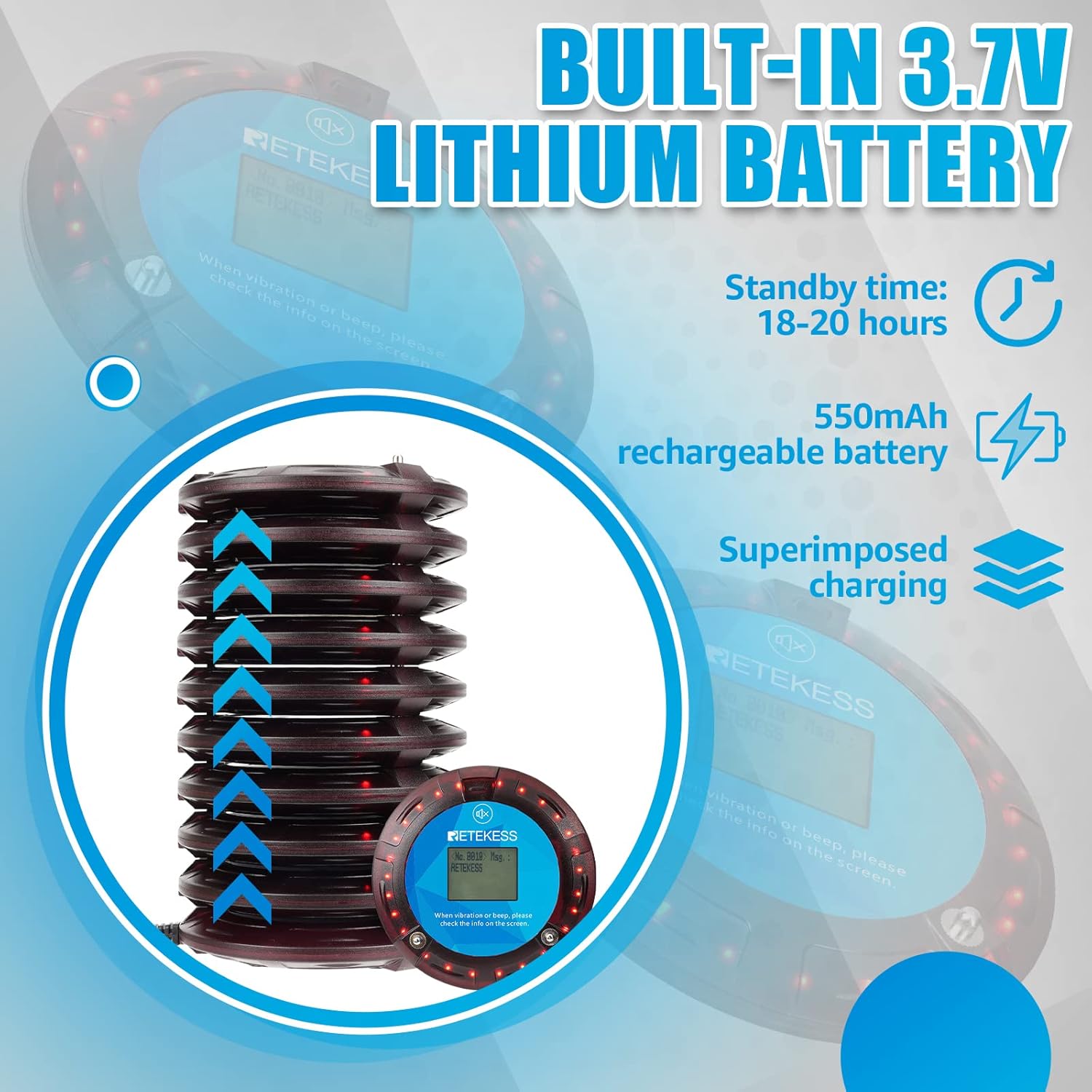
Figure 3.1: Pagers on the charging base, illustrating the built-in battery and charging method.
3.2 Transmitter Connection
Connect the keypad transmitter to its dedicated power adapter and plug it into a power outlet. The transmitter display should power on.
3.3 Pager Pairing
To pair pagers with the transmitter, follow these steps:
- บนตัวส่งสัญญาณ ให้กดปุ่ม การตั้งค่า ปุ่ม.
- The screen will display "PAGER NUMBER". Press เข้า to enter the pairing state.
- Enter the desired pager number using the keypad (e.g., 001) and press เข้า.
- While the transmitter is in pairing mode, place the pager you wish to pair on the charging base. The pager should vibrate and display the assigned number, confirming successful pairing.
- Repeat for all pagers.
Video 3.1: Detailed instructions on how to pair the Retekess TD166 pagers with the transmitter.
3.4 Infrared Code Function
The system supports setting pager numbers and parameters via near-infrared communication. Position the pager within 10cm of the transmitter's infrared sensor for programming.
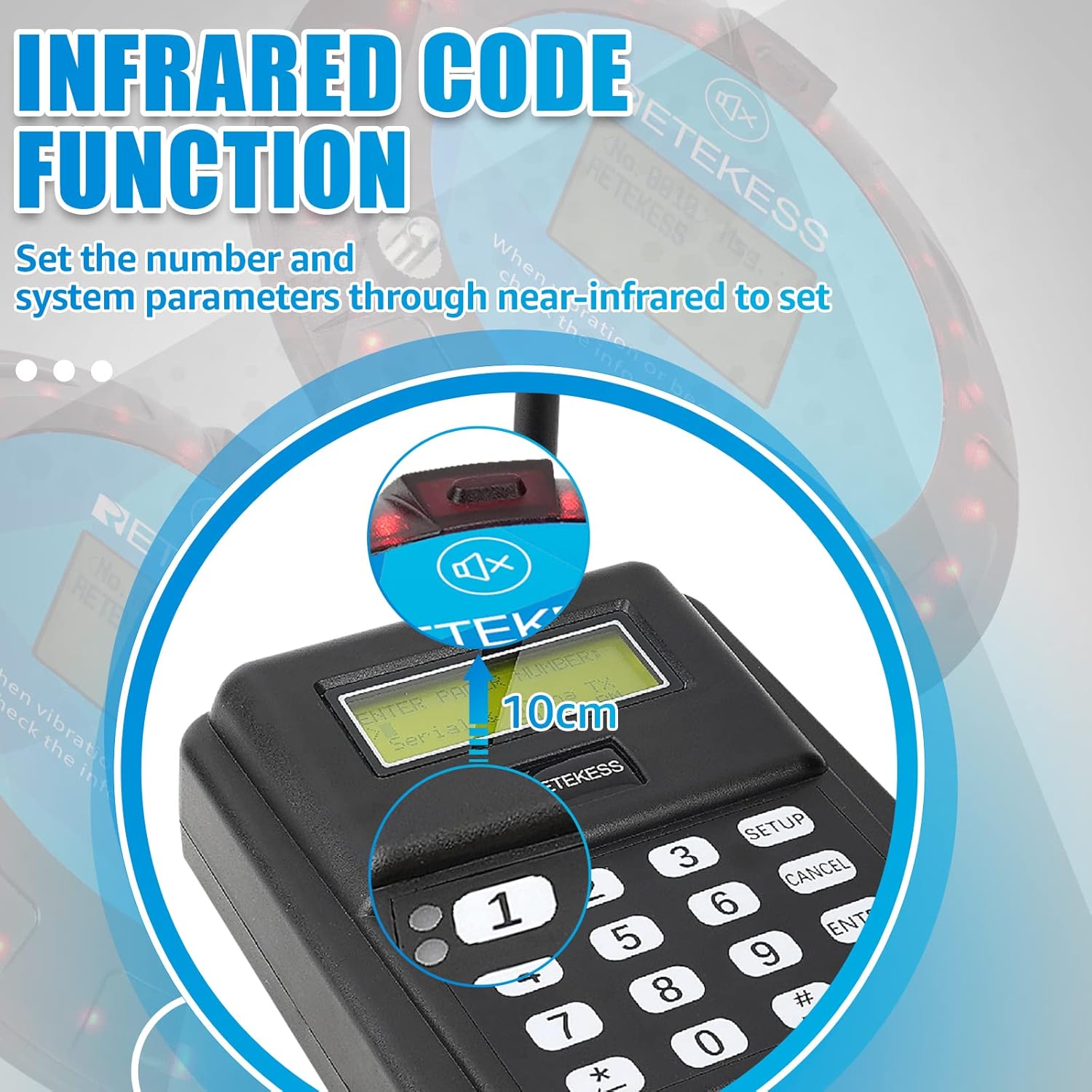
Figure 3.2: Using the infrared code function to set pager parameters.
4. การดำเนินการ
4.1 Sending a Call
To call a specific pager, enter its number on the transmitter keypad and press ส่ง. The pager will activate according to its set prompt mode.

Figure 4.1: General workflow for using the pager system.
4.2 Adjusting Prompt Modes and Speed
The TD166 allows customization of pager alerts. You can set the combination of flash, beep, and vibrate modes, as well as their speed and duration.
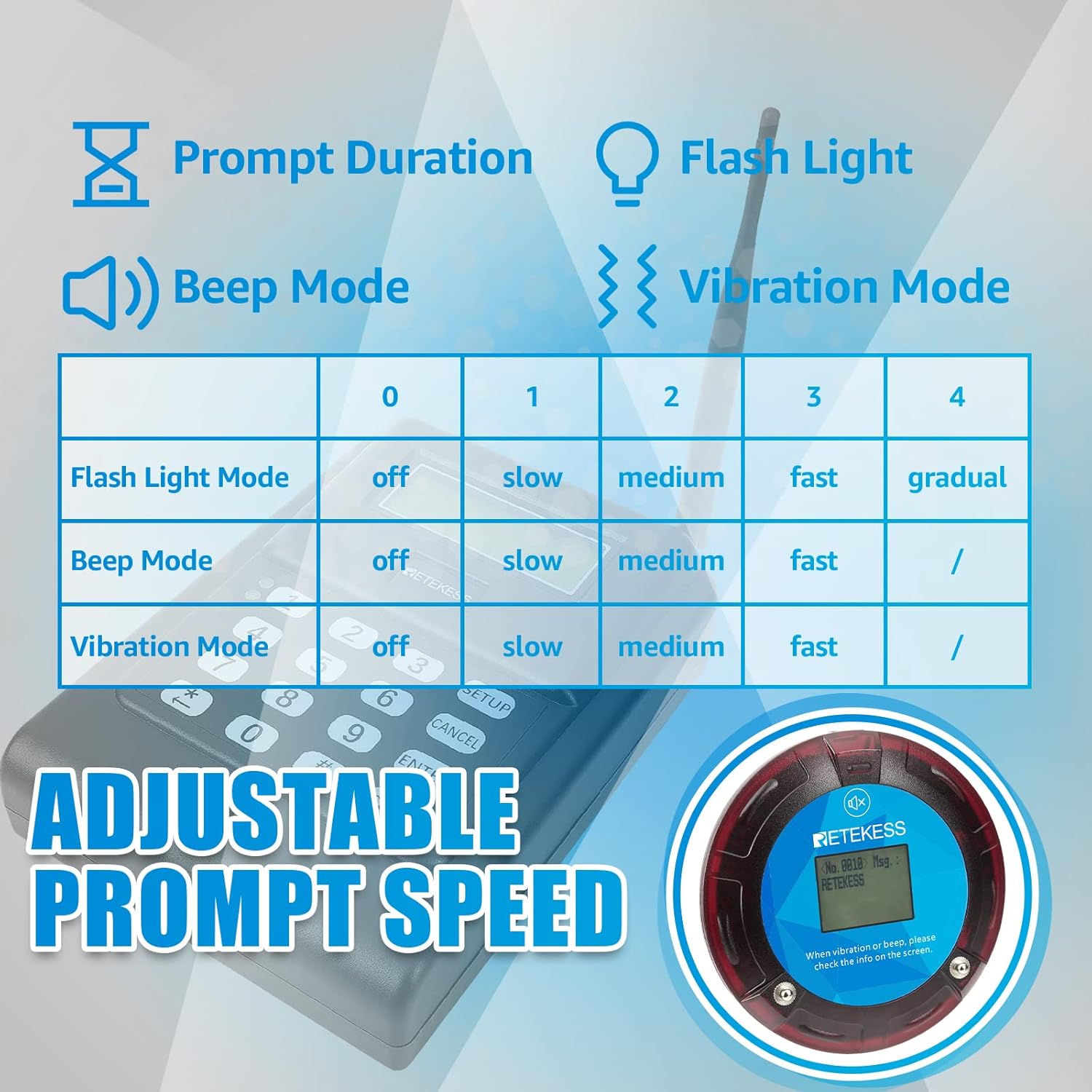
Figure 4.2: Adjustable prompt speed settings for pagers.
4.3 One-Key Group Call
The system supports sending a call to multiple pagers simultaneously using a one-key group call function. Refer to the video for detailed instructions on setting this up.
Video 4.1: Instructions on how to configure and use the one-key group call feature on the Retekess TD166.
4.4 Canceling a Call / Power On/Off
To cancel an active call status on a pager or power it on, perform a short press on the pager's button. To power off a pager, press and hold the button for more than 6 seconds.

Figure 4.3: Pager button functions for call cancellation and power control.
4.5 PC Software Settings
The TD166 system is compatible with PC software for advanced configuration, including setting transmitter beep sounds, prompt mode speeds, and prompt durations. Connect the transmitter to a computer using the provided DB9 USB cable.

Figure 4.4: PC software interface for advanced system settings.
5. การบำรุงรักษา
5.1 การดูแลแบตเตอรี่
The pagers are equipped with 3.7V 550mAh Lithium Ion batteries. To maximize battery life:
- Fully charge pagers before initial use.
- หลีกเลี่ยงการระบายแบตเตอรี่จนหมดบ่อยครั้ง
- Store pagers in a cool, dry place when not in use for extended periods.
5.2 การทำความสะอาด
Clean the pagers and transmitter with a soft, dry cloth. Avoid using abrasive cleaners or solvents that could damage the devices.
6 การแก้ไขปัญหา
- เครื่องเพจเจอร์ไม่ตอบสนอง:
- Ensure the pager is within the transmitter's signal range.
- Check if the pager battery is charged.
- Verify the pager is correctly paired with the transmitter (refer to Section 3.3).
- เครื่องส่งสัญญาณไม่เปิดใช้งาน:
- Check the power adapter connection and ensure it is plugged into a working outlet.
- Out-of-range alarm:
- This indicates the pager has moved beyond the effective signal range. Move the pager closer to the transmitter.
- Keyboard function issues:
- If the physical keyboard on the transmitter is unresponsive, ensure no debris is obstructing the keys. If issues persist, contact customer support.
7. ข้อมูลจำเพาะ
| คุณสมบัติ | รายละเอียด |
|---|---|
| หมายเลขรุ่น | TD166 |
| ขนาดสินค้า | 11.42 x 4.72 x 14.96 นิ้ว |
| น้ำหนักสินค้า | 5.28 ปอนด์ |
| ผู้ผลิต | รีเทกเซส |
| แบตเตอรี่ | ต้องใช้แบตเตอรี่ลิเธียมไอออน 10 ก้อน (รวมอยู่ด้วย) |
| พิสัย | Up to 3 miles (in open, unobstructed environments) |
| Pager Battery Capacity | 3.7V 550mAh |
| Pager Standby Time | 18-20 ชั่วโมง |
8. การรับประกันและการสนับสนุน
8.1 ข้อมูลการรับประกัน
The Retekess TD166 Smart Pager System comes with a 2-year warranty. Additionally, a 30-day return policy is offered for any reason. Beyond the warranty period, maintenance services are available, with buyers responsible for associated costs.
8.2 การสนับสนุนลูกค้า
For any inquiries, technical assistance, or warranty claims, please contact Retekess customer support through the Amazon platform. Responses are typically provided within 12 hours.