
1. บทนำ
Welcome to the instruction manual for your Eufy Clean X9 Pro with Auto-Clean Station. This advanced robot vacuum is designed to provide a comprehensive cleaning experience, combining powerful suction with effective mopping. It features a pressurized dual rotating mop system, an auto-lift mop for carpets, and an innovative auto-clean station that washes and dries the mops automatically. With 5500Pa suction power and AI.See obstacle avoidance, your home will be meticulously cleaned with minimal effort.
This manual will guide you through the setup, operation, maintenance, and troubleshooting of your device, ensuring optimal performance and longevity.
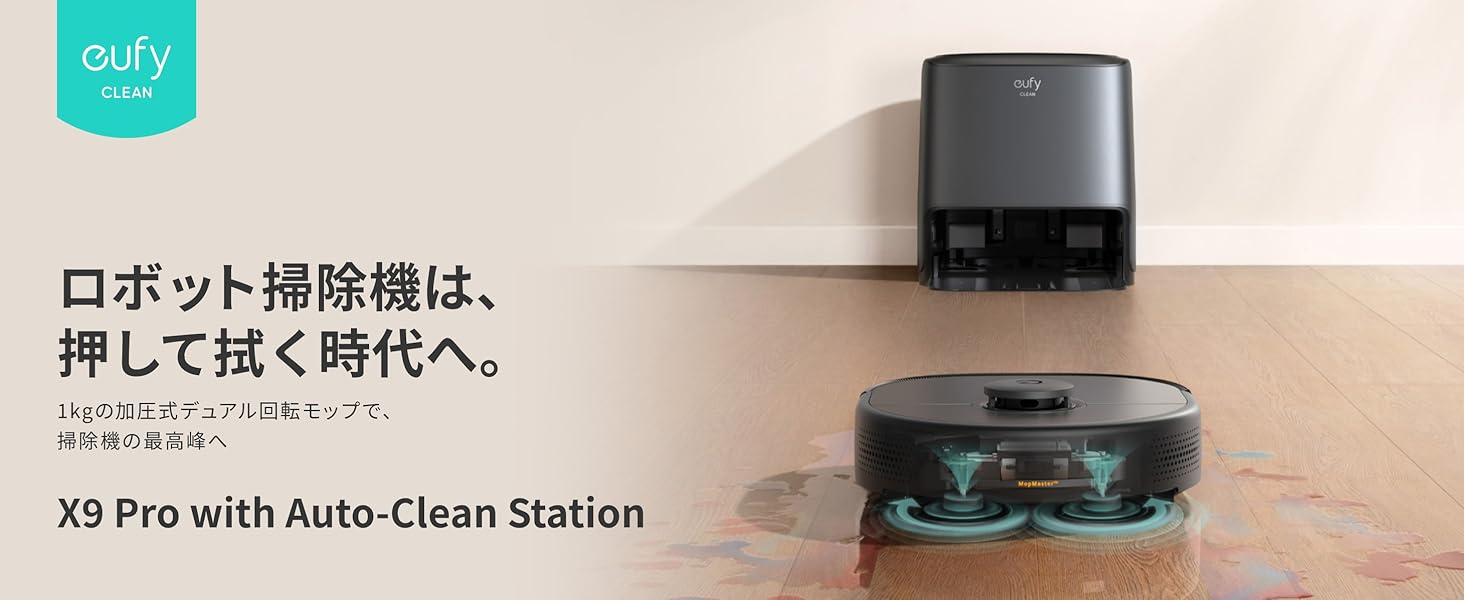
Image: The Eufy Clean X9 Pro robot vacuum with its Auto-Clean Station, illustrating the transition to a new era of robot cleaning that presses and wipes.
2. การตั้งค่า
2.1 เนื้อหาบรรจุภัณฑ์
ก่อนเริ่มต้น โปรดตรวจสอบให้แน่ใจว่ามีอุปกรณ์ครบถ้วน:
- Eufy Clean X9 Pro Robot Vacuum
- Auto-Clean Station
- สายไฟ
- ไส้กรองทดแทน
- คู่มือการใช้งาน
2.2 Station Placement
Place the Auto-Clean Station on a hard, flat surface against a wall. Ensure there is at least 0.5 meters (1.6 feet) of clear space on both sides and 1.5 meters (4.9 feet) in front of the station for optimal robot navigation.
2.3 Initial Charging & Water Tank Setup
Connect the power cord to the Auto-Clean Station and plug it into a wall outlet. Place the robot vacuum onto the charging contacts. While charging, fill the clean water tank with fresh water and ensure the dirty water tank is empty. The station will automatically manage water for mop washing.
2.4 การเชื่อมต่อแอพ
Download the Eufy Clean app from your smartphone's app store. Follow the in-app instructions to connect your robot vacuum to your home Wi-Fi network. The app allows for advanced control, mapping, and customization of cleaning settings.
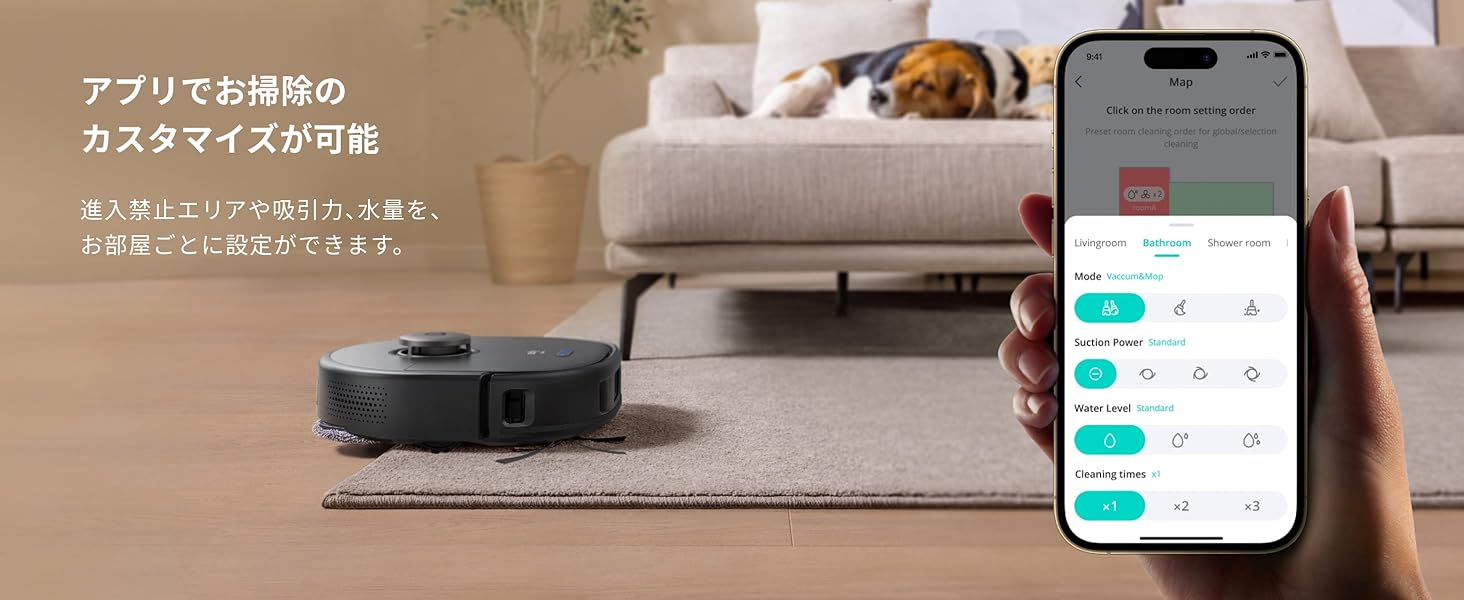
Image: The Eufy Clean app interface, demonstrating how cleaning can be customized, including setting no-go zones, suction power, and water levels per room.
3. การใช้งานหุ่นยนต์ดูดฝุ่นของคุณ
3.1 การเริ่มและหยุดการทำความสะอาด
You can start or stop a cleaning cycle using the button on the robot, the Eufy Clean app, or voice commands via Amazon Alexa.
โหมดทำความสะอาด 3.2 โหมด
The Eufy Clean X9 Pro offers various cleaning modes:
- เฉพาะสูญญากาศ: เหมาะสำหรับทำความสะอาดเศษฝุ่นแห้งบนพื้นทุกประเภท
- เฉพาะไม้ถูพื้น: สำหรับการทำความสะอาดแบบเปียกบนพื้นแข็ง
- ดูดฝุ่นและถูพื้น: ดูดฝุ่นและถูพื้นพร้อมกันได้
Select your preferred mode via the Eufy Clean app.
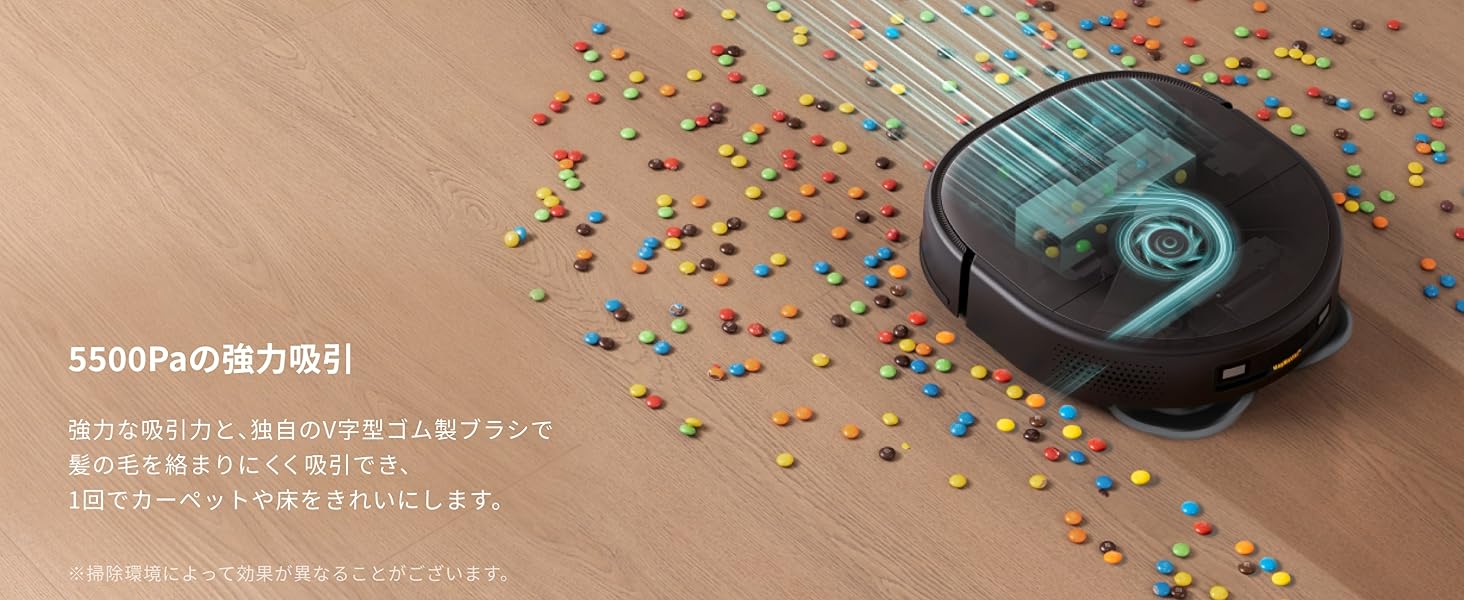
Image: The robot vacuum powerfully sucking up debris, highlighting its 5500Pa suction capability.
3.3 Carpet Detection and Mop Lift
The robot automatically detects carpets and lifts its mops by approximately 12mm to prevent wetting. It will then switch to vacuum-only mode on carpets.
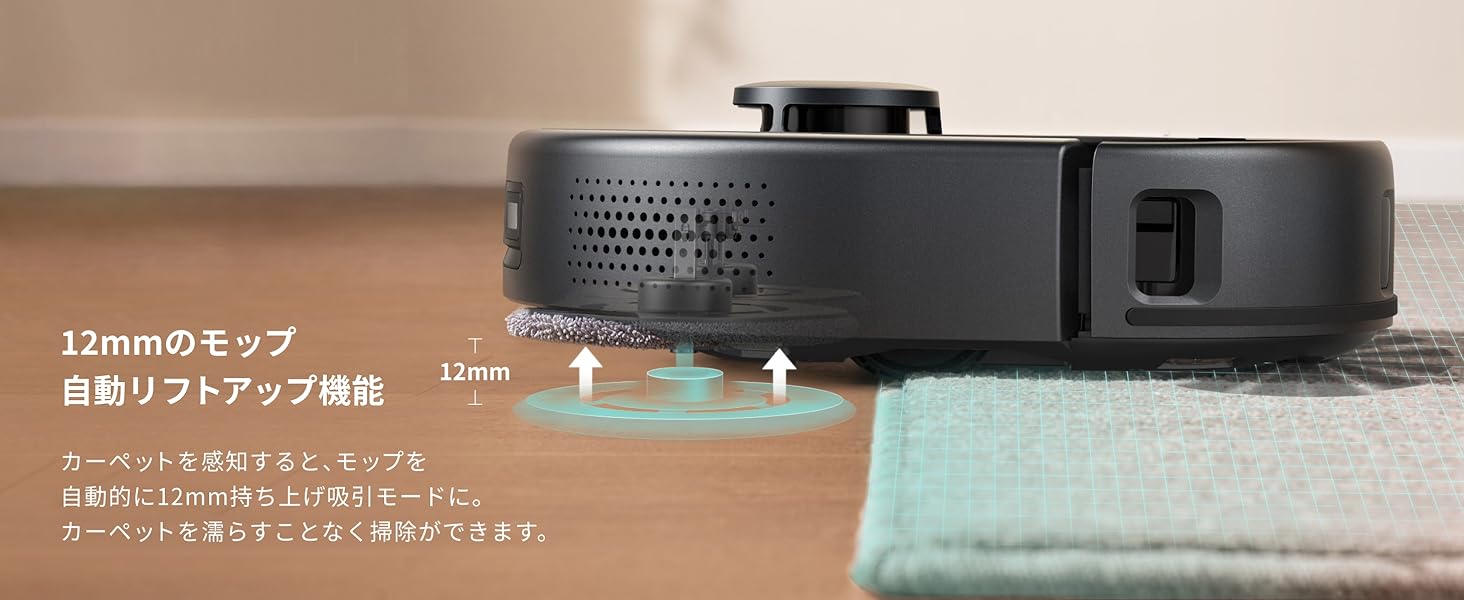
Image: The robot vacuum's mop automatically lifting by 12mm upon detecting a carpet, preventing the carpet from getting wet.
3.4 AI.See Obstacle Avoidance
Equipped with a 3D ToF sensor and AI camera, the AI.See system accurately recognizes and avoids common household obstacles such as cables, slippers, and furniture, ensuring an uninterrupted cleaning path.
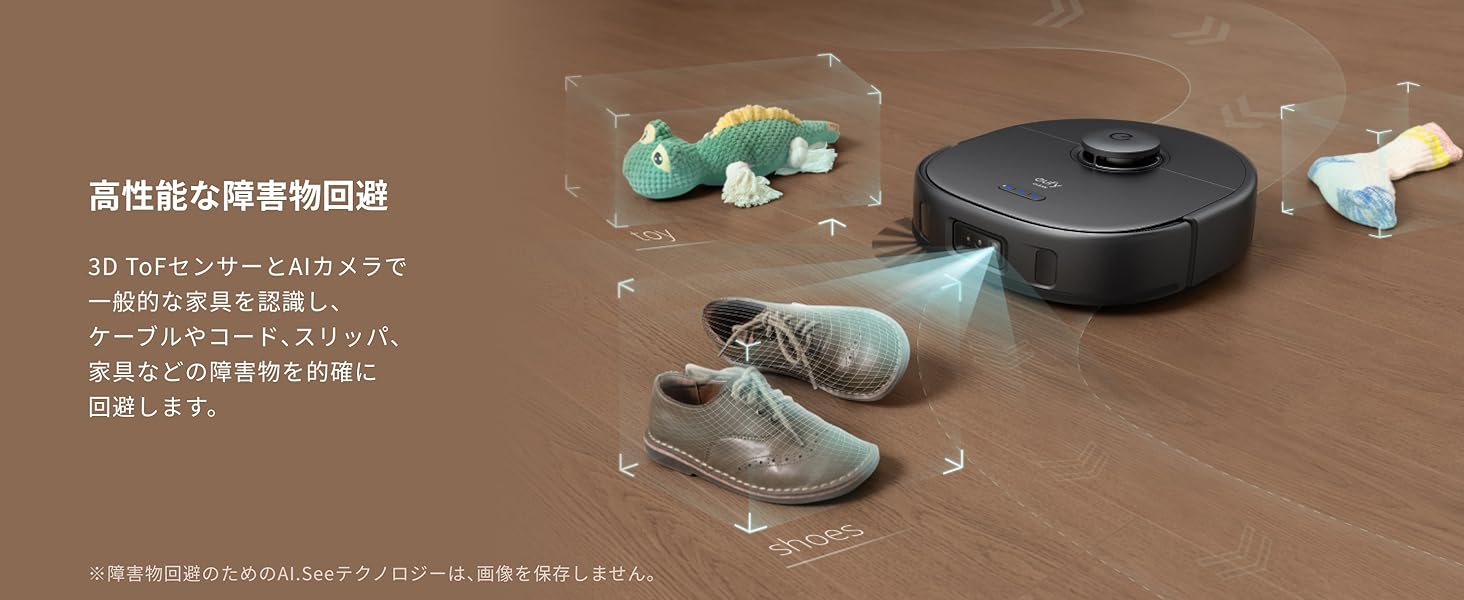
Image: The robot vacuum using its AI.See system to detect and avoid various obstacles on the floor, such as cables and shoes.
3.5 AI.Map 3.0 Technology
The AI.Map 3.0 technology allows for multi-floor mapping, storing up to 5 floor plans. You can select specific rooms or areas to clean, and the app displays detected obstacles on the map for precise cleaning management.
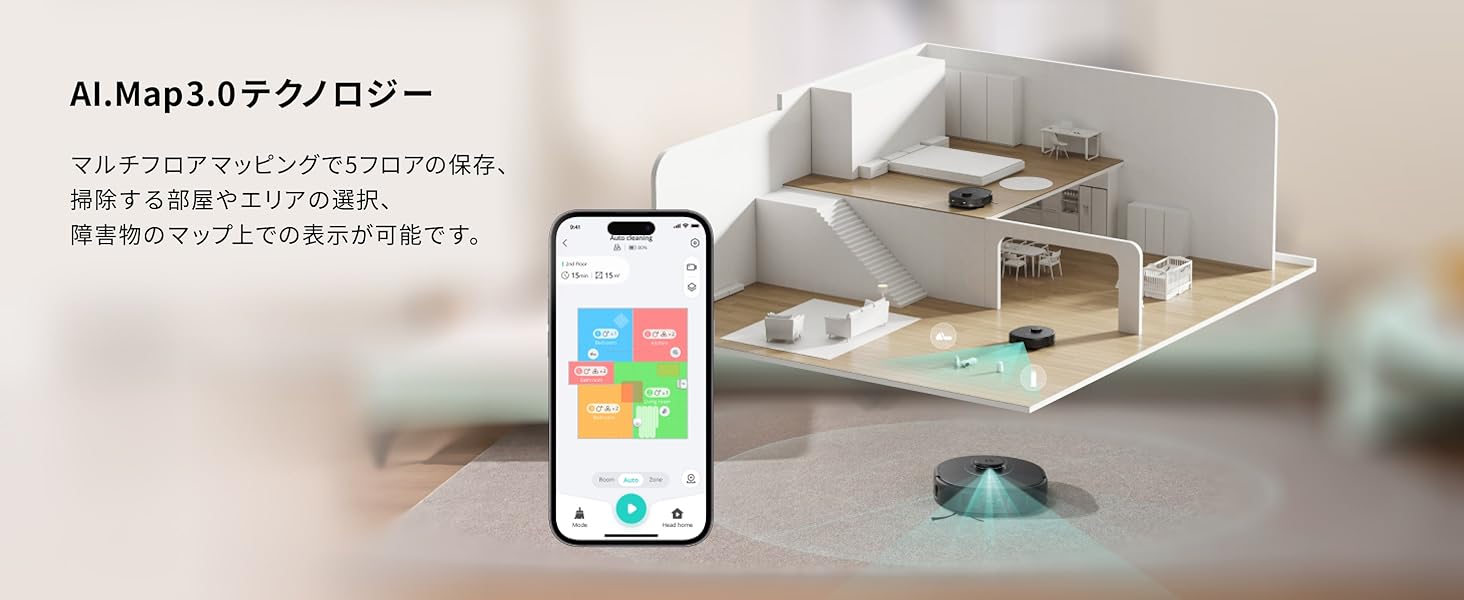
Image: The Eufy Clean app showing a detailed floor map created by AI.Map 3.0 technology, allowing users to customize cleaning zones.
4. การบำรุงรักษา
4.1 Auto-Clean Station Maintenance
The Auto-Clean Station automatically washes and dries the mops after each cleaning cycle using warm air, preventing odors and manual effort. It also features automatic dust collection, reducing the frequency of manual dustbin emptying.
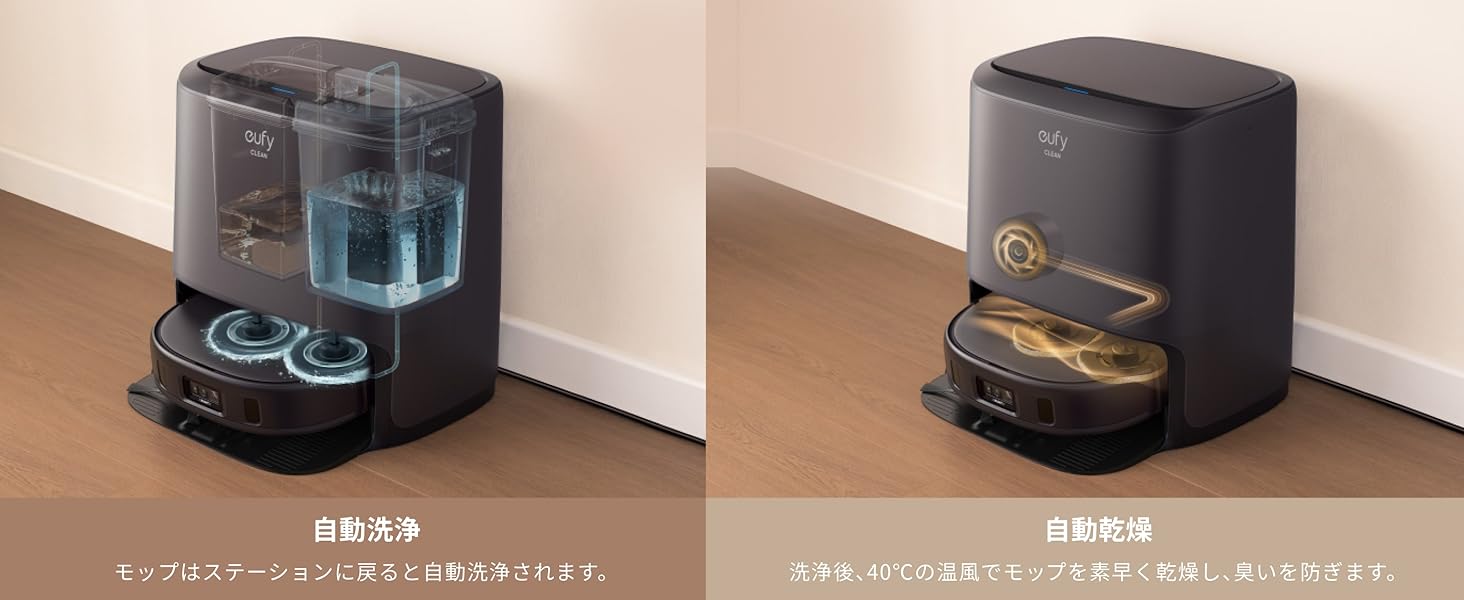
Image: The Auto-Clean Station automatically washing and drying the robot's mops, eliminating manual cleaning tasks.
4.2 การบำรุงรักษาถังเก็บน้ำ
Regularly check and refill the clean water tank. Empty and clean the dirty water tank to prevent mold and odors. The frequency depends on usage.
4.3 การทำความสะอาดแปรง
The robot features a unique V-shaped rubber brush designed to prevent hair tangles. Periodically remove the main brush and clean any accumulated hair or debris. A cleaning tool is usually provided for this purpose.
4.4 การเปลี่ยนไส้กรอง
Replace the filter as recommended in the app or every 3-6 months, depending on usage, to maintain optimal suction performance.
4.5 การทำความสะอาดเซ็นเซอร์
Wipe the sensors on the robot and the charging contacts on both the robot and the station with a dry cloth to ensure proper navigation and charging.
4.6 การสาธิตผ่านวิดีโอ
5 การแก้ไขปัญหา
5.1 ปัญหาทั่วไป
- Robot is stuck: Clear any obstacles around the robot. Check if the wheels or brushes are tangled.
- No suction/poor cleaning: Empty the dustbin, clean the main brush, and replace the filter if necessary.
- ไม้ถูพื้นทำความสะอาดไม่ทั่วถึง: Ensure the clean water tank is filled and the dirty water tank is empty. Clean the mops or replace them if worn.
- หุ่นยนต์ไม่ชาร์จ: Ensure the charging contacts on both the robot and the station are clean and free of debris. Check if the power cord is securely connected.
5.2 ข้อความแสดงข้อผิดพลาด
If the robot displays an error message or indicator light, refer to the Eufy Clean app for specific instructions and troubleshooting steps. The app provides detailed explanations and solutions for most issues.
6. ข้อมูลจำเพาะ
| ยี่ห้อ | ยูฟี่ |
| ชื่อรุ่น | X9 Pro with Auto-Clean Station |
| หมายเลขรุ่น | T2320 |
| พลังดูด | 5500ปาสคาล |
| ประเภทไม้ถูพื้น | Pressurized Dual Rotating Mops |
| ความสูงของการยกไม้ถูพื้น | ประมาณ 12มม. |
| การหลีกเลี่ยงอุปสรรค | 3D ToF Sensor, AI Camera (AI.See) |
| เทคโนโลยีการทำแผนที่ | AI.Map 3.0 (up to 5 floor plans) |
| องค์ประกอบของแบตเตอรี่ | ลิเธียมไอออน |
| ขนาดสินค้า (กว้าง x ยาว x สูง) | 35.3 x 32.7 x 11.4 ซม. (13.9 x 12.9 x 4.5 นิ้ว) |
| น้ำหนักผลิตภัณฑ์ | 4.68 กก. (10.32 ปอนด์) |
| ประเภทตัวควบคุม | App, Amazon Alexa |
| ยูพีซี | 194644122355 |
7. การรับประกัน
Your Eufy Clean X9 Pro with Auto-Clean Station comes with a maximum 24-month warranty from the date of purchase. Please retain your proof of purchase for warranty claims. The warranty covers manufacturing defects and malfunctions under normal use. For detailed terms and conditions, please refer to the official Eufy webไซต์หรือติดต่อฝ่ายสนับสนุนลูกค้า
8. การสนับสนุน
For further assistance, technical support, or to report any issues, please contact Eufy Customer Support through the following channels:
- Eufy Clean App: Access the support section within the app for FAQs and direct contact options.
- ยูฟี่ ออฟฟิเชียล Webเว็บไซต์: เยี่ยม www.eufylife.com สำหรับข้อมูลผลิตภัณฑ์ คำถามที่พบบ่อย และรายละเอียดการติดต่อ
- การสนับสนุนทางอีเมล์: Refer to your product packaging or the Eufy webไซต์สำหรับที่อยู่อีเมลที่เหมาะสม
โปรดเตรียมหมายเลขรุ่น (T2320) และข้อมูลการสั่งซื้อให้พร้อมเมื่อติดต่อฝ่ายสนับสนุน