
การแนะนำ
The Datalogic QuickScan QD2590 is a high-performance, handheld 2D barcode imager designed for various point-of-sale (POS) and general-purpose applications. This device offers fast and reliable scanning of 1D and 2D barcodes, ensuring efficient data capture. Its durable design and flexible connectivity options (USB, RS-232) make it suitable for diverse environments. This manual provides essential information for setting up, operating, maintaining, and troubleshooting your QD2590 scanner.
การตั้งค่า
1. การแกะกล่องเครื่องสแกนเนอร์
นำส่วนประกอบทั้งหมดออกจากบรรจุภัณฑ์อย่างระมัดระวัง ตรวจสอบว่ามีอุปกรณ์ทั้งหมดที่ระบุไว้ในส่วน "สิ่งที่อยู่ในกล่อง" ครบถ้วน
- QuickScan QD2590 Portable 1D/2D Barcode Reader (Black)
2. การเชื่อมต่อสแกนเนอร์
The QD2590 scanner supports USB and RS-232 connectivity. Connect the appropriate cable to the scanner's interface port and then to your host device (computer, POS system).
สำหรับการเชื่อมต่อ USB: Plug the USB cable into an available USB port on your computer. The scanner will typically be recognized automatically, and necessary drivers will be installed by the operating system.
For RS-232 Connection: Connect the RS-232 cable to a serial port on your host device. Ensure proper configuration of the serial port settings on your host system to match the scanner's default settings (e.g., baud rate, data bits, parity, stop bits).
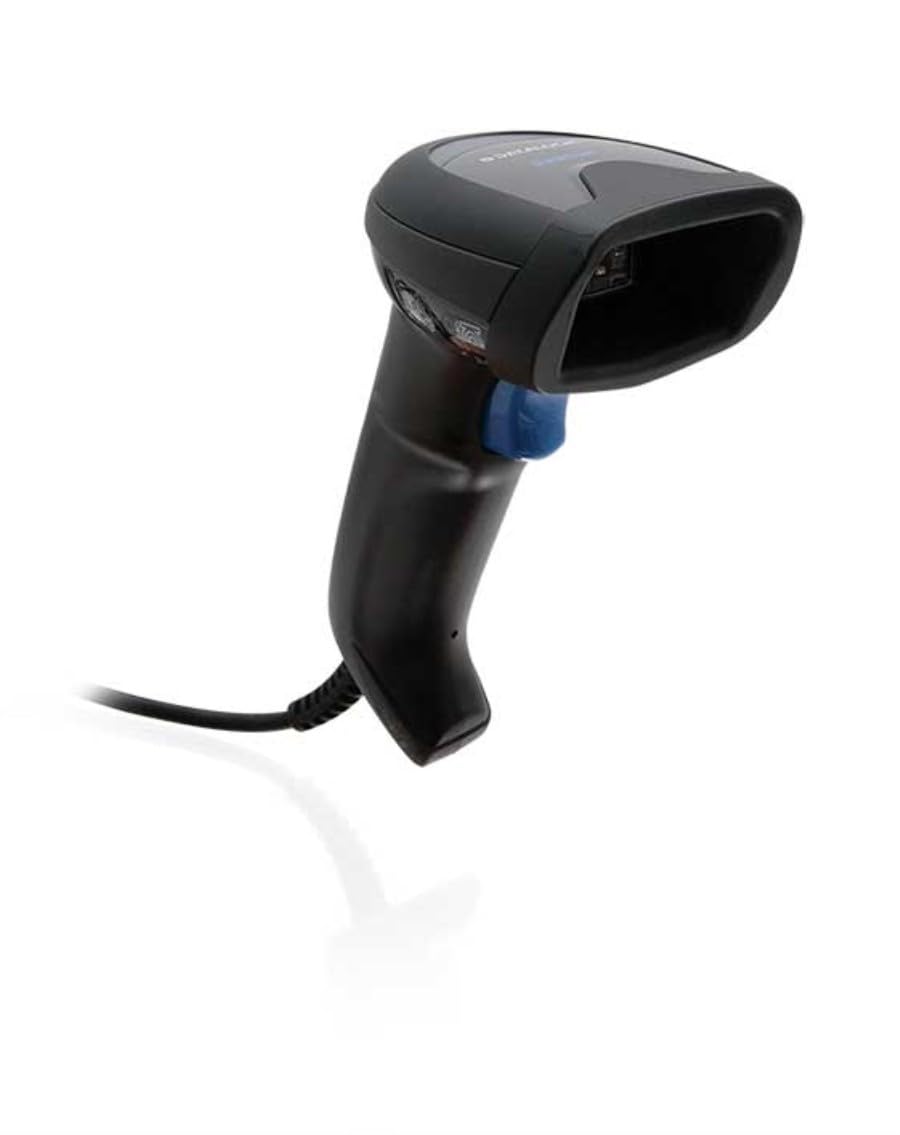
Image: The Datalogic QuickScan QD2590 scanner showing its wired connection.
การใช้งานเครื่องสแกนเนอร์
1. ขั้นตอนการสแกนพื้นฐาน
- Ensure the scanner is properly connected and powered on.
- หันหน้าต่างสแกนเนอร์ไปที่บาร์โค้ดที่คุณต้องการสแกน
- กดปุ่มไกปืนค้างไว้ ลำแสงเล็งสีแดงจะปรากฏขึ้น
- Center the aiming beam over the entire barcode.
- Once the barcode is successfully read, the scanner will emit an audible beep and/or the LED indicator will change color (typically green).
- Release the trigger button. The scanned data will be transmitted to your host device.
2. Scanning Feedback
- Good Read Indicator: A successful scan is typically indicated by a green LED and a configurable beep sound.
- ลำแสงเล็ง: The red aiming beam helps position the scanner correctly over the barcode.

ภาพ: ด้านหน้า view of the Datalogic QuickScan QD2590, highlighting the scanning area.
การซ่อมบำรุง
1. การทำความสะอาดสแกนเนอร์
To ensure optimal performance, keep the scanner's window clean. Use a soft, lint-free cloth dampened with water or a mild, non-abrasive cleaner. Do not use harsh chemicals, solvents, or abrasive materials, as these can damage the scanning window or casing.
2. การจัดเก็บ
When not in use, store the scanner in a clean, dry environment, away from extreme temperatures, direct sunlight, and corrosive materials. Avoid dropping or subjecting the scanner to excessive impact.
การแก้ไขปัญหา
| ปัญหา | สาเหตุที่เป็นไปได้ | สารละลาย |
|---|---|---|
| เครื่องสแกนเนอร์ไม่สามารถเปิดเครื่องได้ | Cable not connected properly; host device not powered on. | Check cable connections. Ensure host device is powered on. |
| เครื่องสแกนไม่สามารถอ่านบาร์โค้ดได้ | Barcode damaged or poorly printed; incorrect symbology enabled; scanning window dirty; scanner not configured correctly. | Try scanning a different barcode. Clean the scanning window. Refer to the full product manual for symbology enablement and advanced configuration. |
| ข้อมูลที่สแกนไม่ถูกต้องหรือไม่สมบูรณ์ | Incorrect data formatting; partial scan. | Ensure the aiming beam covers the entire barcode. Check host application settings for data formatting. |
| No audible beep on good read. | Beeper disabled in configuration. | Refer to the full product manual to enable the beeper. |
For more detailed troubleshooting and advanced configuration, please refer to the complete Datalogic QuickScan QD2590 product manual available on the Datalogic webเว็บไซต์.
ข้อมูลจำเพาะทางเทคนิค
| คุณสมบัติ | รายละเอียด |
|---|---|
| หมายเลขรุ่น | W126053080 |
| ประเภทสแกนเนอร์ | Handheld 2D Imager |
| ประเภทองค์ประกอบการสแกน | 2D Imager - Red LED Sensor |
| ความละเอียดเซนเซอร์ | 1280 x 800 พิกเซล |
| ความเร็วในการสแกน | 60 เฟรมต่อวินาที (fps) |
| Minimum Bar Symbol Width | 3ล้าน |
| เทคโนโลยีการเชื่อมต่อ | Wired (USB, RS-232) |
| แหล่งพลังงาน | DC 5V (via cable) |
| ขนาด (กว้าง x ลึก x สูง) | 6.8 ซม. x 12.6 ซม. x 14.8 ซม. |
| น้ำหนัก | 145 กรัม |
| สี | สีดำ |
| อุปกรณ์ที่รองรับ | Smartphone, laptop, desktop, tablet |
| จริง View มุม | 40 องศา |
การรับประกันและการสนับสนุน
ข้อมูลการรับประกัน
The Datalogic QuickScan QD2590 barcode scanner comes with a การรับประกันจากผู้ผลิต 2 ปีการรับประกันนี้ครอบคลุมข้อบกพร่องด้านวัสดุและฝีมือการผลิตภายใต้การใช้งานปกติ โปรดเก็บหลักฐานการซื้อไว้เพื่อขอรับสิทธิ์การรับประกัน
การสนับสนุนลูกค้า
For technical assistance, product inquiries, or warranty service, please contact Datalogic customer support. Visit the official Datalogic webไซต์สำหรับรายละเอียดการติดต่อ คำถามที่พบบ่อย และแหล่งข้อมูลเพิ่มเติม
Datalogic Official Webเว็บไซต์: www.datalogic.com