
1. สินค้าหมดview
The Dangbei DBX3 Pro is an infrared remote control designed for seamless interaction with compatible Dangbei devices, primarily televisions. It features an ergonomic design for comfortable handling and intuitive button placement for easy navigation and control.
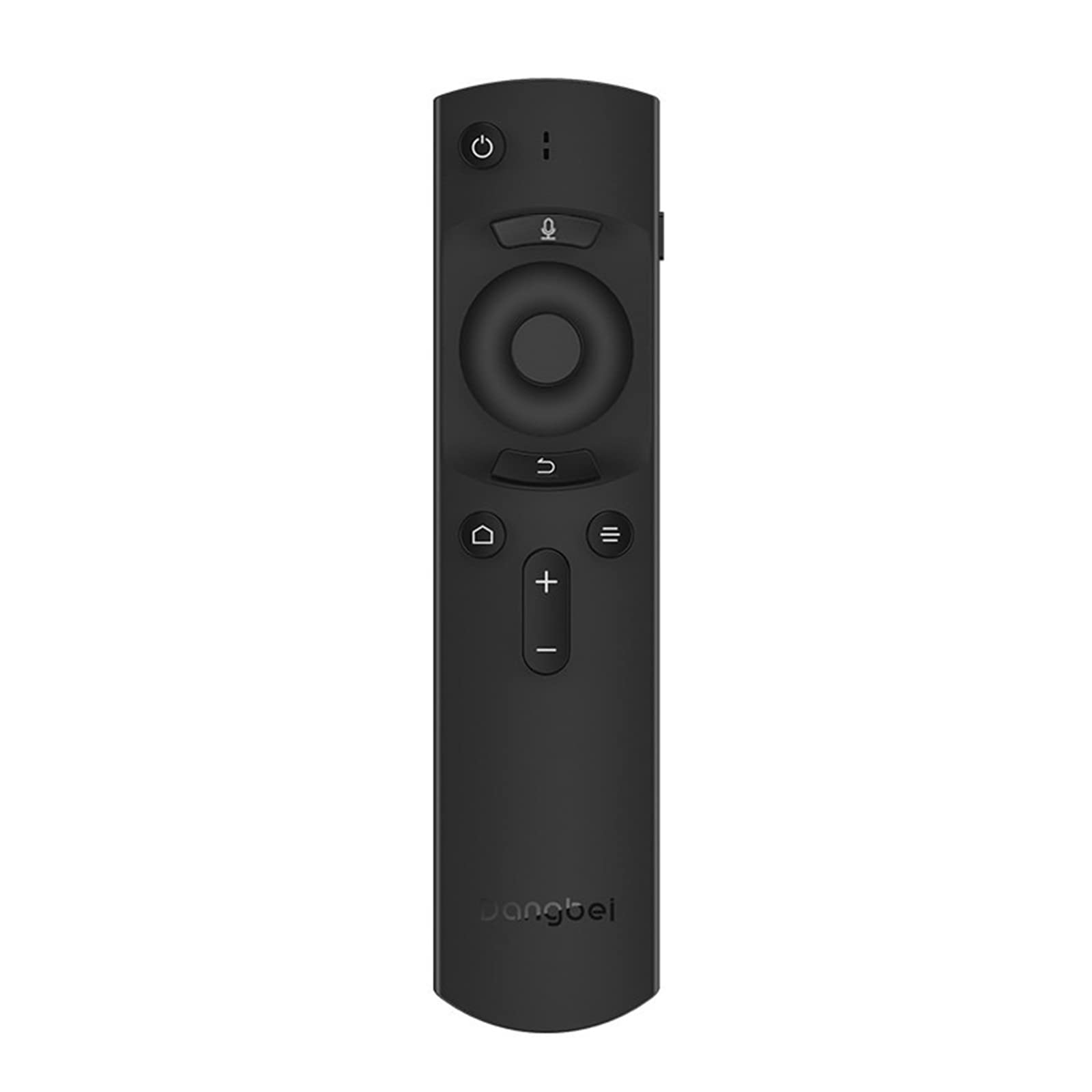
รูปที่ 1: Dangbei DBX3 Pro Remote Control. This image displays the remote control from an angled perspective, highlighting its ergonomic shape and the layout of its primary control buttons, including power, navigation, volume, and home.
ปุ่มฟังก์ชั่น:
- ปุ่มเพาเวอร์ (⏻): เปิดหรือปิดอุปกรณ์ที่เชื่อมต่อ
- ปุ่มไมโครโฟน (🎙): Activates voice control or voice search features (if supported by the connected device).
- แผงนำทาง (ขึ้น, ลง, ซ้าย, ขวา): ใช้สำหรับนำทางในเมนูและเลือกรายการต่างๆ
- ปุ่มตกลง: ยืนยันการเลือกหรือเข้าสู่เมนู
- ปุ่มย้อนกลับ (↩): กลับไปที่หน้าจอหรือเมนูก่อนหน้า
- Menu/Options Button (☰): Accesses additional options or context menus.
- ปุ่มโฮม (🏠): Returns to the main home screen of the connected device.
- ปุ่มเพิ่ม/ลดระดับเสียง (+/-): ปรับระดับเสียง
2. การตั้งค่า
2.1. การติดตั้งแบตเตอรี่
- ค้นหาฝาปิดช่องใส่แบตเตอรี่ที่ด้านหลังของรีโมทคอนโทรล
- เลื่อนฝาครอบลงหรือกดที่สลักเพื่อเปิด
- ใส่แบตเตอรี่ AAA สองก้อน (ไม่รวม) โดยให้แน่ใจว่าขั้วบวก (+) และขั้วลบ (-) ตรงกับเครื่องหมายภายในช่องอย่างถูกต้อง
- ปิดฝาช่องใส่แบตเตอรี่กลับเข้าที่จนกระทั่งล็อคเข้าที่อย่างแน่นหนา
2.2. การใช้งานครั้งแรก
The Dangbei DBX3 Pro remote control operates using infrared (IR) technology. For the remote to function, ensure there is a clear line of sight between the remote's IR emitter (located at the front tip) and the IR receiver on your compatible Dangbei device. Point the remote directly at the device you wish to control.
3. คู่มือการใช้งาน
3.1. การนำทางพื้นฐาน
- ใช้ แผ่นนำทาง (Up, Down, Left, Right arrows) to move through menus, lists, and content on your screen.
- กดปุ่ม ปุ่มตกลง to select a highlighted item, confirm an an action, or open an application.
- กดปุ่ม ปุ่มย้อนกลับ to return to the previous screen or exit a menu.
- กดปุ่ม ปุ่มโฮม to quickly access the main interface of your device.
3.2. การควบคุมกำลังไฟและระดับเสียง
- กดปุ่ม ปุ่มเปิดปิด once to turn your device on or off.
- ใช้ เพิ่มระดับเสียง (+) และ ลดเสียงลง (-) ปุ่มปรับระดับเสียง
3.3. Voice Control (If Supported)
If your connected Dangbei device supports voice control, press and hold the ปุ่มไมโครโฟน. Speak clearly into the remote control's microphone. Release the button when you have finished speaking. Refer to your device's manual for specific voice command capabilities.
4. การบำรุงรักษา
4.1. การทำความสะอาด
ในการทำความสะอาดรีโมทคอนโทรล ให้เช็ดพื้นผิวเบาๆ ด้วยผ้าแห้งเนื้อนุ่ม สำหรับคราบสกปรกที่ติดแน่น ให้เช็ดออกเบาๆampชุบผ้าด้วยน้ำหรือน้ำยาทำความสะอาดอ่อนๆ ที่ไม่ทำให้เกิดรอยขีดข่วน หลีกเลี่ยงการใช้สารเคมีรุนแรง ตัวทำละลาย หรือวัสดุที่มีฤทธิ์กัดกร่อน เพราะอาจทำให้พื้นผิวหรือส่วนประกอบภายในของรีโมทเสียหายได้
4.2. การเปลี่ยนแบตเตอรี่
Replace batteries when the remote's response becomes sluggish or stops working. Always replace both batteries simultaneously with new AAA batteries. Do not mix old and new batteries, or different types of batteries, as this can lead to leakage or malfunction. Dispose of used batteries according to local regulations.
4.3. การจัดเก็บ
Store the remote control in a cool, dry place away from direct sunlight, extreme temperatures, and high humidity. If the remote will not be used for an extended period, it is recommended to remove the batteries to prevent potential leakage.
5 การแก้ไขปัญหา
| ปัญหา | สาเหตุที่เป็นไปได้ | สารละลาย |
|---|---|---|
| รีโมตไม่ตอบสนอง |
|
|
| ปุ่มไม่ตอบสนองหรือติดขัด |
|
|
| ระยะการใช้งานสั้น |
|
|
6. ข้อมูลจำเพาะ
- แบบอย่าง: DBX3 Pro
- ยี่ห้อ: ดังเป่ย
- เทคโนโลยีการเชื่อมต่อ: อินฟาเรด (IR)
- อุปกรณ์ที่รองรับ: Television (specifically compatible Dangbei devices)
- แหล่งพลังงาน: 2 x แบตเตอรี่ AAA (ไม่รวม)
- ขนาดสินค้า : 1.5 x 9.06 x 3.94 นิ้ว (ประมาณ 3.8 x 23.0 x 10.0 ซม.)
- น้ำหนักสินค้า: 4.6 ออนซ์ (ประมาณ 130 กรัม)
- คุณสมบัติพิเศษ: การออกแบบตามหลักสรีรศาสตร์
7. การรับประกันและการสนับสนุน
7.1. ข้อมูลการรับประกัน
This Dangbei product is covered by a limited manufacturer's warranty. The specific terms and duration of the warranty may vary by region and purchase date. Please retain your proof of purchase for warranty claims. For detailed warranty information, refer to the documentation provided with your primary Dangbei device or visit the official Dangbei webเว็บไซต์.
7.2. การสนับสนุนลูกค้า
For technical assistance, troubleshooting, or inquiries regarding your Dangbei DBX3 Pro remote control, please contact Dangbei customer support. Contact information can typically be found on the official Dangbei website or within the support section of your primary Dangbei device's user interface.
เป็นทางการ Webเว็บไซต์: www.dangbei.com (โปรดตรวจสอบความแตกต่างตามภูมิภาค)