
การแนะนำ
This manual provides detailed instructions for the setup, operation, and maintenance of your TeckNet Silent Wireless Mouse EWM01005BA01. Please read this guide thoroughly to ensure optimal performance and longevity of your device.
เนื้อหาแพ็คเกจ
- 1 x TeckNet Silent Wireless Mouse
- 1 x ตัวรับสัญญาณนาโน USB
Note: The Nano USB Receiver is typically stored within the battery compartment of the mouse for safe keeping.
คุณสมบัติผลิตภัณฑ์
- เทคโนโลยีการคลิกเงียบ: Reduces click noise by over 90% for a quiet working environment.
- DPI ที่ปรับได้: 6 adjustable DPI levels (800/1200/1600/2400/3200/4000) for precise cursor control on various surfaces.
- เทคโนโลยีไร้สาย 2.4GHz: Provides a stable and reliable connection with fast data transfer, up to 15 meters range, even in high Wi-Fi traffic environments.
- ปลั๊กแอนด์เพลย์: No software installation required; simply plug in the nano receiver and start using.
- การออกแบบตามหลักสรีรศาสตร์: Streamlined shape with soft rubber sides for comfortable use during extended periods.
- อายุการใช้งานแบตเตอรี่ยาวนาน: Up to 24 months of battery life with low-power chips and smart sleep technology (1 AA battery not included).
- Co-Link Technology: Automatic pairing with the nano receiver, ensuring a stable connection even if temporarily lost.
คู่มือการติดตั้ง
- ติดตั้งแบตเตอรี่: Open the battery compartment cover located on the underside of the mouse. Insert one AA battery (not included), ensuring correct polarity (+/-). Close the battery compartment cover.
- เชื่อมต่อตัวรับสัญญาณ Nano: Locate the Nano USB Receiver, usually stored inside the battery compartment. Plug the Nano USB Receiver into an available USB port on your computer (PC, Mac, or Laptop).
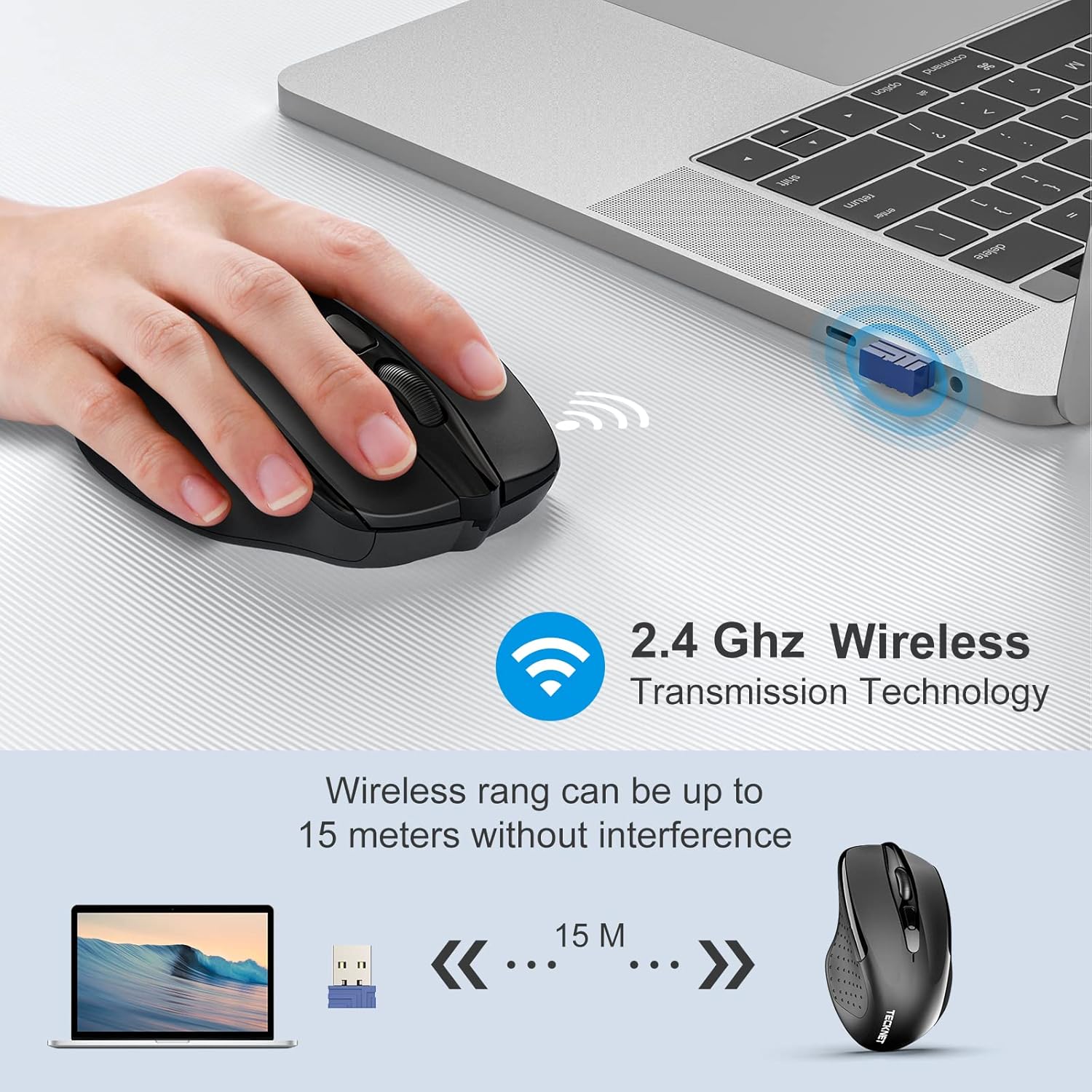
Image: The TeckNet wireless mouse connected to a laptop via its Nano USB receiver, illustrating the 2.4GHz wireless transmission technology and an effective range of up to 15 meters without interference.
- เปิดเครื่อง: Turn on the mouse using the On/Off switch, typically located on the underside.
- การเชื่อมต่ออัตโนมัติ: The mouse will automatically connect to your computer. No additional drivers or software are required.
คำแนะนำการใช้งาน
Once connected, the TeckNet Silent Wireless Mouse functions like a standard mouse. Move the mouse to control the cursor on your screen. The left and right buttons perform standard click functions, and the scroll wheel allows for vertical scrolling.
การปรับ DPI
The mouse features a DPI adjustment button, usually located behind the scroll wheel. Press this button to cycle through the available DPI settings (800/1200/1600/2400/3200/4000). Each press changes the cursor speed, allowing you to select the sensitivity that best suits your task or preference.

Image: A hand demonstrating the DPI adjustment feature on the TeckNet wireless mouse, with an overlay indicating the 6 selectable DPI levels ranging from 800 to 4000.
การทำงานแบบเงียบ
The silent click technology ensures a quiet user experience, ideal for environments where noise reduction is important.

Image: The TeckNet wireless mouse highlighted with text indicating 'Noise Reduction 90%', accompanied by an image of a sleeping baby, emphasizing its quiet operation for undisturbed environments.
ข้อมูลแบตเตอรี่
The TeckNet Silent Wireless Mouse requires one AA battery. With its energy-efficient design and smart sleep mode, the battery can last up to 24 months. Battery life may vary based on usage patterns and computing conditions.
- To replace the battery, open the battery compartment on the underside of the mouse.
- ใส่แบตเตอรี่ AA ใหม่ โดยสังเกตขั้วที่ถูกต้อง
- ทิ้งแบตเตอรี่ที่ใช้แล้วอย่างรับผิดชอบตามข้อบังคับท้องถิ่น
การซ่อมบำรุง
- รักษาเมาส์ให้สะอาดด้วยการเช็ดด้วยผ้าแห้งเนื้อนุ่ม
- ควรหลีกเลี่ยงการนำเมาส์ไปวางไว้ในที่ที่มีอุณหภูมิสูงหรือต่ำเกินไป แสงแดดโดยตรง หรือของเหลว
- ห้ามถอดชิ้นส่วนเมาส์ เนื่องจากอาจทำให้การรับประกันเป็นโมฆะ
การแก้ไขปัญหา
| ปัญหา | สารละลาย |
|---|---|
| เมาส์ไม่ตอบสนอง |
|
| การเคลื่อนที่ของเคอร์เซอร์ผิดปกติหรือช้า |
|
| ปัญหาระยะไร้สาย |
|
ข้อมูลจำเพาะ
| คุณสมบัติ | รายละเอียด |
|---|---|
| ยี่ห้อ | เทคเน็ต |
| หมายเลขรุ่น | EWM01005BA01 |
| สี | สีดำ |
| เทคโนโลยีการเชื่อมต่อ | ระบบไร้สาย 2.4GHz (ตัวรับสัญญาณนาโน USB) |
| การตรวจจับการเคลื่อนไหว | ออฟติคอล |
| ระดับ DPI | 800, 1200, 1600, 2400, 3200, 4000 (ปรับได้) |
| จำนวนปุ่ม | 8 |
| ประเภทแบตเตอรี่ | 1 x AA (ไม่รวม) |
| อายุการใช้งานแบตเตอรี่ | นานถึง 24 เดือน |
| ระบบปฏิบัติการที่รองรับ | Windows 10, 8, 7, Vista, XP, 2008, Mac OS |
| แพลตฟอร์มฮาร์ดแวร์ | พีซี, แล็ปท็อป |
| Lifetime Clicks | 6 ล้าน |
การรับประกันและการสนับสนุน
TeckNet offers a 36-month warranty for this product upon registration. If you encounter any issues during the use of this product, please do not hesitate to contact our professional customer service team for assistance.
For support, please refer to the contact information provided on the official TeckNet webเว็บไซต์หรือเอกสารการซื้อของคุณ