
1. บทนำ
Thank you for choosing the Hayve Adjustable Microscope Arm Stand. This manual provides essential information for the proper setup, operation, and maintenance of your new microscope arm stand. Please read these instructions carefully before use to ensure optimal performance and longevity of the product.
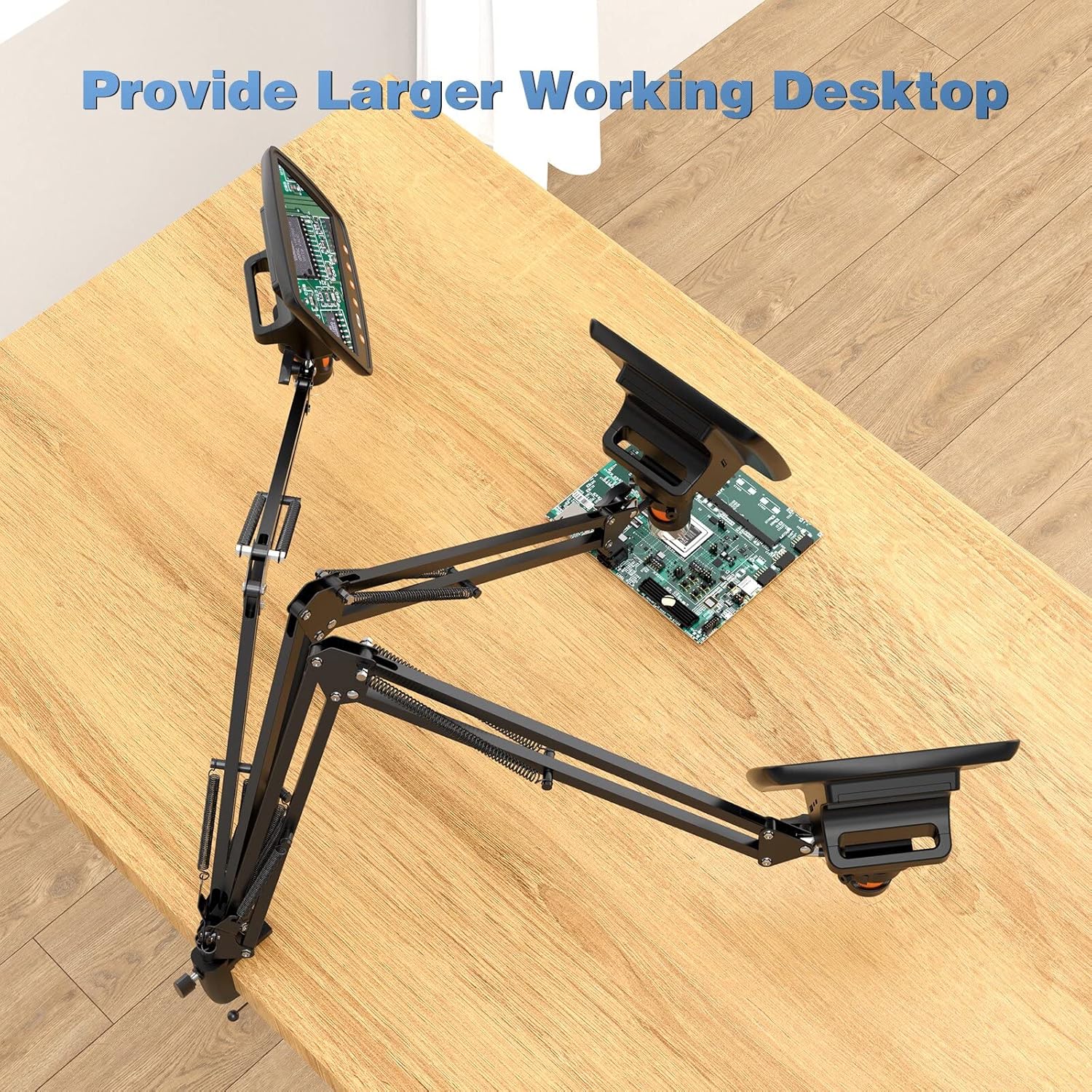
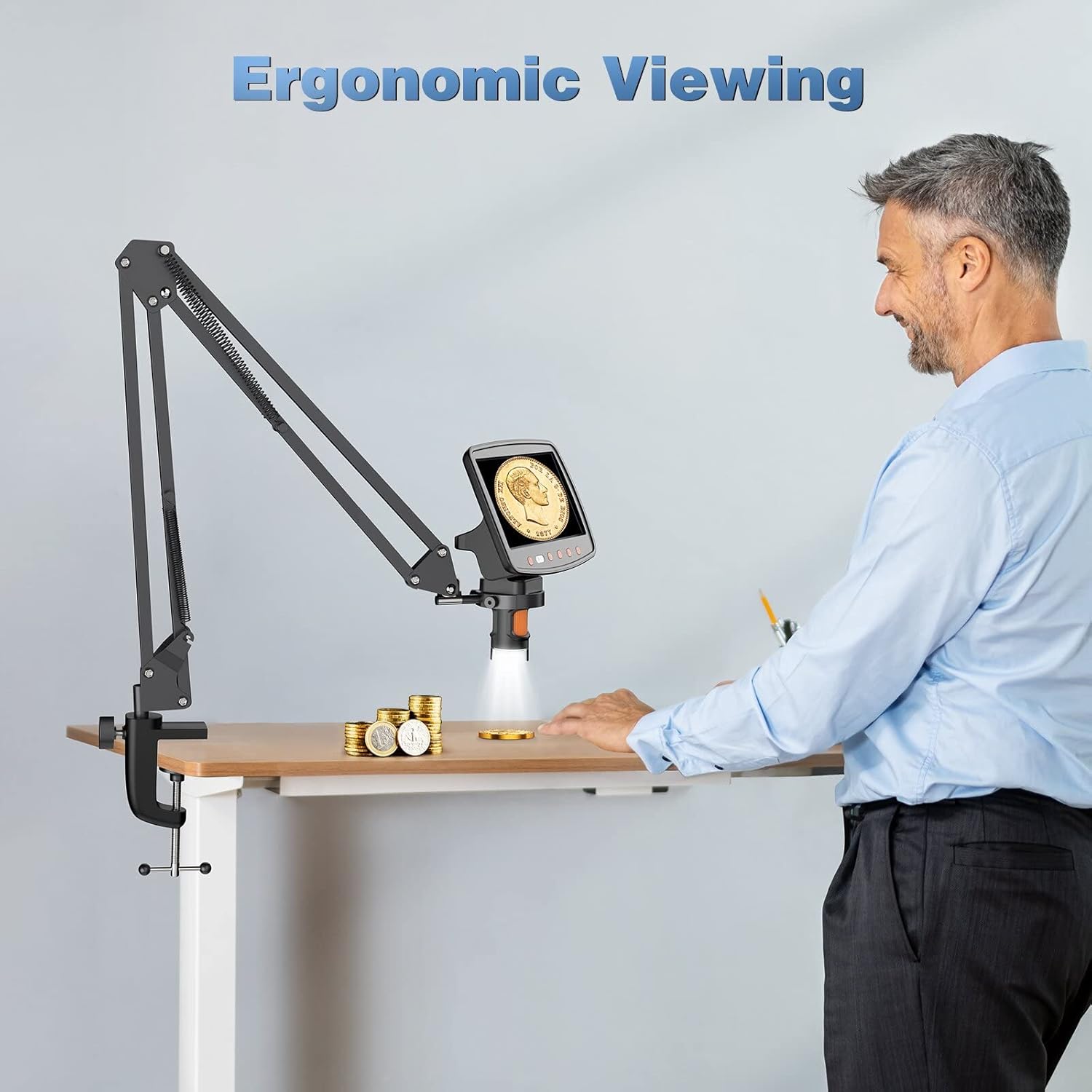
This stand is designed to enhance your digital microscope experience by providing a stable, flexible, and adjustable mounting solution, allowing for a larger working desktop and ergonomic viewมุมการเอียง
2. สินค้าหมดview และคุณสมบัติ
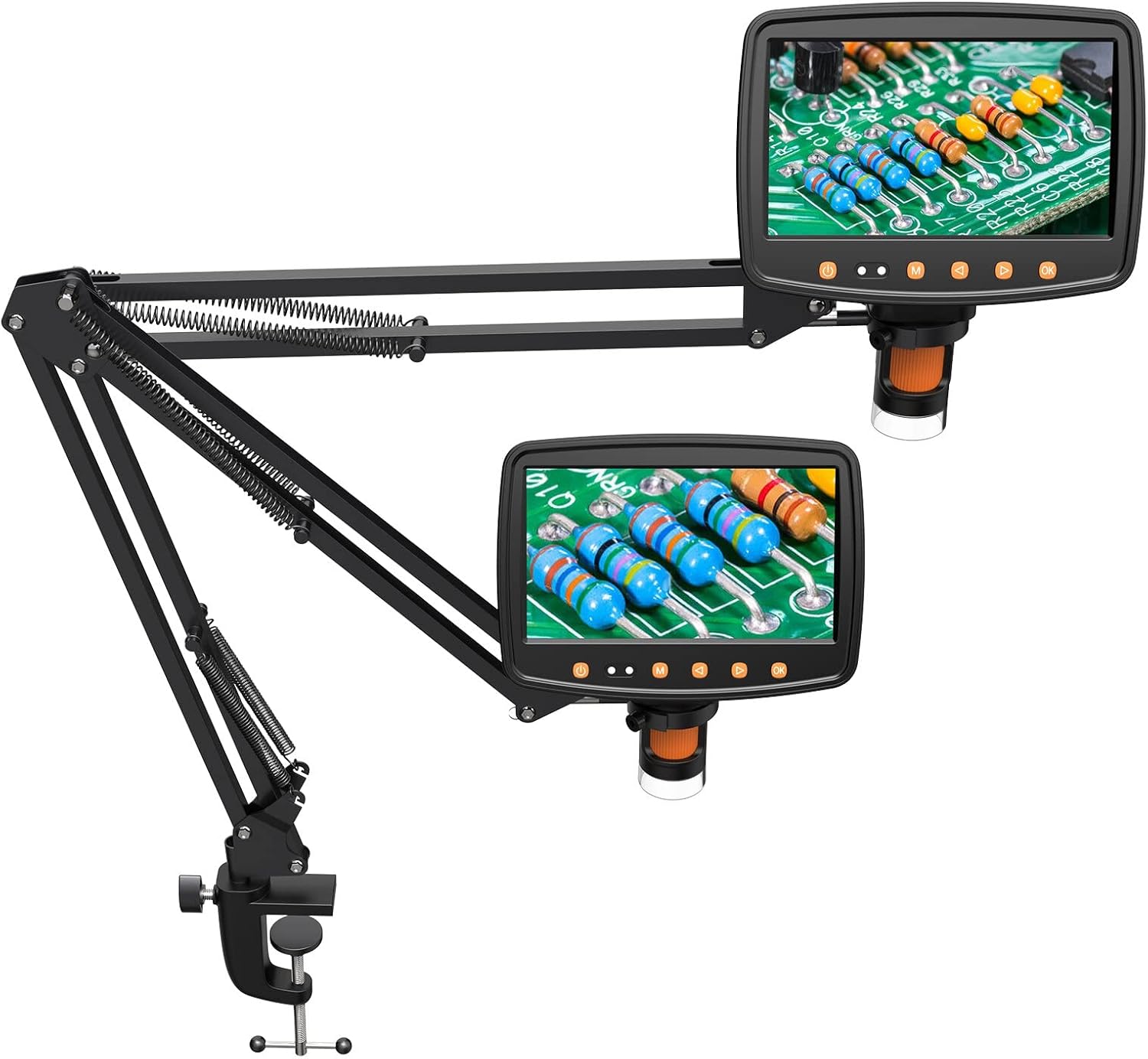
The Hayve Adjustable Microscope Arm Stand is a robust and versatile accessory for compatible digital microscopes. It features a durable metal construction and a C-clamp design for secure attachment to your workspace.
- แขนปรับได้: Two gas spring arms allow for dynamic extension, retraction, and height adjustment, providing a maximum height of 25 inches.
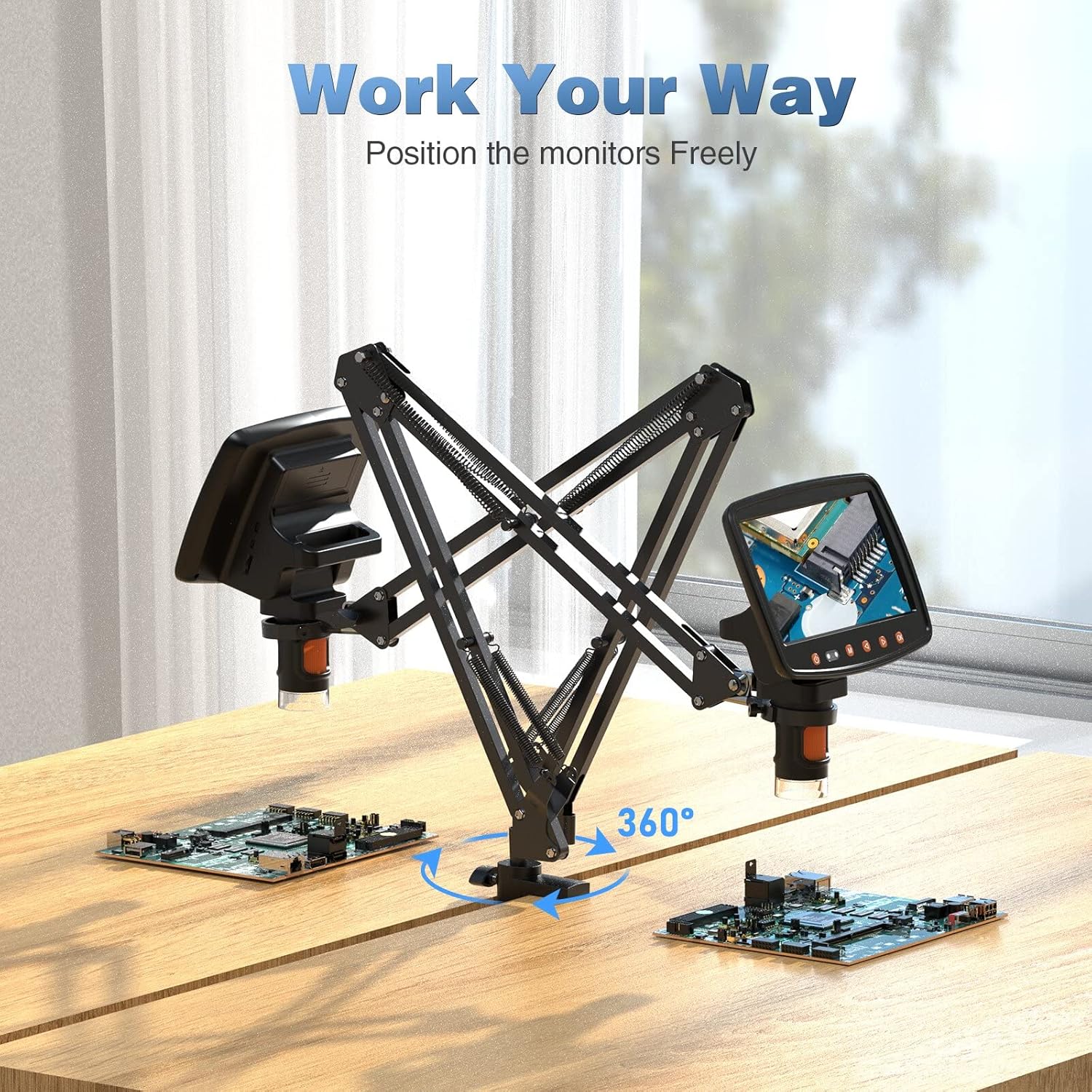
- ยืดหยุ่นได้ Viewการลง: The arms can tilt ±270° and support 360-degree rotation, enabling a wide range of viewมุมการเอียง
- การติดตั้งที่มั่นคง: Strong C-clamp design ensures a stable connection to your desk.
- ความจุในการรับน้ำหนัก: Supports microscopes weighing up to 3.5 lbs.
- วัสดุ: Constructed from solid metal for outstanding durability.
3. ความเข้ากันได้
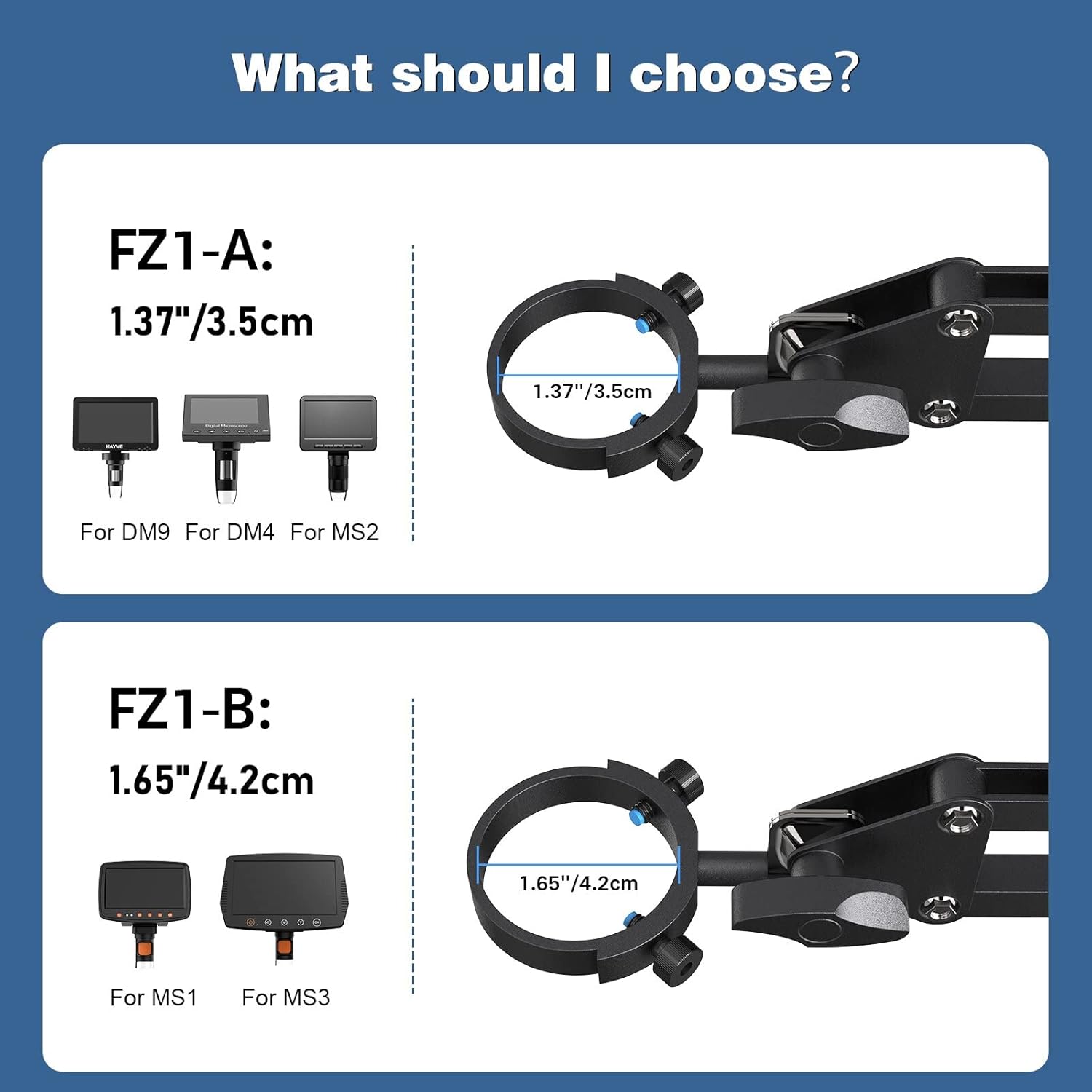
This Hayve Microscope Arm Stand (Model FZ1-B) is specifically designed for digital microscopes with a barrel diameter of 1.65 inches (4.2 cm).
It is compatible with the following Hayve digital microscope models:
- MS1
- MS3
For other microscope models, please refer to the FZ1-A variant which supports 1.37 inches (3.5 cm) diameter microscopes (DM9, DM4, MS2).
4. การตั้งค่าและการติดตั้ง
Follow these steps to install your Hayve Microscope Arm Stand:
- Step 1: Affix the Clamp to Your Table. Securely attach the C-clamp base to the edge of your desk. Ensure your desk thickness is between 0.4 inches and 1.96 inches for proper fit and stability. Tighten the clamp อย่างมั่นคง.
- Step 2: Attach the Bracket Arm on the Clamp. Insert the base of the arm stand into the clamp และขันสกรูยึดให้แน่น
- Step 3: Attach Microscope Monitor on the Stand. Carefully insert your compatible digital microscope into the mounting ring at the end of the arm and secure it.
บันทึก: The microscope itself is not included in the package.


5. คู่มือการใช้งาน
Once installed, the Hayve Microscope Arm Stand offers extensive flexibility to position your digital microscope for optimal viewการไอเอ็นจี
- ปรับความสูง: The two gas spring arms allow for smooth vertical adjustment. Gently push or pull the arm to achieve the desired height. The stand can reach a height of up to 25 inches.
- เอียง: The microscope attachment point can be tilted ±270° to angle the microscope screen as needed.
- การหมุน: The entire arm assembly can rotate 360° around its base, providing full coverage of your workspace.
- Extending/Retracting: The articulated arms can be extended or retracted horizontally to bring the microscope closer or further away from your subject.
Always ensure that all adjustment points are securely tightened after positioning your microscope to maintain stability during use.

6. การบำรุงรักษา
To ensure the longevity and optimal performance of your Hayve Microscope Arm Stand, follow these simple maintenance guidelines:
- การทำความสะอาด: เช็ดขาตั้งด้วยผ้าแห้งนุ่มๆ เพื่อกำจัดฝุ่นและสิ่งสกปรก สำหรับคราบฝังแน่น ให้ใช้ผ้าชุบน้ำหมาดๆ เช็ดเบาๆamp สามารถใช้ผ้าเช็ดทำความสะอาดได้ แล้วเช็ดให้แห้งทันที หลีกเลี่ยงการใช้สารทำความสะอาดที่มีฤทธิ์กัดกร่อนหรือตัวทำละลาย
- การตรวจสอบ: Periodically check all screws and clamps to ensure they are tight and secure. Loose connections can affect stability.
- การหล่อลื่น: The gas spring arms are designed for smooth operation and generally do not require lubrication. If you notice any stiffness, consult customer support.
- พื้นที่จัดเก็บ: When not in use for extended periods, store the stand in a clean, dry environment.
7 การแก้ไขปัญหา
If you encounter any issues with your Hayve Microscope Arm Stand, please refer to the following common troubleshooting tips:
- Stand is unstable/wobbly:
- ตรวจสอบให้แน่ใจว่า C-clamp ยึดติดกับโต๊ะอย่างแน่นหนา
- Verify that the desk thickness is within the recommended range (0.4''-1.96'').
- Check that the microscope is properly seated and secured in its mounting ring.
- Confirm that all arm joints are tightened after adjustment.
- Arm movement is stiff or difficult:
- Ensure no cables or other objects are obstructing the arm's movement.
- Check if any joint screws are overtightened. Loosen slightly if necessary.
- Microscope does not fit the mount:
- Verify the diameter of your microscope's barrel. This FZ1-B model is for 1.65 inches (4.2 cm). If your microscope has a 1.37 inch (3.5 cm) barrel, you may need the FZ1-A model.
If these steps do not resolve your issue, please contact Hayve customer support for further assistance.
8. ข้อมูลจำเพาะ
| คุณสมบัติ | ข้อมูลจำเพาะ |
|---|---|
| ยี่ห้อ | Hayve |
| หมายเลขรุ่น | H-FZ1 (FZ1-B) |
| วัสดุ | โลหะ |
| สี | สีดำ |
| Compatible Microscope Barrel Diameter | 1.65 นิ้ว (4.2 ซม.) |
| ความจุในการรับน้ำหนักสูงสุด | 3.5 ปอนด์ |
| ปรับความสูงได้ | สูงถึง 25 นิ้ว (65 ซม.) |
| มุมเอียง | ±270° |
| มุมการหมุน | 360° |
| Compatible Desk Thickness | 0.4 นิ้ว - 1.96 นิ้ว |
| น้ำหนักสินค้า | 3.52 ปอนด์ (1.6 กิโลกรัม) |
| ขนาดแพ็คเกจ | 21 x 6 x 2 นิ้ว |
| ยูพีซี | 744173818634 |
9. การรับประกันและการสนับสนุน
Hayve is committed to providing high-quality products and customer satisfaction. This microscope arm stand is designed and manufactured to industry standards.
If you have any concerns or questions regarding your purchase, please do not hesitate to contact Hayve customer service. Our team is available to assist you with any product-related inquiries or support needs.
For customer service, please visit the Hayve Store on Amazon หรือดูข้อมูลติดต่อที่ระบุไว้ในบรรจุภัณฑ์ของผลิตภัณฑ์