
1. บทนำ
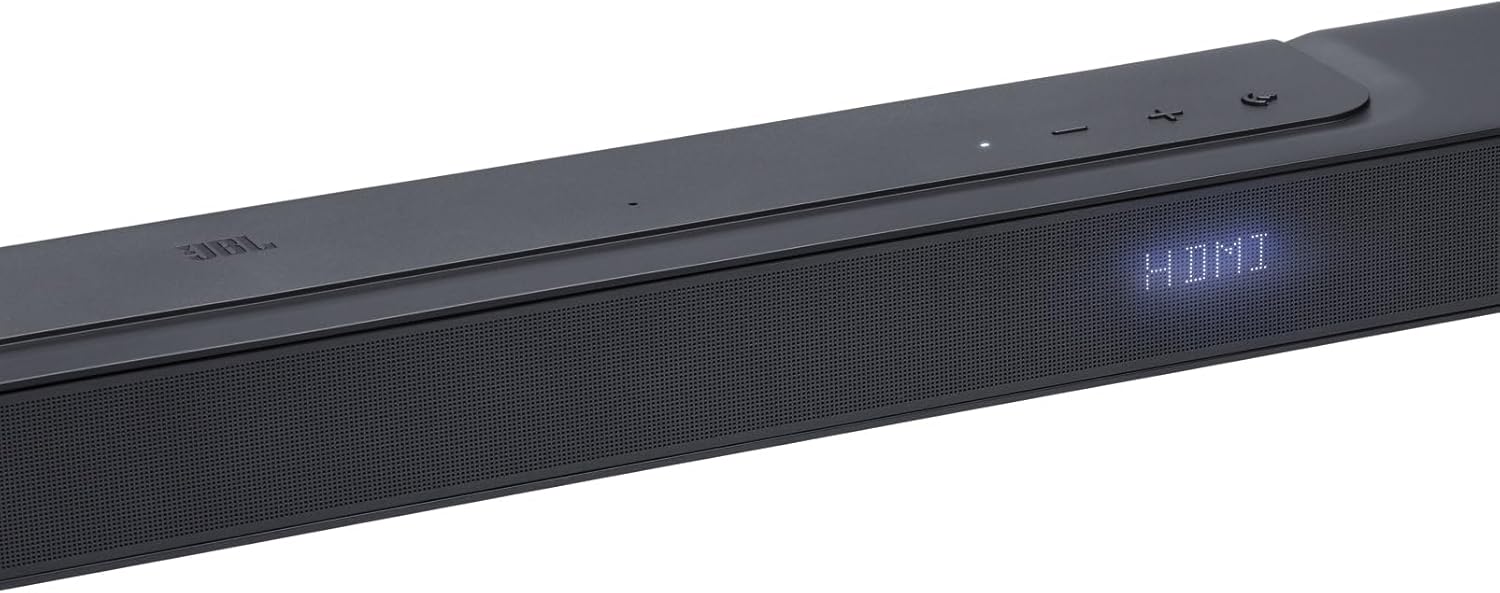
The JBL Bar 300 is a compact 5.0 channel all-in-one soundbar designed to deliver an immersive 3D surround sound experience. Featuring MultiBeam technology and Dolby Atmos, this soundbar enhances your home entertainment with powerful and clear audio for movies, music, and games. Its streamlined design integrates seamlessly into any living space, providing a premium audio solution without the need for additional speakers or subwoofers.
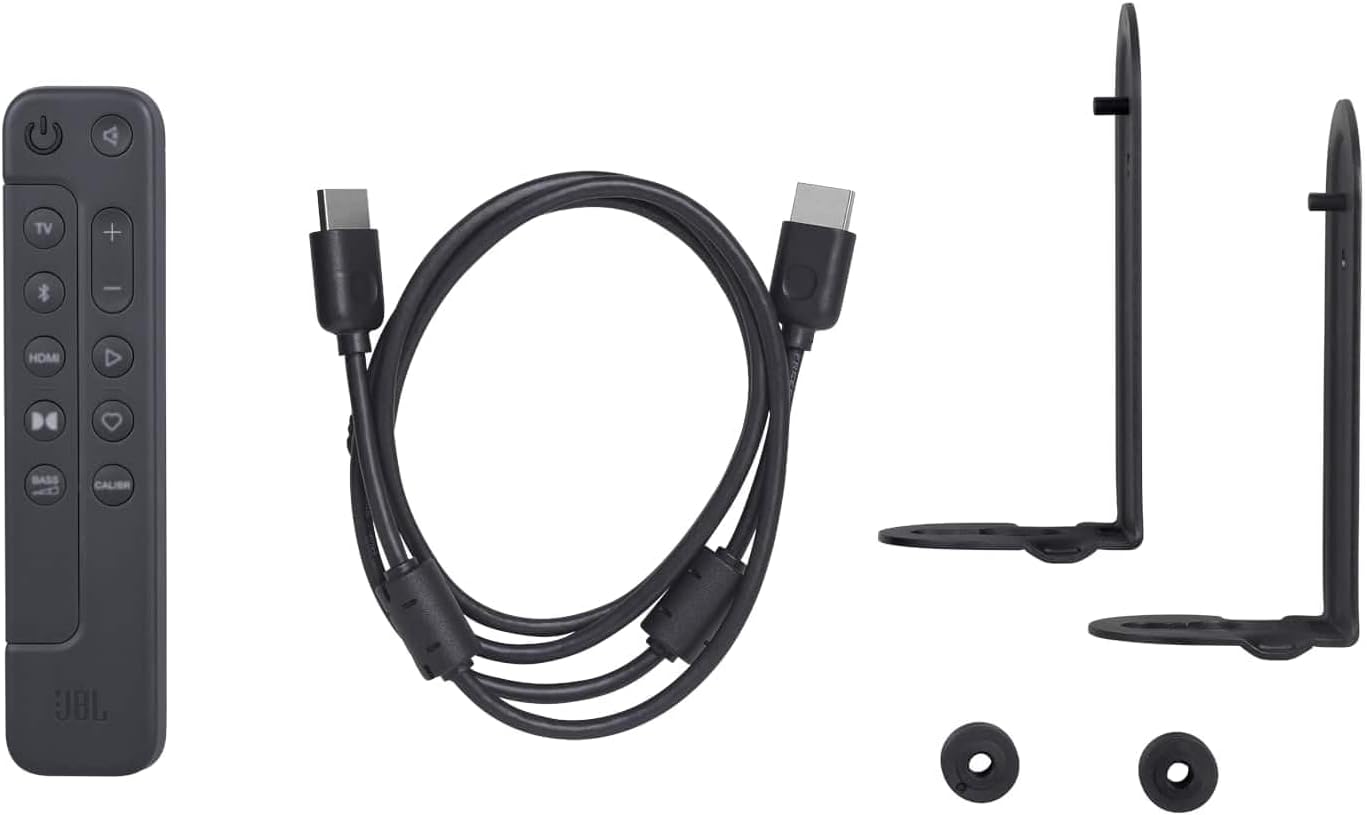
2. เนื้อหาบรรจุภัณฑ์
ตรวจสอบว่ารายการทั้งหมดที่ระบุไว้ด้านล่างนี้รวมอยู่ในแพ็คเกจของคุณ:
- 1 x JBL Bar 300 Soundbar
- 1 x Remote control with 2 batteries
- Power cables (up to 8 pieces depending on region SKUs)
- 1 x สาย HDMI
- 2 x Wall mount brackets with screws
- 1 x คู่มือเริ่มต้นใช้งานด่วน
- Warranty/Warning (W/!)
- Product safety sheet/QSG (S/I)
3. การตั้งค่า
3.1 การจัดวาง
Place the JBL Bar 300 soundbar directly in front of your television on a flat surface, ensuring it does not obstruct the TV's remote sensor. Alternatively, you can wall-mount the soundbar using the provided brackets.

3.2 การเชื่อมต่อ
- เชื่อมต่อกับทีวี: Use the supplied HDMI cable to connect the soundbar's HDMI OUT (TV ARC) port to your TV's HDMI ARC/eARC input. If your TV does not have an HDMI ARC port, use an optical cable (not included) to connect the soundbar's OPTICAL port to your TV's optical output.
- การเชื่อมต่อไฟฟ้า: เชื่อมต่อสายไฟเข้ากับซาวด์บาร์ จากนั้นเสียบเข้ากับเต้ารับไฟฟ้า
- การเชื่อมต่อเครือข่าย: For Wi-Fi streaming and software updates, connect the soundbar to your home Wi-Fi network using the JBL One app.

4. คู่มือการใช้งาน
4.1 การควบคุมขั้นพื้นฐาน
Use the included remote control or the buttons on the top panel of the soundbar to control power, volume, and input selection.
- ปุ่มเปิด/ปิด: กดเพื่อเปิดหรือปิดซาวด์บาร์
- ปุ่มปรับระดับเสียง (+/-): ปรับระดับเสียงหลัก
- ปุ่มต้นทาง: Cycle through available audio input sources (HDMI, Bluetooth, Wi-Fi).

4.2 Advanced Control with JBL One App
Download the JBL One app to unlock full control and personalization options for your soundbar, including sound calibration, equalizer settings, and access to over 300 streaming services via AirPlay, Alexa MRM, and Chromecast built-in.
5. คุณสมบัติ
- การออกแบบแบบ All-in-One ที่กะทัดรัด: Offers a 3D surround sound experience without additional surround speakers or subwoofers.
- MultiBeam and Dolby Atmos: Transforms your movies into an immersive 3D cinematic experience.
- เบสทุ้มลึก: Integrated bass port enhances action scenes and music with powerful low frequencies.
- สตรีมมิ่งไร้สาย: Access over 300 streaming services via AirPlay, Alexa MRM, and Chromecast built-in. Wi-Fi connectivity also enables automatic software updates.
- บทสนทนาที่ชัดเจน: Advanced audio processing ensures clear and understandable dialogue.
6. ข้อมูลจำเพาะ
| คุณสมบัติ | รายละเอียด |
|---|---|
| ยี่ห้อ | เจบีแอล |
| ชื่อรุ่น | SoundBar 300 Speaker |
| หมายเลขรุ่น | JBLBAR300PROBLKEP |
| เทคโนโลยีการเชื่อมต่อ | บลูทู ธ Wi-Fi |
| การเข้ารหัสเสียง | ระบบเสียง Dolby Atmos |
| โหมดเอาต์พุตเสียง | ล้อมรอบ |
| กำลังขับสูงสุดของลำโพง | 25 วัตต์ |
| การตอบสนองความถี่ | ความถี่ 20 กิโลเฮิรตซ์ |
| จำนวนช่องสัญญาณเสียง | 5.0 |
| ขนาดสินค้า (ลึก x กว้าง x สูง) | 10.4D x 82W x 5.6H cm |
| น้ำหนักสินค้า | 4.1 กิโลกรัม |
| วิธีการควบคุม | รีโมทคอนโทรล |
| วัสดุ | พลาสติก |
| สี | สีดำ |
| การใช้ที่แนะนำ | Home cinema systems, TV evenings, video games |
7 การแก้ไขปัญหา
If you encounter any issues with your JBL Bar 300 soundbar, please consider the following general troubleshooting steps:
- ไม่มีไฟฟ้า: ตรวจสอบให้แน่ใจว่าสายไฟเชื่อมต่อกับซาวด์บาร์และเต้ารับไฟฟ้าที่ใช้งานได้สนิทแล้ว
- ไม่มีเสียง: Check that the correct input source is selected on the soundbar and your TV. Verify that the volume is not muted on either device. Ensure all audio cables are properly connected.
- ปัญหาการเชื่อมต่อบลูทูธ: Make sure the soundbar is in Bluetooth pairing mode and your device's Bluetooth is enabled. Try unpairing and re-pairing the device.
- เสียงผิดเพี้ยน: Reduce the volume on both the soundbar and your connected device. Check for any physical obstructions or interference.
For more detailed troubleshooting, refer to the full user manual available on the JBL support webไซต์หรือติดต่อฝ่ายสนับสนุนลูกค้า
8. การบำรุงรักษา
To ensure the longevity and optimal performance of your JBL Bar 300 soundbar, follow these maintenance guidelines:
- การทำความสะอาด: Gently wipe the soundbar with a soft, dry, lint-free cloth. Avoid using abrasive cleaners, waxes, or solvents as they may damage the finish.
- การระบายอากาศ : Ensure adequate airflow around the soundbar. Do not block any ventilation openings.
- พื้นที่จัดเก็บ: หากจะเก็บซาวด์บาร์ไว้เป็นเวลานาน ควรถอดปลั๊กออกและเก็บไว้ในที่แห้งและเย็น หลีกเลี่ยงแสงแดดโดยตรงและอุณหภูมิที่สูงหรือต่ำเกินไป
9. การรับประกันและการสนับสนุน
Your JBL Bar 300 soundbar comes with a การรับประกันจากผู้ผลิต 2 ปีการรับประกันนี้ครอบคลุมถึงข้อบกพร่องในวัสดุและฝีมือการผลิตภายใต้การใช้งานปกติ
For warranty claims, technical support, or additional product information, please visit the official JBL support webหรือติดต่อฝ่ายบริการลูกค้า โปรดเก็บหลักฐานการซื้อไว้เพื่อใช้ยืนยันการรับประกัน