
การแนะนำ
Welcome to the world of space exploration with Charlie The Astronaut! This manual provides essential information for setting up, operating, and maintaining your Xtrem Bots Charlie robot. Please read these instructions carefully before use to ensure proper function and safety.
ข้อมูลด้านความปลอดภัย
- คำเตือน: ไม่เหมาะสำหรับเด็กอายุต่ำกว่า 3 ปี เนื่องจากชิ้นส่วนขนาดเล็ก
- แนะนำสำหรับอายุ 6 ปีขึ้นไป
- ควรดูแลเด็กๆ ตลอดเวลาในระหว่างการเล่น
- ห้ามใช้แบตเตอรี่เก่าและใหม่ผสมกัน ห้ามใช้แบตเตอรี่อัลคาไลน์ แบตเตอรี่มาตรฐาน (คาร์บอน-สังกะสี) หรือแบตเตอรี่แบบชาร์จไฟได้ (นิกเกิล-แคดเมียม) ผสมกัน
- ถอดแบตเตอรี่ออกหากไม่ได้ใช้งานหุ่นยนต์เป็นเวลานาน
- ทิ้งแบตเตอรี่ด้วยความรับผิดชอบ
เนื้อหาแพ็คเกจ
ตรวจสอบให้แน่ใจว่ามีรายการทั้งหมดอยู่ในบรรจุภัณฑ์:
- 1 x Charlie The Astronaut Robot
- 1 x คู่มือการใช้งาน (เอกสารนี้)
- Additional accessories (if applicable, check packaging)
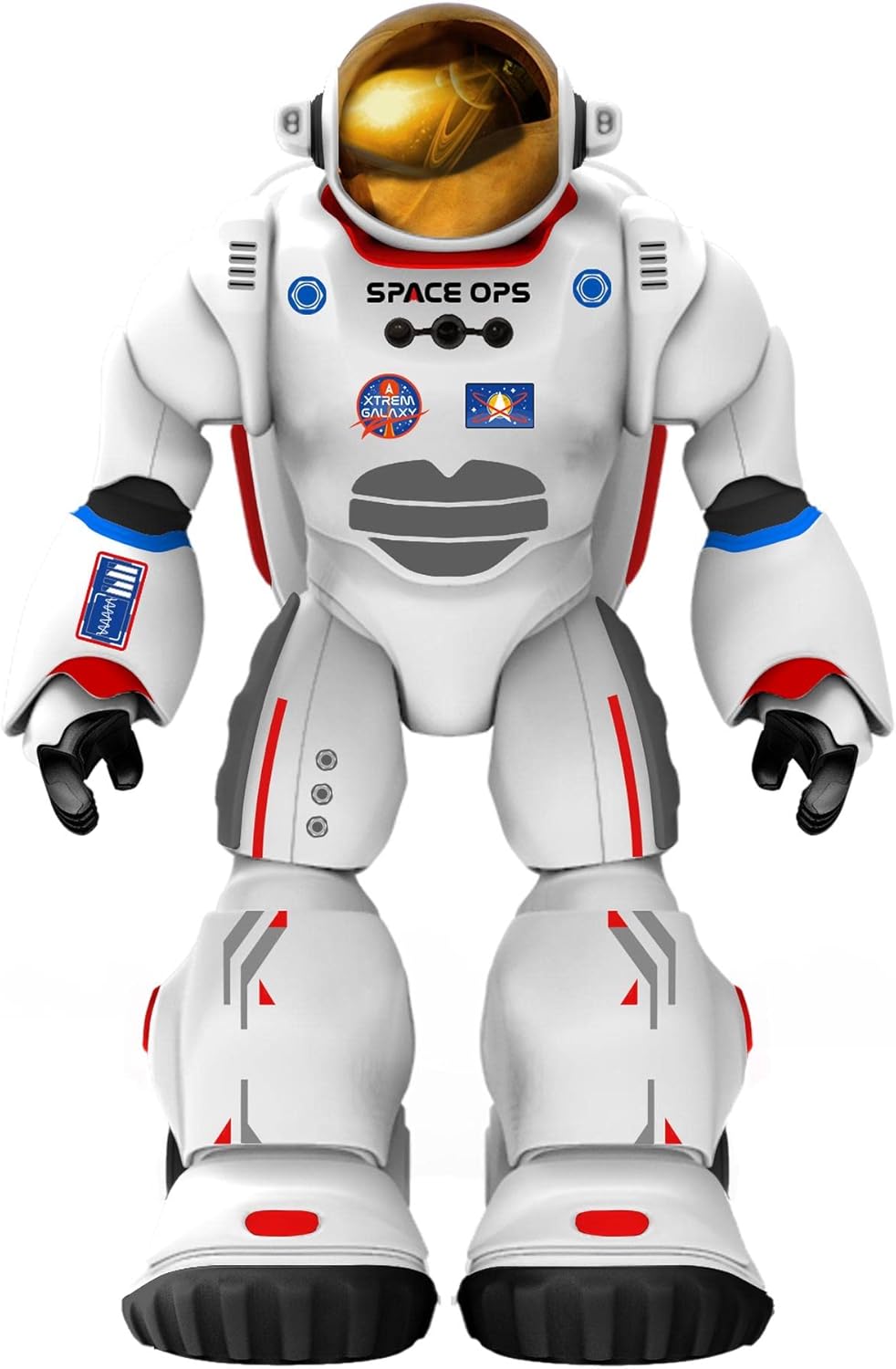
ภาพที่ 1: ด้านหน้า view of Charlie The Astronaut robot, showcasing its white astronaut suit with red and blue accents, a gold visor, and "SPACE OPS" branding.
การตั้งค่า
1. การติดตั้งแบตเตอรี่
Charlie The Astronaut requires 3 x AA 1.5V batteries (not included).
- Locate the battery compartment on the back of the robot.
- ใช้ไขควงเปิดฝาครอบช่องใส่แบตเตอรี่
- Insert 3 AA 1.5V batteries, ensuring correct polarity (+/-).
- ใส่ฝาปิดช่องใส่แบตเตอรี่และขันให้แน่นด้วยสกรู

ภาพที่ 2: ด้านข้าง view of Charlie The Astronaut robot, showing its profile and the details of its suit.
2. การติดตั้งและการเชื่อมต่อแอป
To unlock Charlie's full potential, download the official Xtrem Bots app on your mobile device.
- ค้นหา "Xtrem Bots" in your device's app store (Google Play Store for Android or Apple App Store for iOS).
- ดาวน์โหลดและติดตั้งแอปพลิเคชัน
- Turn on Charlie The Astronaut by pressing the power button (location may vary, refer to robot for specific button).
- เปิดใช้งานบลูทูธบนอุปกรณ์เคลื่อนที่ของคุณ
- Open the Xtrem Bots app and follow the on-screen instructions to connect to Charlie via Bluetooth.
คำแนะนำการใช้งาน
Charlie The Astronaut offers over 200 actions and 20 functions, controllable through the dedicated app.
1. โมดูลการเขียนโปรแกรม
Use the programming module within the app to create custom sequences of actions for Charlie.
- Open the app and navigate to the "Programming" section.
- Drag and drop action blocks to build your desired program.
- Execute the program to watch Charlie perform the programmed actions.
2. Remote Control System
Control Charlie's movements and actions in real-time using the app's remote control interface.
- Access the "Remote Control" section in the app.
- Use the on-screen joysticks and buttons to guide Charlie.
3. Smart Control (Hand Movements)
Charlie features advanced technology allowing control via hand gestures.
- Activate "Smart Control" mode in the app.
- Follow the app's instructions for specific hand gestures to control Charlie's movements.
4. Gyroscope Control
Control Charlie by tilting your mobile device.
- Enable "Gyroscope Control" in the app.
- Tilt your device forward, backward, left, or right to direct Charlie.
Spacepedia and Space Quiz
Discover the universe with Charlie's integrated "Spacepedia" and test your knowledge with the space quiz.
- Spacepedia: Access the "Spacepedia" section in the app to learn about the universe, solar system, space vehicles, and more.
- Space Quiz: Challenge yourself with over 300 questions in the space quiz module to test your astronomical knowledge.
การซ่อมบำรุง
- การทำความสะอาด: Wipe the robot with a soft, dry cloth. Do not use harsh chemicals or immerse in water.
- พื้นที่จัดเก็บ: Store Charlie in a cool, dry place away from direct sunlight when not in use.
- การดูแลแบตเตอรี่ Remove batteries if the robot will be stored for an extended period to prevent leakage.
การแก้ไขปัญหา
| ปัญหา | สาเหตุที่เป็นไปได้ | สารละลาย |
|---|---|---|
| หุ่นยนต์ไม่เปิด | แบตเตอรี่หมดหรือใส่ไม่ถูกต้อง | Replace batteries with new AA 1.5V batteries, ensuring correct polarity. |
| ไม่สามารถเชื่อมต่อแอปผ่านบลูทูธได้ | Bluetooth is off on the device; robot is off; app is not updated. | Ensure Bluetooth is enabled on your mobile device. Turn the robot off and on again. Update the Xtrem Bots app to the latest version. |
| Robot is unresponsive or moves erratically. | Low battery power; interference; app glitch. | Replace batteries. Move away from other electronic devices that may cause interference. Restart the app and the robot. |
ข้อมูลจำเพาะ
- แบบอย่าง: 3803085
- ยี่ห้อ: Xtrem Bots
- ขนาด : 4.72 x 10.83 x 13.78 นิ้ว (12 x 27.5 x 35 ซม.)
- ความสูง: 29 ซม. (ประมาณ 11.4 นิ้ว)
- น้ำหนัก: 1.3 ปอนด์ (0.59 กก.)
- แหล่งพลังงาน: แบตเตอรี่ AA 3V จำนวน 1.5 ก้อน (ไม่รวม)
- การเชื่อมต่อ: บลูทูธ
- อายุที่แนะนำ: 6 ปีขึ้นไป
- วัสดุ: พลาสติก
การรับประกันและการสนับสนุน
For warranty information and technical support, please refer to the official Xtrem Bots webหรือติดต่อฝ่ายบริการลูกค้า เงื่อนไขการรับประกันเฉพาะอาจแตกต่างกันไปตามภูมิภาคและผู้ค้าปลีก
ผู้ผลิต: BR Toys Limited
หากต้องการความช่วยเหลือเพิ่มเติม โปรดไปที่: www.xtrembots.com