
EAGLEND EH02
EAGLEND EH02 Bluetooth Headset User Manual
รุ่น: EH02
สินค้าเกินview
The EAGLEND EH02 is a versatile Bluetooth headset designed for clear communication and comfortable listening. Featuring a noise-cancelling microphone, Bluetooth 5.0 connectivity, and a long-lasting battery, it is suitable for various applications including online classes, business calls, gaming, and music enjoyment. The headset offers both wireless Bluetooth and wired 3.5mm audio connections for broad compatibility.
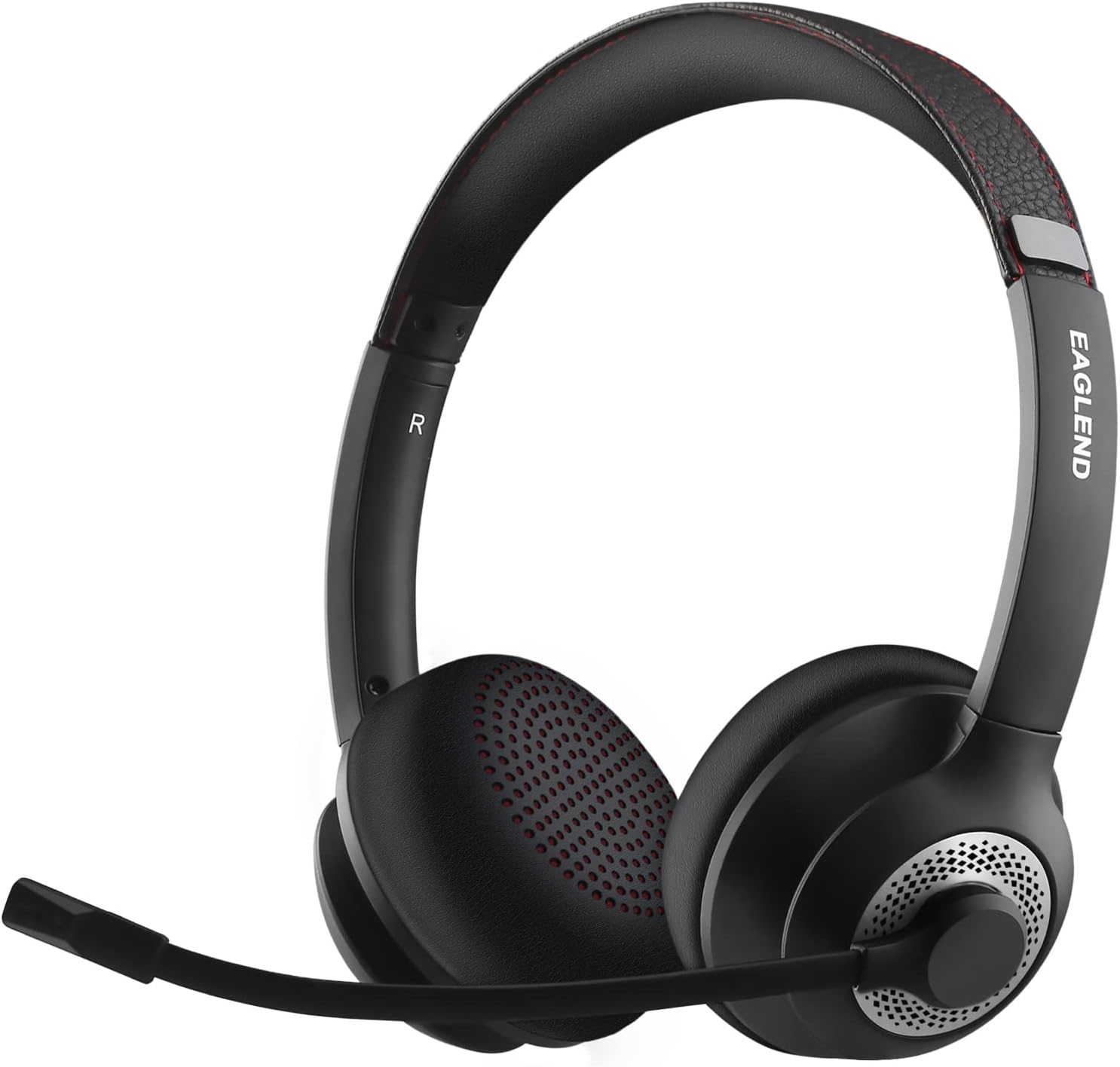
Figure 1: EAGLEND EH02 Bluetooth Headset
มีอะไรอยู่ในกล่อง
- EAGLEND EH02 Bluetooth Headset
- สายสัญญาณเสียงขนาด 3.5 มม.
- สายชาร์จ Type-C
- กระเป๋าเก็บของ
- คู่มือผู้ใช้ (คู่มือฉบับนี้)
คุณสมบัติผลิตภัณฑ์
- Qualcomm cVc 8.0 Noise Cancelling Microphone: The unidirectional boom microphone rotates 270° and is designed to pick up your voice clearly while significantly reducing background noise. It can be worn on either the left or right ear.

Figure 2: Noise-Cancelling Microphone Technology
- การเชื่อมต่อบลูทูธ 5.0: Enjoy stable and fast wireless connection to your smartphone, tablet, or other Bluetooth-enabled devices. The headset also supports a wired connection via the included 3.5mm cable for broader compatibility.
- เวลาเล่นที่ขยาย: The headset provides up to 14 hours of continuous talk time and 200 hours of standby time on a single charge. A quick 10-minute charge can provide 2 hours of working time.
- Adjustable and Comfortable Design: The padded headband is adjustable and stretchable to ensure a perfect fit for various head sizes. Soft protein memory foam ear cushions, made with breathable, ROHS certified material, prevent ear heat and sweat for all-day comfort.

Figure 3: Pressure-Free Comfort Earpads

Figure 4: Ergonomic and Flexible Design
การตั้งค่าและการเชื่อมต่อ
จับคู่บลูทู ธ
- ตรวจสอบให้แน่ใจว่าชุดหูฟังมีการชาร์จแล้ว
- Power on the headset. It will automatically enter pairing mode if it's the first time, or if it's not connected to a previously paired device. The indicator light will flash blue and red.
- บนอุปกรณ์ของคุณ (สมาร์ทโฟน แท็บเล็ต แล็ปท็อป) เปิดใช้งาน Bluetooth และค้นหาอุปกรณ์ที่มีอยู่
- Select "EAGLEND EH02" from the list of found devices.
- เมื่อเชื่อมต่อแล้ว ไฟแสดงสถานะบนชุดหูฟังจะเปลี่ยนเป็นสีน้ำเงินค้าง หรือกะพริบเป็นสีน้ำเงินช้าๆ
การเชื่อมต่อแบบใช้สาย
สำหรับอุปกรณ์ที่ไม่มีบลูทูธ หรือเมื่อแบตเตอรี่เหลือน้อย ให้ใช้สายสัญญาณเสียง 3.5 มม. ที่ให้มาในชุด
- เสียบปลายด้านหนึ่งของสายสัญญาณเสียงขนาด 3.5 มม. เข้ากับช่องเสียบหูฟัง
- Plug the other end into the 3.5mm audio port of your device (e.g., computer, phone).
- The headset will function as a wired headphone. Note that microphone functionality may vary depending on the device's 3.5mm port configuration.
คำแนะนำการใช้งาน
การชาร์จหูฟัง
- เชื่อมต่อสายชาร์จ Type-C เข้ากับพอร์ตชาร์จบนหูฟัง
- เชื่อมต่อปลายสายอีกด้านหนึ่งเข้ากับแหล่งพลังงาน USB (เช่น พอร์ต USB ของคอมพิวเตอร์ อะแดปเตอร์ติดผนัง)
- The indicator light will show red during charging and turn off or change color (e.g., blue) when fully charged.
- เวลาในการชาร์จประมาณ 1.5 ชั่วโมงเมื่อชาร์จเต็ม
การควบคุมปิดเสียงไมโครโฟน
The EH02 features a unique mic boom mute control. To mute the microphone, simply rotate the microphone boom upwards to its upright position. A voice prompt will confirm "Mic mute". To unmute, rotate the microphone boom back down to the speaking position.

Figure 5: Rotating Microphone Boom Mute Control
การใช้งานทั่วไป
The headset is optimized for clear communication in various environments, including online meetings, virtual classrooms, and general audio playback.

Figure 6: Headset in use for online communication
การซ่อมบำรุง
- การทำความสะอาด: ใช้ผ้านุ่มและแห้งเช็ดทำความสะอาดชุดหูฟัง ห้ามใช้น้ำยาทำความสะอาดหรือสารละลายที่มีฤทธิ์กัดกร่อน
- พื้นที่จัดเก็บ: Store the headset in the provided storage bag when not in use to protect it from dust and scratches. Avoid storing in extreme temperatures.
- การดูแลแบตเตอรี่ To prolong battery life, avoid fully discharging the battery frequently. Charge the headset regularly, even if not in frequent use.
- หลีกเลี่ยงความชื้น: ควรเก็บชุดหูฟังให้ห่างจากน้ำและความชื้นสูง
การแก้ไขปัญหา
| ปัญหา | สาเหตุที่เป็นไปได้ | สารละลาย |
|---|---|---|
| หูฟังไม่สามารถเปิดเครื่องได้ | แบตเตอรี่อ่อน | ชาร์จหูฟังอย่างน้อย 1.5 ชั่วโมง |
| ไม่สามารถจับคู่กับอุปกรณ์ได้ | Bluetooth not enabled on device; headset not in pairing mode; too far from device. | Ensure Bluetooth is on. Put headset in pairing mode (indicator flashing red/blue). Move headset closer to device (within 33ft/10m). |
| ไม่มีเสียงหรือเสียงเบา | Device volume too low; headset not connected; incorrect audio output selected. | Increase volume on both headset and device. Reconnect headset. Check device's audio output settings. |
| ไมโครโฟนไม่ทำงาน | Microphone muted; incorrect input device selected; microphone boom not positioned correctly. | Ensure microphone is unmuted (boom down). Check device's audio input settings. Ensure microphone boom is fully extended and positioned towards your mouth. |
| คุณภาพเสียงไม่ดี | สัญญาณรบกวน; แบตเตอรี่เหลือน้อย; อุปกรณ์อยู่ไกลเกินไป | Move away from sources of interference. Charge headset. Move closer to device. |
ข้อมูลจำเพาะทางเทคนิค
| ข้อมูลจำเพาะ | รายละเอียด |
|---|---|
| ชื่อรุ่น | EH02 |
| เทคโนโลยีการเชื่อมต่อ | ไร้สาย (บลูทูธ), มีสาย (แจ็ค 3.5 มม.) |
| เทคโนโลยีการสื่อสารไร้สาย | บลูทูธ 5.0 |
| ไมโครโฟน | Qualcomm cVc 8.0 Noise Cancelling, Unidirectional, 270° Rotatable Boom |
| อายุการใช้งานแบตเตอรี่ | สูงสุด 14 ชั่วโมง (เวลาสนทนา) |
| เวลาสแตนด์บาย | 200 ชั่วโมง |
| เวลาในการชาร์จ | ประมาณ 1.5 ชั่วโมง |
| ชาร์จเร็ว | ชาร์จ 10 นาที ใช้งานได้ 2 ชั่วโมง |
| แจ็คหูฟัง | แจ็ค 3.5 มม. |
| การวางตำแหน่งหู | บนหู |
| การควบคุมเสียงรบกวน | Sound Isolation (Passive), ENC (Microphone) |
| น้ำหนักสินค้า | 7.4 ออนซ์ |
| ขนาดแพ็คเกจ | 7.44 x 6.5 x 2.24 นิ้ว |
การรับประกันและการสนับสนุน
For warranty information and technical support, please refer to the contact details provided with your purchase or visit the official EAGLEND webไซต์ เก็บหลักฐานการซื้อของคุณไว้เพื่อใช้ในกรณีเรียกร้องการรับประกัน
If you encounter any issues not covered in this manual, please contact EAGLEND customer service for assistance.
Ask a question about this manual
Ask about setup, troubleshooting, compatibility, parts, safety, or missing instructions. Manuals+ will review the question and use this page’s manual context to help answer it.