
1. บทนำและเรื่องอื่นๆview
The SVS Prime Wireless Pro Powered Speaker System delivers high-fidelity audio with versatile connectivity options. Designed for immersive sound, this 2-channel active/passive stereo speaker array features a powerful 200-watt amplifier (50 watts x 4) and a 24-bit/192kHz DAC for ultra high-resolution audio streaming.
คุณสมบัติที่สำคัญ ได้แก่:
- Precision-tuned electronic crossover for powerful dynamics, deep bass, and stunning clarity.
- Wireless Hi-Res audio streaming via WiFi, Apple Airplay 2, and Chromecast.
- Bluetooth with aptX for high-quality wireless audio.
- Ample connectivity options: HDMI (ARC/eARC), Line Level (RCA), Optical, 3.5mm AUX, and Ethernet inputs.
- Subwoofer output for enhanced bass.
- Control via smartphone/desktop app, front panel, and IR remote.

Figure 1: SVS Prime Wireless Pro Powered Speaker System (Piano Gloss White).
2. อะไรอยู่ในกล่อง
Your SVS Prime Wireless Pro Powered Speaker System package includes the following components:
- SVS Prime Wireless Pro Powered Speaker Pair (one active, one passive)
- สายไฟ
- Inter-speaker cable (USB-C)
- รีโมทคอนโทรลพร้อมแบตเตอรี่
- คู่มือเริ่มต้นอย่างรวดเร็ว
- ข้อมูลการรับประกัน

Figure 2: Included components with the SVS Prime Wireless Pro system.
3. การตั้งค่า
Follow these steps to set up your SVS Prime Wireless Pro speakers:
- การจัดวาง: Position the active (primary) speaker and passive (secondary) speaker in your desired stereo configuration. Ensure adequate space for optimal sound dispersion.
- เชื่อมต่อลำโพง: Use the supplied USB-C inter-speaker cable to connect the primary and secondary speakers. This cable ensures proper compatibility and performance.
- การเชื่อมต่อไฟฟ้า: Connect the power cable to the primary speaker and then to a wall outlet.
- ดาวน์โหลดแอพ: Download the SVS app (or compatible control app like DTS Play-Fi) on your smartphone or desktop device.
- การตั้งค่าเครือข่าย: Follow the in-app instructions to connect your speakers to your Wi-Fi network. This enables streaming features like Airplay 2 and Chromecast.
- การจับคู่บลูทู ธ : If using Bluetooth, activate Bluetooth on your device and select the SVS Prime Wireless Pro from the list of available devices.
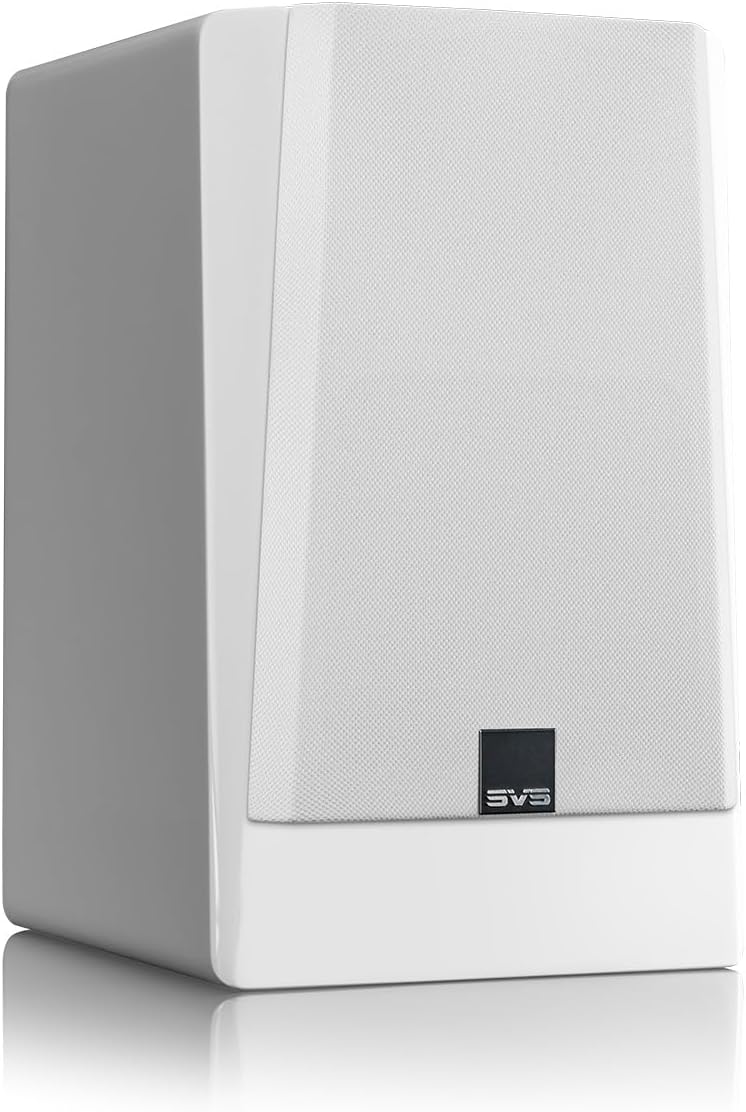
Figure 3: Rear panel connections for the SVS Prime Wireless Pro speaker.
4. คู่มือการใช้งาน
The SVS Prime Wireless Pro offers multiple ways to control your audio experience:
- แผงควบคุมด้านหน้า: Use the knobs and buttons on the front panel of the primary speaker to adjust volume, select input sources, and manage presets. The data-rich front panel interface provides visual feedback.
- รีโมท IR: Utilize the included IR remote control for convenient adjustments from a distance.
- Smartphone/Desktop App: The dedicated SVS app provides comprehensive control over all speaker functions, including input selection, volume, EQ settings, and firmware updates.
- คำสั่งเสียง: Integrate with compatible voice assistants for hands-free control.

Figure 4: Front panel controls and display.
5. การเชื่อมต่อ
The SVS Prime Wireless Pro offers extensive connectivity options:
- สตรีมมิ่งไร้สาย:
- ไวไฟ : Stream lossless Hi-Res audio.
- แอปเปิ้ลออกอากาศ 2: For iPhones and iOS devices.
- โครมโค้ท: For Android phones and other devices.
- Bluetooth with aptX: For high-quality wireless connection to various devices.
- อินพุตแบบมีสาย:
- สาย HDMI (ARC/eARC): Connect directly to your TV for a superior soundbar replacement or compact home theater system.
- Line Level (RCA): สำหรับส่วนประกอบเสียงแบบดั้งเดิม
- ออปติคอล: สำหรับแหล่งกำเนิดเสียงดิจิตอล
- อ๊อกซ์ 3.5มม.: For portable devices.
- อีเธอร์เน็ต: เพื่อการเชื่อมต่อเครือข่ายแบบใช้สายที่เสถียร
- เอาต์พุตซับวูฟเฟอร์: Connect an external subwoofer for deeper, heart-pounding bass.

Figure 5: Wireless streaming options available.
6. ข้อมูลจำเพาะ
| คุณสมบัติ | ข้อมูลจำเพาะ |
|---|---|
| ชื่อรุ่น | Prime Wireless Pro |
| หมายเลขรุ่นสินค้า | PWPROWHT |
| ยี่ห้อ | SVS |
| ประเภทลำโพง | ชั้นวางหนังสือ |
| ประเภทการติดตั้ง | ชั้นยืน |
| กำลังขับสูงสุดของลำโพง | 200 Watts (50 watts x 4) |
| ประเภทไดร์เวอร์เสียง | ไดร์เวอร์แบบไดนามิก |
| เส้นผ่านศูนย์กลางวูฟเฟอร์ | 5.25 นิ้ว |
| การตอบสนองความถี่ | 42000 เฮิรตซ์ |
| เทคโนโลยีการเชื่อมต่อ | Auxiliary, Bluetooth, HDMI, Optical, RCA, Ethernet, Wi-Fi |
| เทคโนโลยีการสื่อสารไร้สาย | Bluetooth, Wi-Fi (Airplay 2, Chromecast) |
| โหมดเอาต์พุตเสียง | สเตอริโอ |
| การกำหนดค่าช่องเสียงรอบทิศทาง | 2.0 |
| วิธีการควบคุม | Voice, Remote, App, Front Panel |
| ขนาดสินค้า | ลึก 16 นิ้ว x กว้าง 12 นิ้ว x สูง 19 นิ้ว |
| น้ำหนักสินค้า | 28.9 ปอนด์ |
| สี | Piano Gloss White |
| วัสดุ | อลูมิเนียม |
| ส่วนประกอบที่รวมอยู่ | FEA-optimized cabinet and bracing eliminates resonances |
| ประเภทการรับประกัน | เต็ม |

รูปที่ 6: ขนาดของลำโพง
7. การบำรุงรักษา
To ensure the longevity and optimal performance of your SVS Prime Wireless Pro speakers, follow these maintenance guidelines:
- การทำความสะอาด: Use a soft, dry cloth to gently wipe the speaker cabinets. Avoid abrasive cleaners, solvents, or harsh chemicals, as these can damage the finish.
- ลูกกรง: The protective cloth grilles can be carefully removed for cleaning. Use a soft brush or vacuum cleaner with a brush attachment to remove dust. Ensure grilles are securely reattached after cleaning.
- การจัดวาง: Avoid placing speakers in direct sunlight, near heat sources, or in areas with high humidity. Ensure proper ventilation around the speakers.
- การเชื่อมต่อ: Periodically check all cable connections (power, inter-speaker, audio inputs) to ensure they are secure and free from damage.
8 การแก้ไขปัญหา
If you encounter issues with your SVS Prime Wireless Pro speakers, refer to the following common troubleshooting steps:
- ไม่มีไฟฟ้า:
- Ensure the power cable is securely connected to both the speaker and a working wall outlet.
- ตรวจสอบว่าเต้ารับไฟฟ้าใช้งานได้โดยเสียบอุปกรณ์อื่น
- ไม่มีเสียง:
- Check that the correct input source is selected on the speaker (via app, remote, or front panel).
- เพิ่มระดับเสียงทั้งบนลำโพงและอุปกรณ์ต้นทางของคุณ
- Ensure all audio cables are securely connected and undamaged.
- If using wireless, check Wi-Fi/Bluetooth connection status.
- ปัญหาการเชื่อมต่อ (Wi-Fi/Bluetooth):
- Ensure your router is working correctly and within range.
- Restart your router, source device, and the speakers.
- Try re-pairing Bluetooth devices or re-connecting to Wi-Fi via the app.
- เสียงผิดเพี้ยน:
- Reduce the volume on both the speaker and your source device.
- Check audio source quality and try a different source.
- Ensure speaker placement is not causing unwanted resonances.
For further assistance, please refer to the full user manual available on the SVS webเข้าชมเว็บไซต์หรือติดต่อฝ่ายบริการลูกค้าของ SVS
9. การรับประกันและการสนับสนุน
Your SVS Prime Wireless Pro Powered Speaker System comes with a รับประกันเต็ม. For specific terms and conditions, please refer to the warranty documentation included in your package or visit the official SVS webเว็บไซต์.
For technical support, product inquiries, or service requests, please contact SVS customer support through their official webไซต์หรือข้อมูลการติดต่อที่ระบุไว้ในคู่มือเริ่มต้นใช้งานฉบับย่อของคุณ