
1. สินค้าหมดview
The Bower WA-LVMIC Lavalier Microphone is an omnidirectional condenser microphone designed for use with Apple iOS and Android smartphones and tablets. It features a clip for easy attachment to clothing, making it suitable for various applications such as recording speech for meetings, interviews, and live music performances.
This microphone includes a 3.9-foot cable that terminates with a 1/8" (3.5mm) TRRS connector, ensuring broad compatibility with mobile devices. The package also contains two metal mic clips and a windscreen for enhanced audio quality and convenience.

ภาพที่ 1.1: The Bower WA-LVMIC Lavalier Microphone, showing the microphone head with foam windscreen, the clothing clip, and the 3.5mm TRRS connector. The cable is black.
คุณสมบัติหลัก:
- Compact design for portability and discreet use.
- Compatible with a wide range of smartphones and tablets (Apple iOS and Android).
- Omnidirectional polar pattern captures sound from all directions.
- 3.9-foot (1.2-meter) cable length provides flexibility.
- Equipped with a 1/8" (3.5mm) TRRS connector for direct device connection.
2. อะไรอยู่ในกล่อง
โปรดตรวจสอบว่าส่วนประกอบทั้งหมดมีอยู่ในแพ็คเกจของคุณ:
- 1 x Lavalier Microphone with 3.5mm TRRS connector
- 2 x Metal Mic Clips (one pre-attached, one spare)
- 1 x Foam Windscreen (pre-attached)
ภาพที่ 2.1: ภาพระยะใกล้ view of the Bower Lavalier Microphone, highlighting its high-fidelity sound quality, heavy-duty non-slip clamp, and 3.5mm AUX connector. The microphone cable is coiled.
3. คำแนะนำในการตั้งค่า
Follow these steps to connect your lavalier microphone to your device:
- Identify the TRRS Connector: The microphone features a 3.5mm TRRS (Tip-Ring-Ring-Sleeve) connector, which is standard for most smartphones and tablets. This connector allows both audio input (microphone) and output (headphones) through a single jack.
- เชื่อมต่อกับอุปกรณ์ของคุณ:
- For devices with a 3.5mm headphone jack: Simply plug the microphone's TRRS connector directly into your device's headphone/audio jack.
- For devices without a 3.5mm headphone jack (e.g., iPhone 7 and newer, some Android phones): You will need an original manufacturer's adapter (e.g., Apple Lightning to 3.5mm Headphone Jack Adapter or a USB-C to 3.5mm adapter). Plug the microphone into the adapter, then plug the adapter into your device. (ไม่รวมอแดปเตอร์)
- ยึดไมโครโฟนให้แน่น: Use the attached metal clip to secure the microphone to your clothing, typically on a lapel or collar, approximately 6-8 inches (15-20 cm) from your mouth for optimal sound capture.
- เปิดแอปพลิเคชันบันทึกเสียง: Launch your preferred audio or video recording application on your smartphone or tablet. The device should automatically recognize the external microphone.
- Test Audio Input: Before recording, perform a short test recording to ensure the microphone is working correctly and the audio levels are appropriate.

ภาพที่ 3.1: A visual guide illustrating the wide compatibility of the lavalier microphone with various Android smartphones and tablets, as well as iPhones and iPads (noting the need for an adapter for iPhone 7 and above). It also shows compatibility with cameras, camcorders, recorders, and computers.
4. คู่มือการใช้งาน
Once connected, using your lavalier microphone is straightforward:
- การจัดวาง: Clip the microphone to your clothing, such as a shirt collar, lapel, or tie. For best results, position it about 6-8 inches (15-20 cm) below your chin. Avoid placing it too close to your mouth, which can cause plosives (harsh 'p' and 'b' sounds), or too far, which can result in faint audio.
- การใช้กระจกหน้ารถ: The foam windscreen helps reduce unwanted background noise, such as wind or breath sounds. Ensure it is securely fitted over the microphone capsule, especially when recording outdoors.
- การบันทึก: Start your recording in your chosen audio or video application. Monitor the audio levels if your application allows, to prevent clipping (distortion from excessively loud input).
- การตรวจสอบ (ถ้ามี): If your device or adapter has a separate headphone jack, you may be able to monitor your audio in real-time using headphones. Consult your device's manual for specific monitoring capabilities.
- การตัดการเชื่อมต่อ: Always gently pull the connector from your device, rather than pulling on the cable itself, to prevent damage.

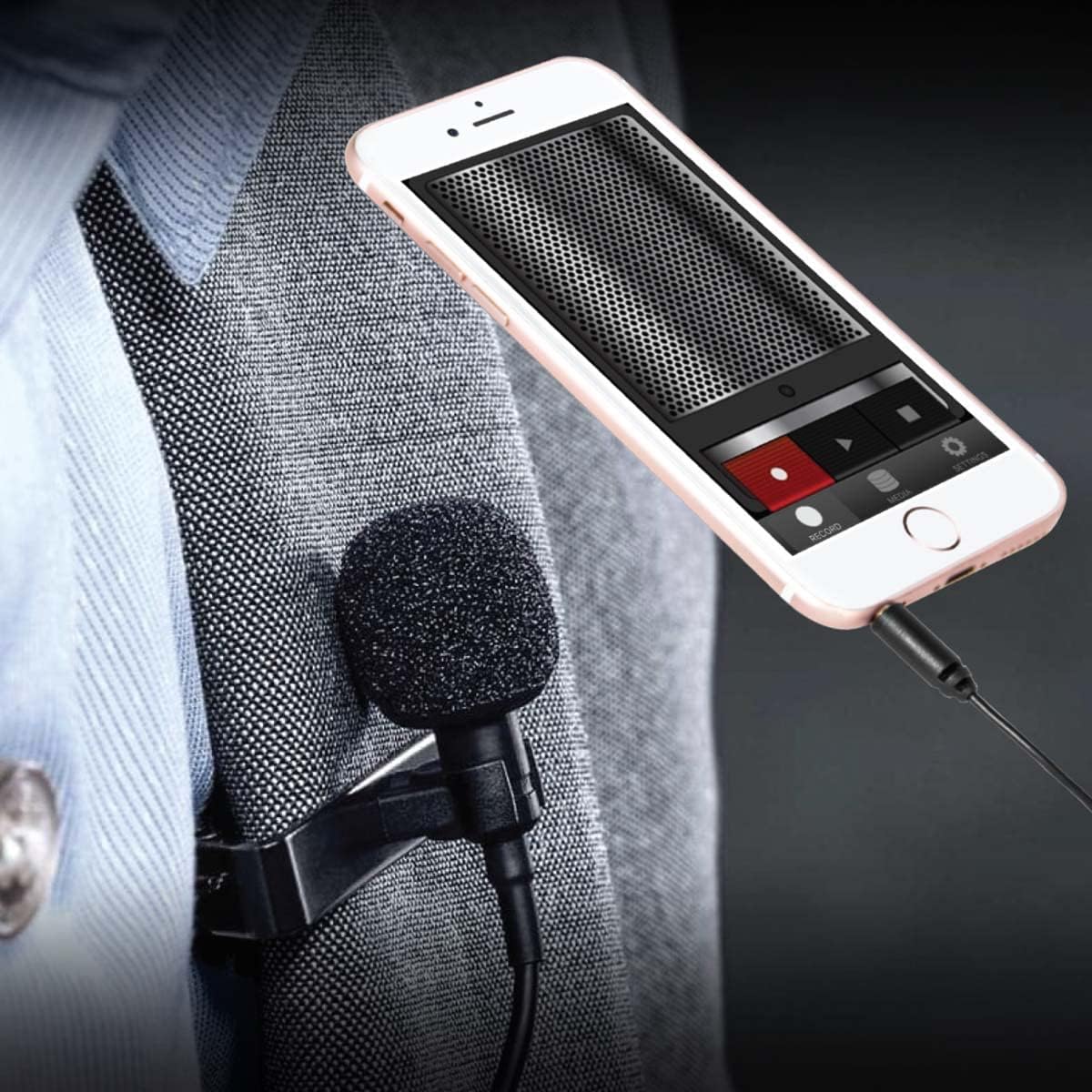
ภาพที่ 4.1: A person wearing the Bower Lavalier Microphone, clipped to their shirt collar, while looking at a smartphone. This demonstrates typical microphone placement for recording.
4.1 วิดีโอ: An official product video from Bower Camera demonstrating the features and usage of the Bower Lavalier Microphone for content creation. The video shows the microphone's compact design, cable length, and compatibility with various devices.
5. การบำรุงรักษา
การดูแลรักษาอย่างถูกวิธีจะช่วยยืดอายุการใช้งานและประสิทธิภาพของไมโครโฟนของคุณ:
- การทำความสะอาด: Gently wipe the microphone body and cable with a soft, dry cloth. Do not use liquid cleaners or solvents. The foam windscreen can be carefully removed and rinsed with mild soap and water, then allowed to air dry completely before reattaching.
- พื้นที่จัดเก็บ: When not in use, store the microphone in a clean, dry place, away from extreme temperatures and humidity. Avoid tightly coiling the cable to prevent damage.
- การดูแลสายเคเบิล: Do not pull, twist, or bend the cable excessively, as this can damage the internal wiring.
6 การแก้ไขปัญหา
If you encounter issues with your microphone, refer to the following common problems and solutions:
| ปัญหา | สาเหตุที่เป็นไปได้ | สารละลาย |
|---|---|---|
| ไม่มีเสียงหรือมีเสียงเบามาก |
|
|
| เสียงรบกวนหรือเสียงผิดเพี้ยน |
|
|
| อุปกรณ์ไม่รู้จักไมโครโฟน |
|
|
7. ข้อมูลจำเพาะ
| คุณสมบัติ | รายละเอียด |
|---|---|
| ชื่อรุ่น | WA-LVMIC |
| ยี่ห้อ | บาวเวอร์ |
| ปัจจัยรูปแบบไมโครโฟน | ปลอกคอ |
| รูปแบบขั้ว | รอบทิศทาง |
| เทคโนโลยีการเชื่อมต่อ | ตัวช่วย |
| ประเภทขั้วต่อ | 1/8'' (3.5mm) TRRS |
| ความยาวสายเคเบิล | 3.9 ฟุต (ประมาณ 1.2 เมตร) |
| อุปกรณ์ที่รองรับ | Smartphone, Tablet (Apple iOS and Android) |
| การใช้ที่แนะนำ | Speech, Video Conference, Content Creation |
| สี | สีดำ |
| วัสดุของตู้หุ้ม | อลูมิเนียม |
| น้ำหนักสินค้า | 0.06 กิโลกรัม |
| การตอบสนองความถี่ | ความถี่ 18 กิโลเฮิรตซ์ |
| ยูพีซี | 636980261485 |
8. การรับประกันและการสนับสนุน
ข้อมูลการรับประกัน: This Bower WA-LVMIC Lavalier Microphone comes with a 1-year limited warranty from the date of purchase. This warranty covers manufacturing defects under normal use. It does not cover damage caused by misuse, accident, unauthorized modification, or external causes.
การสนับสนุนลูกค้า: For technical assistance, troubleshooting beyond this manual, or warranty claims, please contact Bower customer support. Refer to the product packaging or the official Bower webเว็บไซต์สำหรับข้อมูลการติดต่อล่าสุด
โปรดเก็บหลักฐานการซื้อไว้เพื่อรับบริการตามการรับประกัน