
การแนะนำ
This manual provides comprehensive instructions for the setup, operation, and maintenance of your Varmilo Minilo VXH67 Eucalyptus 65% Wired Hotswap White LED Mechanical Keyboard. Please read this manual thoroughly before using the product to ensure optimal performance and longevity.

Image: The Varmilo Minilo VXH67 mechanical keyboard, featuring a compact 65% layout with white, light blue, and light green keycaps, resting on a dark table. Books and a small lamp are visible in the background.
เนื้อหาแพ็คเกจ
- Varmilo Minilo VXH67 Mechanical Keyboard
- สาย USB-C
- Keycap Puller (for switch and keycap replacement)
- Switch Puller (for switch replacement)
- คู่มือการใช้งาน (เอกสารนี้)
การตั้งค่า
1. การเชื่อมต่อคีย์บอร์ด
The Varmilo Minilo VXH67 supports both wired and Bluetooth connectivity.
การเชื่อมต่อแบบมีสาย:
- ค้นหาพอร์ต USB-C บนแป้นพิมพ์
- เชื่อมต่อปลายด้านหนึ่งของสาย USB-C ที่ให้มาเข้ากับแป้นพิมพ์
- เชื่อมต่อปลายอีกด้านหนึ่งของสาย USB-C เข้ากับพอร์ต USB ที่ว่างอยู่บนคอมพิวเตอร์ของคุณ
- แป้นพิมพ์จะถูกจดจำโดยระบบปฏิบัติการของคุณโดยอัตโนมัติ
การเชื่อมต่อบลูทู ธ :
- ตรวจสอบให้แน่ใจว่าคีย์บอร์ดได้รับการชาร์จหรือเชื่อมต่อผ่าน USB-C ในเบื้องต้น
- Turn on Bluetooth on your device (PC, tablet, smartphone).
- Put the keyboard into Bluetooth pairing mode (refer to the specific key combination for Bluetooth pairing, usually Fn + a number key for different profileส).
- On your device, search for available Bluetooth devices and select "Varmilo Minilo VXH67".
- ปฏิบัติตามคำแนะนำบนหน้าจอเพื่อดำเนินการจับคู่ให้เสร็จสมบูรณ์
2. การปรับความสูงของแป้นพิมพ์
The keyboard features adjustable kickstands on the underside to customize typing angle. There are typically multiple levels of adjustment.
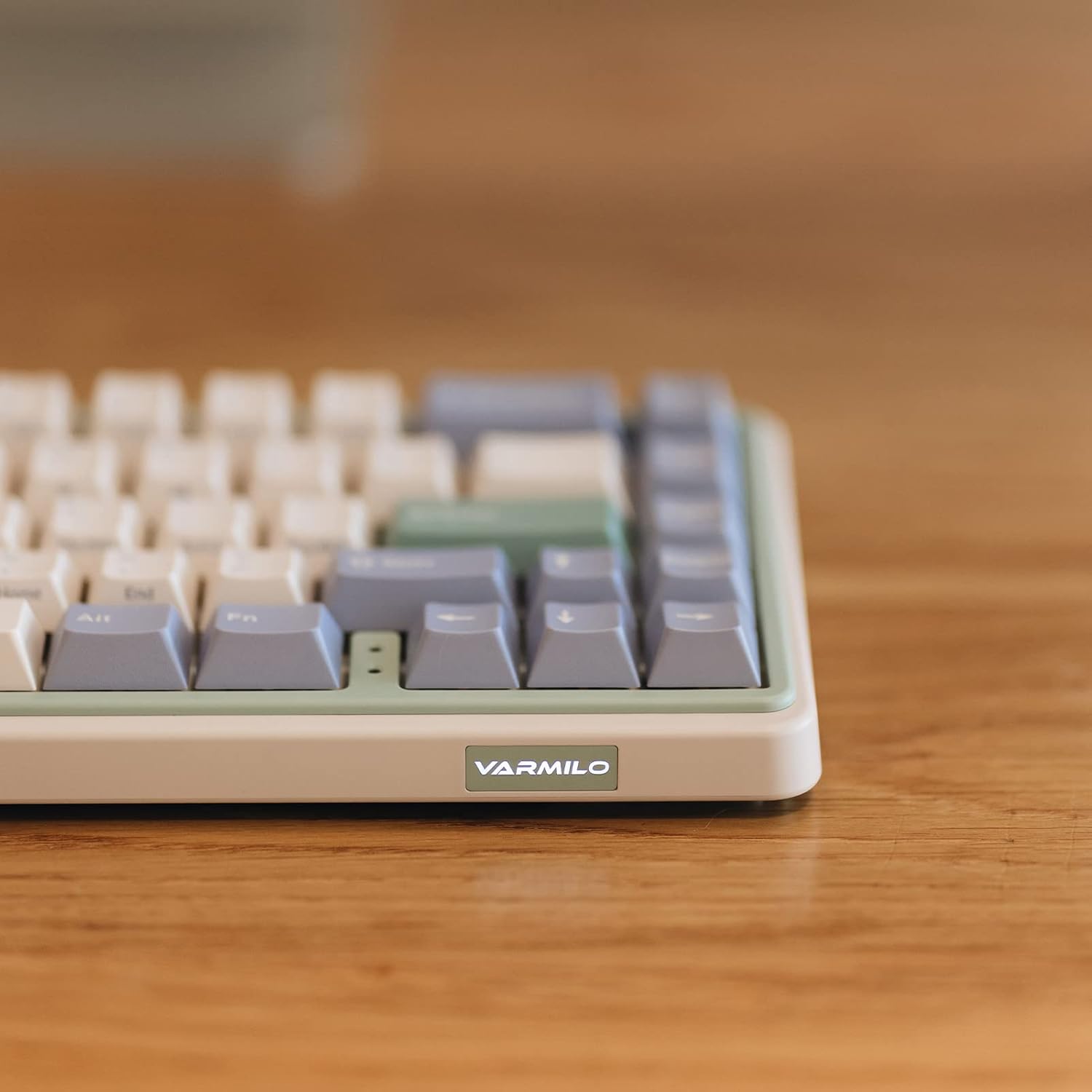
ภาพ: ภาพระยะใกล้ view of the Varmilo Minilo VXH67 keyboard's side, highlighting the illuminated "VARMILO" logo on the front edge. The keyboard's light green and beige casinสามารถมองเห็นตัวอักษร g ได้
คำแนะนำการใช้งาน
รูปแบบคีย์และฟังก์ชั่น
The Varmilo Minilo VXH67 features a compact 65% layout with 67 keys. Many functions are accessed via the Fn ปุ่มนี้ต้องใช้ร่วมกับปุ่มอื่นๆ
- Caps ล็อคตัวบ่งชี้: Indicator lights are located next to the arrow keys.
- F-row Functions: Access F1-F12 functions using the Fn key in combination with the number row keys.
- การควบคุมสื่อ: Specific key combinations with Fn allow for media playback control (play/pause, volume up/down, track skip). Refer to the keycap legends for specific functions.
- White LED Backlighting: Adjust brightness and lighting effects using Fn การผสมคีย์

Image: The Varmilo Minilo VXH67 keyboard positioned on a wooden desk, with a computer monitor displaying "10:13 AM" in the background. A glass of water and a small lamp are also on the desk.
สวิตช์แบบถอดเปลี่ยนได้ขณะทำงาน
The Varmilo Minilo VXH67 features hot-swappable sockets, allowing you to change mechanical switches without soldering. This model comes with Cherry MX Silver switches, which have a 45gf operation force, faster trigger speed, and shorter travel compared to red switches.
- ถอด Keycap: ใช้ที่ดึงปุ่มที่ให้มาเพื่อดึงปุ่มที่ต้องการออกอย่างเบามือ
- ถอดสวิตช์: ใช้เครื่องมือถอดสวิตช์ที่ให้มา จับที่คลิปด้านบนและด้านล่างของสวิตช์อย่างระมัดระวัง แล้วดึงขึ้นตรงๆ
- ใส่สวิตช์ใหม่: จัดตำแหน่งพินของสวิตช์ใหม่ให้ตรงกับรูบนแผงวงจรพิมพ์ กดสวิตช์ลงเบาๆ จนกระทั่งล็อกเข้าที่ ตรวจสอบให้แน่ใจว่าพินไม่งอ
- เปลี่ยนคีย์แคป: วางปุ่มกดลงบนแกนสวิตช์ใหม่แล้วกดลงให้แน่น

Image: A diagram illustrating the internal structure of a Cherry MX Silver mechanical switch and its force-travel characteristics, indicating a 45gf operation force.
การซ่อมบำรุง
ทำความสะอาดคีย์บอร์ด
- ถอดแป้นพิมพ์ออกจากคอมพิวเตอร์ของคุณก่อนทำความสะอาด
- ใช้เครื่องมือถอดคีย์แคปเพื่อถอดคีย์แคปออกสำหรับการทำความสะอาดอย่างทั่วถึง
- เช็ดปุ่มกดด้วยน้ำยาทำความสะอาดamp cloth and mild soap solution, then dry completely.
- ใช้ลมเป่าอัดเพื่อกำจัดฝุ่นและเศษสิ่งสกปรกออกจากช่องว่างระหว่างสวิตช์
- Wipe the keyboard case with a soft, dry cloth. Avoid harsh chemicals.
การดูแลรักษาปุ่มกดและสวิตช์
The keyboard features 1.5mm thick ABS Double Shot keycaps, known for their durability. Handle keycaps and switches carefully during removal and installation to prevent damage to the stems or switch pins.
การแก้ไขปัญหา
- แป้นพิมพ์ไม่ตอบสนอง:
- ตรวจสอบให้แน่ใจว่าสาย USB-C เชื่อมต่อกับคีย์บอร์ดและคอมพิวเตอร์อย่างแน่นหนา
- If using Bluetooth, verify the keyboard is paired and selected as the active device.
- Try connecting the keyboard to a different USB port or a different computer to rule out port issues.
- คีย์ไม่ลงทะเบียนหรือพิมพ์ซ้ำ:
- Remove the keycap and switch for the affected key. Inspect the switch pins for bends or damage. Straighten bent pins carefully if possible.
- ทำความสะอาดเศษสิ่งสกปรกออกจากเต้ารับสวิตช์ไฟ
- ทดสอบด้วยสวิตช์อื่นหากมี
- ปัญหาการเชื่อมต่อบลูทูธ:
- ตรวจสอบให้แน่ใจว่าแป้นพิมพ์มีประจุไฟเต็มแล้ว
- ลบแป้นพิมพ์ออกจากรายการบลูทูธของอุปกรณ์ของคุณ แล้วลองจับคู่ใหม่อีกครั้ง
- ตรวจสอบให้แน่ใจว่าไม่มีอุปกรณ์อื่นใดรบกวนสัญญาณบลูทูธ
- LED backlighting not working:
- Check if the LED brightness is set to minimum or turned off via Fn key combinations.
- ตรวจสอบให้แน่ใจว่าแป้นพิมพ์ได้รับพลังงานเพียงพอ (โดยเฉพาะในโหมดใช้สาย)
ข้อมูลจำเพาะ
| คุณสมบัติ | รายละเอียด |
|---|---|
| ยี่ห้อ | วาร์มิโล |
| หมายเลขรุ่น | VXH67A046SL |
| เค้าโครงแป้นพิมพ์ | 65% (67 ปุ่ม), แป้นพิมพ์แบบ QWERTY |
| ประเภทสวิตซ์ | Cherry MX Silver (Tactile) |
| การเชื่อมต่อ | USB-C (Wired), Bluetooth |
| คุณสมบัติพิเศษ | ซ็อกเก็ตแบบถอดเปลี่ยนได้ขณะทำงาน |
| ปุ่มกด | 1.5mm thick ABS Double Shot |
| การแบ็คไลท์ | ไฟ LED สีขาว |
| วัสดุ | อะคริโลไนไตรล์ บิวทาไดอีน สไตรีน (ABS) |
| แหล่งพลังงาน | ขับเคลื่อนด้วย USB |
| อุปกรณ์ที่รองรับ | PC |
การรับประกันและการสนับสนุน
For warranty information and technical support, please refer to the official Varmilo webหรือติดต่อผู้ค้าปลีกของคุณ เก็บใบเสร็จรับเงินไว้เพื่อใช้ในการเคลมประกัน
Official Varmilo Webเว็บไซต์: www.varmilo.com


