
การแนะนำ
ขอบคุณสำหรับการซื้อasing the BANDAI Kamen Rider Geats DecaDriver & OOO Driver Raise Buckle Set DX. This set allows fans to recreate iconic transformations and special attacks from the Kamen Rider series. Please read this manual carefully before use to ensure proper operation and enjoyment.
ชุดนี้ประกอบไปด้วย:
- DecaDriver Raise Buckle: 1
- OOO Driver Raise Buckle: 1
Note: The Transformation Belt DX Designer Driver and DX Magnum Shooter 40X are sold separately and are required for full functionality.
ข้อมูลด้านความปลอดภัย
คำเตือน: อันตรายจากการสำลัก - ชิ้นส่วนขนาดเล็ก ไม่เหมาะสำหรับเด็กอายุต่ำกว่า 3 ปี
- แนะนำให้มีผู้ใหญ่คอยดูแลระหว่างการเล่น
- อย่าพยายามถอดประกอบหรือดัดแปลงผลิตภัณฑ์
- หลีกเลี่ยงอุณหภูมิที่สูงและแสงแดดโดยตรง
- ทำความสะอาดด้วยผ้าแห้งเท่านั้น
การตั้งค่า
The DecaDriver and OOO Driver Raise Buckles require no assembly. They are ready for use out of the box.
To begin playing, you will need the Transformation Belt DX Designer Driver (แยกจำหน่าย)
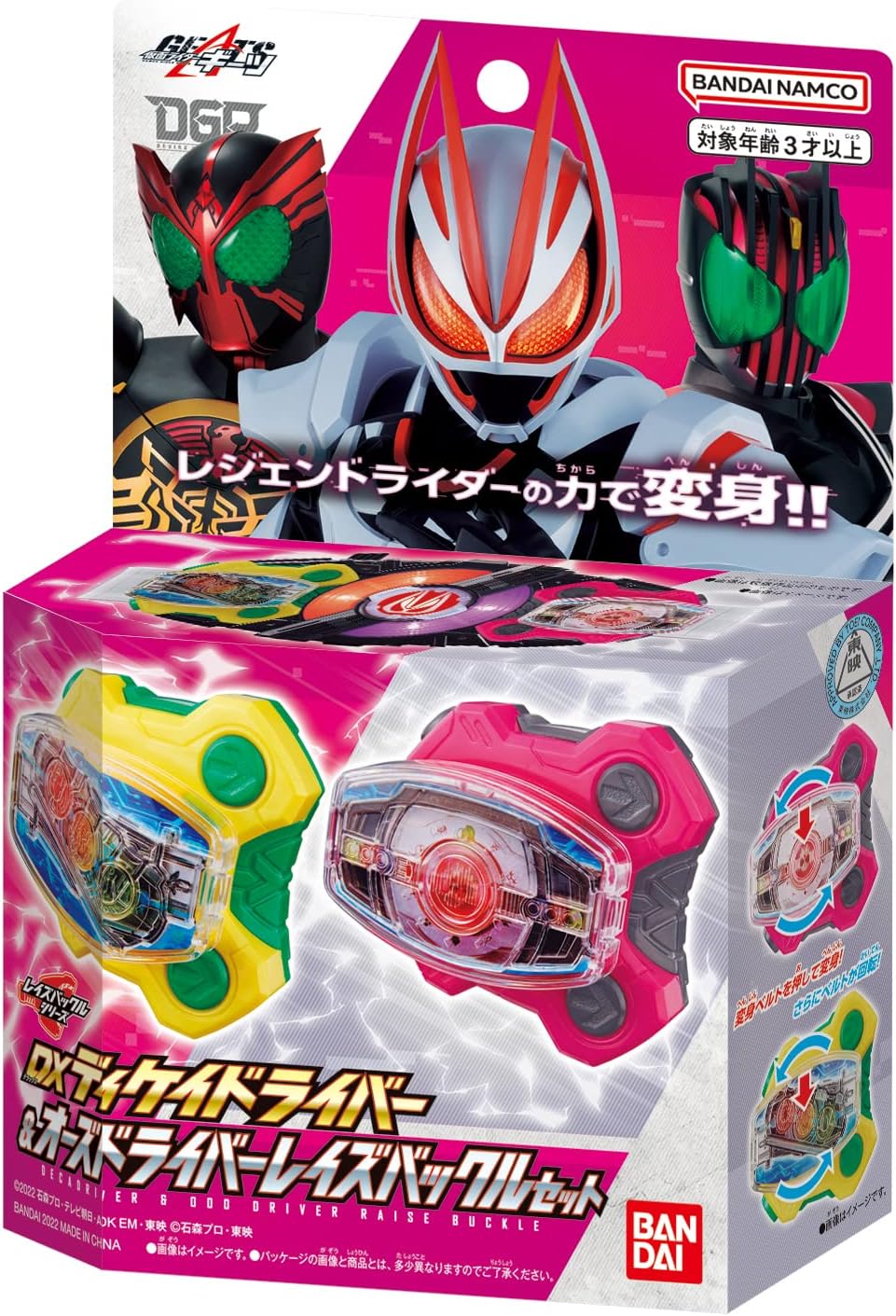
Image: The BANDAI Kamen Rider Geats DecaDriver & OOO Driver Raise Buckle Set in its retail packaging, showing both buckles.
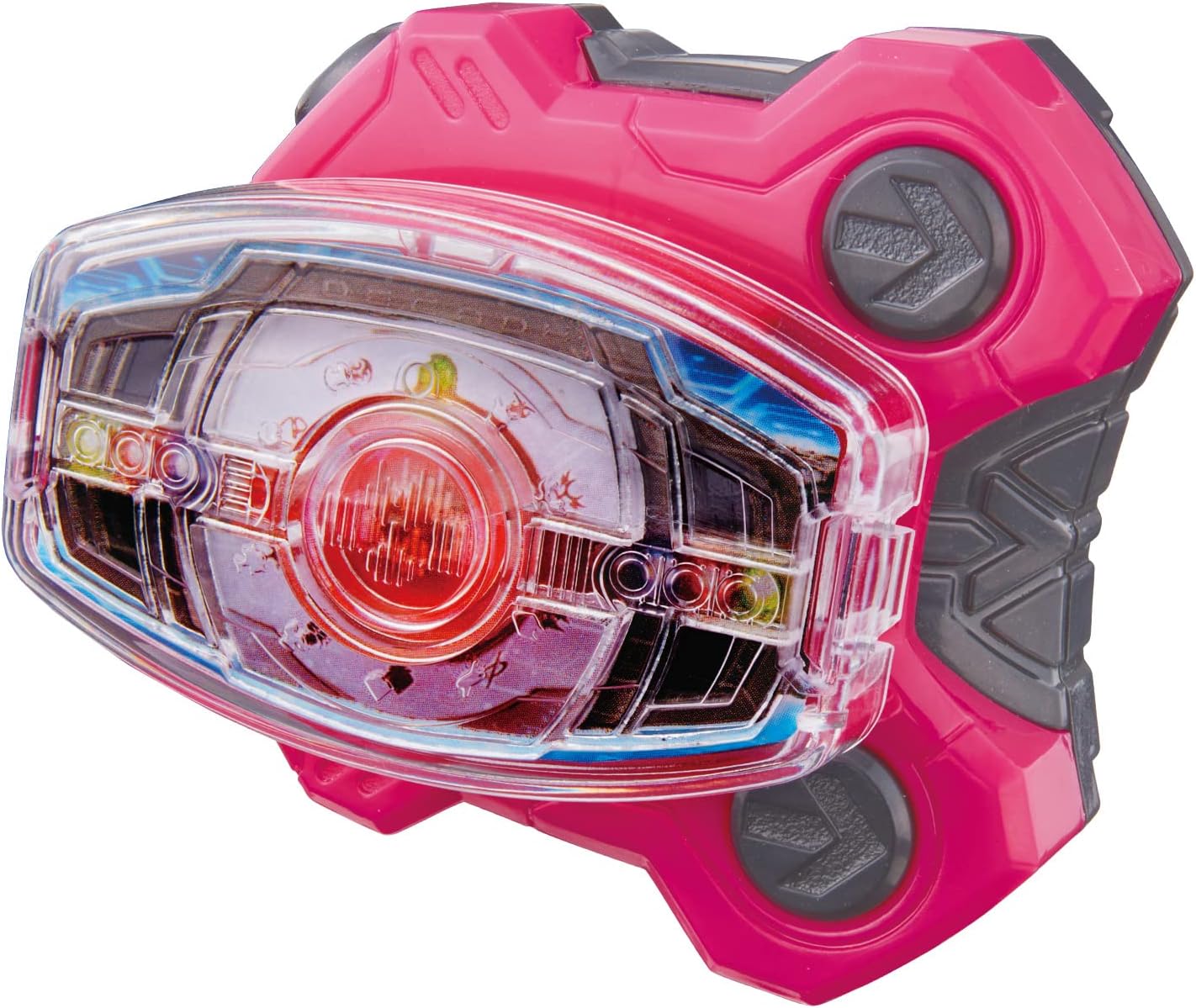
ภาพ: ภาพระยะใกล้ view of the pink DecaDriver Raise Buckle, highlighting its intricate design.

ภาพ: ภาพระยะใกล้ view of the yellow OOO Driver Raise Buckle, showcasing its unique coin-like elements.
คำแนะนำการใช้งาน
1. Attaching to the DX Designer Driver
- Select either the DecaDriver Raise Buckle or the OOO Driver Raise Buckle.
- Insert the chosen Raise Buckle into the designated slot on the Transformation Belt DX Designer Driver (sold separately). Ensure it clicks securely into place.

Image: A visual guide demonstrating the insertion and activation mechanism of the Raise Buckles into a compatible driver. Arrows indicate pressing down and rotation.
2. Transformation Play
- Once the Raise Buckle is attached to the DX Designer Driver, press the buckle.
- The DX Designer Driver will play the transformation sound for Kamen Rider Decade (with DecaDriver Buckle) or Kamen Rider OOO (with OOO Driver Buckle).
- The DX Designer Driver will also activate its transformation game features, including LED lights and sounds.

Image: An illustration showing both the DecaDriver and OOO Driver Raise Buckles correctly inserted into the DX Designer Driver, ready for transformation. Text indicates "DUAL ON" and "READY FIGHT" states.
3. Special Technique Play
For enhanced play, combine the Raise Buckles with the DX Magnum Shooter 40X (แยกจำหน่าย)
- Attach the Raise Buckle to the DX Magnum Shooter 40X.
- Press the buckle to activate special technique sounds and LED light effects.

Image: A diagram illustrating the activation of special techniques using the DecaDriver and OOO Driver Raise Buckles with the DX Designer Driver. Text indicates "BOOST DECADE VICTORY" and "BOOST OOO VICTORY" with LED light activation.
วิดีโอผลิตภัณฑ์อย่างเป็นทางการ
วิดีโอ: ผลิตภัณฑ์เหนือview video demonstrating the features and functionality of the BANDAI Kamen Rider Geats DecaDriver & OOO Driver Raise Buckle Set. This video shows how the buckles interact with other Kamen Rider Geats DX items.
การซ่อมบำรุง
- To clean the Raise Buckles, wipe gently with a dry, soft cloth.
- Do not use abrasive cleaners, solvents, or water, as these may damage the product.
- Store the buckles in a cool, dry place away from direct sunlight when not in use.
การแก้ไขปัญหา
| ปัญหา | สาเหตุที่เป็นไปได้ | สารละลาย |
|---|---|---|
| No sound or light when attached to DX Designer Driver. | Buckle not fully inserted or DX Designer Driver batteries are low/dead. | Ensure the Raise Buckle is securely clicked into place. Check and replace batteries in the DX Designer Driver (sold separately) if necessary. |
| Buckle does not fit into the DX Designer Driver. | Incorrect orientation or incompatible driver. | Ensure the buckle is oriented correctly. This product is designed for the Transformation Belt DX Designer Driver. |
ข้อมูลจำเพาะ
- ยี่ห้อ: BANDAI
- ชื่อรุ่น : Kamen Rider Geats - DecaDriver & OOO Driver Raise Buckle Set
- หมายเลขรุ่น: 4549660834052
- น้ำหนักสินค้า: 0.1 กิโลกรัม
- ขนาดสินค้า: 1 x 1 x 1 inches (approximate, for individual buckle)
- วัสดุ: Plastic (Outer Material: Plastic, Material Type: Resin)
- อายุที่แนะนำ: 36 months (3 years) to 1200 months (100 years)
- แบตเตอรี่ที่ต้องการ: No (for Raise Buckles themselves; host drivers may require batteries)
- ส่วนประกอบที่รวมอยู่: DecaDriver Raise Buckle (1), OOO Driver Raise Buckle (1)
การรับประกันและการสนับสนุน
สำหรับข้อมูลการรับประกันและการบริการลูกค้า โปรดดูที่เว็บไซต์อย่างเป็นทางการของ BANDAI website or contact your local retailer. Keep your purchase receipt for any warranty claims.
ผู้ผลิต: バンダイ(BANDAI)
เป็นทางการ Webเว็บไซต์: www.bandai.com