
1. บทนำ
This manual provides essential information for the safe and efficient operation of the Cuifati AT1-4000X Single-Phase AC 220V/4KW Variable Frequency Drive (VFD). This VFD is designed to control the speed of three-phase AC motors, offering high torque at low speeds, high precision, and a wide speed regulating range. It is suitable for various industrial applications including spindle motors, drill presses, CNC machines, HVAC systems, lathes, milling machines, pumps, conveyors, fans, cooling systems, and compressors.
The AT1-4000X VFD incorporates optimized PWM control technology and electromagnetic compatibility to ensure low noise and minimal electromagnetic interference. It also features multiple protection mechanisms against overcurrent, overvoltage, overheating, overload, undervoltage, and intelligent power module faults.

รูปที่ 1 : ด้านหน้า view of the Cuifati AT1-4000X VFD, showing the control panel and safety label.
2. ข้อควรระวังเพื่อความปลอดภัย
การไม่ปฏิบัติตามคำแนะนำเหล่านี้อาจส่งผลให้เสียชีวิต ได้รับบาดเจ็บสาหัส หรือทรัพย์สินเสียหายอย่างร้ายแรง
- การตัดการเชื่อมต่อไฟฟ้า: Always ensure the power supply is completely disconnected before performing any wiring or maintenance.
- สายไฟเอาท์พุต: Never connect the U, V, W output terminals to an AC power supply. This will cause severe damage to the inverter.
- สภาพแวดล้อมการติดตั้ง: Do not install the inverter on flammable materials. This poses a significant fire hazard. Avoid using the device in environments with explosive gases due to the risk of explosion.
- การต่อลงดิน: ขั้วต่อสายดินของอินเวอร์เตอร์ต้องต่อลงดินอย่างถูกต้องและแน่นหนา
- การติดตั้งโดยมืออาชีพ: Wiring and internal maintenance should only be performed by qualified professionals. The converter contains high voltage internally; unauthorized opening of the shell is strictly prohibited.
3. การตั้งค่าและการติดตั้ง
3.1 การแกะกล่อง
Carefully unpack the VFD and inspect it for any signs of damage during transit. Ensure all components listed in the package contents are present.
3.2 การติดตั้ง
Mount the VFD in a clean, dry, and well-ventilated area, away from direct sunlight, excessive dust, corrosive gases, and flammable materials. Ensure adequate space around the unit for proper heat dissipation.
3.3 การเดินสายไฟ
Refer to the wiring diagram and terminal functions below for correct electrical connections. Ensure all connections are secure and comply with local electrical codes.
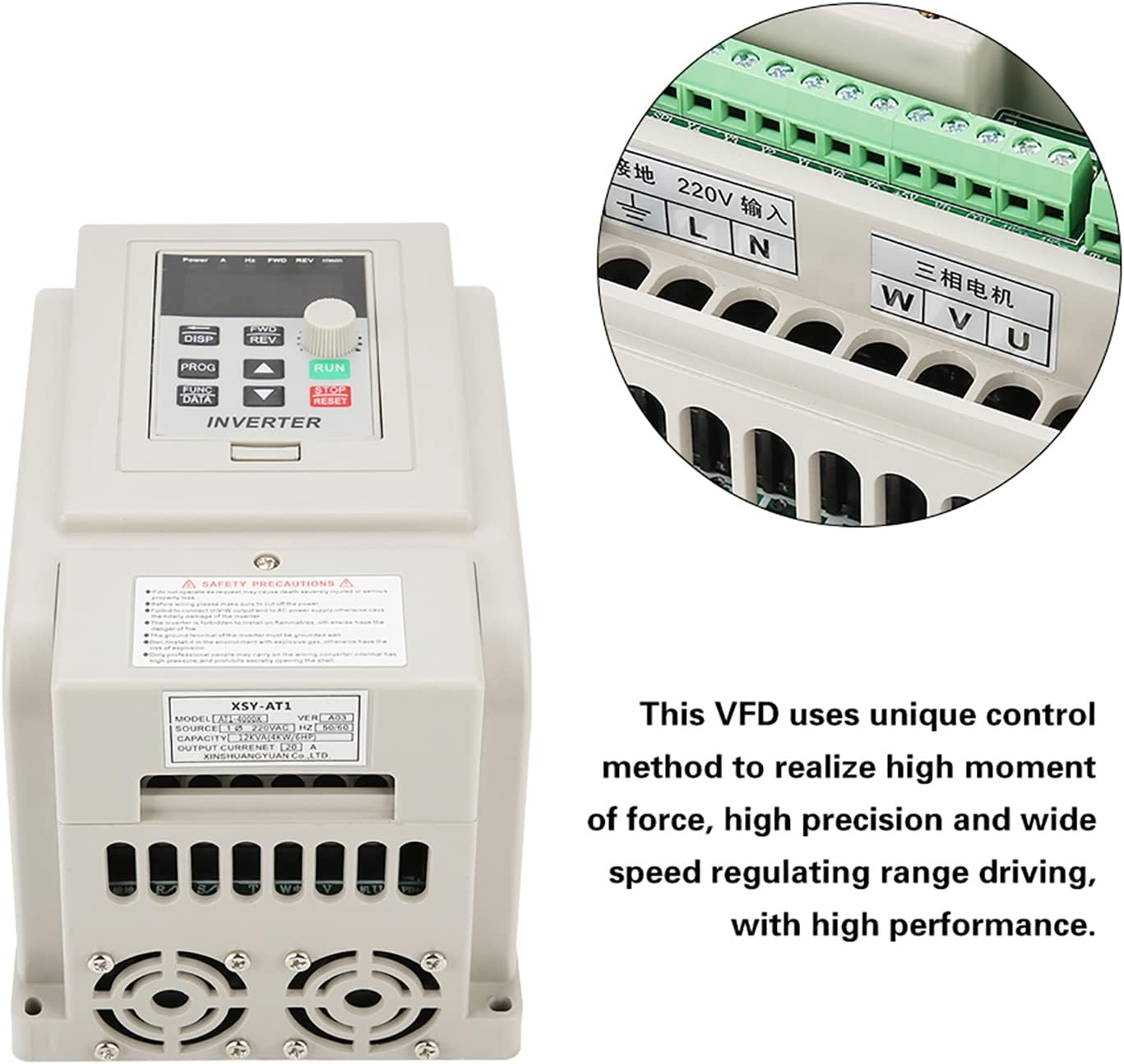
Figure 2: VFD unit with an inset detail of the wiring terminals.
| เทอร์มินัล | การทำงาน | คำอธิบาย |
|---|---|---|
| L, นู๋ | AC 220V Single-Phase Input | Connect to the main single-phase AC 220V power supply. |
| ยู, วี, ดับบลิว | Three-Phase AC Motor Output | Connect to the three-phase AC motor. |
| ก.ย.ด. | พื้น | Connect to a reliable earth ground. |
4. คู่มือการใช้งาน
4.1 แผงควบคุมโอเวอร์view
The VFD features an intuitive control panel for easy operation. Familiarize yourself with the buttons and display indicators:

Figure 3: Detailed diagram of the VFD's control panel, labeling buttons, display, and indicator lights.
- 5-digit LED Display: Shows current operating parameters such as frequency, voltage, current, and speed.
- ปุ่ม DISP: Cycles through different display parameters.
- ปุ่ม PROG: เข้า/ออกจากโหมดการตั้งโปรแกรม
- FUNC/DATA Button: Used to select functions or confirm data entry in programming mode.
- ปุ่มเดินหน้า/ถอยหลัง: Toggles motor rotation direction (Forward/Reverse).
- ปุ่มขึ้น/ลง (▲ / ▼): Adjust parameter values or navigate menus.
- ปุ่ม RUN: สตาร์ทมอเตอร์
- ปุ่มหยุด/รีเซ็ต: หยุดมอเตอร์หรือรีเซ็ตสภาวะผิดปกติ
ไฟแสดงสถานะ 4.2 ดวง
- ไปข้างหน้า: Illuminates when the motor is rotating clockwise.
- รอบ: Illuminates when the motor is rotating counter-clockwise.
- รอบ/นาที: Illuminates when the display shows motor speed (revolutions per minute).
- H: Illuminates when the display shows output frequency.
- V: Illuminates when the display shows output voltage.
- A: Illuminates when the display shows output current.
4.3 การทำงานพื้นฐาน
- เปิดเครื่อง: After ensuring all wiring is correct and secure, apply power to the VFD. The display will light up.
- ตั้งความถี่: Use the Up/Down buttons to adjust the desired output frequency. This directly controls the motor speed.
- สตาร์ทมอเตอร์: กดปุ่ม วิ่ง button to start the motor. The FWD or REV indicator will light up depending on the direction.
- เปลี่ยนทิศทาง: ขณะที่มอเตอร์กำลังทำงาน ให้กดปุ่ม เอฟดับบลิวดี/REV button to change the rotation direction.
- หยุดมอเตอร์: กดปุ่ม หยุด/รีเซ็ต ปุ่มหยุดมอเตอร์
- View พารามิเตอร์: กดปุ่ม DISP button to cycle through various operating parameters on the LED display.
5. การบำรุงรักษา
การบำรุงรักษาตามปกติจะช่วยให้ VFD ของคุณมีอายุการใช้งานยาวนานและมีประสิทธิภาพเหมาะสมที่สุด
- การทำความสะอาด: Periodically clean the exterior of the VFD with a soft, dry cloth. Do not use liquid cleaners or solvents. Ensure ventilation openings are free from dust and debris.
- การตรวจสอบ: ตรวจสอบการเชื่อมต่อสายไฟอย่างสม่ำเสมอ เพื่อดูว่าแน่นหนาดีหรือไม่ และมีร่องรอยการสึกหรอหรือความเสียหายหรือไม่ ตรวจสอบดูว่ามีเสียงหรือกลิ่นผิดปกติเกิดขึ้นระหว่างการใช้งานหรือไม่
- สิ่งแวดล้อม: Maintain the VFD in a clean, dry, and well-ventilated environment within its specified operating temperature range.
- พัดลมระบายความร้อน: Ensure the cooling fans are operating correctly and are not obstructed. The internal heat sink (Figure 4) is critical for thermal management.

รูปที่ 4: ภายใน view of the VFD's heat sink and cooling fans, crucial for thermal management.
6 การแก้ไขปัญหา
This section provides solutions to common issues you might encounter with the VFD.
| ปัญหา | สาเหตุที่เป็นไปได้ | สารละลาย |
|---|---|---|
| VFD ไม่ทำงาน | ไม่มีแหล่งจ่ายไฟ; การเดินสายไฟไม่ถูกต้อง; ความผิดพลาดภายใน | Check power input (L, N terminals). Verify wiring. If problem persists, contact support. |
| มอเตอร์ไม่สตาร์ท | Incorrect motor wiring; VFD in fault state; frequency set to 0. | Check U, V, W motor connections. Press STOP/RESET to clear faults. Increase frequency setting. |
| มอเตอร์ทำงานผิดทิศทาง | Incorrect FWD/REV setting; motor phase sequence. | Press FWD/REV button. If still incorrect, swap any two of the U, V, W motor output wires. |
| ความผิดพลาดของกระแสเกิน/โหลดเกิน | Motor overloaded; acceleration time too short; short circuit. | Reduce motor load. Increase acceleration time parameter. Check motor and wiring for short circuits. |
| โอเวอร์โวลtage/อันเดอร์โวลtagความผิดพลาด | ปริมาณอินพุตtage outside specified range; deceleration time too short. | ตรวจสอบปริมาณอินพุตtage (220V +/- 15%). Increase deceleration time parameter. |
สำหรับปัญหาที่ไม่ได้ระบุไว้ในที่นี้ หรือหากวิธีแก้ไขที่กล่าวมาแล้วไม่สามารถแก้ปัญหาได้ โปรดติดต่อฝ่ายบริการลูกค้า
7. ข้อมูลจำเพาะ
Detailed technical specifications for the Cuifati AT1-4000X VFD:
| พารามิเตอร์ | ค่า |
|---|---|
| แบบอย่าง | AT1-4000X |
| จัดอันดับVoltage | AC 220V (Single-Phase) |
| อินพุต Voltagอี เรนจ์ | 220V AC (+/- 15%) |
| ปริมาณการส่งออกtage | 220V AC (Three-Phase) |
| Adapted Motor Power | 4 กิโลวัตต์ |
| วิธีการควบคุม | V/F Open Loop Control |
| ปริมาณการส่งออกtage Regulation Method | การควบคุม PWM |
| กระแสไฟฟ้าที่ได้รับการจัดอันดับ | 20 ก |
| ความถี่อินพุต | 50/60 เฮิรตซ์ |
| ช่วงความถี่เอาท์พุท | 0 - 400 เฮิรตซ์ |
| อินพุตเฟส | 1 เฟส |
| เฟสเอาท์พุท | 3 เฟส |
| ขนาดแพ็คเกจ | 22 x 21 x 17 ซม. |
| น้ำหนัก | 1.58 กก. |
| การใช้ที่แนะนำ | ทางอุตสาหกรรม |
| ส่วนประกอบที่รวมอยู่ | 1 x Variable Frequency Drive |
Note: Due to product updates, new and old versions of this product may be shipped randomly. Both versions maintain the same core functionality and specifications.
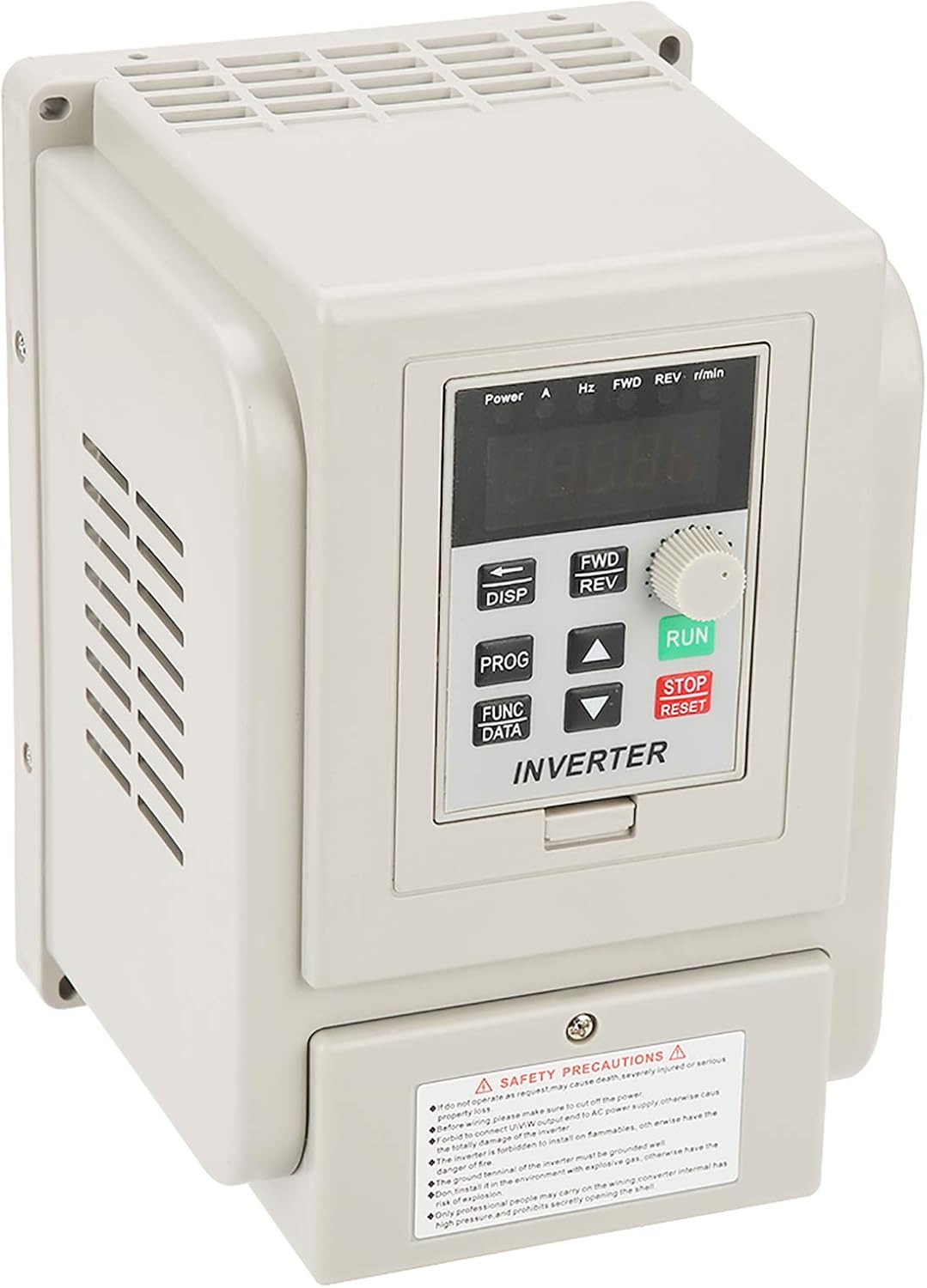
Figure 5: Comparison of new and old models of the Cuifati AT1-4000X VFD.
8. การรับประกันและการสนับสนุน
For any issues with the product, please contact the manufacturer or your point of purchase for assistance. Information regarding specific warranty periods and support contact details may be provided with your purchase documentation.
The manufacturer can be contacted at any time for product-related concerns, as indicated in the product features.