
1. บทนำ
This manual provides instructions for the safe and efficient operation of your MEDION P64145 Stereo System. Please read this manual thoroughly before using the device and keep it for future reference. The MEDION P64145 is a compact audio system featuring DAB+ and PLL FM radio, a CD/MP3 player, Bluetooth connectivity, and USB playback.
2. ข้อมูลด้านความปลอดภัย
ปฏิบัติตามข้อควรระวังด้านความปลอดภัยต่อไปนี้เพื่อป้องกันความเสียหายต่ออุปกรณ์หรือการบาดเจ็บต่อตัวคุณเอง:
- อย่าให้อุปกรณ์โดนฝนหรือความชื้น
- อย่าปิดกั้นช่องระบายอากาศ
- ตรวจสอบให้แน่ใจว่าสายไฟไม่ได้ถูกหนีบหรือเดินทับ
- ใช้เฉพาะอุปกรณ์เสริม/สิ่งที่แนบตามที่ผู้ผลิตกำหนดเท่านั้น
- ถอดปลั๊กอุปกรณ์ในระหว่างที่มีพายุฝนฟ้าคะนองหรือเมื่อไม่ได้ใช้งานเป็นเวลานาน
- ส่งต่อการบริการทั้งหมดไปยังบุคลากรบริการที่มีคุณสมบัติเหมาะสม
3. เนื้อหาบรรจุภัณฑ์
ตรวจสอบว่ามีสินค้าทั้งหมดอยู่ในบรรจุภัณฑ์:
- MEDION P64145 AiO Audio System (MD44125)
- รีโมทคอนโทรล (พร้อมแบตเตอรี่)
- สายไฟ
- คู่มือการใช้งาน
- บัตรรับประกัน
4. อุปกรณ์โอเวอร์view
แผงด้านหน้า
The front panel features the LCD display, CD tray, control buttons, and volume knob.

ภาพ: ด้านหน้า view of the MEDION P64145 stereo system, highlighting the central display, CD slot, and various control buttons.
แผงด้านหลังและช่องเชื่อมต่อ
The rear panel includes the power input, antenna connection, and auxiliary ports.

ภาพ: ด้านหลัง view of the MEDION P64145 stereo system, illustrating its dimensions (120mm height, 377mm width, 220mm depth) and available connection ports including Line In, USB, AUX-In (3.5 mm), and Headphone Jack.
5. การตั้งค่า
5.1 การเชื่อมต่อสายไฟ
- ต่อสายไฟเข้ากับช่องเสียบ AC IN ที่ด้านหลังของเครื่อง
- Plug the other end of the power cable into a wall outlet (100-240V ~ 50/60 Hz).
5.2 การเชื่อมต่อเสาอากาศ
For optimal radio reception, ensure the antenna is fully extended and positioned correctly.
5.3 การเปิดเครื่องครั้งแรก
Press the Power button on the unit or remote control to turn on the system. The LCD display will illuminate.
6. คู่มือการใช้งาน
6.1 การทำงานพื้นฐาน
- เปิด/ปิดเครื่อง: กดปุ่ม พลัง ปุ่ม.
- การควบคุมระดับเสียง: หมุน ปริมาณ ปุ่มหมุน หรือใช้ ฉบับ+/- ปุ่มบนรีโมท
- การเลือกแหล่งที่มา: กดปุ่ม แหล่งที่มา button to switch between DAB+, FM, CD, Bluetooth, USB, and AUX modes.
6.2 Radio Operation (DAB+/PLL FM)
The system supports both digital DAB+ radio and analog PLL FM radio.

Image: The MEDION P64145 stereo system with 'DAB+' shown on its display, signifying its capability for digital radio reception with high sound quality.
- เลือก แดบ+ or FM โหมดการใช้งาน แหล่งที่มา ปุ่ม.
- การสแกนอัตโนมัติ: In DAB+ mode, the system will automatically scan for available stations upon first use. For FM, press and hold the สแกน ปุ่ม.
- การปรับด้วยตนเอง: ใช้ ทูน+/- ปุ่มสำหรับปรับความถี่ด้วยตนเอง
- สถานีที่ตั้งไว้ล่วงหน้า: Save up to 30 stations by pressing and holding a preset number button (1-30) after tuning to a station. Recall saved stations by pressing the corresponding preset number.
6.3 CD/MP3 Player

Image: A hand inserting a compact disc into the front-loading CD player of the MEDION P64145 stereo system, demonstrating its CD/MP3 playback capability.
- เลือก CD โหมด.
- Insert a CD (audio CD or MP3 CD) into the CD slot. The disc will load automatically.
- ใช้ เล่น/หยุดชั่วคราว, หยุด, ข้าม+/- ปุ่มสำหรับควบคุมการเล่น
6.4 การสตรีมบลูทูธ
Stream music wirelessly from your smartphone or tablet.

Image: A smartphone screen showing a music playback interface, positioned next to the MEDION P64145 stereo system. A Bluetooth symbol is visible, illustrating the wireless music streaming feature from a mobile device to the stereo system.
- เลือก บลูทูธ mode. The display will show "Pairing" or similar.
- On your mobile device, enable Bluetooth and search for "MEDION P64145" (or similar device name).
- Select the device to pair. Once connected, you can play music from your device through the stereo system.
- The effective range for Bluetooth streaming is up to 10 meters, depending on environmental conditions.
6.5 การเล่น USB
- เสียบแฟลชไดรฟ์ USB ที่มีไฟล์ MP3 fileลงในพอร์ต USB
- เลือก ยูเอสบี โหมดนี้ ระบบจะตรวจจับและเริ่มเล่นไฟล์ MP3 โดยอัตโนมัติ files.
- ใช้ปุ่มควบคุมการเล่นเพื่อเลื่อนดูแทร็กต่างๆ
อินพุต AUX 6.6 ช่อง
- Connect an external audio device (e.g., MP3 player) to the 3.5mm AUX IN port using an audio cable (not included).
- เลือก อ๊อกซ์ โหมด.
- ควบคุมการเล่นจากอุปกรณ์ภายนอกของคุณ
6.7 การตั้งค่าเสียง
ปรับระดับเสียงตามความต้องการของคุณ
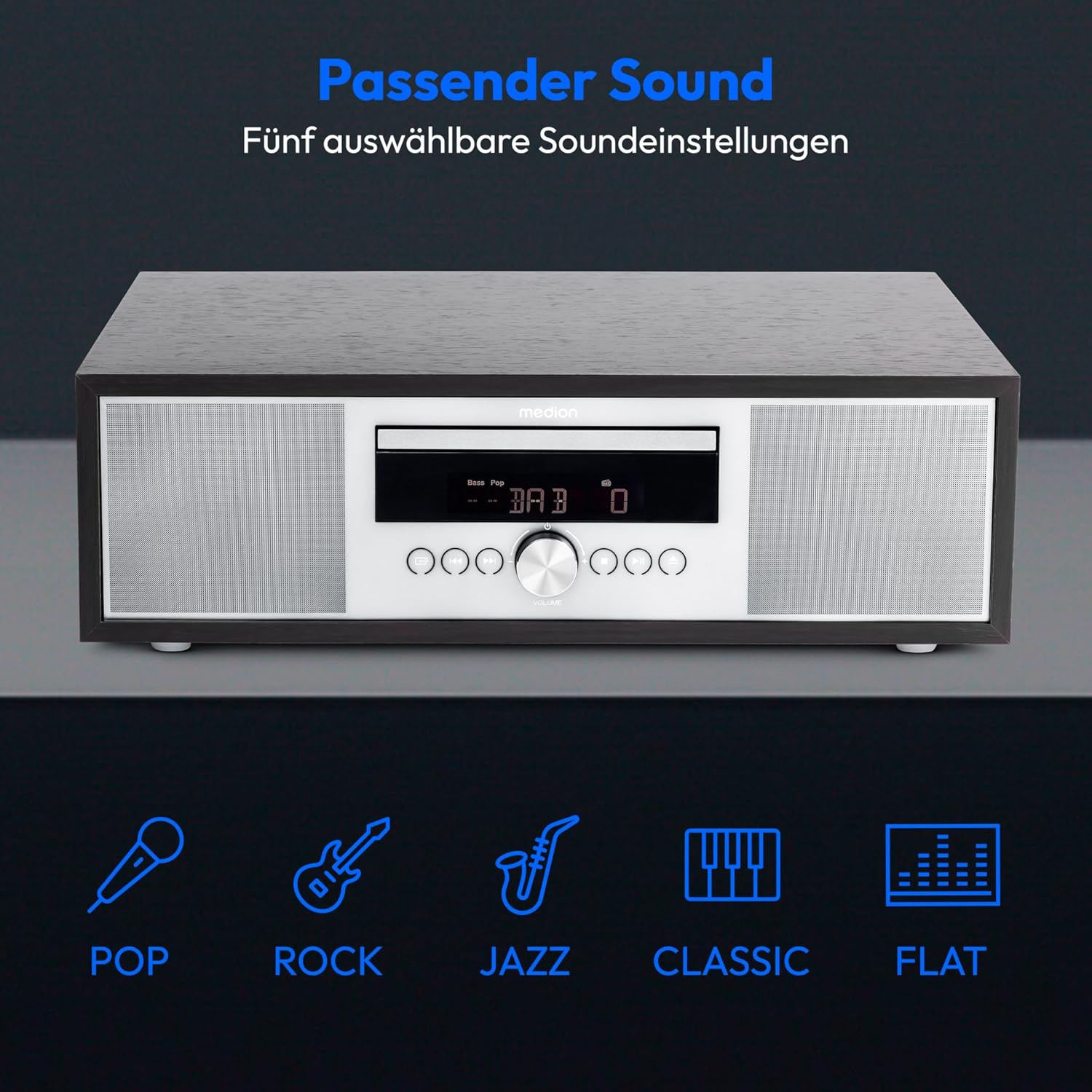
Image: The MEDION P64145 stereo system accompanied by graphical icons for five distinct sound equalization presets: Pop, Rock, Jazz, Classic, and Flat, indicating customizable audio profiles.
- ค่าที่ตั้งไว้ล่วงหน้าของอีควอไลเซอร์: ใช้ EQ button on the remote to cycle through preset sound modes: Pop, Rock, Jazz, Classic, and Flat.
- การปรับเสียงเบส/เสียงแหลม: ใช้แบบเฉพาะ เบส+/- และ เสียงแหลม+/- buttons on the remote control to fine-tune the sound.
6.8 นาฬิกาปลุกและตัวตั้งเวลาปิดเครื่อง
- ฟังก์ชั่นปลุก: Set an alarm to wake up to radio, CD, USB, or a standard alarm sound. Refer to the detailed instructions in the full manual for setting specific alarm times and sources.
- ฟังก์ชั่นเลื่อน: เมื่อเสียงปลุกดัง ให้กด เลื่อน กดปุ่มเพื่อปิดเสียงชั่วคราว
- ฟังก์ชั่นการนอนหลับอัตโนมัติ: Set a timer for the system to automatically turn off after a specified period. Use the นอน ปุ่มบนรีโมต
7. การบำรุงรักษา
7.1 การทำความสะอาดหน่วย
เช็ดตัวเครื่องด้วยผ้านุ่มและแห้ง ห้ามใช้น้ำยาทำความสะอาดที่มีฤทธิ์กัดกร่อนหรือตัวทำละลาย
7.2 การดูแลรักษาเครื่องเล่นซีดี
Handle CDs by their edges. Clean dirty CDs with a soft, lint-free cloth, wiping from the center outwards. Do not use scratched or warped discs.
8 การแก้ไขปัญหา
If you encounter issues, consult the following table before contacting support:
| ปัญหา | สาเหตุที่เป็นไปได้ | สารละลาย |
|---|---|---|
| ไม่มีไฟฟ้า | ไม่ได้เสียบสายไฟ ปลั๊กไฟไม่ทำงาน | ตรวจสอบการเชื่อมต่อสายไฟ ลองใช้เต้ารับอื่น |
| ไม่มีเสียง | Volume too low; incorrect source selected; headphones connected. | Increase volume; select correct source; disconnect headphones. |
| การรับสัญญาณวิทยุไม่ดี | เสาอากาศไม่ได้ยืดออกหรือติดตั้งในตำแหน่งที่ไม่เหมาะสม | Adjust antenna position; try automatic scan again. |
| ซีดีไม่เล่น | CD inserted incorrectly; disc scratched or dirty; unsupported format. | Reinsert CD correctly; clean or replace disc; ensure it's an audio CD or MP3 CD. |
| การจับคู่บลูทูธล้มเหลว | Device too far; Bluetooth not enabled on mobile device; system not in pairing mode. | Move device closer; enable Bluetooth; ensure system is in Bluetooth pairing mode. |
9. ข้อมูลจำเพาะ
| คุณสมบัติ | ข้อมูลจำเพาะ |
|---|---|
| หมายเลขรุ่น | P64145 (MD44125) |
| ยี่ห้อ | MEDION |
| สี | สีดำ-เงิน |
| เทคโนโลยีการเชื่อมต่อ | บลูทูธ, ยูเอสบี |
| คุณสมบัติพิเศษ | Bluetooth, DAB+, USB, AUX Input, CD Player, Alarm Function, Sleep Timer |
| ขนาดสินค้า (กว้าง x ยาว x สูง) | 22 ซม. x 37.7 ซม. x 12 ซม. |
| น้ำหนักสินค้า | 3.2 กิโลกรัม |
| เทคโนโลยีจูนเนอร์ | ดีเอบี พลัส |
| แถบความถี่วิทยุที่รองรับ | DAB+/PLL-UKW |
| แหล่งพลังงาน | Corded Electric (100-240V ~ 50/60 Hz) |
| กำลังขับสูงสุดของลำโพง | 2 x 15 วัตต์ RMS |
| ประเภทจอภาพ | จอแอลซีดี |
| โหมดเอาท์พุตเสียง | สเตอริโอ |
| อุปกรณ์ที่รองรับ | สมาร์ทโฟน แท็บเล็ต เครื่องเล่น MP3 |
| วัสดุ | Stainless Steel (front panel) |
10. ข้อมูลการรับประกัน
Your MEDION P64145 Stereo System comes with a 2-year limited warranty. Please retain your proof of purchase for warranty claims. For detailed terms and conditions, refer to the included warranty card or visit the official MEDION webเว็บไซต์.
11. การสนับสนุน
For further assistance, technical support, or service inquiries, please visit the official MEDION support website or contact their customer service. Contact details can typically be found on the warranty card or the manufacturer's webเว็บไซต์.
Official MEDION Webเว็บไซต์: www.medion.com