
การแนะนำ
Thank you for choosing the Brookstone Sonic Electric Toothbrush. This manual provides essential information for the safe and effective use of your new toothbrush. Please read it thoroughly before first use and retain it for future reference.
This sonic toothbrush is designed for adults, featuring 16,500 vibrations per minute, five cleaning modes, and a built-in 2-minute timer to support comprehensive oral hygiene. It is IPX4 waterproof for durability and convenience.

Image: The Brookstone Sonic Electric Toothbrush standing upright on its white USB rechargeable base.
การตั้งค่า
การแกะกล่องและการชาร์จครั้งแรก
เมื่อเปิดบรรจุภัณฑ์ ให้แน่ใจว่ามีส่วนประกอบทั้งหมดครบถ้วน:
- 1 x Sonic Electric Toothbrush Handle
- 3 x Soft Toothbrush Replacement Heads
- 1 x USB Rechargeable Base with USB Cable
Before first use, fully charge the toothbrush. Place the toothbrush handle onto the charging pin of the rechargeable base. Connect the USB cable to the base and plug it into a compatible USB power source (e.g., wall adapter, computer USB port). A full charge takes approximately 12 hours and provides up to 30 days of use.
การติดหัวแปรง
จัดวางหัวแปรงให้ตรงกับแกนโลหะบนด้ามแปรงสีฟัน กดหัวแปรงลงไปให้แน่นจนกระทั่งมีเสียงคลิกเข้าที่ ตรวจสอบให้แน่ใจว่าติดแน่นดีแล้วก่อนใช้งาน

Image: A visual representation of the toothbrush handle, three replacement brush heads, and the USB charging base with its cable.
คำแนะนำการใช้งาน
การเปิด/ปิดเครื่องและการเลือกโหมด
- To turn on the toothbrush, press the power button once.
- To cycle through the cleaning modes, press the power button repeatedly while the toothbrush is on.
- To turn off the toothbrush, press and hold the power button for 2 seconds, or cycle through all modes until it turns off automatically.
โหมดการทำความสะอาด
The toothbrush features five distinct cleaning modes:
- ทำความสะอาด: For daily cleaning with strong vibrations.
- ขัด: For surface cleaning and whitening.
- ทำความสะอาดอย่างล้ำลึก: Provides extended pulses for thorough cleaning between teeth.
- การดูแลเหงือก: Features targeted vibrations for gentle gum line cleaning.
- ละเอียดอ่อน: Offers a gentle vibrating mode for sensitive teeth and gums.

Image: A visual guide detailing the five operational modes of the toothbrush: Clean, Polish, Deep Clean, Gum Care, and Sensitive, with their respective descriptions.
ตัวจับเวลาอัจฉริยะ 2 นาที
The toothbrush includes a built-in 2-minute timer, recommended by dental professionals for optimal brushing. The toothbrush will pause briefly every 30 seconds to indicate when to move to a different quadrant of your mouth, ensuring an even and thorough clean.
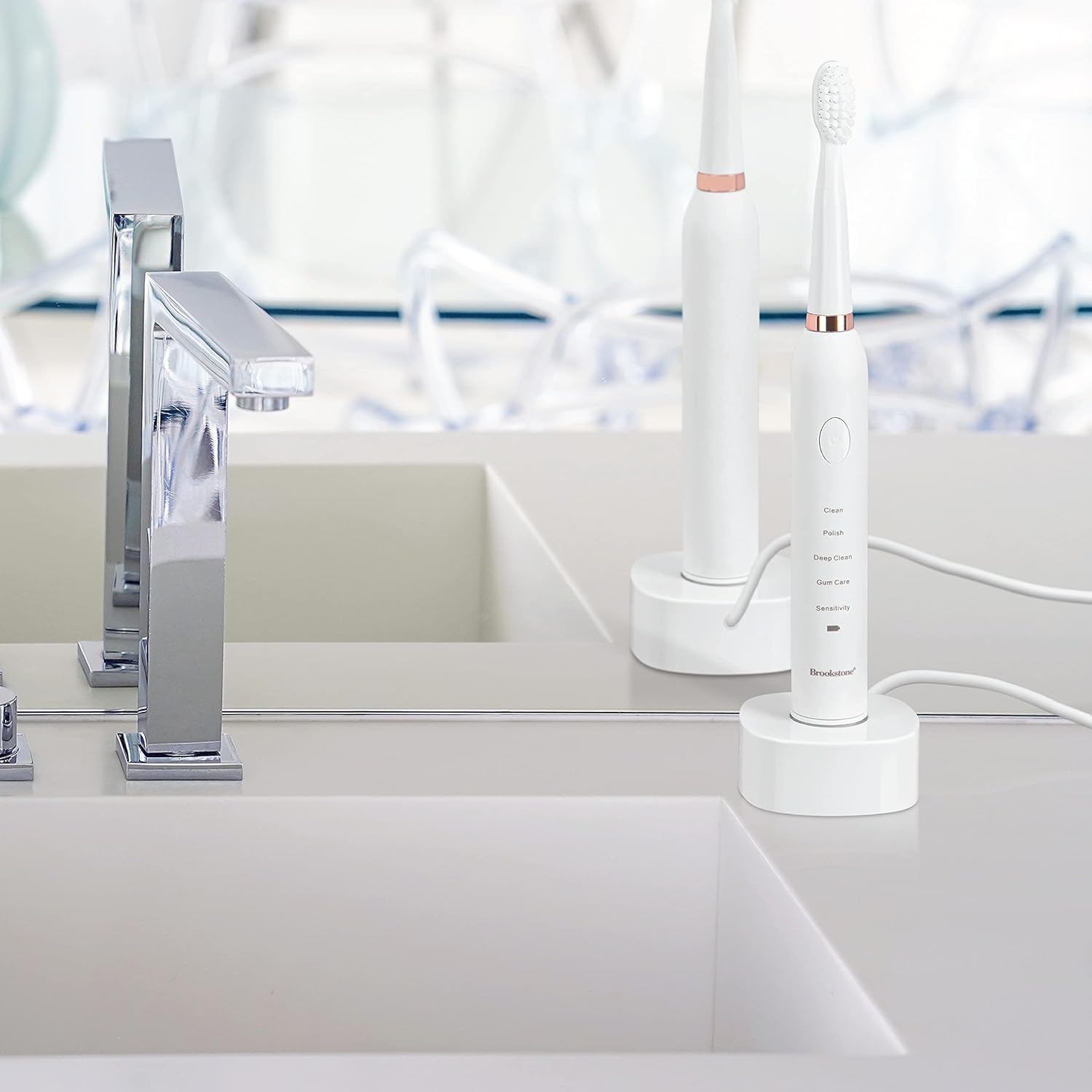
Image: A graphic highlighting key features including the 2-minute timer, sonic vibrations up to 16,500 per minute, and IPX7 waterproof rating.
เทคนิคการแปรงฟัน
Apply a small amount of toothpaste to the brush head. Place the brush head against your teeth at a slight angle towards the gum line. Gently move the brush across your teeth, allowing the sonic vibrations to do the work. Do not scrub aggressively. Divide your mouth into four quadrants and spend 30 seconds on each, guided by the timer pauses.
การซ่อมบำรุง
การทำความสะอาดแปรงสีฟัน
- หลังการใช้งานทุกครั้ง ให้ล้างหัวแปรงให้สะอาดใต้ก๊อกน้ำไหล
- เช็ดด้ามแปรงสีฟันพร้อมโฆษณาamp cloth. Do not immerse the handle in water for extended periods, despite its water resistance.
- Ensure the charging base is kept dry and clean.
การชาร์จไฟ
When the battery indicator light signals low power, place the toothbrush on its USB rechargeable base. The indicator light will show charging status and turn green when fully charged. Avoid overcharging by unplugging the charger once fully charged, especially for prolonged periods.
การเปลี่ยนหัวแปรง
For optimal cleaning performance and hygiene, it is recommended to replace the brush head every 3 months, or sooner if the bristles appear frayed or worn. Replacement heads are available from Brookstone.
การแก้ไขปัญหา
| ปัญหา | สาเหตุที่เป็นไปได้ | สารละลาย |
|---|---|---|
| แปรงสีฟันไม่เปิดใช้งาน | แบตเตอรี่หมด | ชาร์จแปรงสีฟันอย่างน้อย 12 ชั่วโมง |
| แปรงสีฟันไม่ชาร์จ | Charging base or USB cable not properly connected. | Ensure the USB cable is securely plugged into both the base and the power source. Verify the toothbrush handle is correctly seated on the charging pin. |
| Weak vibration or reduced performance. | แบตเตอรี่อ่อนหรือหัวแปรงสึกหรอ | Recharge the toothbrush. Replace the brush head if it is old or worn. |
| หัวแปรงหลุดระหว่างใช้งาน | หัวแปรงไม่ได้ติดแน่นดี | ตรวจสอบให้แน่ใจว่าได้กดหัวแปรงลงไปให้แน่นจนกระทั่งได้ยินเสียงคลิกเข้าที่ |
ข้อมูลจำเพาะ
- แบบอย่าง: OC0005-WH8
- ขนาดสินค้า : 0.85 x 0.85 x 8.5 นิ้ว
- น้ำหนักสินค้า: 5.5 ออนซ์
- แหล่งพลังงาน: ใช้พลังงานจากแบตเตอรี่ (แบตเตอรี่ลิเธียมไอออน 1 ก้อน มีให้ในชุด)
- การสั่นสะเทือน: สูงสุด 16,500 ต่อนาที
- โหมดการทำงาน: 5 (Clean, Polish, Deep Clean, Gum Care, Sensitive)
- ระดับการกันน้ำ: IPX4
- ส่วนประกอบที่รวมอยู่: Toothbrush handle, 3 replacement brush heads, USB rechargeable base, USB cable
- วัสดุขนแปรง: Nylon (Soft)
- วัสดุที่ใช้ทำด้ามจับ: พลาสติก
- ผู้ผลิต: อาร์เจนโต้ เอสซี
ข้อมูลด้านความปลอดภัย
- อันตรายจากการสำลัก: Keep out of reach of children. This product is for adult use only.
- Replace brush head every 3 months for optimal hygiene and performance.
- คำกล่าวอ้างเกี่ยวกับอาหารเสริมยังไม่ได้รับการประเมินจาก FDA และไม่ได้มีจุดประสงค์เพื่อวินิจฉัย รักษา รักษาหาย หรือป้องกันโรคหรือภาวะสุขภาพใดๆ
- ห้ามใช้หากผลิตภัณฑ์มีร่องรอยความเสียหาย
- ควรปรึกษาทันตแพทย์ก่อนใช้หากคุณมีโรคเหงือกอักเสบรุนแรงหรือเคยได้รับการผ่าตัดในช่องปาก
การรับประกันและการสนับสนุน
For warranty information, technical support, or customer service inquiries, please refer to the contact information provided with your product packaging or visit the official Brookstone website. Please have your model number (OC0005-WH8) and purchase date available when contacting support.