
1. บทนำ
This manual provides detailed instructions for the safe and effective use of your BTMETER BT-5800G Ammonia Gas Detector and BT-981D Industrial Thermometer. Please read this manual thoroughly before operation and retain it for future reference.
The BTMETER BT-5800G Ammonia Gas Detector is designed to monitor ammonia (NH3) concentration in real-time. It is suitable for various applications including poultry farms, horse stables, and livestock environments to help manage air quality.
The BTMETER BT-981D Industrial Infrared Laser Thermometer is an industrial device for measuring surface temperatures. It is not intended for measuring human or animal body temperature.
2. อะไรอยู่ในกล่อง
- 1x BTMETER 5800G Ammonia Gas Detector
- 1x BTMETER 981D Digital Infrared Laser Thermometer
- 1x User Manual (for 5800G)
- 1x User Manual (for 981D)
- Charging Cable (for 5800G)
- Carrying Pouch (for 5800G)
- Battery (for 981D)

รูปที่ 2.1: สิ่งของในบรรจุภัณฑ์
3. สินค้าหมดview
3.1 BTMETER BT-5800G Ammonia Gas Detector
The BT-5800G is a handheld device designed for accurate ammonia gas detection. It features a large digital display showing NH3 concentration in parts per million (ppm), ambient temperature, and humidity. The device includes an audible alarm for high ammonia levels and a tripod mountable port for continuous monitoring.

Figure 3.1: BT-5800G Ammonia Gas Detector with Technical Parameters
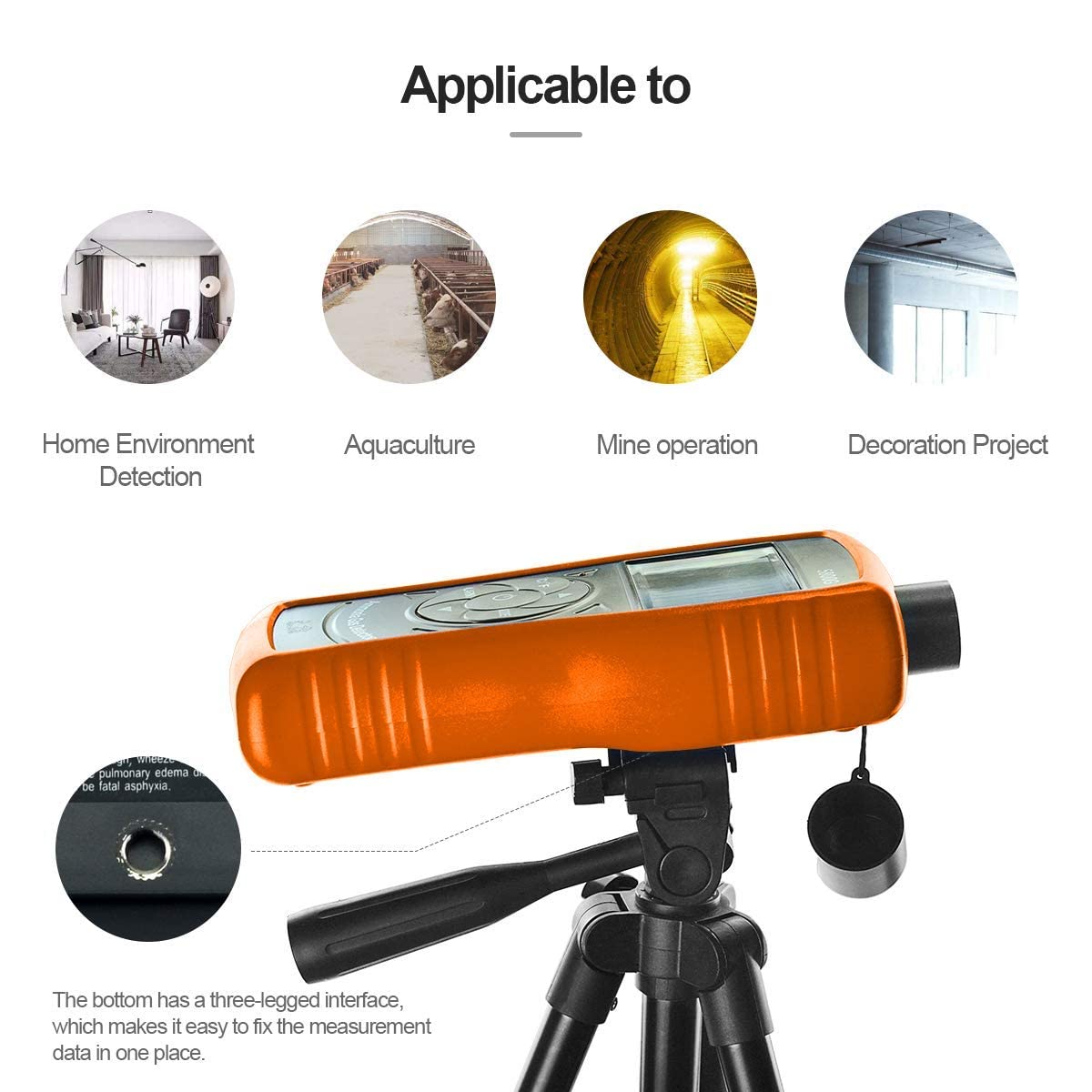
Figure 3.2: BT-5800G Tripod Mount
3.2 BTMETER BT-981D Industrial Thermometer
The BT-981D is a non-contact infrared thermometer for industrial surface temperature measurements. It offers a wide temperature range and a 12:1 distance-to-spot ratio for accurate readings from a safe distance. The device features adjustable emissivity and a clear digital display.

Figure 3.3: BT-981D Industrial Thermometer Features

Figure 3.4: BT-981D Distance to Spot Ratio
4. การตั้งค่า
4.1 BT-5800G Ammonia Gas Detector
การชาร์จ: The BT-5800G uses a Nickel metal hydride battery. Connect the device to a 5V DC power source using the provided USB charging cable. A red light indicates charging, and a green light indicates a full charge.

Figure 4.1: BT-5800G USB Charging
4.2 BT-981D Industrial Thermometer
การติดตั้งแบตเตอรี่: Open the battery compartment and insert the included battery, ensuring correct polarity. Close the compartment securely.
5. การดำเนินการ
5.1 BT-5800G Ammonia Gas Detector
- เปิด/ปิดเครื่อง: Press and hold the power button (usually the center button with a power symbol) to turn the device on or off.
- การวัด : Once powered on, the device will automatically begin detecting ammonia (NH3) concentration, ambient temperature, and humidity. Readings are displayed on the screen.
- การสลับหน่วย (°C/°F): Press the °C/°F button to switch between Celsius and Fahrenheit temperature units.
- การตั้งค่านาฬิกาปลุก: Press the 'ALARM' button to access or adjust alarm thresholds. Refer to the device's specific menu for detailed alarm configuration.
- ปุ่มโหมด: Use the 'MODE' button to cycle through different display modes or settings as available.
Video 5.1: Demonstration of the BTMETER BT-5800G Ammonia Gas Detector's display and button functions, including switching temperature units and viewการอ่าน
5.2 BT-981D Industrial Thermometer
- เปิด/ปิดเครื่อง: Press the trigger to turn the device on. It will automatically power off after a period of inactivity.
- การวัด : Aim the thermometer at the target surface and press the trigger. The temperature reading will appear on the display. Ensure the target spot is within the device's distance-to-spot ratio for accurate measurement.
- การสลับหน่วย (°C/°F): Use the dedicated button on the device to switch between Celsius and Fahrenheit.
- การปรับค่าการปล่อยก๊าซเรือนกระจก: If applicable, adjust the emissivity setting to match the material being measured for improved accuracy. Refer to the BT-981D's specific manual for details on emissivity settings.
6. การบำรุงรักษา
6.1 การทำความสะอาด
- เช็ดพื้นผิวของอุปกรณ์ด้วยผ้าเนื้อนุ่มและแห้งamp ผ้า ห้ามใช้สารทำความสะอาดที่มีฤทธิ์กัดกร่อนหรือตัวทำละลาย
- Keep the sensor area of the BT-5800G and the lens of the BT-981D clean and free from dust or debris.
6.2 พื้นที่จัดเก็บ
- เก็บอุปกรณ์ไว้ในที่แห้งและเย็น หลีกเลี่ยงแสงแดดโดยตรงและอุณหภูมิที่สูงหรือต่ำเกินไป
- If storing for extended periods, remove batteries from the BT-981D.
6.3 Sensor Lifespan (BT-5800G)
The electrochemical principle sensor in the BT-5800G has an expected lifespan of approximately two years. Regular calibration may be required to maintain accuracy over time.
7 การแก้ไขปัญหา
| ปัญหา | สาเหตุที่เป็นไปได้ | สารละลาย |
|---|---|---|
| อุปกรณ์ไม่เปิดเครื่อง | Low battery (BT-5800G), dead battery (BT-981D), incorrect battery installation | Charge BT-5800G, replace battery in BT-981D, check battery polarity. |
| การอ่านที่ไม่ถูกต้อง | Sensor/lens obstruction, environmental interference, incorrect emissivity (BT-981D) | Clean sensor/lens, ensure stable environment, adjust emissivity for BT-981D. |
| สัญญาณเตือนไม่ทำงาน | Alarm threshold set too high, alarm disabled | Adjust alarm threshold to a lower value, ensure alarm is enabled in settings. |
| จอแสดงผลไม่ทำงาน | Low battery, device malfunction | Charge/replace battery. If issue persists, contact customer support. |
8. ข้อมูลจำเพาะ
8.1 BTMETER BT-5800G Ammonia Gas Detector
- การตรวจจับก๊าซ: แอมโมเนีย (NH3)
- ช่วงการวัด: 0 100-ppm
- Measuring Resolution: 0.1 หน้าต่อนาที
- ความสามารถในการทำซ้ำ: <± 1%
- ข้อผิดพลาดพื้นฐาน: < ± 5% (F.S)
- เวลาตอบสนอง: < 60 วินาที
- ระยะเวลาการฟื้นตัว: < 60 วินาที
- Principle of Sensor: Electrochemical, lifespan approx. 2 years
- แบตเตอรี่: Nickel metal hydride battery
- แสดง: Large screen liquid crystal display
- เตือน: Acoustic optical double alarm, adjustable threshold, alarm sound > 80dB
- อุณหภูมิในการทำงาน: -10 °C ถึง 50 °C (14 °F ถึง 122 °F)
- ความชื้นในการทำงาน: 0-95% RH (Non-Gel)
- ขนาดสินค้า : ลึก 11 นิ้ว x กว้าง 2.4 นิ้ว x สูง 6.3 นิ้ว
- น้ำหนักสินค้า: 0.66 ปอนด์
8.2 BTMETER BT-981D Industrial Thermometer
- ช่วงการวัด: -50 °C ถึง 550 °C (-58 °F ถึง 1022 °F)
- ความแม่นยำ: ±3% for -50 °C to 0 °C; ±2% for 0 °C to 100 °C; ±3% for ≥100 °C
- อัตราส่วนระยะทางต่อจุด: 12:1 น.
- การแผ่รังสี: 0.95 (fixed or adjustable, refer to specific manual)
- แหล่งพลังงาน: ใช้พลังงานจากแบตเตอรี่
9. การรับประกันและการสนับสนุน
BTMETER products are manufactured to high-quality standards. For warranty information, technical support, or service inquiries, please refer to the contact information provided with your product packaging or visit the official BTMETER webไซต์ โปรดเก็บหลักฐานการซื้อไว้เพื่อใช้ในการเรียกร้องการรับประกัน