
การแนะนำ
Thank you for choosing the Lamshaw T92 Smart Watch Magnetic USB Charging Cable. This manual provides essential information for the proper setup, operation, and maintenance of your charging cable. Please read these instructions carefully before use to ensure optimal performance and longevity of your product.
คู่มือการติดตั้ง
- แกะกล่องเครื่องชาร์จ: นำสายชาร์จออกจากบรรจุภัณฑ์อย่างระมัดระวัง
- เชื่อมต่อกับแหล่งพลังงาน: Insert the USB-A end of the charging cable into a compatible USB power source. This can be a computer's USB port, a laptop, a power bank, or a wall charger with a USB output. Ensure the power source provides a stable 5V output.
- วิธีเชื่อมต่อกับสมาร์ทวอทช์: Align the magnetic charging pins of the cable with the charging contacts on the back of your T92 Smart Watch. The magnets will automatically snap the connector into place. Ensure a secure connection.
The smartwatch screen should indicate that charging has begun. If not, adjust the magnetic connector until charging is initiated.
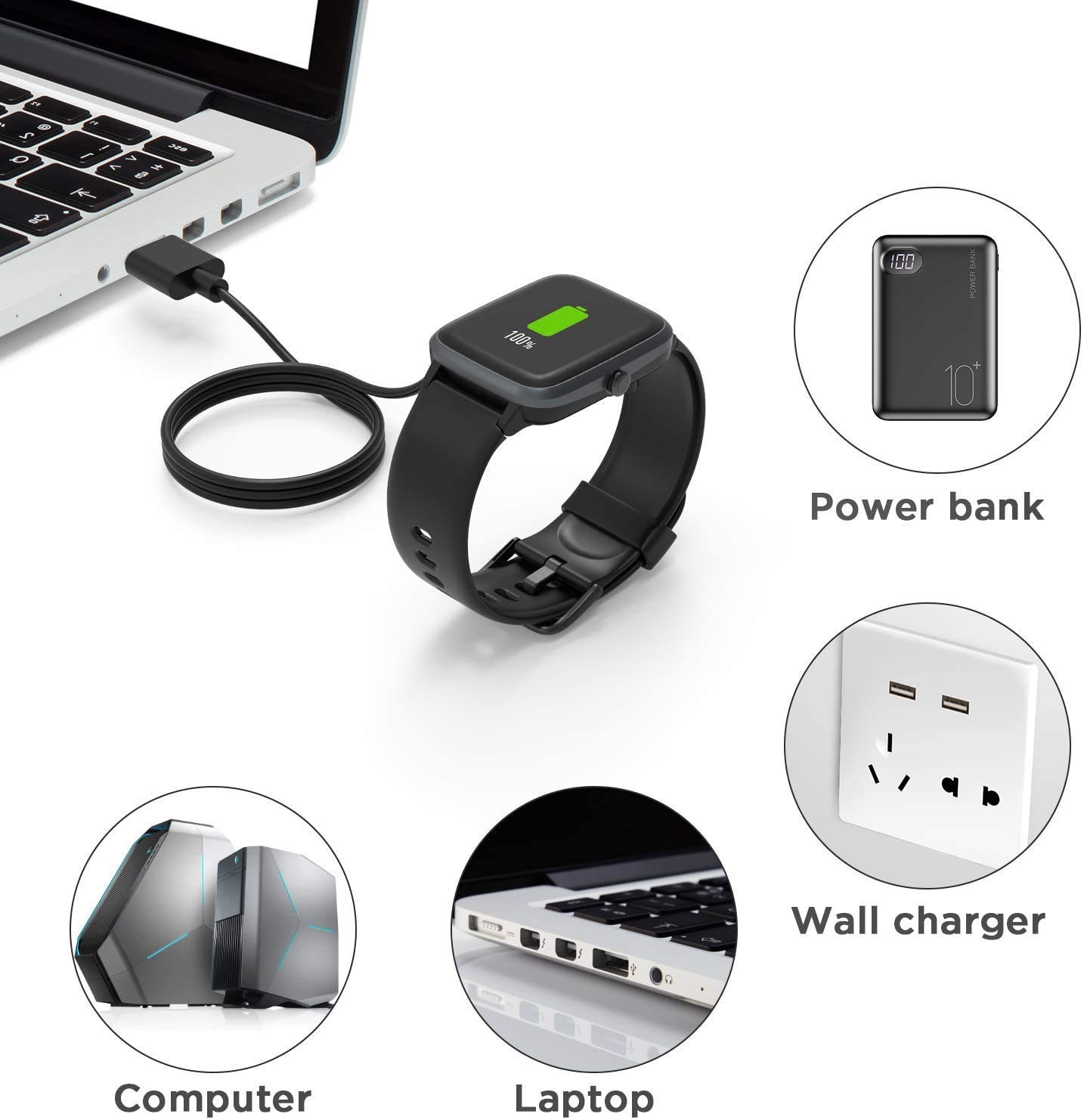
Image: The magnetic charging cable connected to a smartwatch, illustrating various compatible power sources such as a power bank, wall charger, computer, and laptop.
คำแนะนำการใช้งาน
การชาร์จสมาร์ทวอทช์ของคุณ
- Connect the magnetic end of the cable to your T92 Smart Watch. The magnetic connection ensures proper alignment.
- Connect the USB-A end to a suitable power source (e.g., USB wall adapter, computer USB port, power bank).
- The smartwatch display will show a charging indicator, typically a battery icon with a charging animation or percentage.
- A full charge for your T92 Smart Watch typically takes approximately 2.5 hours when using a 1A output current power source.

Image: A smartwatch displaying a full charge, with an overlay indicating a 2.5-hour charging time for a complete charge with a 1A output current.
การดูแลรักษา
- การทำความสะอาด: Use a soft, dry cloth to gently wipe the charging pins on both the cable and your smartwatch to remove any dust or debris. Do not use liquid cleaners.
- พื้นที่จัดเก็บ: When not in use, store the cable in a cool, dry place. Avoid extreme temperatures and direct sunlight.
- การจัดการ: Do not bend the cable sharply or pull it forcefully from the smartwatch or power source. Always grasp the connector ends when plugging or unplugging.
- การตรวจสอบ: ตรวจสอบสายเคเบิลเป็นระยะเพื่อหาสัญญาณความเสียหาย เช่น สายไฟชำรุดหรือขาเสียบงอ หากพบความเสียหายให้หยุดใช้งานทันที
การแก้ไขปัญหา
- Smartwatch not charging:
- ตรวจสอบให้แน่ใจว่าปลาย USB-A เสียบเข้ากับแหล่งจ่ายไฟที่ใช้งานได้แน่นสนิทแล้ว
- Verify that the magnetic charging pins are correctly aligned with the smartwatch contacts. If the magnets repel, the connection is incorrect, and the device will not charge. Reorient the magnetic connector until it attracts and securely attaches.
- Clean the charging contacts on both the cable and the smartwatch.
- ลองใช้แหล่งพลังงาน USB หรืออะแดปเตอร์ติดผนังอื่น
- การชาร์จช้า:
- Ensure your power source provides at least 1A output current. Lower current sources will result in slower charging.
- Avoid charging through unpowered USB hubs or older computer USB ports, which may provide insufficient power.

Image: Visual guide demonstrating the correct magnetic alignment for charging. An incorrect alignment (magnets repelling) is shown with a red 'X', while a correct alignment (magnets attracting) is shown with a green checkmark, leading to the smartwatch displaying a charging indicator.
Video: This video demonstrates the correct usage method for the magnetic smartwatch charger, showing how to connect it to the smartwatch for effective charging.
สร้างมาเพื่อความคงทน
The Lamshaw T92 Smart Watch Magnetic USB Charging Cable is designed for durability and reliable performance. It features a flexible PVC cable that is easy to roll and convenient for storage, reducing tangles and wear. The charging probe is made of pure copper, ensuring rapid and stable conduction for efficient power transfer.

ภาพ: รายละเอียด view of the charging cable highlighting its construction, including the pure copper probe for stable conduction, durable ABS+PC materials, and a flexible PVC cable for longevity and ease of use. The cable length is specified as 3.3 feet (1 meter).
ข้อมูลจำเพาะ
| ยี่ห้อ: | Lamshaw |
| ชื่อรุ่น : | T92 |
| อุปกรณ์ที่รองรับ: | T92 Smart Watch, Meet Romance T92 Smart Watch, Desong T92 Smart Watch |
| ประเภทตัวเชื่อมต่อ: | USB Type A (Male) to Magnetic Pogo Pin |
| คุณสมบัติพิเศษ: | การเชื่อมต่อแบบแม่เหล็ก |
| ความยาวสายเคเบิล: | ประมาณ 3.3 ฟุต (1 เมตร) |
| วัสดุ: | ABS+PC, Flexible PVC Cable |
| วัดtage: | 5 วัตต์ |
| ปริมาณสูงสุดtage: | 5 โวลต์ |
| จำนวนรายการ: | 2 (as per product variant) |
การรับประกันและการสนับสนุน
Lamshaw offers a เปลี่ยนหรือคืนเงินภายใน 30 วัน for all quality-related issues from the date of purchase. If you encounter any defective items or have questions regarding your product, please contact us immediately for assistance. Our customer support team is dedicated to resolving any concerns you may have.
For further information or support, please refer to the product detail page on Amazon or contact Lamshaw customer service directly.