
ORIA Bluetooth Receiver 5.0 User Manual
Model: Bluetooth Receiver 5.0
1. บทนำ
The ORIA Bluetooth Receiver 5.0 is a versatile audio adapter designed to add Bluetooth functionality to non-Bluetooth devices. It supports both receiving (RX) and transmitting (TX) modes, allowing you to wirelessly stream audio from your smartphone to a car stereo or speaker, or from your TV to Bluetooth headphones. Featuring Bluetooth 5.0 technology and CVC noise reduction, it provides stable connections and clear audio quality for music and hands-free calls.
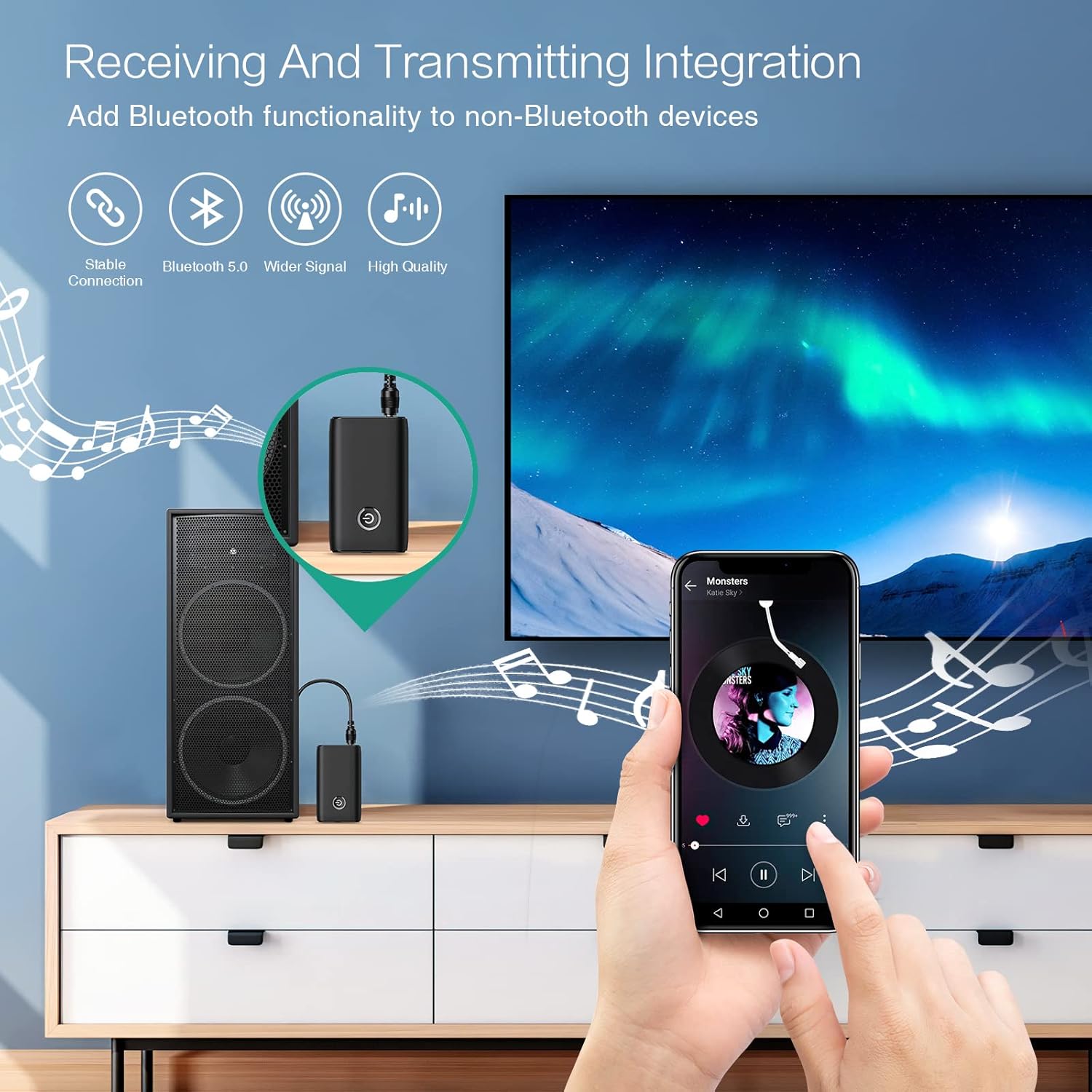
Figure 1.1: The ORIA Bluetooth Receiver 5.0 integrating with various audio systems, showcasing its dual receiving and transmitting functions.
2. เนื้อหาบรรจุภัณฑ์
กรุณาตรวจสอบแพ็คเกจสำหรับรายการต่อไปนี้:
- ORIA Bluetooth Receiver 5.0 Unit
- สายสัญญาณเสียงขนาด 3.5 มม.
- สายชาร์จ USB (Type-C)
- คู่มือการใช้งาน

Figure 2.1: All items included in the ORIA Bluetooth Receiver 5.0 package.
3. สินค้าหมดview
Familiarize yourself with the device's components and indicators:

Figure 3.1: Detailed diagram of the ORIA Bluetooth Receiver 5.0, highlighting its ports, buttons, and LED indicator meanings.
- พอร์ตเสียง 3.5 มม.: Connects to audio input/output devices.
- พอร์ตชาร์จ Micro USB: สำหรับการชาร์จอุปกรณ์
- สวิตช์ RX/TX: สลับระหว่างโหมดรับสัญญาณ (RX) และโหมดส่งสัญญาณ (TX)
- ปุ่มมัลติฟังก์ชั่น: เปิด/ปิดเครื่อง, เล่น/หยุดชั่วคราว, รับ/วางสาย
- Connection Indicator Light:
- Red & Blue flashing: Pairing State
- Red flashing: Low Battery Warning
- Blue solid: Connected
4. คุณสมบัติ
- Bluetooth 5.0: Provides a stable wireless connection up to 10 meters for music streaming and audio calls.
- Intelligent Noise Reduction (CVC): Enhances audio clarity by reducing background noise, supporting A2DP, AVRCP, HFP, HSP protocols.
- Dual Mode (TX/RX): Converts non-Bluetooth devices into Bluetooth-enabled devices for both transmitting and receiving audio.
- อายุการใช้งานแบตเตอรี่ยาวนาน: Up to 8 hours of play/talk time, 60 days standby, with a 2-hour full charge time.
- การชาร์จ USB: Allows use while charging without interrupting calls or music.
- ใช้งานง่าย: Simple one-button control for power, play/pause, and call management.
- การออกแบบพกพา: Small and lightweight for convenient transport and use anywhere.
5. การตั้งค่าและการใช้งาน
5.1 การชาร์จอุปกรณ์
Before first use, fully charge the device. Connect the provided USB charging cable to the Micro USB Charging Port on the receiver and the other end to a USB power source (e.g., car charger, wall adapter, computer USB port). The indicator light will show charging status.

Figure 5.1: Battery life and charging duration of the ORIA Bluetooth Receiver 5.0.
5.2 Switching Between Receiver (RX) and Transmitter (TX) Modes
The device features a physical switch to change between RX and TX modes. สำคัญ: Always power off the device before switching modes to ensure proper functionality.

Figure 5.2: Instructions for switching between Transmitter (TX) and Receiver (RX) modes.
5.3 การตั้งค่าโหมดรับสัญญาณ (RX)
Use RX mode to receive audio from a Bluetooth-enabled device (e.g., smartphone, tablet) and play it through a non-Bluetooth audio system (e.g., car stereo, home speaker, wired headphones).
- Switch to RX: Ensure the device is powered off, then slide the switch to the "RX" position.
- เชื่อมต่อกับระบบเสียง: Plug one end of the 3.5mm audio cable into the receiver's 3.5mm Audio Port and the other end into the AUX input of your car stereo, home speaker, or wired headphones.
- เปิดเครื่อง: Press and hold the Multi-function Button to power on the receiver. The indicator light will flash red and blue, indicating pairing mode.
- เชื่อมต่อกับโทรศัพท์: On your smartphone or other Bluetooth device, enable Bluetooth and search for "ORIA-B6" (or similar name). Select it to pair. Once connected, the indicator light will turn solid blue.
- เล่นเพลง: Start playing audio on your paired device. The sound will now be transmitted wirelessly to your connected audio system.

Figure 5.3: Easy setup steps for Receiver (RX) mode, typically used in a car.
5.4 การตั้งค่าโหมดส่งสัญญาณ (TX)
Use TX mode to transmit audio from a non-Bluetooth device (e.g., TV, PC, MP3 player) to a Bluetooth-enabled audio output (e.g., Bluetooth headphones, Bluetooth speaker).
- Switch to TX: Ensure the device is powered off, then slide the switch to the "TX" position.
- เชื่อมต่อกับแหล่งเสียง: Plug one end of the 3.5mm audio cable into the receiver's 3.5mm Audio Port and the other end into the audio output (e.g., headphone jack) of your TV, PC, or MP3 player.
- เปิดเครื่อง: Press and hold the Multi-function Button to power on the transmitter. The indicator light will flash red and blue, indicating pairing mode.
- Pair with Bluetooth Headphones/Speaker: Put your Bluetooth headphones or speaker into pairing mode. The receiver will automatically search for and connect to nearby Bluetooth audio devices. Once connected, the indicator light will turn solid blue.
- เพลิดเพลินไปกับเสียง: Play audio from your connected source device. The sound will now be transmitted wirelessly to your Bluetooth headphones or speaker.

Figure 5.4: Easy setup steps for Transmitter (TX) mode, typically used with a TV.
5.5 ความเข้ากันได้สากล
The ORIA Bluetooth Receiver 5.0 is designed for broad compatibility with various devices in both TX and RX modes.
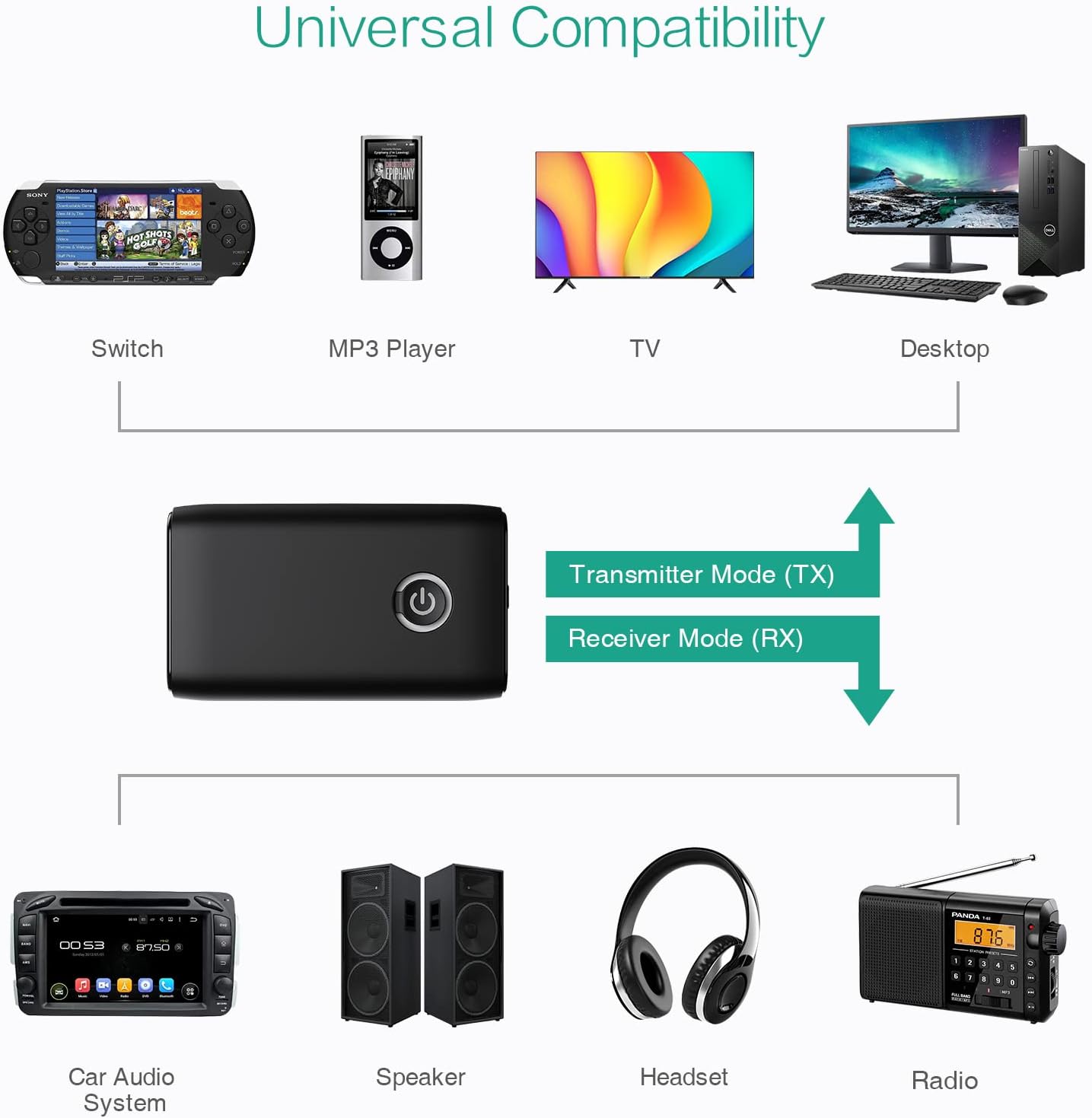
รูปที่ 5.5: อดีตamples of devices compatible with the ORIA Bluetooth Receiver 5.0 in both TX and RX modes.
6. คู่มือการใช้งาน
6.1 การควบคุมการเล่นเพลง
- เล่น/หยุดชั่วคราว: กดปุ่มมัลติฟังก์ชั่นสั้นๆ
- เพลงถัดไป: (Functionality may vary depending on connected device and mode. Typically controlled via the source device.)
- แทร็กก่อนหน้า: (Functionality may vary depending on connected device and mode. Typically controlled via the source device.)
- การควบคุมระดับเสียง: Adjust volume directly on your paired device (smartphone, TV, etc.) or the connected audio system.
6.2 Hands-Free Calling (RX Mode Only)
When in Receiver (RX) mode and paired with a smartphone:
- รับสาย: Short press the Multi-function Button when a call comes in.
- วางสาย: Short press the Multi-function Button during a call.
- ปฏิเสธสาย: Press and hold the Multi-function Button for 2 seconds when a call comes in.
- โทรซ้ำหมายเลขล่าสุด: กดปุ่มมัลติฟังก์ชั่นสองครั้ง
7. การบำรุงรักษา
- เก็บอุปกรณ์ให้แห้ง หลีกเลี่ยงการสัมผัสกับความชื้นหรือของเหลว
- อย่าพยายามถอดประกอบหรือดัดแปลงอุปกรณ์ การกระทำเช่นนี้จะทำให้การรับประกันเป็นโมฆะ
- ทำความสะอาดอุปกรณ์ด้วยผ้านุ่มและแห้ง ห้ามใช้สารเคมีรุนแรงหรือน้ำยาทำความสะอาดที่มีฤทธิ์กัดกร่อน
- เก็บอุปกรณ์ไว้ในที่แห้งและเย็นเมื่อไม่ได้ใช้งานเป็นเวลานาน
8 การแก้ไขปัญหา
If you encounter issues with your ORIA Bluetooth Receiver 5.0, please refer to the following common solutions:
| ปัญหา | สารละลาย |
|---|---|
| อุปกรณ์ไม่เปิดเครื่อง | Ensure the device is fully charged. Connect it to a power source using the USB charging cable. |
| ไม่สามารถจับคู่กับอุปกรณ์บลูทูธได้ |
|
| ไม่มีเสียงหรือคุณภาพเสียงไม่ดี |
|
| อุปกรณ์ตัดการเชื่อมต่อบ่อยครั้ง |
|
9. ข้อมูลจำเพาะ
| คุณสมบัติ | รายละเอียด |
|---|---|
| ยี่ห้อ | ออเรีย |
| เทคโนโลยีการเชื่อมต่อ | บลูทูธ, ยูเอสบี |
| มาตรฐานการสื่อสารไร้สาย | บลูทูธ 5.0 |
| แหล่งพลังงาน | ใช้พลังงานจากแบตเตอรี่ ไฟฟ้าแบบมีสาย |
| คุณสมบัติพิเศษ | Bluetooth Receiver, Portable |
| ประเภทการติดตั้ง | เสียบปลั๊ก |
| ฮาร์ดแวร์อินเตอร์เฟซ | บลูทูธ, ยูเอสบี |
| การลดเสียงรบกวน | เทคโนโลยีซีวีซี |
| Battery Life (Play/Talk) | นานถึง 8 ชั่วโมง |
| เวลาสแตนด์บาย | 60 วัน |
| เวลาในการชาร์จ | ประมาณ 2 ชั่วโมง |
10. การรับประกันและการสนับสนุน
This ORIA Bluetooth Receiver 5.0 comes with a รับประกัน 1 ปี ตั้งแต่วันที่ซื้อสินค้า
If you experience any problems with the product's use or function, or if the product is defective or damaged, please contact the seller directly for assistance. They will provide support and solutions to resolve your issue.