
1. บทนำ
Thank you for choosing the JTEMAN Portable Phone Stand with Bluetooth Speaker. This versatile device combines a stable phone stand with a high-quality Bluetooth speaker, offering convenience for media consumption, video calls, and audio playback. This manual will guide you through the setup, operation, and maintenance of your new device.

Figure 1: JTEMAN Portable Phone Stand with Bluetooth Speaker (White)
2. เนื้อหาบรรจุภัณฑ์
กรุณาทำเครื่องหมายในช่องสำหรับรายการต่อไปนี้:
- ที่วางโทรศัพท์พร้อมลำโพง Bluetooth
- คู่มือการใช้งาน
- USB-A to Type-C charger cable (1)
3. สินค้าหมดview
The JTEMAN L9 is designed for multi-functional use, serving as both a phone stand and a Bluetooth speaker. It features an adjustable and foldable design for portability and optimal viewมุมการเอียง
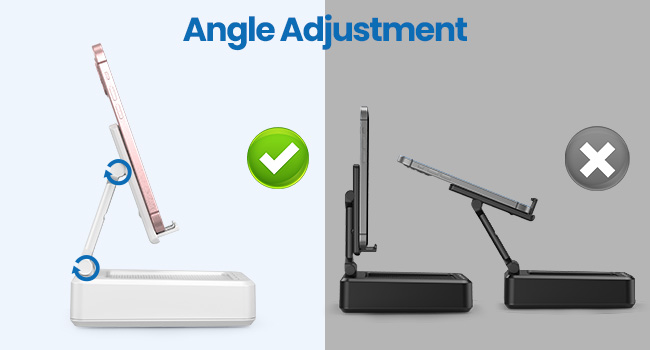
Figure 2: Product Dimensions and Controls
คุณสมบัติหลัก:
- ฟังก์ชั่น 2-in-1: Combines a phone stand with a Bluetooth speaker.
- ความเข้ากันได้กว้าง: Supports most 4-13 inch smartphones, tablets, and e-readers with Bluetooth.
- ปรับได้และพับได้: หลายรายการ viewing angles and a compact, portable design.
- Stable & Anti-slip: Features anti-slip silicone pads for device protection and stability.
- ไมโครโฟนในตัว: ช่วยให้การโทรแบบแฮนด์ฟรีมีความคมชัด

Figure 3: Integrated Features
4. การตั้งค่า
4.1 การชาร์จอุปกรณ์
- Connect the provided USB-A to Type-C charging cable to the charging port on the side of the JTEMAN L9.
- เชื่อมต่อปลายสายอีกด้านหนึ่งเข้ากับอะแดปเตอร์ไฟ USB ที่ใช้งานร่วมกันได้ (ไม่รวมอยู่ด้วย)
- The charging indicator light will show red during charging and turn green when fully charged. A full charge takes approximately 4 hours.
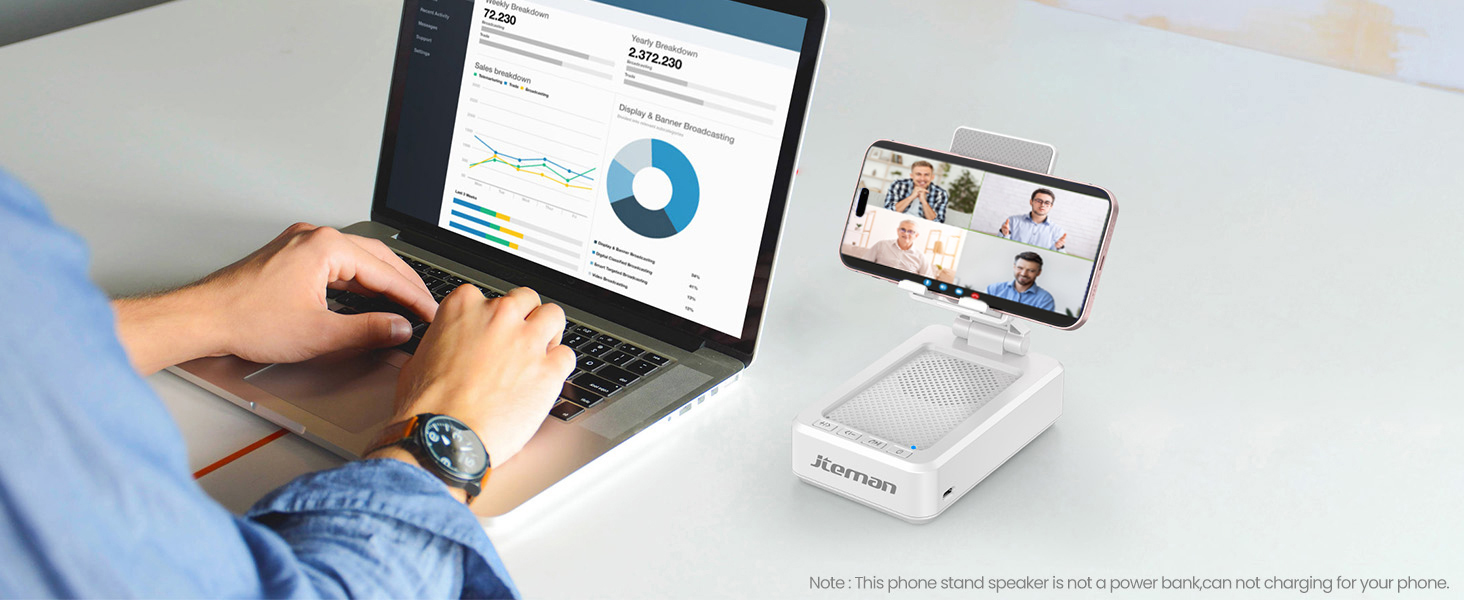
Figure 4: Charging the JTEMAN L9
4.2 การจับคู่บลูทูธ
- Press and hold the power button on the JTEMAN L9 until you hear an audible prompt indicating it's powered on and in Bluetooth pairing mode. The Bluetooth indicator light will flash.
- On your smartphone, tablet, or e-reader, go to the Bluetooth settings.
- ค้นหา available devices and select "JTEMAN L9" from the list.
- Once connected, you will hear a confirmation tone, and the Bluetooth indicator light will remain solid.
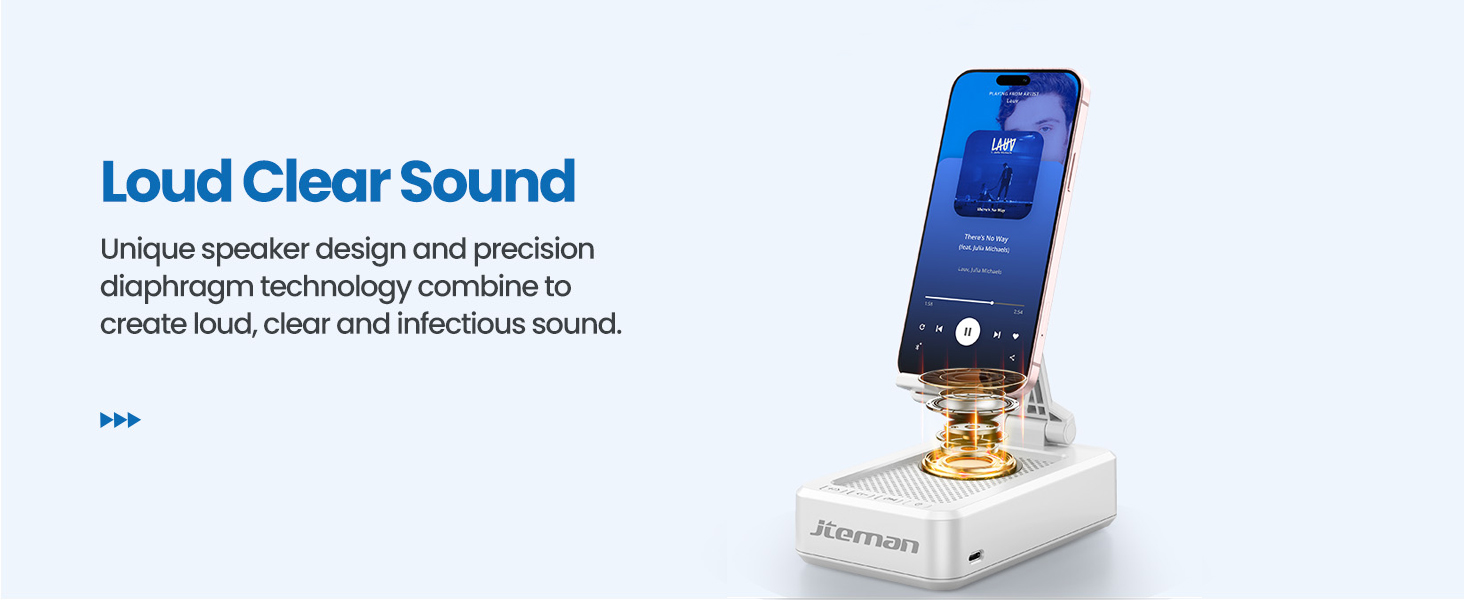
Figure 5: Easy Bluetooth Connection
5. คู่มือการใช้งาน
5.1 Using as a Phone/Tablet Stand
- Gently pull up the phone holder arm from its folded position.
- Adjust the angle of the holder to your preferred viewing position. The stand is designed to be stable at various angles.
- Place your smartphone, tablet, or e-reader onto the holder. The anti-slip silicone pads will secure your device.
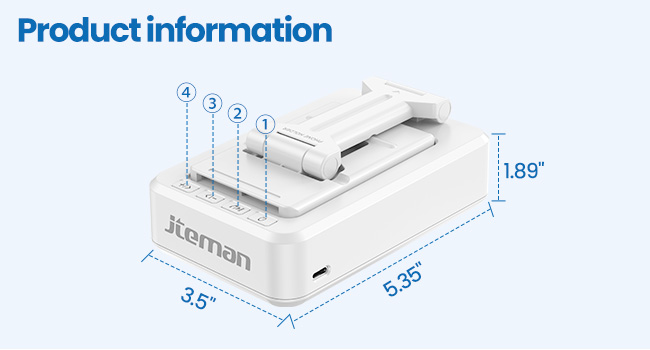
Figure 6: Angle Adjustment for Optimal Viewกำลังทำ
5.2 Using the Bluetooth Speaker
Once paired with your device, audio will automatically play through the JTEMAN L9 speaker.
- เล่น/หยุดชั่วคราว: Press the Play/Pause button on the speaker to control media playback.
- การควบคุมระดับเสียง: Use the volume buttons (+/-) on the speaker to adjust the audio level.
- ติดตามการนำทาง: Use the skip buttons (<< / >>) to go to the previous or next track.
- โทรแบบแฮนด์ฟรี: The built-in microphone allows for clear hands-free communication. Press the phone icon button to answer or end calls.

Figure 7: Loud and Clear Sound Output
5.3 ความสามารถในการพกพา
When not in use, the phone holder arm can be folded down, making the device compact and easy to carry in a bag.

Figure 8: Foldable and Portable Design
5.4 วิดีโอผลิตภัณฑ์อย่างเป็นทางการ
Video 1: Demonstrates the sound quality and instant pairing of the JTEMAN L9.
Video 2: Showcases the power and versatility of the JTEMAN L9 speaker and stand.
Video 3: Highlights the compact design, clear sound, and anti-slip base of the JTEMAN L9.
6. การบำรุงรักษา
- รักษาความสะอาดของอุปกรณ์ด้วยการเช็ดด้วยผ้าแห้งเนื้อนุ่ม
- หลีกเลี่ยงการให้เครื่องสัมผัสกับอุณหภูมิที่สูง ความชื้น หรือแสงแดดโดยตรง
- ห้ามใช้น้ำยาทำความสะอาดที่มีฤทธิ์กัดกร่อนหรือตัวทำละลาย
7 การแก้ไขปัญหา
| ปัญหา | สาเหตุที่เป็นไปได้ | สารละลาย |
|---|---|---|
| อุปกรณ์ไม่เปิดเครื่อง | แบตเตอรี่ต่ำ | ชาร์จอุปกรณ์โดยใช้สาย USB-C ที่ให้มา |
| ไม่สามารถจับคู่ผ่านบลูทูธได้ | Bluetooth not enabled on source device; device too far; already paired to another device | Ensure Bluetooth is on and within range (approx. 10m). Disconnect from other devices. |
| ไม่มีเสียงหรือเสียงเบา | Volume too low on speaker or source device; not properly connected | Increase volume on both devices. Re-pair Bluetooth connection. |
| Audio skipping/interruption | สัญญาณรบกวน; อุปกรณ์อยู่ไกลเกินไป; แบตเตอรี่เหลือน้อย | Move closer to the source device. Ensure no obstructions. Charge the device. |
8. ข้อมูลจำเพาะ
| คุณสมบัติ | รายละเอียด |
|---|---|
| ขนาดสินค้า | 5.35 x 3.5 x 1.89 นิ้ว |
| น้ำหนักสินค้า | 11.5 ออนซ์ |
| หมายเลขรุ่นสินค้า | L9 |
| ยี่ห้อ | เจเทมาน |
| สี | สีขาว |
| ฟอร์มแฟกเตอร์ | ขาตั้งโทรศัพท์พร้อมลำโพง |
| อุปกรณ์ที่รองรับ | Mobile phone, Tablet |
| รุ่นโทรศัพท์ที่รองรับ | iPhone, Samsung, iPad mini, Samsung Tab, Google Nexus, Kindle |
| ความจุของแบตเตอรี่ | 1800mAh (approx. 8-10 hours play time at medium volume) |
9. การรับประกันและการสนับสนุน
JTEMAN products are manufactured with high-quality standards. For any issues or support needs, please refer to the contact information provided with your purchase or visit the official JTEMAN webไซต์นี้ โปรดเก็บหลักฐานการซื้อไว้เพื่อใช้ยืนยันการรับประกัน