
1. บทนำ
The Topping G5 is a high-performance portable Hi-Res amplifier and Digital-to-Analog Converter (DAC) designed to deliver exceptional audio quality on the go. It integrates a powerful headphone amplifier with a sophisticated DAC, offering versatile connectivity and a compact design for audiophiles and music enthusiasts.
2. คุณสมบัติของผลิตภัณฑ์
- Advanced NFCA Ampเครื่องฟอก: Utilizes a modified NFCA headphone amplifier module for high performance, low distortion, and extended battery life. Features a three-step gain adjustment to accommodate various headphones, from sensitive IEMs to high-impedance models.
- High-Resolution ES9068AS DAC: Incorporates the ES9068AS DAC for excellent digital-to-analog conversion, supporting audio streams up to PCM 32-bit 768 kHz, DSD512, and DoP256.
- อายุการใช้งานแบตเตอรี่ที่ยาวนานขึ้น: Equipped with a 4000 mAh battery, providing up to 25 hours of playback via AUX input or 10 hours via USB-C DAC input.
- การเชื่อมต่อบลูทูธ: Features a Qualcomm QCC5125 chip for wireless audio transmission, supporting high-resolution codecs such as aptX, aptX HD, aptX Adaptive, and LDAC.
- การออกแบบที่แข็งแกร่ง: Designed with corner guards to protect the panel and prevent accidental volume knob adjustments or headphone plug damage.

ภาพ: เหนือview of Topping G5 key features including NFCA, ES9068AS DAC, LDAC, Hi-Res Audio, multiple inputs, 4.4mm & 3.5mm outputs, 3-step gain, battery life, THD+N, DSD/PCM support, output impedance, and output power.
3. เนื้อหาบรรจุภัณฑ์
กรุณาตรวจสอบว่ามีรายการทั้งหมดอยู่ในแพ็คเกจของคุณ:
- Topping G5 Unit
- สายสัญญาณเสียง 3.5 มม. ถึง 3.5 มม.
- สายชาร์จ USB
- Straight Type C to Type C Cable
- Elbow Type C to Type C Cable (Note: Lightning version cable available only in specific versions)
- ยางรัดผม
- แผ่นยางรอง
- คู่มือการใช้งาน
- บัตรรับประกัน

Image: A visual representation of the Topping G5 unit and its included accessories, numbered for easy identification.
4. การจัดวางอุปกรณ์และการควบคุม
Familiarize yourself with the various ports and controls on your Topping G5 unit:
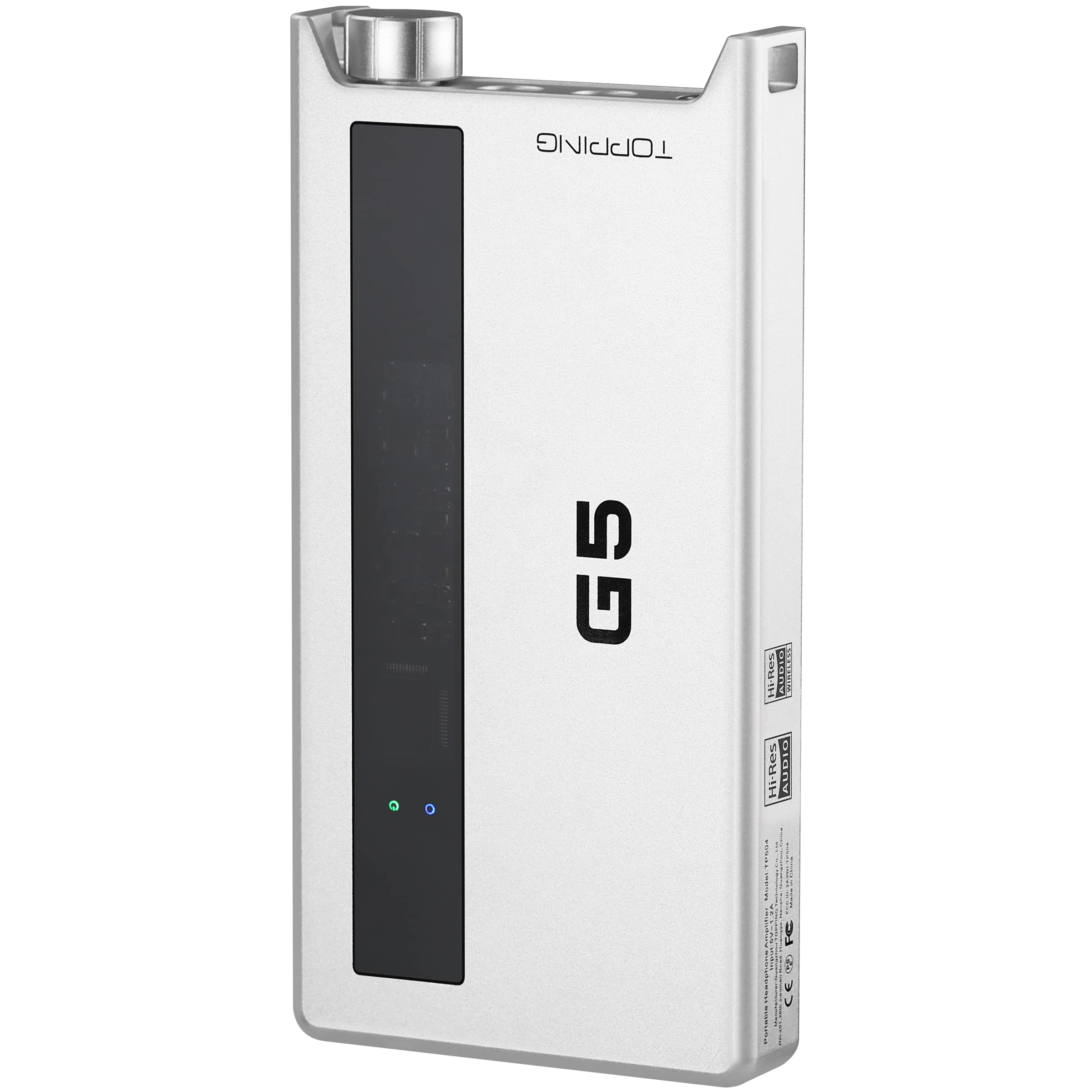
Image: Detailed diagram showing the front and rear panels of the Topping G5, with numbered labels indicating each port and control.
- 4.4mm Headphone Output Jack: For balanced headphone connections.
- 3.5mm Headphone Output Jack: For single-ended headphone connections.
- ไลน์เข้า/ออก: 3.5mm analog input for external audio sources or analog output to another ampชีวิต.
- Power Switch & Volume Control: Rotate to adjust volume and press to power the device on/off.
- พอร์ตชาร์จ USB-C: สำหรับชาร์จแบตเตอรี่ภายใน
- สวิตช์ปรับระดับเสียง: Selects between Low (L), Medium (M), and High (H) gain settings.
- สวิตช์อินพุต: Selects between USB, AUX, and Bluetooth inputs.
- ช่องต่อ USB: USB-C port for digital audio input from a computer or smartphone.
5. การตั้งค่า
5.1 การชาร์จอุปกรณ์
Before first use, fully charge your Topping G5. Connect the provided USB charging cable to the พอร์ตชาร์จ USB-C (5) on the device and to a USB power adapter (not included) or a computer's USB port. The charging indicator will show the charging status.
5.2 การเชื่อมต่อแหล่งเสียง
- อินพุต USB-C: Connect your smartphone, tablet, or computer to the USB Input (8) using the provided USB-C to USB-C cable.
- อินพุต AUX: Connect an analog audio source (e.g., a portable music player) to the LINE IN/OUT (3) port using the 3.5mm audio cable.
- อินพุตบลูทู ธ : Ensure the device is powered on. Switch the Input Switch (7) to Bluetooth mode. The Bluetooth indicator will flash, indicating pairing mode. ค้นหา "Topping G5" on your source device and pair.
5.3 การเชื่อมต่อหูฟัง
เชื่อมต่อหูฟังของคุณเข้ากับด้านใดด้านหนึ่งต่อไปนี้ 4.4mm Headphone Output Jack (1) for balanced connections or the 3.5mm Headphone Output Jack (2) for single-ended connections.
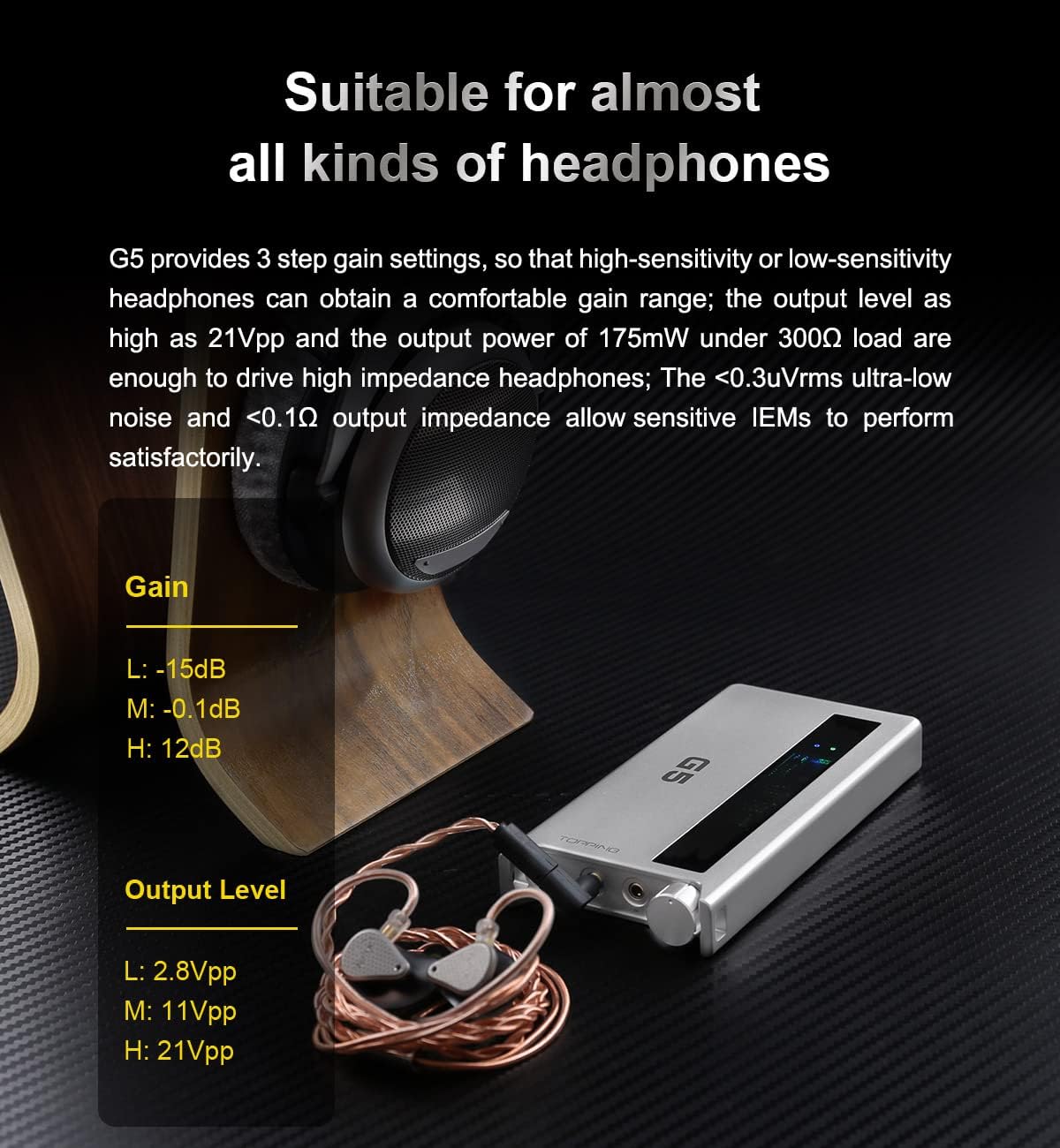
Image: The Topping G5 connected to a pair of in-ear monitors, illustrating its use with various headphones and showing the gain settings table.
6. คู่มือการใช้งาน
6.1 การเปิด/ปิดเครื่องและการควบคุมระดับเสียง
กดปุ่ม Power Switch & Volume Control (4) knob to power the device on or off. Rotate the knob clockwise to increase volume and counter-clockwise to decrease volume.
6.2 Selecting Input
ใช้ Input Switch (7) to toggle between USB, AUX, and Bluetooth input modes. The corresponding indicator light will illuminate to show the active input.
6.3 การปรับเกน
การ Gain Switch (6) allows you to select between three gain levels: Low (L), Medium (M), and High (H). Choose a gain setting appropriate for your headphones and listening preferences. Higher gain is typically used for high-impedance or low-sensitivity headphones.
6.4 การจับคู่และการเล่นบลูทูธ
เมื่อ Input Switch (7) is set to Bluetooth, the G5 will automatically enter pairing mode if not already connected. Once paired with your source device, audio will be transmitted wirelessly. The G5 supports high-quality Bluetooth codecs like LDAC for optimal sound.

Image: The Topping G5 connected wirelessly via Bluetooth to a smartphone, highlighting its LDAC 24bit96kHz transmission capability.
7. การบำรุงรักษา
7.1 การทำความสะอาด
Wipe the device with a soft, dry cloth. Do not use liquid cleaners or solvents, as they may damage the finish or internal components.
7.2 การดูแลแบตเตอรี่
เพื่อยืดอายุการใช้งานแบตเตอรี่ ควรหลีกเลี่ยงการปล่อยให้แบตเตอรี่หมดเกลี้ยงบ่อยๆ หากต้องเก็บรักษาอุปกรณ์เป็นเวลานาน ควรชาร์จแบตเตอรี่ประมาณ 50% แล้วเก็บไว้ในที่แห้งและเย็น
7.3 พื้นที่จัดเก็บ
Store the Topping G5 in a clean, dry environment away from extreme temperatures, direct sunlight, and moisture. Use the included rubber pads to prevent scratches when placing on surfaces.
8 การแก้ไขปัญหา
- ไม่มีเสียง:
- ตรวจสอบให้แน่ใจว่าอุปกรณ์เปิดอยู่และชาร์จแบตเตอรี่เรียบร้อยแล้ว
- Verify headphones are properly connected to the correct output jack.
- Check the volume level on both the G5 and your source device.
- Confirm the correct input source (USB, AUX, Bluetooth) is selected via the Input Switch (7).
- If using USB, ensure the G5 is recognized by your computer/smartphone and selected as the audio output device.
- คุณภาพเสียงไม่ดี:
- ตรวจสอบการเชื่อมต่อสายเคเบิลหลวม
- ตรวจสอบให้แน่ใจว่าแหล่งที่มาของเสียงมีคุณภาพดี
- Adjust the gain setting using the Gain Switch (6) to match your headphones.
- If using Bluetooth, ensure your source device supports high-resolution codecs like LDAC for optimal quality.
- อุปกรณ์ไม่ชาร์จ:
- Verify the USB charging cable is securely connected to the พอร์ตชาร์จ USB-C (5) and a working power source.
- ลองใช้สาย USB หรืออะแดปเตอร์จ่ายไฟอื่น
- ปัญหาการเชื่อมต่อบลูทูธ:
- Ensure the G5 is in Bluetooth pairing mode (indicator flashing).
- ปิดใช้งานและเปิดใช้งานบลูทูธบนอุปกรณ์ต้นทางของคุณอีกครั้ง
- Move the G5 closer to your source device to reduce interference.
- Forget the device from your source's Bluetooth settings and attempt to re-pair.
9. ข้อมูลจำเพาะ
| ชิป DAC | ES9068AS |
| PCM ที่รองรับ | สูงสุด 32 บิต / 768 กิโลเฮิรตซ์ |
| รองรับ DSD | DSD512 (Native), DoP256 |
| ชิปบลูทูธ | วอลคอมม์ QCC5125 |
| โคเดกบลูทูธ | aptX, aptX HD, aptX Adaptive, LDAC |
| ความจุของแบตเตอรี่ | 4000 มิลลิแอมป์ |
| Battery Life (AUX) | นานถึง 25 ชั่วโมง |
| Battery Life (USB-C DAC) | นานถึง 10 ชั่วโมง |
| เวลาในการชาร์จ | < 5 ชั่วโมง |
| เอาท์พุตหูฟัง | 4.4mm (Balanced), 3.5mm (Single-ended) |
| อนาล็อก | ไลน์เข้า/ออก 3.5 มม |
| อินพุตดิจิตอล | ยูเอสบี-ซี |
| การตั้งค่ากำไร | Low (-15dB), Medium (-0.1dB), High (12dB) |
| Output Power (300Ω) | 175มิลลิวัตต์ |
| อิมพีแดนซ์เอาต์พุต | < 0.1Ω |
| ค่า THD+N | < 0.00010% |
| ช่วงไดนามิค | 124เดซิเบล |

Image: A table detailing the Topping G5's battery capacity, charging time, and battery life under different usage scenarios (USB, BT, AUX) and gain settings.

Image: A close-up of the ES9068AS DAC chip on the Topping G5's circuit board, with specifications for THD+N and Dynamic Range overlaid.
10. การรับประกันและการสนับสนุน
As an official distributor of Topping products, we guarantee the quality and reliability of your Topping G5. This product comes with a standard manufacturer's warranty. Please refer to the included Warranty Card for specific terms and conditions.
For any questions, concerns, or technical assistance, please contact our customer support team. We are committed to providing prompt and professional service to ensure your satisfaction.
Contact information can typically be found on the Warranty Card or the official Topping webเว็บไซต์.