
1. บทนำ
ขอบคุณสำหรับการซื้อasing the BYINTEK R17 Pro Portable Smart 3D DLP Projector. This manual provides essential information for safe and effective use of your device. Please read it thoroughly before operation and retain it for future reference.
The BYINTEK R17 Pro is a versatile portable projector featuring Android 9.0 OS, 4K decoding support, 3D capabilities, and a built-in battery, making it ideal for various entertainment and presentation needs. It also supports multiple languages including English, Russian, Arabic, Korean, Japanese, French, German, Italian, Spanish, Chinese, Vietnamese, Polish, and Traditional Chinese.
2. ข้อมูลด้านความปลอดภัย
- อย่ามองตรงเข้าไปในเลนส์โปรเจ็กเตอร์เมื่อลamp อยู่บนแล้ว
- Keep the projector away from water or other liquids to prevent electric shock.
- อย่าปิดกั้นช่องระบายอากาศเพื่อป้องกันความร้อนสูงเกินไป
- ใช้เฉพาะอะแดปเตอร์ไฟฟ้าที่ผู้ผลิตจัดให้เท่านั้น
- หลีกเลี่ยงการวางโปรเจ็กเตอร์บนพื้นผิวที่ไม่มั่นคง
- อย่าพยายามถอดประกอบหรือซ่อมโปรเจคเตอร์ด้วยตนเอง โปรดติดต่อช่างผู้ชำนาญการ
- เก็บโปรเจ็กเตอร์ไว้ในที่แห้งและเย็นเมื่อไม่ได้ใช้งาน
3. เนื้อหาบรรจุภัณฑ์
กรุณาตรวจสอบสิ่งของภายในบรรจุภัณฑ์เมื่อแกะกล่องเพื่อให้แน่ใจว่ามีสินค้าครบทั้งหมด:
- BYINTEK R17 Pro Projector
- อะแดปเตอร์แปลงไฟ
- รีโมทคอนโทรล
- คู่มือการใช้งาน (เอกสารนี้)
- สาย HDMI (อาจแตกต่างกันไปตามภูมิภาค)

ภาพ: ด้านข้างโดยละเอียด view of the BYINTEK R17 Pro projector, highlighting its compact and portable design.
4. คู่มือการติดตั้ง
4.1 การเปิด/ปิดเครื่อง
- เชื่อมต่อพลังงาน: Plug the power adapter into the projector's DC input port and then into a power outlet.
- เปิดเครื่อง: กดปุ่มเปิด/ปิดบนโปรเจคเตอร์หรือรีโมทคอนโทรล ไฟแสดงสถานะจะสว่างขึ้น
- หมดแรง: กดปุ่มเปิด/ปิดเครื่องอีกครั้ง ยืนยันการปิดเครื่องหากได้รับแจ้ง
4.2 การจัดวางและการฉายภาพ
Position the projector on a stable, flat surface. Ensure there are no obstructions in front of the lens. The ideal projection distance ranges from 1 to 8 meters, producing a screen size of 30 to 300 inches.
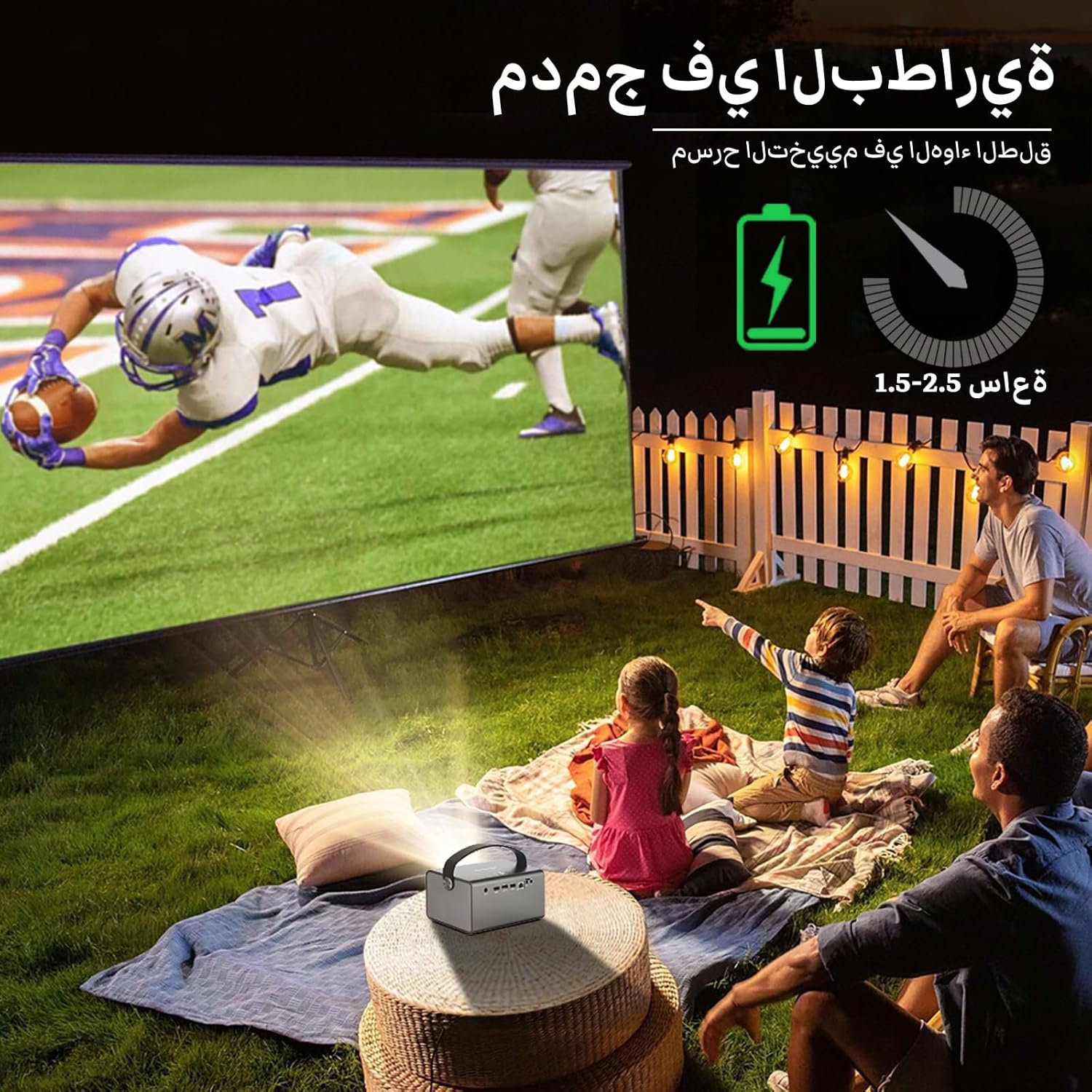
Image: The BYINTEK R17 Pro projector in an outdoor setting, demonstrating its portable use for entertainment. The image shows a football game projected onto a large screen, with people watching comfortably. This highlights the projector's battery life and suitability for outdoor events.
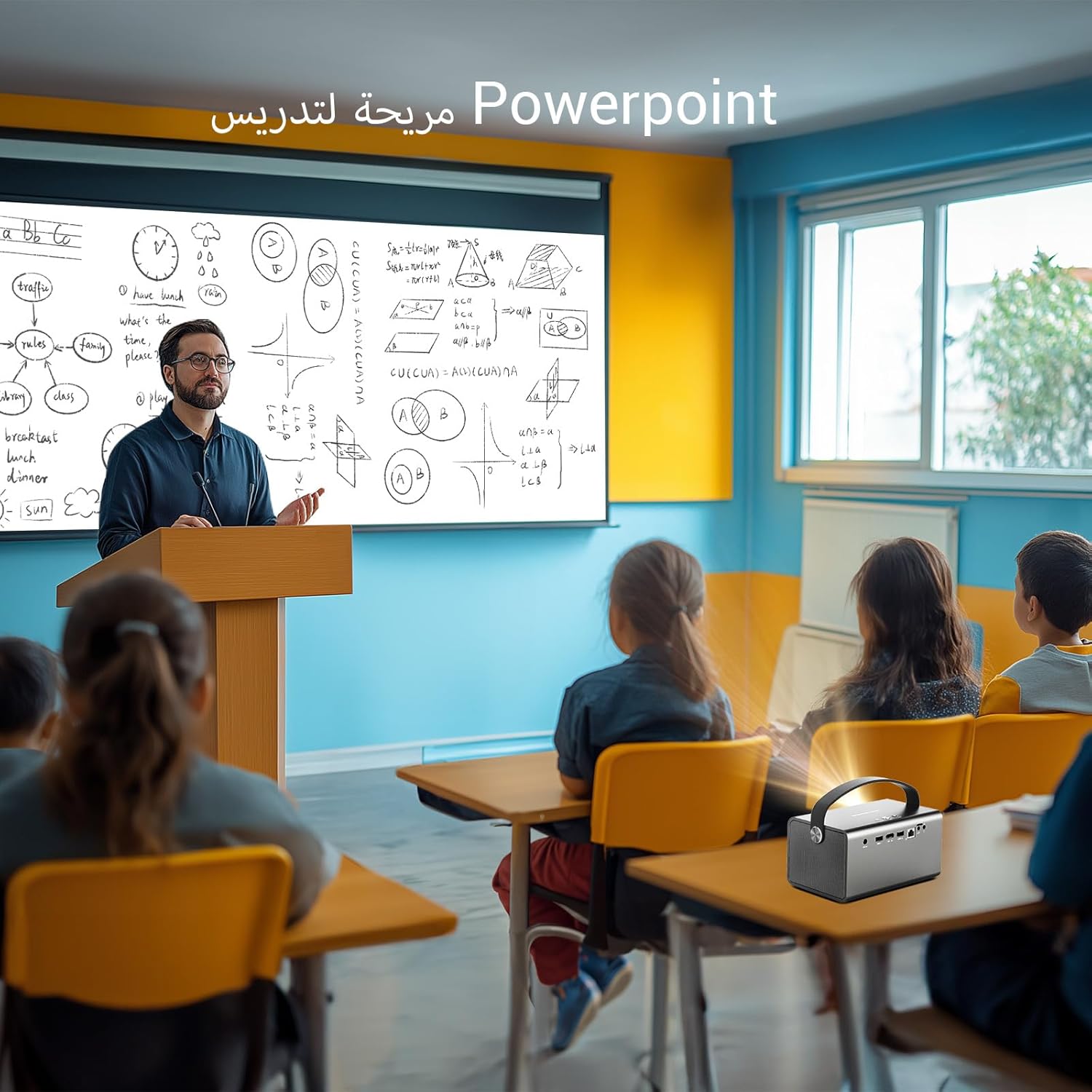
Image: The BYINTEK R17 Pro projector being used in a classroom to display a PowerPoint presentation. This illustrates its utility for educational purposes and presentations in various environments.
4.3 การแก้ไขโฟกัสและคีย์สโตน
- โฟกัสไฟฟ้า: Use the remote control to adjust the focus until the image is clear.
- การแก้ไขภาพบิดเบี้ยวอัตโนมัติ: The projector supports automatic vertical keystone correction.
- การแก้ไขภาพสี่เหลี่ยมคางหมูด้วยตนเอง: For side projections or specific adjustments, use the manual keystone correction feature via the settings menu. This includes corner keystone correction.
5. การดำเนินการ
5.1 การนำทางระบบ Android 9.0
The BYINTEK R17 Pro runs on Android 9.0, providing a smart interface. Use the remote control or a connected air mouse to navigate through menus, launch applications, and adjust settings.
- หน้าจอหลัก: Access pre-installed apps and system settings.
- แอปสโตร์: Download additional applications for streaming, productivity, or gaming.
- การตั้งค่า: Configure Wi-Fi, Bluetooth, display, sound, and other system preferences.
5.2 การเล่นสื่อ
The projector supports various media formats and sources:
- ที่เก็บข้อมูล USB: Connect a USB drive or SSD (up to 32GB) to play videos, music, or view ภาพถ่าย.
- สตรีมมิ่งออนไลน์: Use pre-installed or downloaded streaming apps via Wi-Fi.
- เนื้อหา 3 มิติ: The projector supports Blu-ray 3D. Ensure your 3D content and glasses are compatible.

Image: A couple enjoying a Blu-ray 3D movie projected by the BYINTEK R17 Pro. The image showcases the projector's ability to display immersive 3D content with vivid colors.
5.3 Screen Mirroring (Wi-Fi Display)
Mirror your smartphone, tablet, or computer screen wirelessly to the projector using Airplay, Miracast, or DLNA (Eshare app is pre-installed).
- ตรวจสอบให้แน่ใจว่าทั้งอุปกรณ์ของคุณและโปรเจ็กเตอร์เชื่อมต่ออยู่กับเครือข่าย Wi-Fi เดียวกัน
- Open the Eshare app on the projector.
- On your mobile device, activate screen mirroring (e.g., Airplay for iOS, Smart View/Screen Cast for Android).
- เลือกโปรเจ็กเตอร์จากรายการอุปกรณ์ที่มีอยู่

Image: The BYINTEK R17 Pro projector wirelessly displaying a racing game from a smartphone. This demonstrates the screen mirroring feature for gaming and mobile content.
6. การเชื่อมต่อ
The BYINTEK R17 Pro offers multiple connectivity options:
- HDMI2.0: Connect external devices like game consoles (e.g., PS4), computers, Blu-ray players, or TV boxes. Supports up to 4K input.
- USB 2.0 / USB 3.0: For connecting USB storage devices, external mice, game controllers, or 2.4GHz air mice.
- เสียงออก: เชื่อมต่อลำโพงภายนอกหรือหูฟังเพื่อเพิ่มประสิทธิภาพเสียง
- Wi-Fi (2.4GHz/5GHz): For internet access and wireless screen mirroring.
- Bluetooth 5.0: For connecting Bluetooth speakers, headphones, or other compatible accessories.
7. การบำรุงรักษา
7.1 การทำความสะอาดเลนส์
ใช้ผ้าเนื้อนุ่ม ปราศจากขน ที่ออกแบบมาสำหรับเลนส์แว่นตาโดยเฉพาะ ห้ามใช้สารทำความสะอาดที่มีฤทธิ์กัดกร่อนหรือออกแรงมากเกินไป เพราะอาจทำให้เลนส์เป็นรอยได้
7.2 การทำความสะอาดตัวโปรเจ็กเตอร์
Wipe the exterior of the projector with a soft, dry cloth. Avoid using chemical cleaners that may damage the finish.
7.3 พื้นที่จัดเก็บ
When not in use for extended periods, store the projector in its original packaging or a protective case in a cool, dry, dust-free environment.
8 การแก้ไขปัญหา
| ปัญหา | สาเหตุที่เป็นไปได้ | สารละลาย |
|---|---|---|
| ไม่มีภาพแสดง | Power not connected; input source incorrect; lens cap on. | Check power connection; select correct input source (HDMI, USB, etc.); remove lens cap. |
| ภาพเบลอ | ไม่ได้ปรับโฟกัส; โปรเจคเตอร์อยู่ไกล/ใกล้เกินไป | Adjust electric focus using the remote; reposition the projector within optimal distance. |
| ภาพบิดเบี้ยว (รูปทรงสี่เหลี่ยมคางหมู) | จำเป็นต้องแก้ไขจุดบิดเบี้ยวของภาพ (Keystone correction) | Use auto or manual keystone correction in settings. |
| ไม่มีเสียง | Volume too low; external speakers not connected/configured; audio output muted. | Increase volume; check external speaker connection; unmute audio. |
| ปัญหาการเชื่อมต่อ Wi-Fi | รหัสผ่านไม่ถูกต้อง; อยู่นอกช่วงที่กำหนด; ปัญหาเกี่ยวกับเราเตอร์ | Verify password; move closer to router; restart router and projector. |
| Projector shuts down unexpectedly | ร้อนเกินไป, แบตเตอรี่อ่อน. | Ensure ventilation is clear; charge the battery or connect to power. |
9. ข้อมูลจำเพาะ
| คุณสมบัติ | รายละเอียด |
|---|---|
| ยี่ห้อ | บยินเท็ก |
| แบบอย่าง | R17 โปร |
| เครื่องยนต์เบา | TI 0.47 inch DMD WVGA |
| แหล่งกำเนิดแสง | OSRAM RGB 3LED |
| แสงชีวิต | 50,000 ชั่วโมง |
| ความสว่าง | 750 ANSI Lumens |
| อัตราส่วนคอนทราสต์ | 10,000:1 น. |
| ความละเอียดดั้งเดิม | 1280 x 800 (supports up to 4K input) |
| อัตราส่วนภาพ | 16: 10 / 16: 9 / 4: 3 |
| นอกแกน | 100% |
| อัตราการโยน | 1.2:1 น. |
| ขนาดการฉายภาพ | 30 - 300 นิ้ว |
| ระยะฉายภาพ | 1 - 8 เมตร |
| โหมดโฟกัส | Electric Motor Focus |
| ซูม | Remote Electric Zoom |
| Keystone Correction | Auto/Manual Vertical, Manual Corner |
| ระบบปฏิบัติการ | แอนดรอยด์ 9.0 |
| ซีพียู | MTK Contex A53 Quad-core |
| จีพียู | มะลิ-G52 |
| แรม | แรม 2GB DDR3 |
| รอม | 32GB อีเอ็มซี |
| ไวไฟ | ดูอัลแบนด์ 2.4GHz / 5GHz |
| บลูทูธ | บลูทูธ 5.0 |
| จอแสดงผล Wi-Fi | Airplay, Miracast, DLNA (Eshare pre-installed) |
| แบตเตอรี่ | Built-in 11.1V 5200mAh (15600mAh equivalent) Lithium-ion, 1.5-2.5 hours life |
| ลำโพง | ลำโพงสเตอริโอ 2 x 5W |
| พอร์ตอินพุต | HDMI 2.0 (supports 4K input), USB 2.0, USB 3.0 |
| พอร์ตเอาท์พุต | เอาต์พุตเสียง |
| ขนาดสินค้า | 19.3 x 12.3 x 10 ซม. |
| น้ำหนักสินค้า | 2.34 กก. |
| คุณสมบัติพิเศษ | Auto Focus, Built-in Wi-Fi Receiver, Built-in 3D Display, Portable, Built-in Speaker |
10. การรับประกันและการสนับสนุน
BYINTEK products come with a standard manufacturer's warranty. Please refer to the warranty card included in your package for specific terms and conditions. For technical support, service, or warranty claims, please contact BYINTEK customer service or visit the official BYINTEK webเว็บไซต์.
BYINTEK has a service center in Saudi Arabia to provide professional after-sales service. For more information, please visit the BYINTEK Store on Amazon.