
1. บทนำ
ขอบคุณสำหรับการซื้อasing the Audizio Naples DAB+ / Internet Radio. This device offers a comprehensive audio experience with multiple playback options, including DAB+, FM, Internet Radio, Bluetooth 5.0, CD player, and USB/Micro SD MP3 playback. This manual provides detailed instructions for setup, operation, and maintenance to ensure optimal performance and longevity of your device.
2. ข้อมูลด้านความปลอดภัย
Please read these safety instructions carefully before using the device and retain them for future reference.
- แหล่งพลังงาน: ใช้เฉพาะอะแดปเตอร์ไฟฟ้าที่ระบุเท่านั้น ตรวจสอบให้แน่ใจว่าระดับเสียงtage ตรงตามข้อกำหนดของอุปกรณ์
- น้ำและความชื้น: อย่าวางอุปกรณ์ไว้ในที่ที่มีฝน ความชื้น หรือของเหลวหยด/กระเด็น อย่าวางสิ่งของที่บรรจุของเหลว เช่น แจกัน ไว้บนอุปกรณ์
- การระบายอากาศ : ตรวจสอบให้แน่ใจว่ามีการระบายอากาศที่เพียงพอ อย่าปิดกั้นช่องระบายอากาศ
- ความร้อน: ควรวางอุปกรณ์ให้ห่างจากแหล่งความร้อน เช่น เครื่องทำความร้อน ช่องระบายความร้อน เตา หรืออุปกรณ์อื่นๆ (รวมถึง) ampเครื่องให้ความร้อน) ที่ผลิตความร้อน
- การทำความสะอาด: Unplug the device from the power outlet before cleaning. Use a soft, dry cloth. Do not use liquid cleaners or aerosol cleaners.
- การบริการ: อย่าพยายามให้บริการผลิตภัณฑ์นี้ด้วยตนเอง ส่งต่อการบริการทั้งหมดไปยังช่างบริการที่ผ่านการรับรอง
- การจัดวาง: วางอุปกรณ์บนพื้นผิวเรียบและมั่นคง
3. เนื้อหาบรรจุภัณฑ์
ตรวจสอบว่ามีรายการทั้งหมดอยู่ในแพ็คเกจ:
- Audizio Naples DAB+ / Internet Radio Unit
- รีโมทคอนโทรล
- อะแดปเตอร์แปลงไฟ
- คู่มือการใช้งาน (เอกสารนี้)
4. สินค้าหมดview
The Audizio Naples is a versatile stereo music system designed for various audio sources. It features a sleek design with dual powerful speakers and a clear 2.8-inch LCD display.

ภาพที่ 4.1: ด้านหน้า view of the Audizio Naples radio with its remote control.
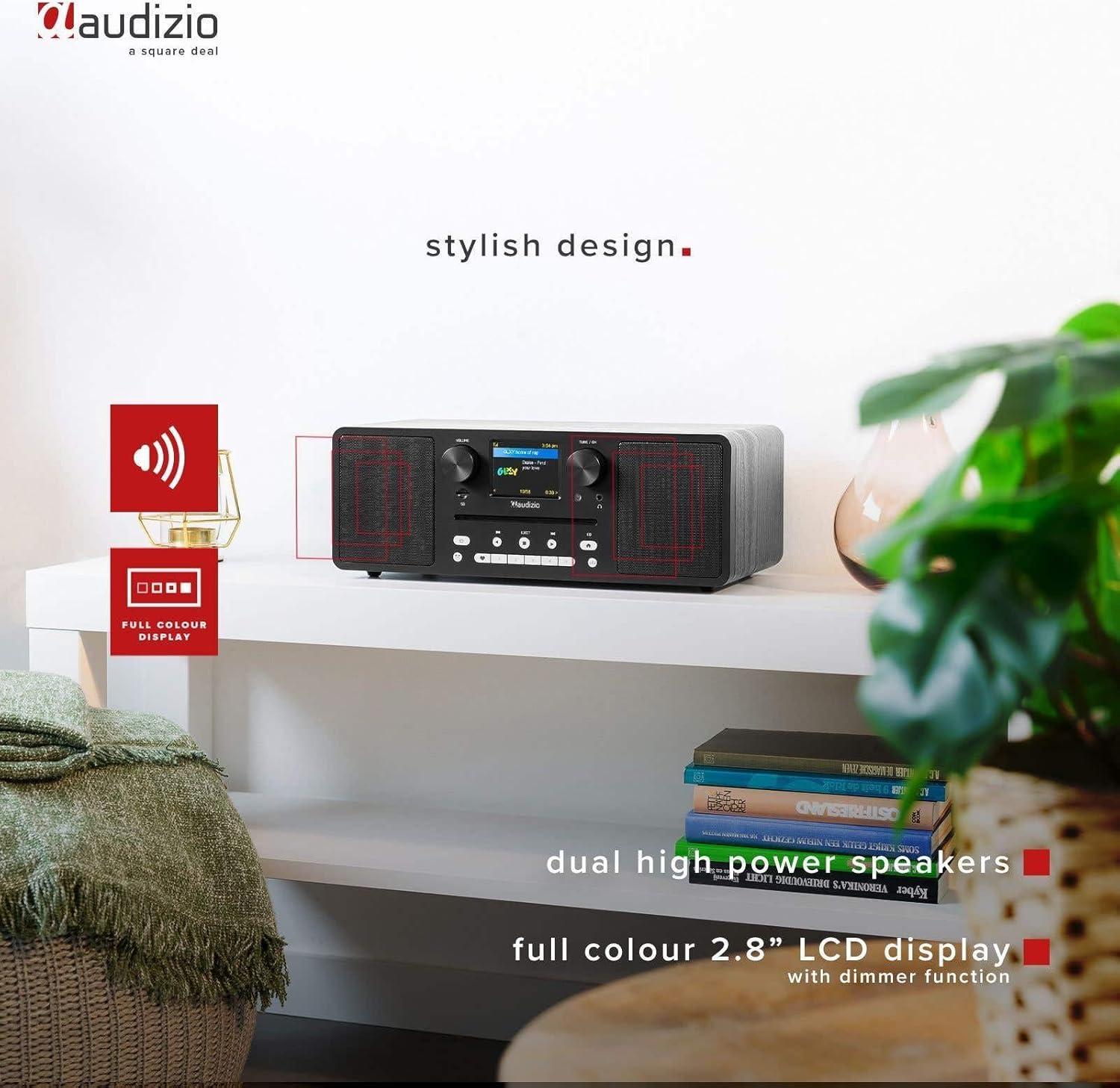
Image 4.2: The Audizio Naples radio highlighting its stylish design, dual high-power speakers, and 2.8-inch full-color LCD display with dimmer function.
4.1 การควบคุมและคุณลักษณะแผงด้านหน้า
- ปุ่มปรับระดับเสียง: ปรับระดับเอาต์พุตเสียง
- Tune/OK Knob: นำทางเมนูและยืนยันการเลือก
- จอแสดงผล LCD ขนาด 2.8 นิ้ว: แสดงโหมดปัจจุบัน ข้อมูลสถานี รายละเอียดแทร็ก และตัวเลือกเมนู
- ช่องใส่ซีดี: สำหรับการใส่แผ่นซีดีเพลง
- ปุ่มควบคุม: Power, Mode, Play/Pause, Skip, Eject, EQ, Presets.
- แจ็คหูฟัง: เอาต์พุต 3.5 มม. เพื่อการฟังแบบส่วนตัว
- สล็อตไมโคร SD: สำหรับเล่นไฟล์ MP3 fileจาก Micro SD การ์ด
4.2 การเชื่อมต่อแผงด้านหลัง
- กระแสตรงใน 12V: กำลังไฟเข้า
- สวิตช์เปิด/ปิด: สวิตช์ไฟหลัก
- พอร์ต USB: สำหรับเล่นไฟล์ MP3 fileจากไดรฟ์ USB
- ช่องรับสัญญาณเสียงเข้า: ช่องต่อขนาด 3.5 มม. สำหรับเชื่อมต่ออุปกรณ์เสียงภายนอก
- สายออก: 3.5mm output for connecting to external ampเครื่องขยายเสียง หรือ ลำโพง

ภาพที่ 4.3: ด้านข้าง view highlighting the universal headphone output, line out, and Aux input connections.

Image 4.4: Close-up of the Audizio Naples radio showing the USB port, micro SD slot, and the CD player slot.
5. การตั้งค่า
5.1 การเชื่อมต่อสายไฟ
- Connect the provided power adapter to the "DC IN 12V" port on the rear of the Audizio Naples.
- เสียบอะแดปเตอร์ไฟฟ้าเข้ากับเต้ารับไฟฟ้าที่เหมาะสม
- Flip the "ON/OFF" switch on the rear panel to the "ON" position. The display will light up.
5.2 การตั้งค่าเริ่มต้นและการเชื่อมต่อ Wi-Fi
Upon first power-on, the device will guide you through the initial setup, including language selection and network configuration for Internet Radio functionality.
- ทำตามคำแนะนำบนหน้าจอเพื่อเลือกภาษาที่คุณต้องการ
- The device will scan for available Wi-Fi networks. Select your network from the list.
- Enter your Wi-Fi password using the Tune/OK knob to navigate and select characters. Press OK to confirm each character and the entire password.
- Once connected, the device will confirm the successful Wi-Fi connection.
6. คู่มือการใช้งาน
การเลือกโหมด 6.1
กดปุ่ม โหมด button on the front panel or remote control to cycle through available modes: Internet Radio, DAB+, FM, Bluetooth, CD, USB, Micro SD, AUX In.
6.2 วิทยุอินเทอร์เน็ต
เข้าถึงสถานีวิทยุหลายพันแห่งจากทั่วโลกผ่านการเชื่อมต่อ Wi-Fi ของคุณ

Image 6.1: The Audizio Naples radio demonstrating its Internet Radio capability, connecting to global stations.
- เลือกโหมด "วิทยุอินเทอร์เน็ต"
- Use the Tune/OK knob to browse stations by location, genre, or search.
- Press OK to select a station.
- To save a station as a preset, press and hold one of the numbered preset buttons (1-5) on the front panel or remote.
6.3 DAB+ / FM Radio
Enjoy digital (DAB+) and analog (FM) radio broadcasts.
- Select "DAB+" or "FM" mode.
- For DAB+, the radio will automatically scan for available stations on first use. For FM, use the Tune/OK knob to manually tune or press and hold to auto-scan.
- Use the Tune/OK knob to select a station from the list.
- Save presets as described for Internet Radio.
6.4 การเล่นบลูทูธ
สตรีมเสียงแบบไร้สายจากอุปกรณ์ที่รองรับบลูทูธของคุณ
- Select "Bluetooth" mode. The display will show "Pairing".
- On your smartphone or other Bluetooth device, enable Bluetooth and search for "Audizio Naples".
- Select "Audizio Naples" to pair. Once connected, you will hear a confirmation sound.
- เริ่มเล่นไฟล์เสียงบนอุปกรณ์ที่เชื่อมต่อของคุณ
6.5 CD / USB / Micro SD Playback
Play audio from CDs, USB drives, or Micro SD cards. The device supports CD, CD-R, CD-RW, and MP3 CD formats.

Image 6.2: A CD being inserted into the slot-loading CD player of the Audizio Naples radio.
- ซีดี: Insert a CD into the slot. The device will automatically switch to CD mode and begin playback. Use the Play/Pause, Skip buttons for control. Press EJECT to remove the CD.
- ยูเอสบี/ไมโคร SD: Insert a USB drive into the USB port or a Micro SD card into the Micro SD slot. Select "USB" or "Micro SD" mode. The device will display the file structure, allowing you to navigate and select MP3 fileสำหรับการเล่น
6.6 AUX ใน
เชื่อมต่อแหล่งสัญญาณเสียงภายนอกโดยใช้สายสัญญาณเสียงขนาด 3.5 มม.
- Connect your external device (e.g., MP3 player) to the "AUX IN" port using a 3.5mm audio cable.
- Select "AUX In" mode.
- ควบคุมการเล่นจากอุปกรณ์ภายนอกของคุณ
6.7 นาฬิกาปลุกและตัวตั้งเวลาปิดเครื่อง
The Audizio Naples features a dual alarm clock and a sleep timer function.
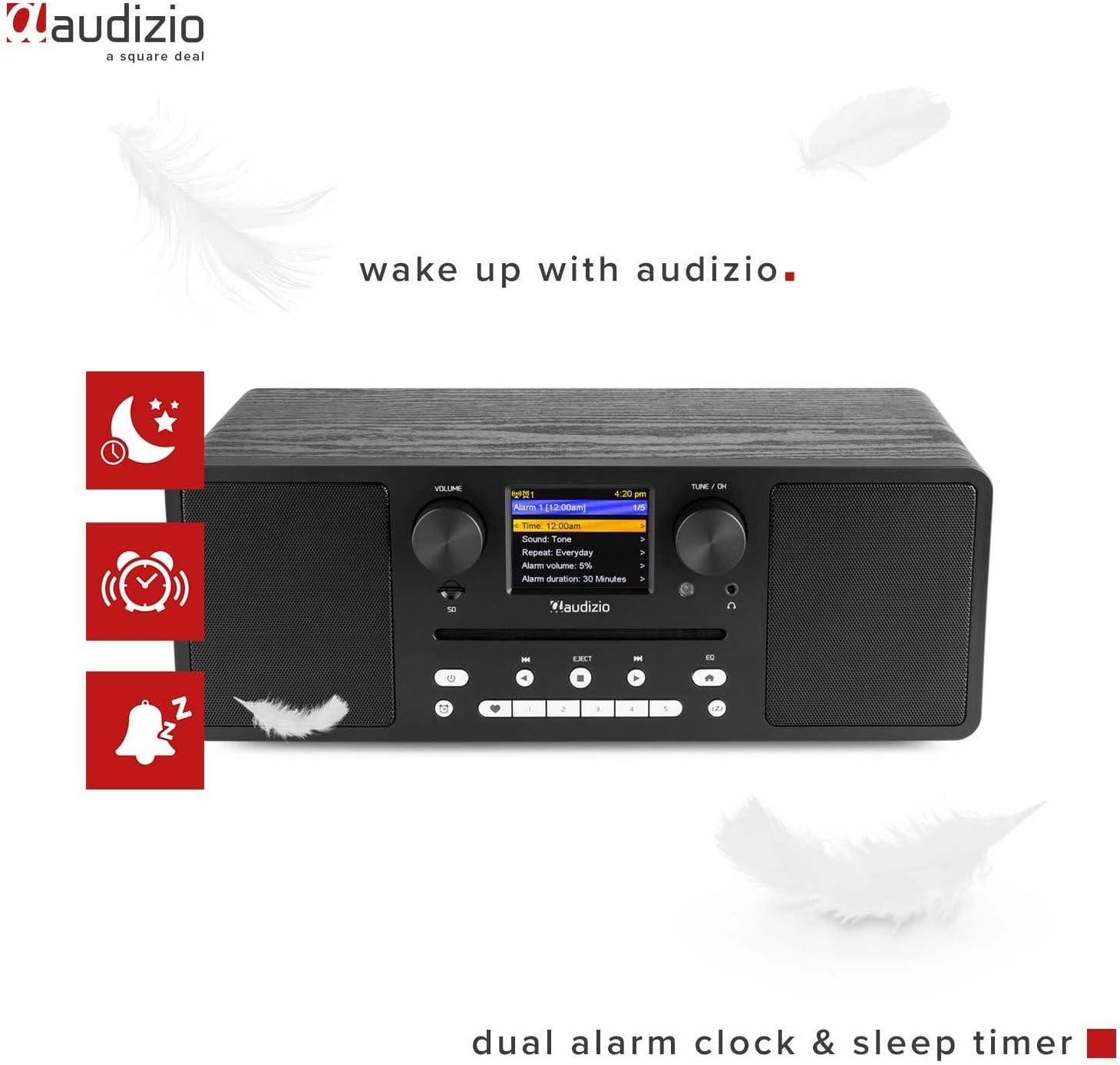
Image 6.3: The Audizio Naples radio showing icons related to its dual alarm clock and sleep timer functions.
- การตั้งค่าการปลุก: Access the alarm settings through the system menu. You can set two independent alarms with customizable sources (buzzer, radio station) and volume.
- เวลานอน: Set a timer for the radio to automatically turn off after a specified duration. This can be found in the system settings.
6.8 การตั้งค่าอีควอไลเซอร์
Adjust the audio output with various equalizer presets.
- กดปุ่ม EQ ปุ่มบนแผงด้านหน้าหรือรีโมทคอนโทรล
- Cycle through presets like Rock, Pop, Classical, Jazz, or a custom setting.
6.9 การควบคุมระยะไกล
รีโมตคอนโทรลที่ให้มาช่วยให้เข้าถึงฟังก์ชันทั้งหมดได้อย่างสะดวกจากระยะไกล

Image 6.4: The Audizio Naples radio shown with its dedicated remote control.
- ตรวจสอบให้แน่ใจว่าใส่แบตเตอรี่อย่างถูกต้อง
- Point the remote control towards the front panel of the radio.
- Buttons on the remote mirror most functions available on the unit itself, including power, mode, volume, tuning, presets, EQ, and info.
7. การบำรุงรักษา
7.1 การทำความสะอาด
- ถอดปลั๊กอุปกรณ์ทุกครั้งก่อนทำความสะอาด
- ใช้ผ้าแห้งนุ่มและไม่เป็นขุยเช็ดพื้นผิวภายนอก
- ห้ามใช้สารทำความสะอาดที่มีฤทธิ์กัดกร่อน ขี้ผึ้ง หรือตัวทำละลาย เพราะอาจทำให้พื้นผิวเสียหายได้
7.2 การดูแลรักษาเครื่องเล่นซีดี
- Handle CDs by the edges to avoid fingerprints and scratches.
- ทำความสะอาดแผ่นซีดีด้วยผ้าแห้งนุ่มๆ โดยเช็ดจากตรงกลางออกไปด้านนอก
- Do not insert damaged or irregularly shaped discs into the CD slot.
8 การแก้ไขปัญหา
| ปัญหา | สาเหตุที่เป็นไปได้ | สารละลาย |
|---|---|---|
| ไม่มีไฟฟ้า | Power adapter not connected; ON/OFF switch is OFF. | Ensure power adapter is securely connected and the ON/OFF switch is in the ON position. |
| ไม่มีเสียง | Volume too low; Mute activated; Incorrect input mode. | Increase volume; Check if mute is active; Select the correct input mode (e.g., CD, Bluetooth). |
| ไม่สามารถเชื่อมต่อ Wi-Fi ได้ | Incorrect password; Router too far; Network issues. | Verify Wi-Fi password; Move radio closer to router; Restart router; Check network settings. |
| DAB/FM reception poor | สัญญาณอ่อน; เสาอากาศไม่ได้ยืดออก | Extend the telescopic antenna fully; Reposition the radio for better signal reception. |
| การจับคู่บลูทูธล้มเหลว | Device not in pairing mode; Other device connected. | Ensure the radio is in Bluetooth pairing mode; Disconnect any other Bluetooth devices from the radio; Restart Bluetooth on your device. |
| ซีดีไม่เล่น | CD inserted incorrectly; Disc is dirty or scratched; Unsupported format. | Re-insert CD correctly; Clean the disc; Ensure it is an audio CD or MP3 CD. |
9. ข้อมูลจำเพาะ
| คุณสมบัติ | รายละเอียด |
|---|---|
| ยี่ห้อ | ออดิซิโอ |
| หมายเลขรุ่น | เนเปิลส์ |
| กำลังขับ | 60 วัตต์ |
| เทคโนโลยีการเชื่อมต่อ | Bluetooth 5.0, USB, Wi-Fi (802.11b/g/n) |
| เครื่องรับวิทยุ | DAB+, Internet Radio, FM |
| เครื่องเล่นซีดี | Slot-loading, compatible with CD, CD-R, CD-RW, MP3 CD |
| การเล่นสื่อ | USB, Micro SD (MP3 files) |
| แสดง | 2.8-inch LCD with dimmer function |
| เอาต์พุตเสียง | 3.5mm Headphone Jack, 3.5mm Line Out |
| อินพุตเสียง | ช่องต่อ AUX ขนาด 3.5 มม |
| อีควอไลเซอร์ | Presets (Rock, Pop, Classical, Jazz) |
| คุณสมบัติพิเศษ | Dual Alarm Clock, Sleep Timer, Remote Control |
| สี | สีดำ |
| ขนาด (กว้าง x ยาว x สูง) | 350 x 195 x 127 มม. |
| น้ำหนัก | 3.2 กก. |
| พลังงานฉบับtage | 230Vac/50Hz |
10. การรับประกันและการสนับสนุน
For warranty information and technical support, please refer to the documentation provided with your purchase or contact Audizio customer service. Keep your proof of purchase for warranty claims.
For further assistance, visit the official Audizio webเว็บไซต์หรือติดต่อตัวแทนจำหน่ายในพื้นที่ของคุณ