
1. บทนำ
This manual provides instructions for the installation, operation, and maintenance of the Tongou Smart WiFi DIN Rail Switch (Model: With Power Monitoring 16A). This device allows you to convert conventional small appliances into smart, remotely controllable objects via the Tuya or Smart Life application, and offers comprehensive energy consumption monitoring.
2. ข้อมูลด้านความปลอดภัย
คำเตือน: Electrical installation should only be performed by a qualified electrician. Ensure power is disconnected before installation to prevent electric shock.
- ปริมาณการดำเนินงานtage: AC 90-240V, 50/60Hz. Ensure your electrical system matches these specifications.
- The device is designed for 1-way circuits and a maximum current rating of 16 Ampส. ห้ามให้คะแนนเกินนี้
- This switch is not a circuit breaker. It does not provide short-circuit or overload protection. Install it after a differential switch for proper protection.
- The product is made from flame-retardant PA66 material with good conductivity copper contacts (Silver Relay Contacts) for enhanced safety and high-temperature resistance.
- International Protection Rating: IP20. This device is not waterproof and should not be exposed to moisture.
3. สินค้าหมดview
The Tongou Smart WiFi DIN Rail Switch is a compact device designed for integration into your electrical panel. It enables smart control and energy monitoring for connected appliances.
รูปที่ 3.1 : ด้านหน้า view of the Tongou Smart WiFi DIN Rail Switch.
คุณสมบัติหลัก:
- รีโมทคอนโทรล: Control appliances via the Tuya or Smart Life app from anywhere.
- การตรวจสอบพลังงาน: Real-time display and historical recording of current, voltage, power, and total energy consumption.
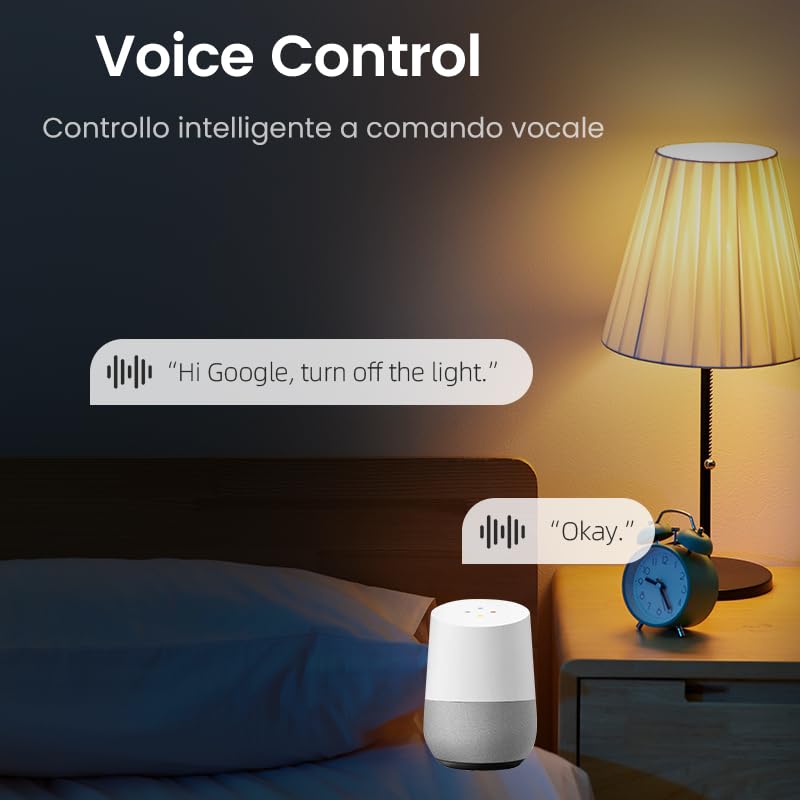
- การควบคุมด้วยเสียง: เข้ากันได้กับ Amazon Alexa และ Google Assistant เพื่อการใช้งานแบบแฮนด์ฟรี
- โหมดจับเวลาหลายแบบ: Includes timer, countdown, cycle timing, and astronomical timing functions.
- ติดตั้งง่าย: Designed for quick wiring and DIN rail mounting.
4. ข้อมูลจำเพาะ
| พารามิเตอร์ | ค่า |
|---|---|
| หมายเลขรุ่น | With Power Monitoring 16A |
| ปฏิบัติการฉบับที่tage | ไฟฟ้ากระแสสลับ 90-240 โวลต์, 50/60 เฮิรตซ์ |
| คะแนนปัจจุบัน | 16 Amps |
| วัดtage | 3840 วัตต์ (สูงสุด) |
| โหมดการทำงาน | เปิดปิด |
| โปรโตคอลการเชื่อมต่อ | Wi-Fi (2.4 GHz) |
| วิธีการควบคุม | App (Tuya/Smart Life), Voice (Alexa/Google Assistant) |
| ขนาด (กว้าง x ยาว x สูง) | 9 x 2 x 8 ซม. |
| น้ำหนักสินค้า | 110 กรัม |
| ประเภทเทอร์มินัล | สกรู |
| ประเภทวงจร | 1 ทาง |
| การให้คะแนนการคุ้มครองระหว่างประเทศ | IP20 |
| คะแนนอุณหภูมิบน | 80 องศาเซลเซียส |
| วัสดุติดต่อ | Silver Relay Contacts |
| สี | สีเทา |
5. การตั้งค่า
5.1. การติดตั้ง
The Tongou Smart WiFi Switch is designed for DIN rail mounting. Follow these steps for safe installation:
- ตัดการเชื่อมต่อไฟฟ้า: Before starting any electrical work, ensure the main power supply to the circuit is turned off at the circuit breaker. Verify with a voltagอีผู้ทดสอบ
- เมานต์สวิตช์: Clip the smart switch onto a standard DIN rail within your electrical panel.
- การเดินสายไฟ: Connect the live (L) and neutral (N) wires to the designated terminals on the switch. The switch is a 1P (single pole) device, meaning it switches only the phase (live) wire. It requires a permanent neutral connection. This device should be installed after a differential switch for proper protection against short circuits, overloads, and leakage. Use a screwdriver to easily tighten and loosen the screw terminals.
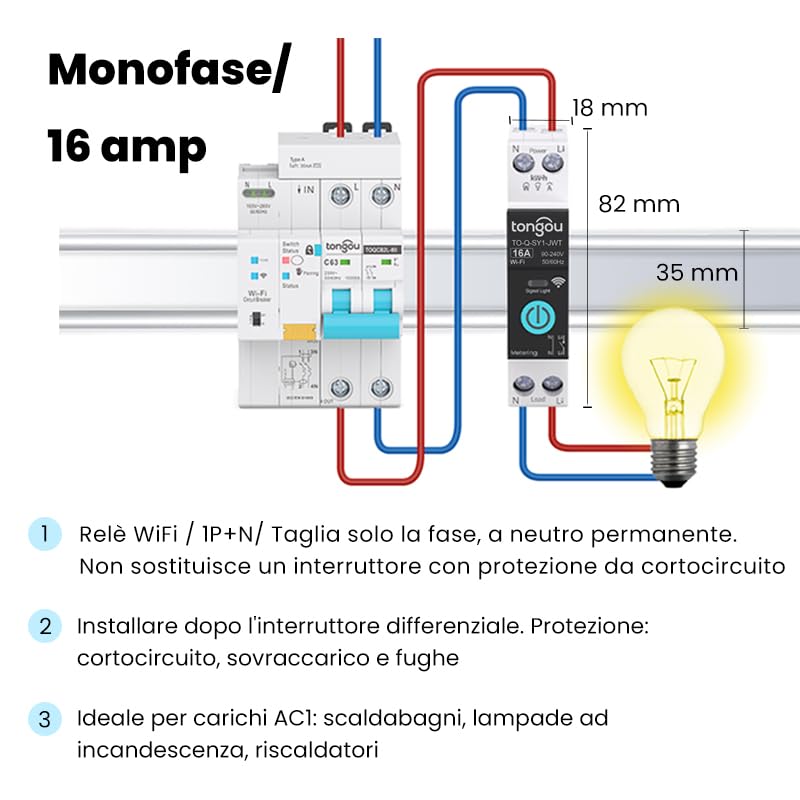
Figure 5.1: Wiring diagram for the Tongou Smart WiFi DIN Rail Switch. Connect the phase (L) and neutral (N) wires as indicated. This switch is for single-phase systems and handles up to 16 Amps. It should be installed after a differential switch for safety.
บันทึก: This switch is ideal for AC loads such as water heaters, incandescent lamps, and heaters.
5.2. การจับคู่แอป
To control the switch remotely, you need to pair it with the Tuya Smart or Smart Life app.
- ดาวน์โหลดแอป: ดาวน์โหลดแอปพลิเคชัน "Smart Life" หรือ "Tuya Smart" ได้จาก App Store (iOS) หรือ Google Play Store (Android)
- ลงทะเบียน/เข้าสู่ระบบ: เปิดแอปและลงทะเบียนบัญชีใหม่หรือเข้าสู่ระบบหากคุณมีบัญชีอยู่แล้ว
- เพิ่มอุปกรณ์: Ensure your smartphone is connected to a 2.4 GHz Wi-Fi network. Power on the smart switch. The Wi-Fi indicator on the switch should be blinking rapidly (refer to the switch's LED indicator guide for pairing mode). In the app, tap "+" or "Add Device" and select the appropriate device type (e.g., "Switch (Wi-Fi)").
- Confirm Pairing Mode: ตรวจสอบให้แน่ใจว่าไฟแสดงสถานะในแอปกะพริบเร็ว
- กรอกรายละเอียด Wi-Fi: ป้อนรหัสผ่านเครือข่าย Wi-Fi 2.4 GHz ของคุณ
- เชื่อมต่อ: The app will begin connecting to the device. Once connected, you can rename the switch and assign it to a room.
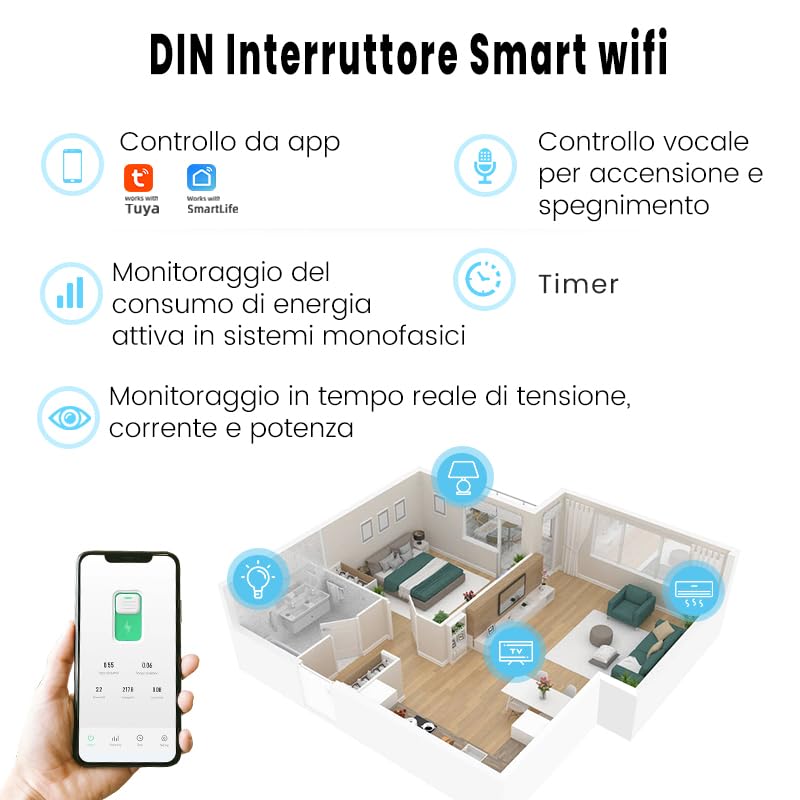
รูปที่ 5.2: เกินview of the smart switch features, including control via Tuya/Smart Life app, voice control, energy monitoring, and timer functions.
6. คู่มือการใช้งาน
6.1. การควบคุมด้วยตนเอง
The switch features a physical button on its front panel. Press this button once to manually turn the connected appliance ON or OFF.
6.2. การควบคุมแอป
After successful pairing, open the Tuya Smart or Smart Life app. Select your switch from the device list. You can then:
- Toggle the switch ON/OFF remotely.
- Access energy consumption data.
- Set up schedules and timers.
- Configure automation rules.
6.3. การควบคุมด้วยเสียง
The switch is compatible with Amazon Alexa and Google Assistant. To enable voice control:
- Link your Tuya Smart or Smart Life account to your Amazon Alexa or Google Home app.
- ค้นพบอุปกรณ์ในแอปผู้ช่วยเสียงของคุณ
- Use voice commands such as: "Alexa, turn on [Device Name]" or "Hey Google, turn off [Device Name]".

รูปที่ 6.1: อดีตample of using voice commands with a smart assistant to control the switch.
6.4. ฟังก์ชั่นจับเวลา
The app provides various timer modes to automate your appliances:
- ตัวจับเวลาการตั้งเวลา: Set specific ON/OFF times for different days of the week.
- นาฬิกาจับเวลาถอยหลัง: Set a duration after which the switch will turn ON or OFF.
- การกำหนดเวลาของรอบ: Configure repetitive ON/OFF cycles.
- Astronomical Timing: Automate based on sunrise and sunset times in your location.
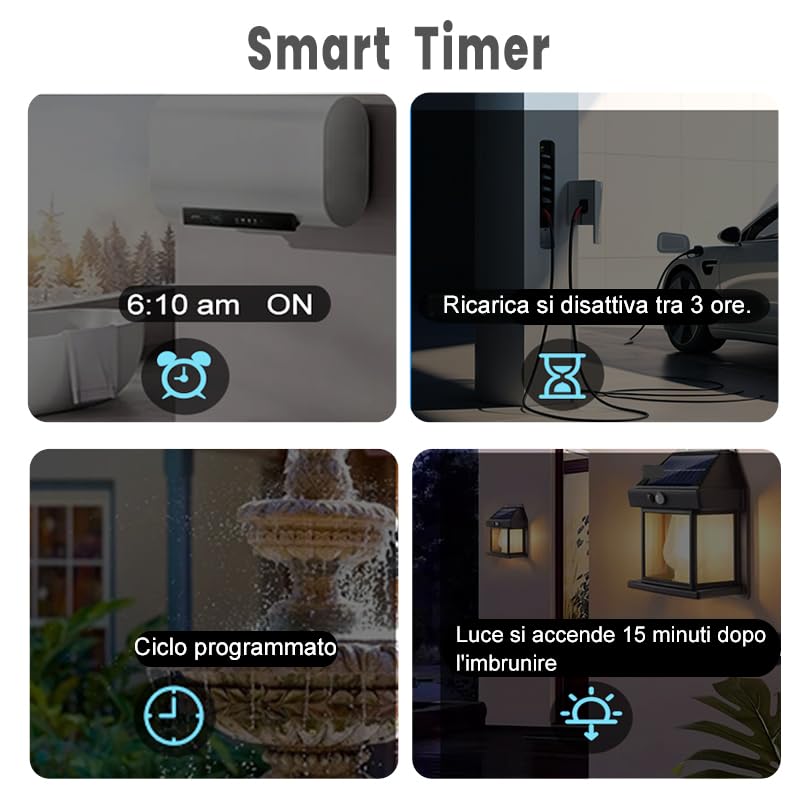
Figure 6.2: Visual representation of various smart timer functions available in the app.
6.5. การติดตามตรวจสอบพลังงาน
The switch provides real-time and historical energy consumption data. Access this feature within the app to:
- View real-time load current, voltagอีและพลังงาน
- Review historical power consumption records by hour, day, month, and year.
- Analyze energy usage patterns to optimize consumption.
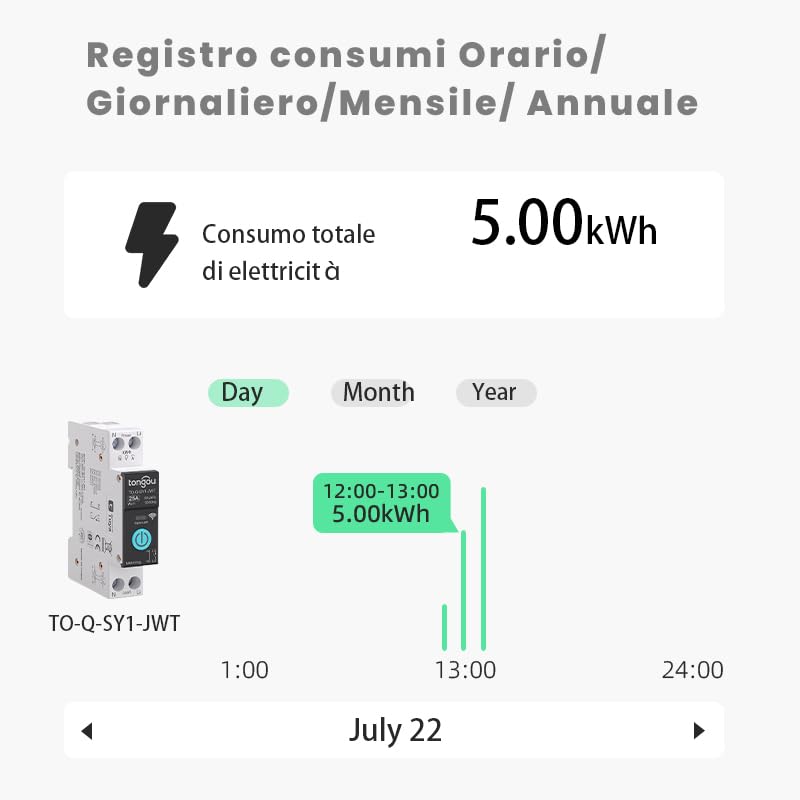
รูปที่ 6.3: อดีตample of the energy consumption log interface, displaying total electricity consumption over various time periods.
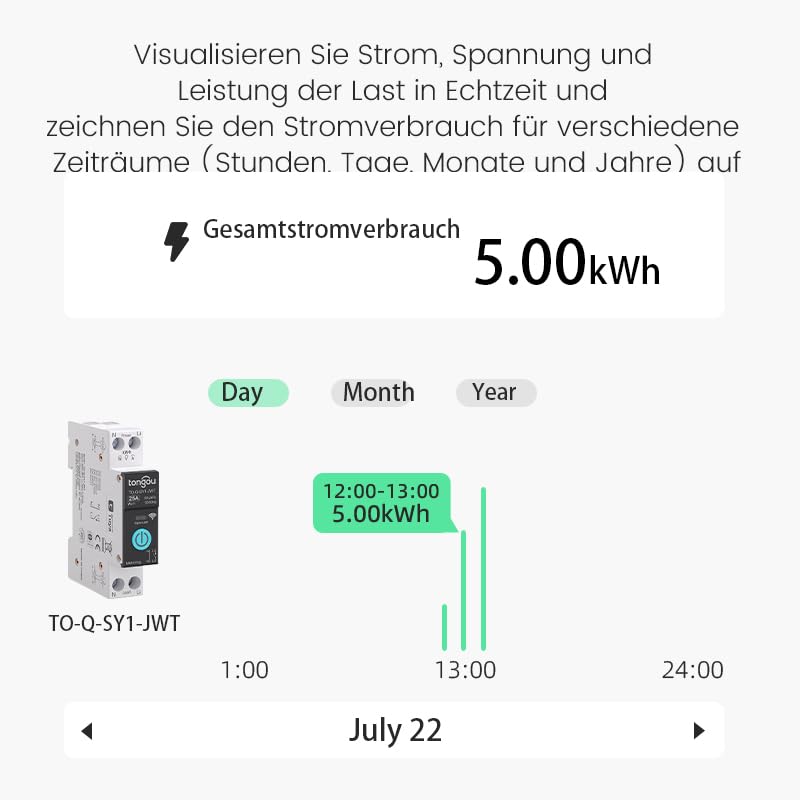
Figure 6.4: Real-time visualization of current, voltage, and power load, with historical consumption records.
7. การบำรุงรักษา
The Tongou Smart WiFi Switch requires minimal maintenance. Follow these guidelines:
- การทำความสะอาด: Ensure the device is powered off before cleaning. Use a dry, soft cloth to wipe the exterior. Do not use liquid cleaners or solvents.
- อัพเดตเฟิร์มแวร์: Periodically check the Tuya Smart or Smart Life app for available firmware updates for your device. Updates can improve performance and add new features.
- สภาพแวดล้อม : Operate the device within its specified temperature range (up to 80°C) and avoid humid environments.
8 การแก้ไขปัญหา
| ปัญหา | สาเหตุที่เป็นไปได้ | สารละลาย |
|---|---|---|
| อุปกรณ์ไม่สามารถเชื่อมต่อ Wi-Fi ได้ | Incorrect Wi-Fi password, 5GHz Wi-Fi network, device too far from router, Wi-Fi signal interference. |
|
| App control is unresponsive. | No internet connection on phone or switch, app glitch. |
|
| การควบคุมด้วยเสียงไม่ทำงาน | บัญชีไม่ได้เชื่อมโยง อุปกรณ์ไม่ถูกค้นพบ คำสั่งไม่ถูกต้อง |
|
| ข้อมูลการตรวจสอบการใช้พลังงานไม่ถูกต้องหรือไม่ครบถ้วน | Improper wiring, device malfunction. |
|
9. การรับประกันและการสนับสนุน
For warranty information, please refer to the documentation provided with your purchase or contact your retailer. For technical support or further assistance, please contact HIVAGI INTERNATIONAL, the importer and packer of this product.
- ผู้นำเข้า/ผู้บรรจุ: HIVAGI INTERNATIONAL
- Webเว็บไซต์: www.hivagi.in
- การดูแลลูกค้า: +91 90232 97428


