
H20
Smart Watch H20 User Manual
รุ่น : H20
สินค้าเกินview
The Generic Smart Watch H20 is a versatile wearable device designed to enhance your daily life with smart features. It boasts a large HD screen, Bluetooth calling capabilities, and a variety of health and fitness tracking functions. This manual provides detailed instructions for setup, operation, and maintenance of your Smart Watch H20.

Image: The Smart Watch H20, featuring a black strap and a rectangular display showing time, date, steps, and battery percentage.
คุณสมบัติหลัก
- HD 1.69-inch Color Screen: Provides a clear, delicate, true, and natural display with 240x280 resolution.
- IP67 Grade Living Waterproof: Designed to withstand splashes and brief immersion, suitable for daily use.
- การโทรด้วยบลูทูธ: Built-in microphone and speaker allow you to connect and listen to incoming calls directly from your watch.
- โหมดมัลติสปอร์ต: Tracks various activities, including two casual games for entertainment.
- การชาร์จแบบแม่เหล็ก: วิธีการชาร์จที่สะดวกและปลอดภัย
- การติดตามอย่างครอบคลุม: Real-time display of steps, mileage, calories, body data, and sleep monitoring.
- การเตือนอัจฉริยะ: Information reminders, sedentary reminders, and weather forecasts.
- การถ่ายภาพระยะไกล: ควบคุมกล้องโทรศัพท์ของคุณจากระยะไกล
- หน้าปัดที่ปรับแต่งได้: A variety of creative dials can be replaced at will.
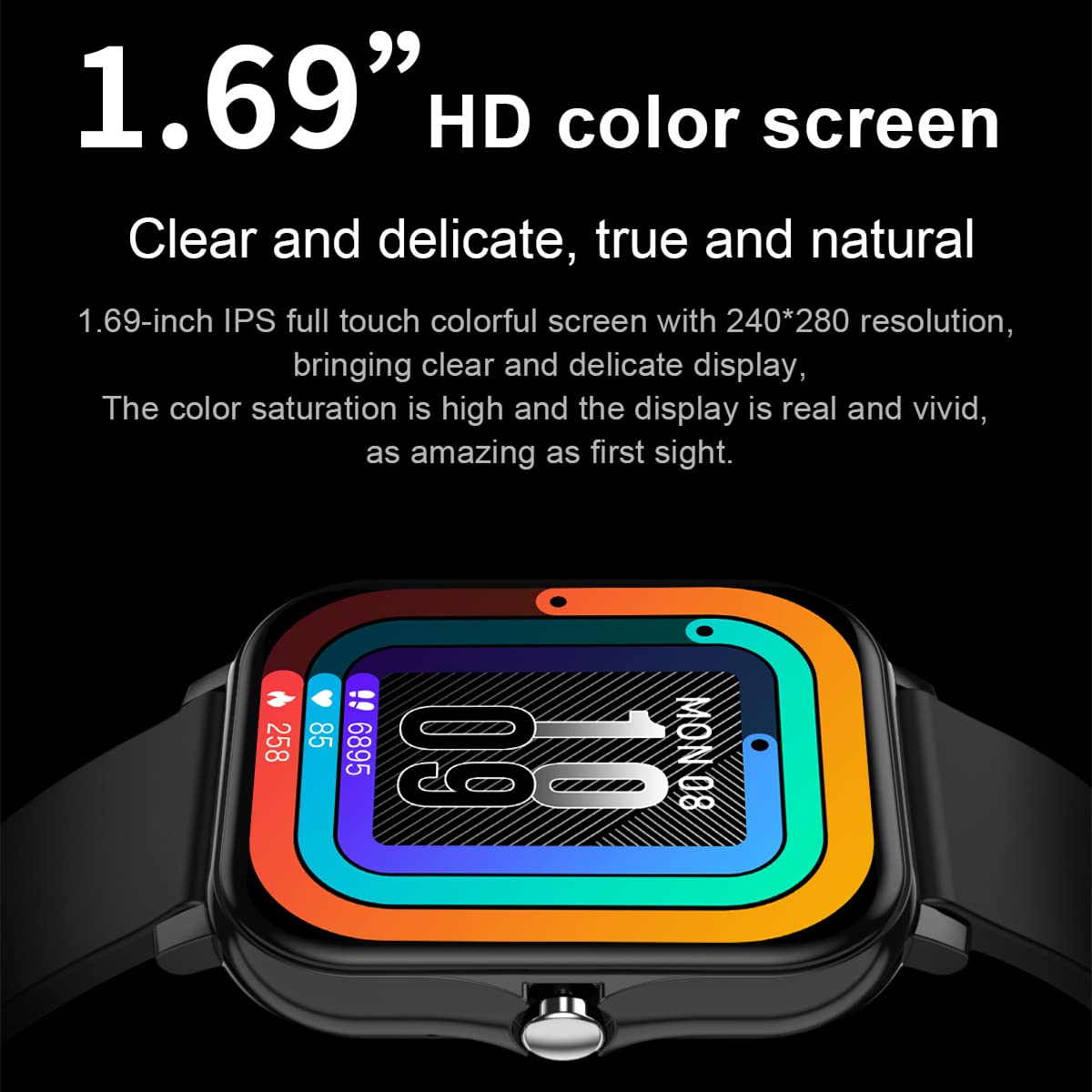
ภาพ: ภาพระยะใกล้ view of the watch screen, emphasizing the "1.69” HD color screen" feature with vibrant display colors.
คู่มือการติดตั้ง
1. การชาร์จครั้งแรก
Before first use, fully charge your Smart Watch H20. Connect the magnetic charging cable to the charging points on the back of the watch and plug the USB end into a compatible power source (e.g., computer USB port, USB wall adapter).
หน้าจอของนาฬิกาจะแสดงสถานะการชาร์จ โดยปกติการชาร์จเต็มจะใช้เวลาประมาณ 2 ชั่วโมง
2. การเชื่อมต่อแอพ
To unlock the full potential of your Smart Watch H20, download and install the companion application on your smartphone. The app allows for data synchronization, watch settings customization, and access to advanced features.
- Scan the QR code provided in the watch packaging or search for the recommended app name (usually found in the watch's settings or quick start guide) in your phone's app store (Google Play Store for Android, Apple App Store for iOS).
- ติดตั้งแอปพลิเคชันและสร้างบัญชีผู้ใช้หากระบบแจ้งให้สร้างบัญชี
- ตรวจสอบให้แน่ใจว่าได้เปิดใช้งาน Bluetooth บนสมาร์ทโฟนของคุณแล้ว
- Open the app and follow the on-screen instructions to pair your watch. The app will guide you through the pairing process, which may involve selecting your watch from a list of nearby devices.

Image: A smartphone displaying a fitness tracking application, with the Smart Watch H20 positioned next to it, illustrating the app connection feature.
คำแนะนำการใช้งาน
การนำทางพื้นฐาน
- หน้าจอสัมผัส: ปัดไปทางซ้าย ขวา ขึ้น หรือลง เพื่อเลื่อนดูเมนูและฟังก์ชันต่างๆ แตะเพื่อเลือกตัวเลือก
- ปุ่มด้านข้าง: Typically used to return to the home screen, turn the screen on/off, or access the main menu.
- Raise to Brighten: Lift your wrist to automatically illuminate the screen. This feature can usually be enabled/disabled in the watch settings or companion app.
การโทรด้วยบลูทูธ
Once paired with your smartphone via Bluetooth, you can make and receive calls directly from your watch.
- การรับสาย: เมื่อมีสายเรียกเข้า นาฬิกาจะแสดงหมายเลขผู้โทร แตะไอคอนสีเขียวเพื่อรับสาย หรือไอคอนสีแดงเพื่อปฏิเสธสาย
- โทรออก: Access the dialer or contact list on your watch (if supported) to initiate a call. Ensure your phone is within Bluetooth range.
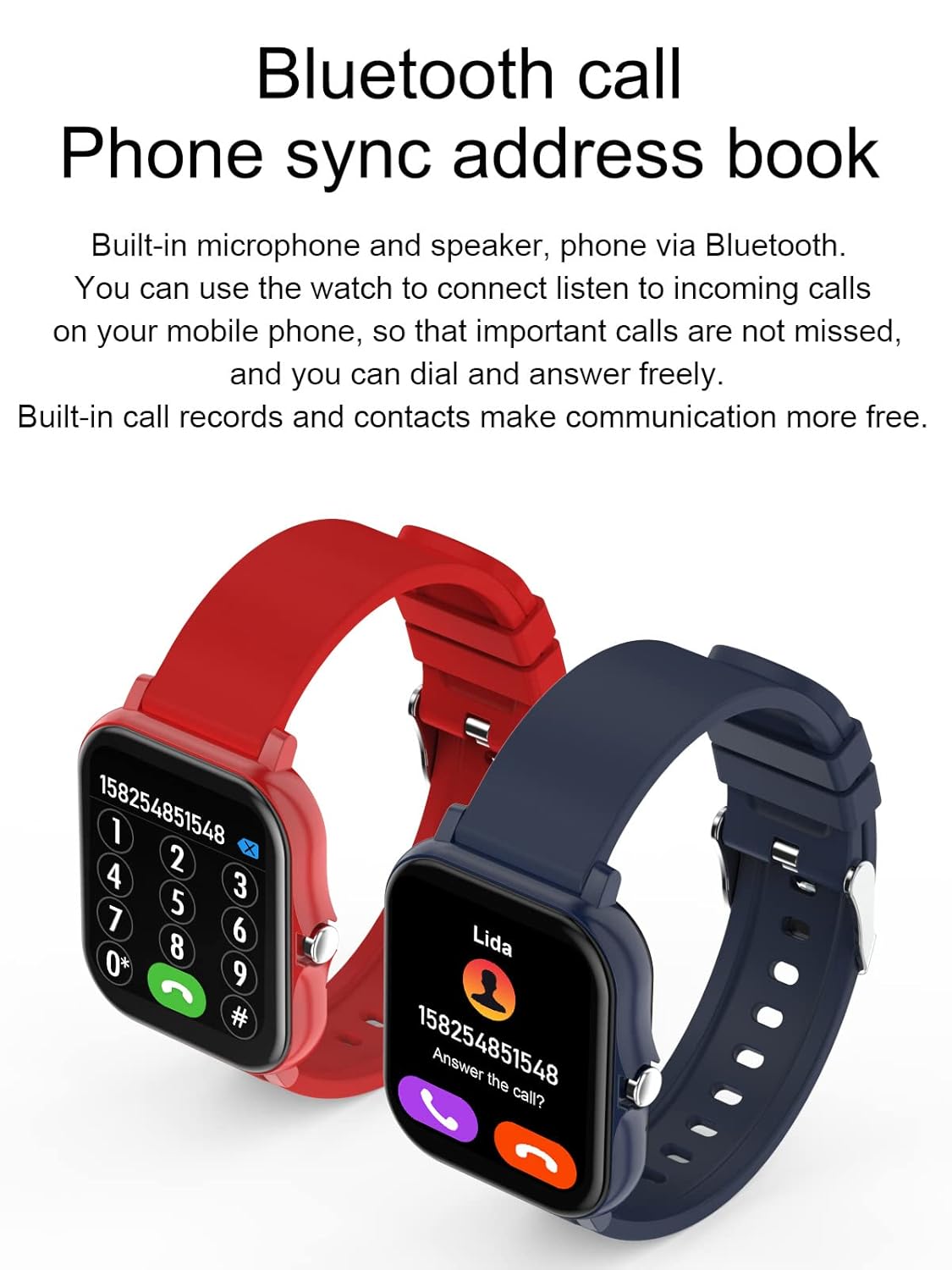
Image: Two Smart Watches, one showing a numeric dial pad for making calls and the other displaying an incoming call screen with contact information, demonstrating the Bluetooth call feature.
ติดตามสุขภาพและฟิตเนส
- Steps, Mileage, Calories: The watch continuously tracks your daily activity. View your progress directly on the watch face or in the companion app.
- โหมดมัลติสปอร์ต: Select from various sports modes (e.g., running, walking, cycling) to get more accurate tracking data for specific activities.
- การติดตามการนอนหลับ: The watch automatically monitors your sleep patterns, including deep sleep, light sleep, and awake time. Review detailed sleep analysis in the app.

Image: A smartphone screen displaying a sleep analysis report from the companion app, showing sleep quality, deep sleep, light sleep, and awake percentages, indicating the watch's sleep monitoring capability.
Smart Reminders and Notifications
- คำเตือนข้อมูล: Receive notifications for calls, messages, and app alerts directly on your watch. Configure which app notifications to receive via the companion app.
- เตือนการนั่งเฉยๆ: นาฬิกาเรือนนี้สามารถเตือนให้คุณขยับตัวได้หากคุณอยู่นิ่งนานเกินไป
- พยากรณ์อากาศ: View current weather conditions and forecasts on your watch (requires app connection and location permissions).

Image: Two Smart Watches, one showing a weather display and the other illustrating icons for incoming calls, message notifications, sedentary reminders, and weather forecasts, highlighting the watch's smart reminder features.
การปรับแต่ง
- การสลับสาย: Change your watch face from a variety of pre-installed options or download more through the companion app to personalize your device.
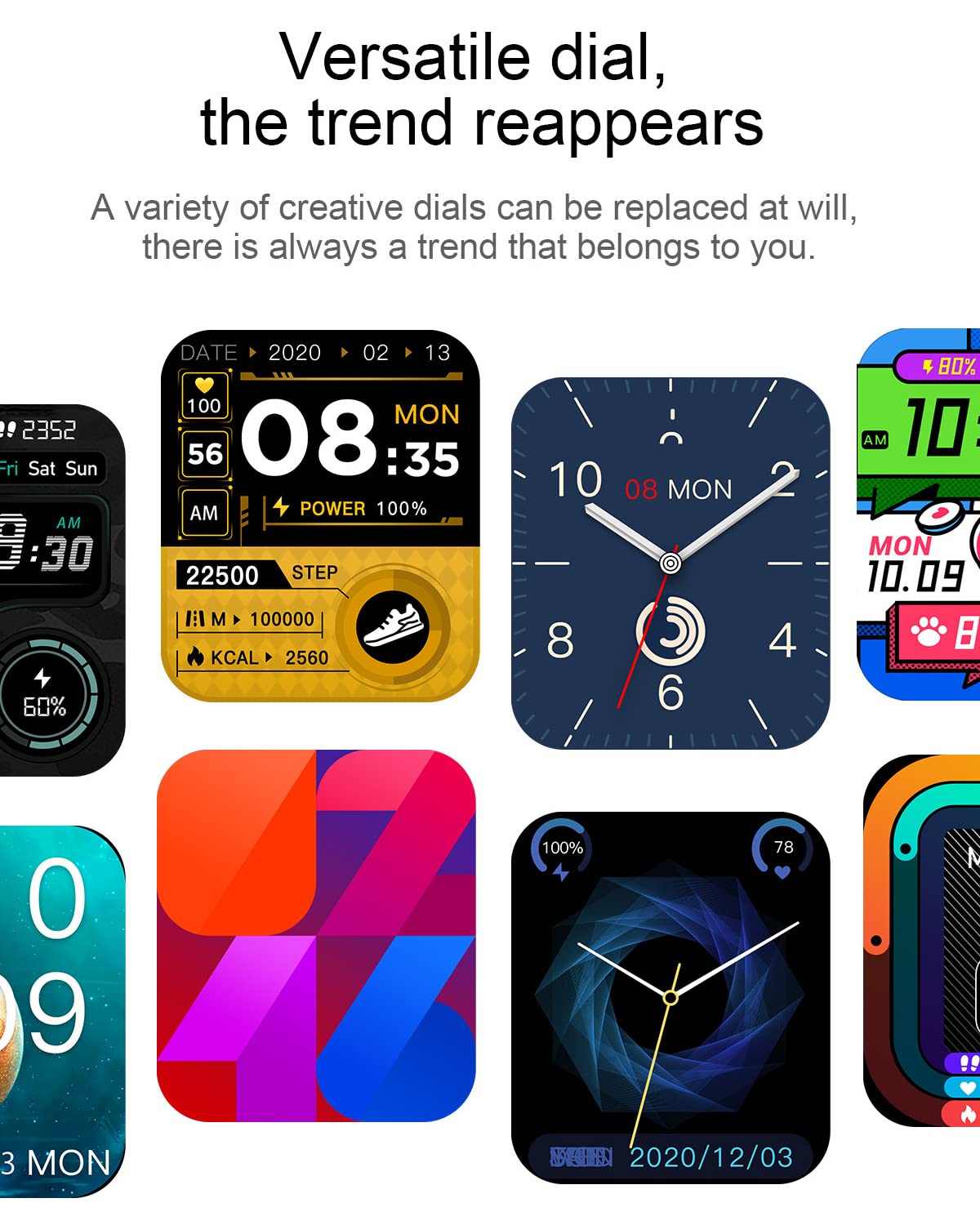
Image: A collage of different watch faces available for the Smart Watch H20, demonstrating the versatility and customization options for the display.
การซ่อมบำรุง
- การทำความสะอาด: เช็ดหน้าจอนาฬิกาและสายนาฬิกาด้วยผ้าแห้งเนื้อนุ่มที่ไม่เป็นขุยเป็นประจำ สำหรับคราบฝังแน่น ให้ใช้ผ้าชุบน้ำหมาดๆ เช็ดทำความสะอาดamp สามารถใช้ผ้าเช็ดทำความสะอาดได้ แล้วจึงเช็ดให้แห้ง หลีกเลี่ยงสารเคมีรุนแรงหรือวัสดุที่มีฤทธิ์กัดกร่อน
- ความต้านทานน้ำ: The watch is IP67 rated for living waterproof. This means it is resistant to splashes, rain, and brief immersion in shallow water. It is not suitable for swimming, diving, or showering with hot water, as steam can damage the seals.
- การชาร์จ: ใช้เฉพาะสายชาร์จแม่เหล็กที่ให้มาเท่านั้น ตรวจสอบให้แน่ใจว่าขั้วชาร์จบนนาฬิกาและสายเคเบิลสะอาดและแห้งก่อนชาร์จเพื่อป้องกันการกัดกร่อน
- พื้นที่จัดเก็บ: เมื่อไม่ได้ใช้งานเป็นเวลานาน ควรเก็บนาฬิกาไว้ในที่แห้งและเย็น หลีกเลี่ยงแสงแดดโดยตรงและอุณหภูมิที่สูงหรือต่ำเกินไป
การแก้ไขปัญหา
| ปัญหา | วิธีแก้ปัญหาที่เป็นไปได้ |
|---|---|
| นาฬิกาไม่เปิด | Ensure the watch is fully charged. Connect to the charger for at least 30 minutes. If still unresponsive, try a soft reset (refer to app for specific instructions or hold side button for 10-15 seconds). |
| ไม่สามารถจับคู่กับสมาร์ทโฟนได้ |
|
| ไม่ได้รับการแจ้งเตือน. |
|
| ข้อมูลสุขภาพที่ไม่ถูกต้อง | Ensure the watch is worn snugly on your wrist, about one finger's width above the wrist bone. Keep the sensor clean. Calibrate settings in the companion app if available. |
ข้อมูลจำเพาะ
| คุณสมบัติ | รายละเอียด |
|---|---|
| ยี่ห้อ | ทั่วไป |
| แบบอย่าง | H20 |
| แสดง | จอ LCD สีความละเอียดสูงขนาด 1.69 นิ้ว |
| ปณิธาน | 240 x 320 |
| ระบบปฏิบัติการ | แอนดรอยด์ (ใช้งานได้กับ Android 4.0 ขึ้นไป และ iOS 5.0 ขึ้นไป) |
| การเชื่อมต่อ | บลูทูธ, USB (สำหรับชาร์จ) |
| ความต้านทานต่อน้ำ | IP67 Living Waterproof |
| วิธีการชาร์จ | การชาร์จด้วยแม่เหล็ก |
| คุณสมบัติพิเศษ | Sleep Monitor, Time Display, Bluetooth Calling, Multi-Sport Modes, Remote Photography |
| รวมอยู่ในกล่อง | เครื่องชาร์จ |

Image: A diagram illustrating the physical dimensions of the Smart Watch H20, showing a width of 38mm, a thickness of 10mm, and a perimeter of 245mm for the strap.
ข้อมูลการรับประกัน
This product is covered by a warranty policy. For detailed information regarding warranty terms, conditions, and claim procedures, please refer to the official product page or contact the seller directly. Keep your purchase receipt as proof of purchase.
Note: Warranty terms may vary. Please consult the specific warranty policy provided at the time of purchase.
การสนับสนุนลูกค้า
If you encounter any issues or have questions not covered in this manual, please contact customer support for assistance. Refer to your purchase documentation or the seller's contact information for support channels.
For general inquiries, you may also visit the product's official support page (if available) or the manufacturer's webเว็บไซต์.
Ask a question about this manual
Ask about setup, troubleshooting, compatibility, parts, safety, or missing instructions. Manuals+ will review the question and use this page’s manual context to help answer it.