การแนะนำ
This manual provides essential instructions for the proper use, care, and maintenance of your Generic 1.44 MB High-Density Floppy Disk 50 Pack. These disks are designed for reliable data storage and retrieval in compatible floppy disk drives. Please read this manual thoroughly before use to ensure optimal performance and longevity of your disks.
การตั้งค่า
- การแกะกล่อง: Carefully remove the floppy disks from their packaging. The pack contains 50 individual 1.44 MB DS/HD floppy disks.
- การตรวจสอบ: Before first use, visually inspect each disk for any physical damage, such as bent shutters or cracks in the casing. Do not use damaged disks.
- การติดฉลาก: Use the included disk labels to clearly identify the contents of each disk. This helps in organization and prevents accidental data overwrites.
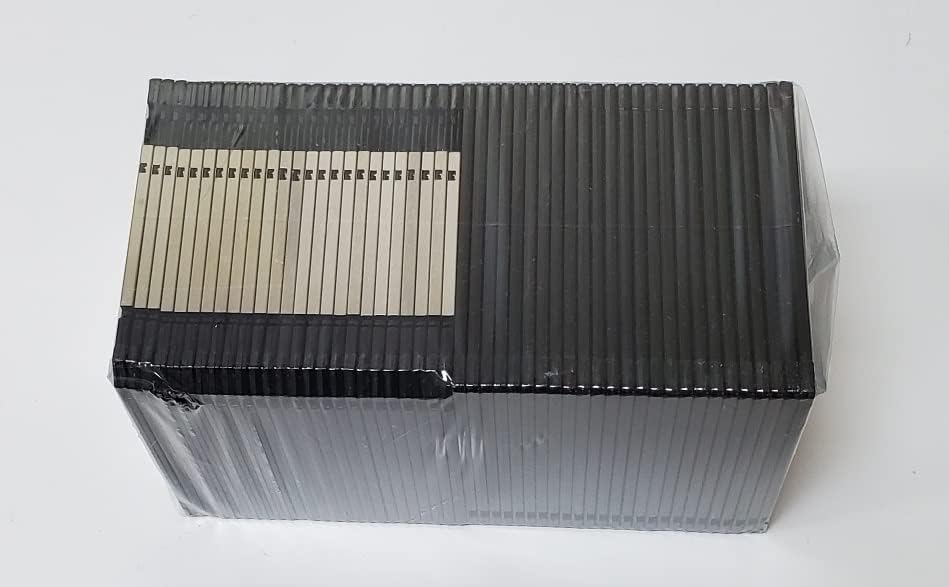
Image: A pack of 50 Generic 1.44 MB High-Density Floppy Disks, still sealed in their clear plastic wrapping, showing the side view of the stack.
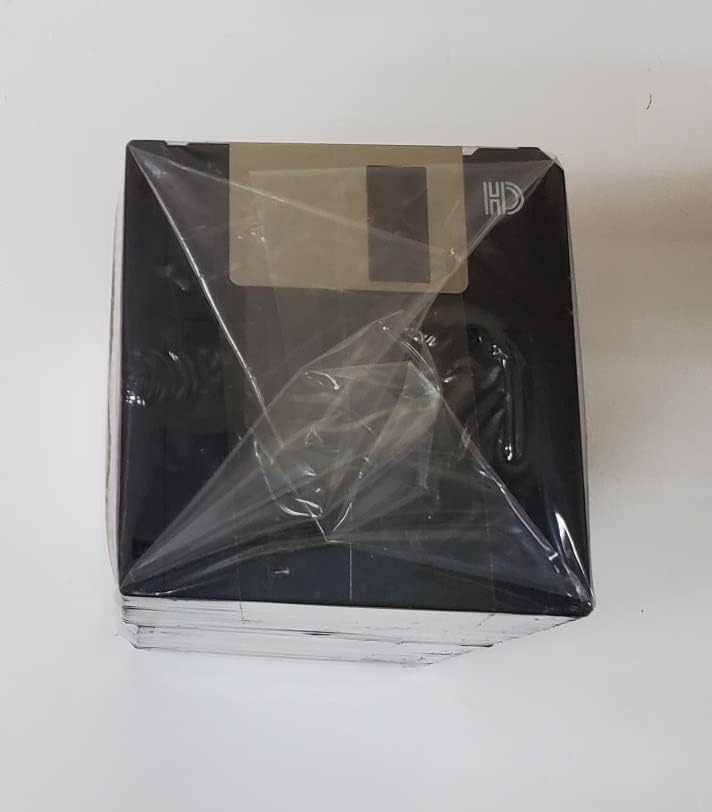
ภาพ: ด้านบน view of a pack of 50 Generic 1.44 MB High-Density Floppy Disks, sealed in plastic, with a label area visible.
คำแนะนำการใช้งาน
- Inserting the Disk: Gently insert the floppy disk into a compatible 3.5-inch floppy disk drive with the metal shutter facing forward and the arrow pointing towards the drive slot. Ensure it clicks into place.
- การเข้าถึงข้อมูล: Once inserted, your operating system should recognize the disk. You can then access, save, and transfer fileตามความจำเป็น
- การป้องกันการเขียน: Each disk features a write-protect tab on the bottom-left corner (when viewed จากด้านหน้า).
- ถึง enable write protection (prevent data from being written or deleted), slide the tab so the square hole is open.
- ถึง disable write protection (allow data to be written or deleted), slide the tab so the square hole is closed.
- Ejecting the Disk: Always eject the disk through your operating system's "Eject" function or by pressing the eject button on the floppy drive. Never remove the disk while the drive's activity light is on, as this can lead to data corruption.

Image: A single black 1.44 MB High-Density floppy disk, showing the metal shutter and the 'HD' indicator, ready for insertion into a drive.
การซ่อมบำรุง
- พื้นที่จัดเก็บ: Store floppy disks in a cool, dry place away from direct sunlight, extreme temperatures, and magnetic fields. Keep them in their original box or a dedicated disk storage case to prevent dust accumulation and physical damage.
- การจัดการ: Always handle disks by their plastic casing. Avoid touching the magnetic media exposed by the metal shutter, as fingerprints and dust can cause read/write errors.
- การทำความสะอาด: Do not attempt to clean the magnetic media directly. If a disk becomes dirty, gently wipe the plastic casing with a soft, lint-free cloth.
การแก้ไขปัญหา
- Disk Not Recognized:
- ตรวจสอบให้แน่ใจว่าได้ใส่แผ่นดิสก์เข้าไปในไดรฟ์จนสุดแล้ว
- Check if the floppy drive is properly connected and powered on.
- Try the disk in another floppy drive if available to rule out a drive issue.
- Verify the disk is not physically damaged.
- Cannot Write to Disk:
- Check the write-protect tab. Slide it to the closed position to disable write protection.
- Ensure there is sufficient free space on the disk.
- The disk may be corrupted. Attempt to format the disk (this will erase all data).
- Data Corruption/Read Errors:
- Avoid exposing disks to strong magnetic fields.
- Ensure proper handling and storage to prevent physical damage or dust contamination.
- If a disk consistently shows errors, it may be faulty.
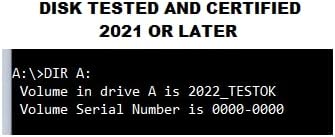
Image: A screenshot from a command prompt demonstrating a floppy disk being recognized and tested, indicating certification in 2022.
ข้อมูลจำเพาะ
| คุณสมบัติ | รายละเอียด |
|---|---|
| ประเภทสินค้า | Floppy Diskette |
| ความจุ | 1.44MB |
| ความหนาแน่น | High Density (HD) |
| รูปแบบ | 3.5-inch diskette |
| จำนวนหน่วย | 50 disks per pack |
| ความเร็วในการเขียน | 150 กิโลไบต์/วินาที |
| ความจุในการบันทึก | 1.5 Minutes (audio/video, approximate) |
| คุณสมบัติ | Metal shutter, Disk labels included, Certified and Tested |
| ยูพีซี | 728422375260 |
| ASIN | B0B5SF87HB |
การรับประกันและการสนับสนุน
For information regarding product warranty or technical support, please refer to the seller's documentation or contact the retailer where the product was purchased. As these are data storage media, it is recommended to back up critical data regularly.


