
1. บทนำ
This manual provides detailed instructions for the installation, operation, and maintenance of your OREiN 2-in-1 Bathroom Exhaust Fan with Light. This unit is designed to provide efficient ventilation and illumination for your bathroom, helping to reduce humidity and odors. Please read this manual thoroughly before installation and use, and retain it for future reference.

Image 1.1: The OREiN 2-in-1 Bathroom Exhaust Fan with Light, showcasing its sleek design and integrated lighting.
2. คุณสมบัติของผลิตภัณฑ์
- การระบายอากาศที่ทรงพลัง: Operates at 100 Cubic Feet Per Minute (CFM) to effectively remove moisture and odors from your bathroom.
- การทำงานที่เงียบ: Engineered for quiet performance with a sound level of 1.5 Sones, ensuring minimal disturbance.
- ไฟ LED แบบบูรณาการ: Features a bright 1500 lumen LED light for ampไฟส่องสว่าง
- 3-Color Temperature Selectable (3CCT): Choose between 3000K (soft white), 4000K (bright white), or 5000K (daylight) to match your preference. The color temperature is selected via a toggle switch on the fan housing.
- ฟังก์ชั่นสัปหงก: Includes a 2200K nightlight for low-level illumination in the dark. Activate by cycling the light switch within 2 seconds.
- DC Motor with Slow Start/Stop: Equipped with a durable DC motor that features a slow start and slow stop mechanism to protect the motor and extend its lifespan.
- ติดตั้งง่าย: Designed with a fast bracket for secure and straightforward installation between ceiling joists or directly to a joist.
- โครงสร้างทนทาน: Made from metal and plastic components for long-lasting use.
- ใบรับรอง: FCC and ETL Listed, ensuring compliance with safety and performance standards.

Image 2.1: Illustration of the 3-color temperature selectable feature (3000K, 4000K, 5000K) for the integrated LED light.

Image 2.2: Visual representation of the dimmable 3CCT light (19W, 1500LM) and the 200LM nightlight, with instructions for cycling the light switch to change modes.
3. ข้อมูลด้านความปลอดภัย
เพื่อลดความเสี่ยงต่อการเกิดไฟไหม้ ไฟฟ้าช็อต หรือการบาดเจ็บของบุคคล โปรดปฏิบัติตามสิ่งต่อไปนี้:
- งานติดตั้งและเดินสายไฟฟ้าต้องทำโดยบุคคลที่มีคุณสมบัติตามรหัสและมาตรฐานที่เกี่ยวข้องทั้งหมด รวมถึงรหัสและมาตรฐานการก่อสร้างที่ทนไฟ
- จำเป็นต้องมีอากาศเพียงพอสำหรับการเผาไหม้และการระบายก๊าซอย่างเหมาะสมผ่านปล่องควันของอุปกรณ์ที่ใช้เชื้อเพลิง เพื่อป้องกันการย้อนกลับของอากาศ ปฏิบัติตามแนวทางและมาตรฐานความปลอดภัยของผู้ผลิตอุปกรณ์ทำความร้อน เช่น มาตรฐานที่สมาคมป้องกันอัคคีภัยแห่งชาติ (NFPA) และสมาคมวิศวกรเครื่องทำความร้อน เครื่องทำความเย็น และเครื่องปรับอากาศแห่งสหรัฐอเมริกา (ASHRAE) และหน่วยงานกฎหมายท้องถิ่น
- เมื่อทำการตัดหรือเจาะผนังหรือเพดาน อย่าทำให้สายไฟฟ้าและสาธารณูปโภคอื่นๆ ที่ซ่อนอยู่เสียหาย
- พัดลมท่อจะต้องระบายอากาศออกสู่ภายนอกเสมอ
- ห้ามใช้พัดลมนี้กับอุปกรณ์ควบคุมความเร็วแบบโซลิดสเตต
- หน่วยนี้จะต้องต่อลงดิน
- อย่าติดตั้งในบริเวณที่ปรุงอาหาร
- ผลิตภัณฑ์นี้ออกแบบมาเพื่อใช้ในการระบายอากาศทั่วไปเท่านั้น ห้ามใช้เพื่อระบายวัสดุและไอระเหยที่เป็นอันตรายหรือระเบิดได้
- เพื่อหลีกเลี่ยงความเสียหายของตลับลูกปืนมอเตอร์ และใบพัดที่มีเสียงดังและ/หรือไม่สมดุล ควรปิดสเปรย์ผนัง ฝุ่นก่อสร้าง และอื่นๆ ของตัวเครื่อง
- The fan is suitable for use in a shower or tub enclosure when installed in a GFCI protected branch circuit.
4. เนื้อหาบรรจุภัณฑ์
โปรดตรวจสอบเนื้อหาในบรรจุภัณฑ์เพื่อให้แน่ใจว่ามีชิ้นส่วนทั้งหมดอยู่ครบถ้วนและไม่ได้รับความเสียหาย:
- OREiN 2-in-1 Bathroom Exhaust Fan with Light Unit
- Mounting Bracket (Fast Bracket)
- ฮาร์ดแวร์สำหรับการติดตั้ง (สกรู, ขั้วต่อสายไฟ)
- คู่มือการใช้งาน (เอกสารนี้)
5. คำแนะนำในการติดตั้ง
Before beginning installation, ensure power is turned off at the circuit breaker. It is recommended to have a qualified electrician perform the installation.
5.1 Dimensions and Requirements
- ขนาดที่อยู่อาศัย: 7.68" x 7.55" x 6.42" (ยาว x กว้าง x สูง)
- Light Cover Size: 10.1" x 10.1"
- Ceiling Opening Size: 8.11" x 7.48"
- ขนาดท่อ: 4 นิ้ว (กลม)

Image 5.1: Detailed product dimensions and required ceiling opening size for installation.
5.2 การติดตั้งตัวเรือนพัดลม
- Identify the desired location for the fan. Ensure there is sufficient space in the ceiling cavity and access to an existing or new ducting system.
- Cut a ceiling opening of 8.11" x 7.48".
- Attach the fast bracket to the fan housing.
- Mount the fan housing between ceiling joists using the fast bracket, or nail/screw it directly to a joist. Ensure the housing is securely fastened and flush with the ceiling surface.
- Connect the 4-inch ductwork to the fan's exhaust port. Ensure the duct does not bend into the opening to block the damper. Use rigid or semi-rigid ducting for optimal performance.
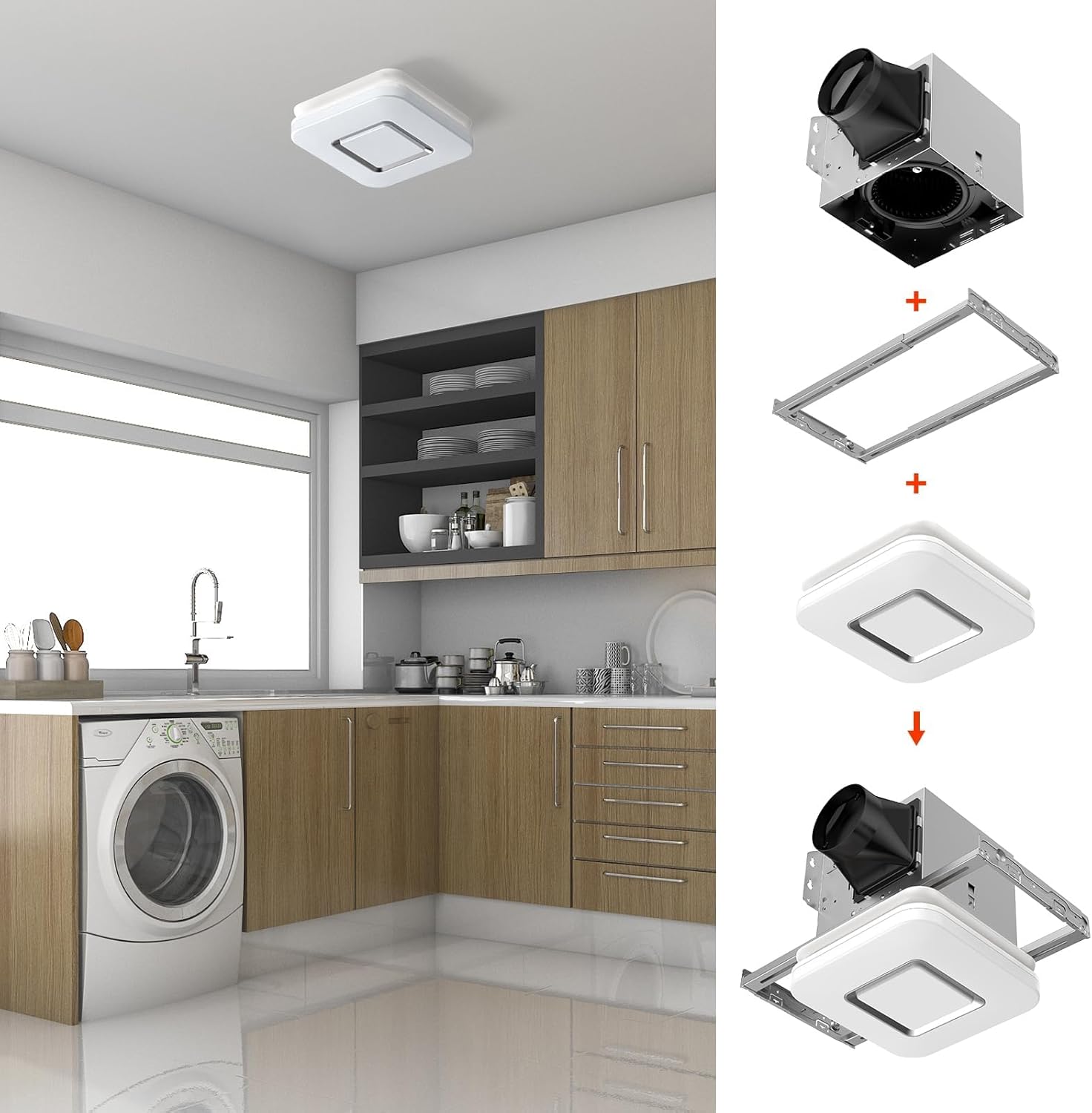
Image 5.2: Step-by-step visual guide for installing the fan housing and light cover.
5.3 เดินสายไฟฟ้า
All wiring must comply with local electrical codes. Ensure power is OFF before wiring.
- Remove the wiring cover from the fan housing.
- Connect the household wiring to the fan's wiring using appropriate wire connectors.
- ต่อสายดิน.
- Ensure all connections are secure. Replace the wiring cover.

Image 5.3: Electrical wiring diagrams for single and dual switch configurations. Note the warning about ducting not blocking the dampเอ่อ.
5.4 Attaching the Light Cover
- Once the housing is installed and wired, connect the light fixture's electrical connector to the receptacle inside the fan housing.
- Carefully push the light cover into the ceiling opening until the mounting springs engage and hold it securely in place.
6. คู่มือการใช้งาน
6.1 Selecting Light Color Temperature (3CCT)
The fan's LED light offers three color temperature options: 3000K (soft white), 4000K (bright white), and 5000K (daylight).
- To select your desired color temperature, locate the toggle switch on the back of the fan housing (before final installation of the light cover).
- Slide the switch to the corresponding setting for 3000K, 4000K, or 5000K.
- Once set, the light will operate at this color temperature when turned on.
6.2 Using the Nightlight Function
The fan includes a 2200K nightlight feature.
- To activate the nightlight mode, quickly turn the light switch OFF and then ON again within 2 seconds.
- The light will switch to the nightlight mode.
- To return to the main light mode, repeat the OFF-ON cycle.
7. การบำรุงรักษา
Regular maintenance helps ensure optimal performance and extends the lifespan of your exhaust fan. Always disconnect power before performing any maintenance.
7.1 Cleaning the Light Cover and Grille
- Gently pull down the light cover to detach it from the housing springs.
- Wipe the light cover and grille with a damp cloth using a mild, non-abrasive cleaning solution.
- ห้ามใช้น้ำยาทำความสะอาดที่มีฤทธิ์กัดกร่อนหรือตัวทำละลาย
- Ensure the cover is completely dry before reattaching.
7.2 การทำความสะอาดมอเตอร์และใบพัดพัดลม
- With the light cover removed and power disconnected, carefully vacuum or wipe dust and debris from the fan motor and blades.
- อย่าจุ่มมอเตอร์ลงในน้ำ
- Ensure no foreign objects are obstructing the fan blades.

Image 7.1: Diagram showing the internal components of the exhaust fan, including the DC motor, check valve, lampshade, and wind wheel (fan blades).
8 การแก้ไขปัญหา
If you experience issues with your OREiN exhaust fan, refer to the following table for common problems and solutions.
| ปัญหา | สาเหตุที่เป็นไปได้ | สารละลาย |
|---|---|---|
| พัดลมไม่ทำงาน | No power; loose wiring; faulty switch. | ตรวจสอบเบรกเกอร์ ตรวจสอบให้แน่ใจว่าสายไฟทั้งหมดเชื่อมต่อแน่นหนาดี ทดสอบสวิตช์ที่ผนัง |
| ไฟไม่เปิด | Loose electrical connection to light; faulty LED module. | Ensure the light's electrical connector is properly seated. If issue persists, contact customer support. |
| Weak or no air movement. | Blocked ductwork; damper obstructed; fan blades dirty; incorrect ducting. | Check ductwork for kinks or blockages. Ensure the damper is not obstructed. Clean fan blades. Use rigid or semi-rigid ducting. |
| เสียงดังเกินไป | Loose mounting; fan blades dirty or damaged; motor issue. | ตรวจสอบให้แน่ใจว่าตัวเรือนพัดลมติดตั้งแน่นสนิท ทำความสะอาดใบพัดลม หากยังมีเสียงดังอยู่ โปรดติดต่อฝ่ายบริการลูกค้า |
| Nightlight not working or cycling incorrectly. | Incorrect switch cycling; electrical issue. | Ensure you are cycling the switch OFF-ON within 2 seconds. If issue persists, contact customer support. |
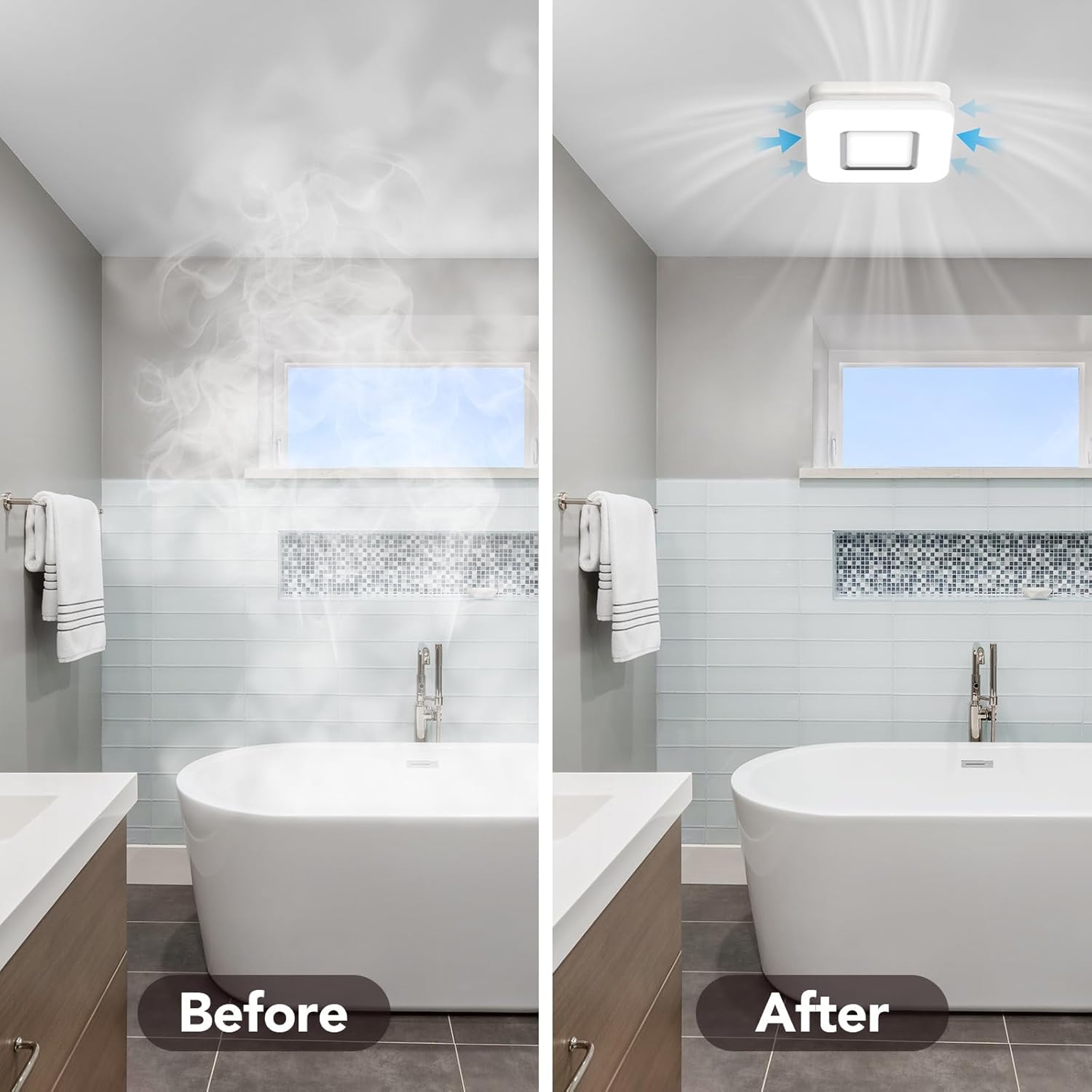
Image 8.1: Visual comparison showing a bathroom before and after effective steam removal by the exhaust fan.
9. ข้อมูลจำเพาะ
| คุณสมบัติ | ข้อมูลจำเพาะ |
|---|---|
| ยี่ห้อ | โอรีน |
| หมายเลขรุ่น | OL17002 |
| ความจุการไหลของอากาศ | 100 CFM (ลูกบาศก์ฟุตต่อนาที) |
| ระดับเสียง | 1.5 โซวอน |
| เอาท์พุตแสง | 1500 Lumens (main light) |
| อุณหภูมิสี (CCT) | 3000K / 4000K / 5000K เลือกได้ |
| อุณหภูมิสีสัปหงก | 2200K |
| วัดtagอี (แฟน) | 25 วัตต์ |
| วัดtagอี (แสง) | 19 วัตต์ |
| แหล่งพลังงาน | DC |
| ขนาดที่อยู่อาศัย | ยาว 7.68 นิ้ว x กว้าง 7.55 นิ้ว x สูง 6.42 นิ้ว |
| Light Cover Size | 10.1" x 10.1" |
| Ceiling Opening Size | 8.11" x 7.48" |
| วัสดุใบมีด | พลาสติก |
| น้ำหนักสินค้า | 7.72 ปอนด์ |
| การรับรอง | ETL, ได้รับการรับรองจาก FCC |
| ประสิทธิภาพ | ได้รับการรับรอง Energy Star |
10. การรับประกันและการสนับสนุน
OREiN products are manufactured to high-quality standards and are backed by a manufacturer's warranty. For specific warranty details, please refer to the warranty card included with your product or visit the official OREiN webเว็บไซต์.
For technical support, troubleshooting assistance, or warranty claims, please contact OREiN customer service:
- ติดต่อ: ค้นหา "OREiN" online or contact through the Amazon platform.
- โทรศัพท์: 1(844)506-1530 (24-Hour Service)
Please have your model number (OL17002) and purchase information ready when contacting support.

Image 10.1: OREiN customer service contact information for support inquiries.