
eppfun AK3046D
eppfun AK3046D Bluetooth Audio Transmitter User Manual
รุ่น: AK3046D
1. บทนำ
Thank you for choosing the eppfun AK3046D Bluetooth Audio Transmitter. This device is designed to provide high-quality wireless audio transmission from various sources to your Bluetooth-enabled headphones or speakers. Featuring advanced Bluetooth 5.2 technology and Qualcomm aptX-Adaptive codec support, it ensures stable, low-latency, and high-fidelity audio for an immersive listening experience.
2. สินค้าหมดview
2.1 คุณสมบัติหลัก
- High-Resolution APTX-Adaptive HD: Utilizes Qualcomm aptX-Adaptive low latency encoding for audio delay of approximately 60 milliseconds, ensuring synchronized audio and video.
- เทคโนโลยีบลูทูธ 5.2: Offers extended range and faster speeds compared to previous Bluetooth versions, providing a more stable wireless connection.
- วิธีการป้อนข้อมูลหลายวิธี: Supports AUX 3.5mm, RCA, Digital Coaxial Audio (Coaxial), and Digital Optical (SPDIF Optical) inputs.
- ความเข้ากันได้กว้าง: Compatible with various operating systems including PS4/5 OS, Windows, and Android OS.
- Audio Decoding Support: Supports aptX-Adaptive, aptX LL, aptX, aptX HD, and SBC codecs.
2.2 เนื้อหาบรรจุภัณฑ์
The package includes the eppfun AK3046D Bluetooth Audio Transmitter and various connection cables as shown below.

Figure 2.1: eppfun AK3046D Transmitter and accessories, including 3.5mm AUX, RCA, Fiber Optic, and Coaxial cables.
2.3 การจัดวางและปุ่มควบคุมของอุปกรณ์
Familiarize yourself with the buttons, LED indicators, and input/output ports of the AK3046D transmitter.

Figure 2.2: Button and LED functions. Includes Power/Play/Pause, Volume/Pairing, Mode (M), and Input Select (SEL) buttons, along with indicators for input type and audio codec.

Figure 2.3: Audio input selection diagram, showing indicators for Optical, Coaxial, AUX, and USB inputs.
3. การตั้งค่า
3.1 การเปิดเครื่องอุปกรณ์
The AK3046D requires a 5V DC power supply. It can be powered via a USB port on your TV, computer, or a standard mobile phone charger.
3.2 Connecting to Audio Source
The transmitter supports multiple audio input types. Choose the appropriate cable and port based on your audio source (TV, computer, etc.).

รูปที่ 3.1: การเชื่อมต่อเช่นamples for TV, including 3.5mm AUX, RCA, Fiber Optic, Coaxial, and USB audio output. Note: If your TV does not support USB audio output, power the transmitter via a separate USB source and connect audio via other methods.
3.3 Initializing (Clearing Pairing Information)
Before first use or if you encounter pairing issues, it is recommended to clear any previous pairing information.
- ตรวจสอบให้แน่ใจว่าอุปกรณ์เปิดอยู่
- Press and hold the "1" and "2" buttons simultaneously for 8 seconds until all LEDs light up again.
- Release the buttons. The pairing information is now cleared.
3.4 Pairing with Bluetooth Headphones/Speakers
The AK3046D can pair with up to two Bluetooth audio devices simultaneously.

Figure 3.2: Pairing process for the first and second Bluetooth devices. LEDs flash quickly during search and stay steady when paired.
- Put your Bluetooth headphones/speaker into pairing mode (refer to your device's manual). Red and blue LEDs on your headphones may flash alternately.
- Turn on the AK3046D. The blue LED will flash quickly to enter search/pairing mode.
- Once paired successfully, the blue LED on the transmitter will stay steady.
- To pair a second device, long press the "2" button on the AK3046D. The blue LED will flash quickly again. Repeat step 1 and 3 for the second device.
คำเตือน: After the AK3046D is paired with a Bluetooth device, the next time it is powered on, it will automatically attempt to reconnect to the last paired device. If you need to pair a new device, long press the "1" or "2" button to manually enter search/pairing mode.
4. คู่มือการใช้งาน
4.1 การดำเนินการพื้นฐาน
- เปิด/ปิดเครื่อง: Press and hold the 'M' button for 3 seconds.
- เล่น/หยุดชั่วคราว: Click the 'M' button.
- การควบคุมระดับเสียง: Click the '1' button for volume down, '2' button for volume up.
- ค้นหา การจับคู่: Long press the '1' or '2' button.
4.2 การเลือกอินพุตเสียง
To switch between different audio input sources (Optical, Coaxial, AUX, USB), click the 'SEL' button. The corresponding indicator LED will change to show the active input.
4.3 การใช้งานกับคอมพิวเตอร์
The AK3046D can be used as a USB audio output device for your computer.

Figure 4.1: Steps for connecting and configuring the AK3046D with a computer for audio output.
- Insert the AK3046D into a USB port on your computer. No additional audio cable is needed for USB input.
- Pair your Bluetooth headset with the AK3046D.
- Press the 'SEL' button on the AK3046D to switch the input to USB.
- On your computer, navigate to Sound Settings.
- Select "YET-T9" (or similar device name) as your output device.
สังเกต: The AK3046D has a voice function. It is recommended to turn off this function when listening to music normally, as it may impact sound quality. To turn off the voice function: double-click the 'M' button. If using with a PC, ensure "select input device" is not selected for YET-T9 in PC sound settings. If the voice function is enabled on PC, it can significantly impact sound quality. To disable it, right-click the speaker icon in the lower right corner of the PC, select "Sounds" -> "Recording" tab, select "YET-T9" -> "Properties" -> "Listen" tab, and uncheck "Listen to this device".
4.4 การเชื่อมต่อใหม่อัตโนมัติ
The AK3046D features a memory function that allows it to automatically reconnect to the last paired device when powered on, simplifying subsequent uses.
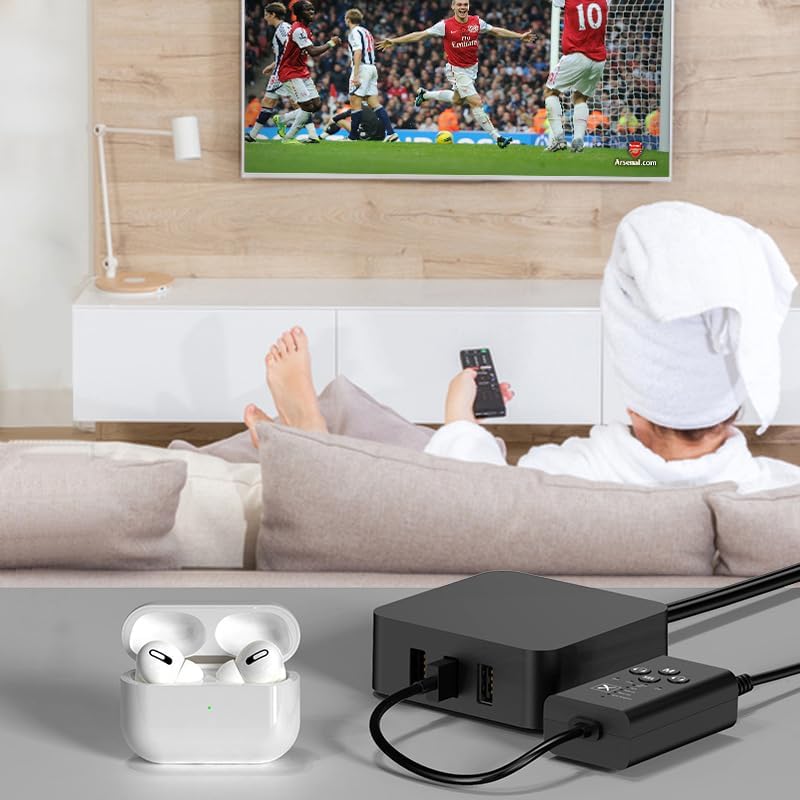
Figure 4.2: The transmitter automatically reconnects to previously paired devices.
5. การบำรุงรักษา
To ensure the longevity and optimal performance of your eppfun AK3046D transmitter, follow these simple maintenance guidelines:
- การทำความสะอาด: ใช้ผ้าแห้งเนื้อนุ่มเช็ดทำความสะอาดอุปกรณ์ หลีกเลี่ยงการใช้สารทำความสะอาดที่มีฤทธิ์กัดกร่อน ตัวทำละลาย หรือสารเคมีรุนแรง เพราะอาจทำให้พื้นผิวหรือชิ้นส่วนภายในเสียหายได้
- พื้นที่จัดเก็บ: เก็บอุปกรณ์ไว้ในที่แห้งและเย็น หลีกเลี่ยงแสงแดดโดยตรง อุณหภูมิที่สูงหรือต่ำเกินไป และความชื้นสูง
- การจัดการ: Handle the device with care. Avoid dropping it or subjecting it to strong impacts, which could cause internal damage.
- การเชื่อมต่อ: When connecting or disconnecting cables, always grasp the plug, not the cable itself, to prevent damage to the connectors or ports.
6 การแก้ไขปัญหา
If you encounter issues with your eppfun AK3046D transmitter, please refer to the following common problems and solutions:
6.1 ไม่มีเสียงหรือคุณภาพเสียงไม่ดี
- ตรวจสอบการเชื่อมต่อ: Ensure all audio cables (AUX, RCA, Coaxial, Optical) are securely connected to both the transmitter and the audio source.
- Correct Input Selected: Press the 'SEL' button to cycle through inputs and ensure the correct input source is selected on the transmitter (e.g., OPT for optical, AUX for 3.5mm).
- การตั้งค่าเอาต์พุตเสียง: If connecting to a TV or computer, verify that the audio output settings on your source device are correctly configured to send audio through the chosen port. For USB audio from TV, ensure your TV supports USB audio output; otherwise, use another input method and power the transmitter separately.
- ความเข้ากันได้ของตัวแปลงสัญญาณ: Ensure your Bluetooth headphones/speakers support the same audio codec (e.g., aptX-Adaptive, aptX LL, aptX HD) as the transmitter for optimal quality. If the sound is tinny or distorted, especially with digital inputs, try setting your source device's audio output to 48kHz instead of 44.1kHz.
- Voice Function Interference: If using with a computer, ensure the voice function is turned off as described in Section 4.3 to prevent sound quality degradation.
- Buzzing Sound (AUX Input): A low-frequency buzzing sound on AUX input might be due to power supply noise. Try adjusting the gain on your audio interface (if applicable) and lowering the volume on the Bluetooth Transmitter slightly.
6.2 Unstable Bluetooth Connection or Interference
- การรบกวนสิ่งแวดล้อม: Bluetooth signals can be affected by Wi-Fi routers, microwave ovens, cordless phones, and other Bluetooth devices nearby. Try moving the transmitter and your receiving device away from these sources of interference.
- ระยะทาง: Ensure the transmitter and your Bluetooth headphones/speakers are within the effective operating range.
- ล้างข้อมูลการจับคู่: If connection issues persist, try clearing the pairing information on the transmitter (Section 3.3) and re-pairing your devices.
6.3 Device Not Recognized by Windows PC (for Transmission TO PC)
- ฟังก์ชันเครื่องส่งสัญญาณ: This device is primarily a Bluetooth เครื่องส่ง, meaning it sends audio FROM a source (TV, console, media player) TO Bluetooth headphones/speakers. It is generally not designed to transmit audio FROM a source device (like an Oculus Quest or non-BT phone) TO a Windows PC as a Bluetooth receiver. Windows PCs typically require specific Bluetooth receiver hardware/software to accept incoming audio streams.
7. ข้อมูลจำเพาะ
| คุณสมบัติ | ข้อมูลจำเพาะ |
|---|---|
| หมายเลขรุ่น | AK3046D |
| เวอร์ชันบลูทูธ | 5.2 |
| บลูทู ธ ชิปเซ็ต | วอลคอมม์ QCC3040 |
| ตัวแปลงสัญญาณเสียงที่รองรับ | aptX-Adaptive, aptX LL, aptX, aptX HD, SBC |
| อินเทอร์เฟซอินพุต | 3.5mm AUX, RCA, Coaxial, SPDIF Optical, USB |
| อุปกรณ์ที่รองรับ | TV, Smartphone, Computer (PS4/5 OS, Windows, Android OS) |
| ขนาดสินค้า (กว้าง x ยาว x สูง) | 6.9 x 3 x 2 ซม. |
| น้ำหนัก | 100 กรัม |
| สี | สีดำ |
| อินพุต Voltage | 5V DC (ผ่าน USB) |
7.1 aptX Codec Specifications Comparison

Figure 7.1: Detailed comparison of Qualcomm aptX codecs, including Word Depth, Bit Rate, THD+N@1kHz, SNR@1kHz, and Frequency Response.
8. การรับประกันและการสนับสนุน
eppfun products are manufactured to the highest quality standards. This product is covered by a limited warranty from the date of purchase. Please refer to the warranty card included in your product packaging for specific terms and conditions.
For technical support, troubleshooting assistance, or warranty claims, please contact eppfun customer service through the retailer where you purchased the product or visit the official eppfun webเว็บไซต์สำหรับข้อมูลการติดต่อ
โปรดเก็บหลักฐานการซื้อไว้เพื่อวัตถุประสงค์การรับประกัน
Ask a question about this manual
Ask about setup, troubleshooting, compatibility, parts, safety, or missing instructions. Manuals+ will review the question and use this page’s manual context to help answer it.